
DeepXiv: A CLI Tool That Lets AI Agents Directly Consume 200 Million Papers
DeepXiv is an open-source CLI tool that turns 200 million+ open papers into data interfaces Agents can call, supporting search, progressive reading, trending-topic tracking, and deep research.

DeepXiv: A CLI Tool That Lets AI Agents Directly Consume 200 Million Papers
DeepXiv is an open-source CLI tool that turns 200 million+ open papers into data interfaces Agents can call, supporting search, progressive reading, trending-topic tracking, and deep research.
--brief)View the structure (--head)Read a section in depth (--section)Step 4: Track Research Hot TopicsStep 5: Deep Research (Agent mode)Other Ways to Plug InFAQIf you do AI-related R&D, chances are you deal with papers every day. But the current way of reading papers is still designed for humans -- open a web page, download the PDF, flip through pages manually. For developers who increasingly rely on AI Agents to assist their work, this workflow is far too slow.
The problem DeepXiv sets out to solve is straightforward: upgrade papers from 'meant for humans to read' to 'meant for Agents to use'. It converts 200 million+ open papers into data interfaces and a skill system that Agents can call directly, with three ways to plug in: a command line, a Python SDK, and the MCP protocol.
The project was developed jointly by the Beijing Academy of Artificial Intelligence (BAAI), universities, and community developers, and it is fully open source.
Links
- GitHub: https://github.com/DeepXiv/deepxiv_sdk
- PyPI: https://pypi.org/project/deepxiv-sdk/
- API documentation: https://data.rag.ac.cn/api/docs
- Technical report: https://arxiv.org/abs/2603.00084
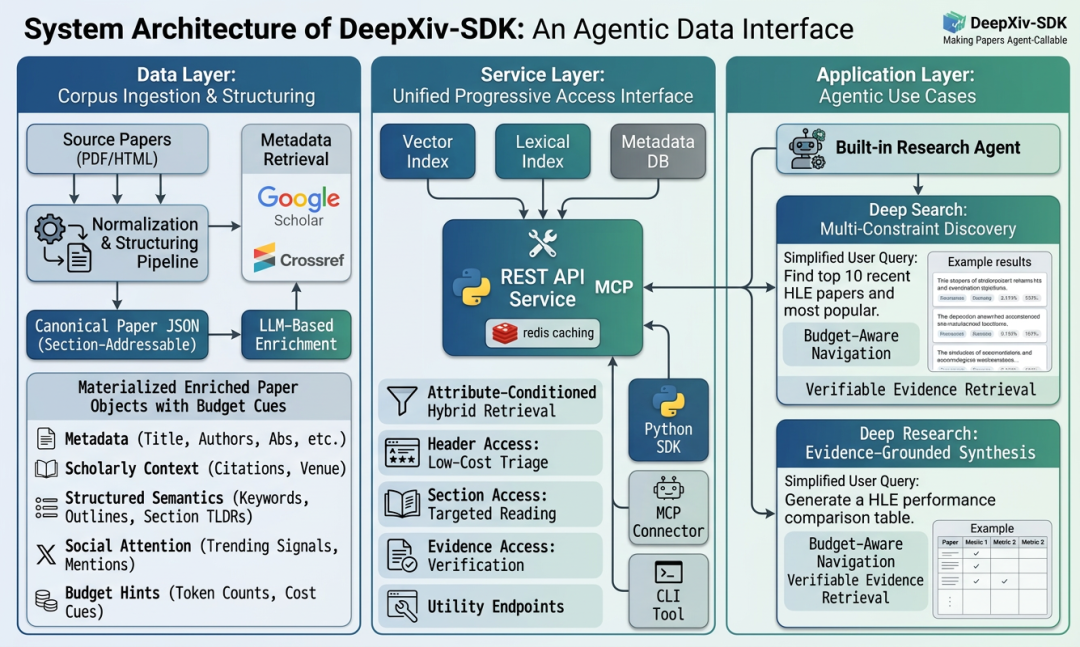
What This Tutorial Helps You Do
After working through this tutorial, you will be able to do the following from the command line:
- Search for papers on a specific topic, filtered by date
- Quickly preview a paper's core information (title, abstract, keywords)
- Read a paper's content precisely, section by section
- Track research hot topics and how far papers are spreading
- Auto-generate a Baseline comparison table for a given direction
Who it is for: researchers, AI developers, and engineers who need to survey the literature.
Before You Start
- Python 3.8+
- pip package manager
- Estimated time: 10 minutes to get started
- Cost: free
Step 1: Install the DeepXiv SDK
One command handles the installation:
pip install deepxiv-sdkIf you need the full deep research Agent features (including the built-in Agent):
pip install "deepxiv-sdk[all]"Step 2: Search Papers
DeepXiv has built its own paper search engine, supporting keyword search and date-range filtering:
# Basic search
deepxiv search "agent memory"

# Filter by date range, limit the number of results, output JSON
deepxiv search "agentic memory" --date-from 2026-03-02 --limit 50 --format json

# Run searches with multiple synonyms in parallel to widen recall
deepxiv search "memory agents long-horizon" --date-from 2026-03-02 --limit 50 --format json
Search results come back as structured information -- paper ID, title, abstract, and more -- ready for downstream processing.
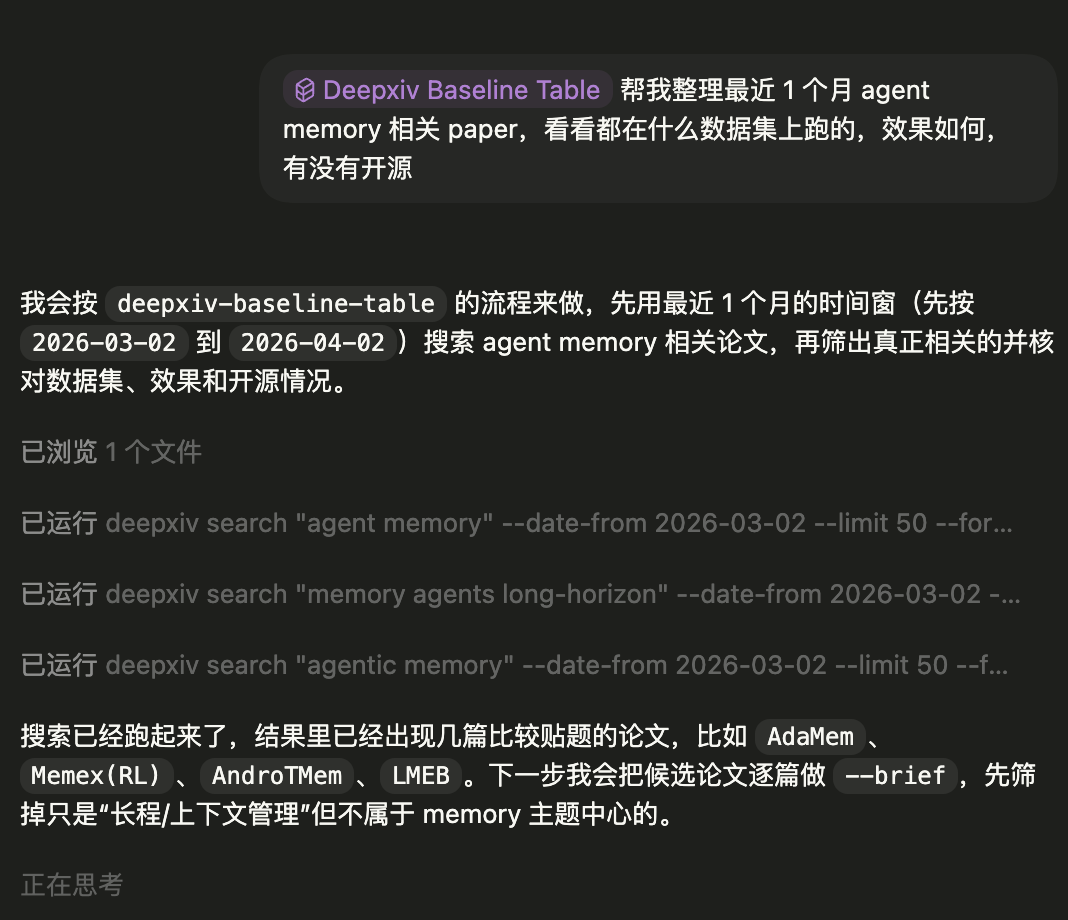
Step 3: Read Papers Progressively
DeepXiv's core philosophy is progressive disclosure -- judge a paper's value at the lowest possible cost first, then read deeper as needed.
Quick preview (--brief)
deepxiv paper 2602.16493 --briefThis returns the paper's title, publication date, citation count, PDF link, GitHub address, keywords, and a TL;DR summary. Token consumption is minimal, which makes it ideal for batch screening.
View the structure (--head)
deepxiv paper 2602.16493 --headThis returns the paper's section layout, with each section's summary and token count. It helps you quickly understand the overall structure and decide which sections are worth reading in depth.
Read a section in depth (--section)
deepxiv paper 2602.16493 --section "Experiments"This reads only the Experiments section. DeepXiv returns parsed Markdown or JSON that an Agent can consume directly, with no need to extract anything from a PDF.

Tip: These three commands map to a very natural literature-reading path: search candidates -> preview and filter -> locate in the structure -> targeted deep read. Token consumption rises with each stage, and you can stop at any point.
Step 4: Track Research Hot Topics
DeepXiv has trending-topic tracking built in:
# Get trending papers from the last 7 days
deepxiv trending --days 7 --limit 30 --json

# Preview the key points of a single paper
deepxiv paper 2603.28767 --brief

# Check a paper's social media buzz
deepxiv paper 2603.28767 --popularity
Step 5: Deep Research (Agent mode)
If you would rather not hand-stitch every call yourself, DeepXiv ships with a deep research Agent that chains searching, filtering, reading, extraction, and synthesis into one complete pipeline:
# Install the full dependencies
pip install "deepxiv-sdk[all]"

# Configure the API key
deepxiv agent config

# Start a deep research run
deepxiv agent query "What are the latest papers about agent memory?" --verbose
Other Ways to Plug In
Beyond the CLI, DeepXiv also supports:
- Python SDK: call it directly in code, ideal for integrating into a custom Agent
- MCP protocol: can be embedded into mainstream Agent development frameworks like Claude Code and OpenClaw
- PMC support: beyond ArXiv, it has begun ingesting more sources such as PubMed Central
# View a PMC paper
deepxiv pmc PMC544940 --head
deepxiv pmc PMC544940
FAQ
- Data coverage: currently covers the complete ArXiv corpus with daily incremental updates, and is expanding to PMC, ACM, bioRxiv, and more sources
- Is it free: open source and free to use
- Return formats: both JSON and Markdown are supported
- How to hook up MCP: DeepXiv provides an MCP Server that can be registered directly as a tool in supported Agent frameworks
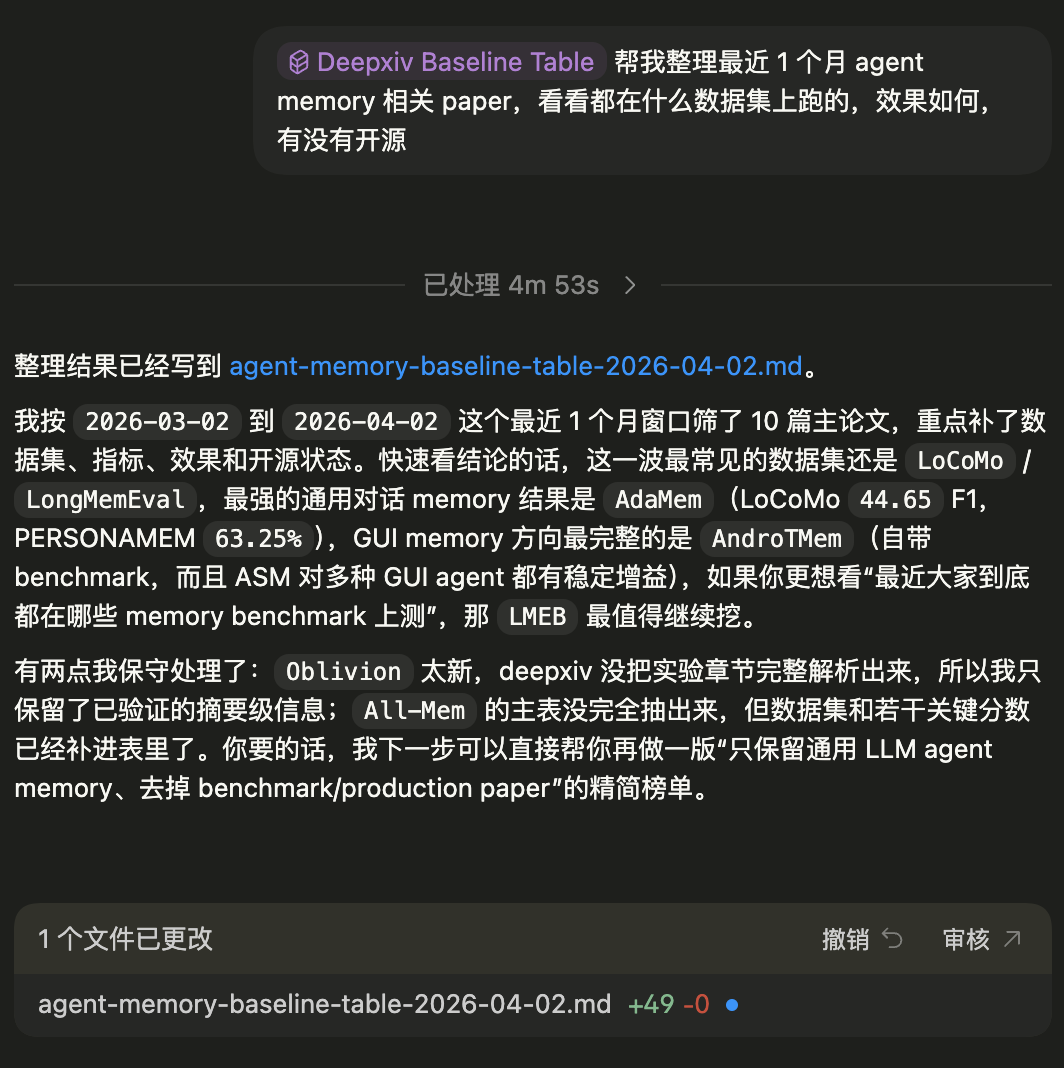
Toolin Editorial Team
Categories
--brief)View the structure (--head)Read a section in depth (--section)Step 4: Track Research Hot TopicsStep 5: Deep Research (Agent mode)Other Ways to Plug InFAQRelated articles

Claude Managed Agents Ships Six Updates: Skill Cap Raised to 500, With Ready-to-Run Payloads
Anthropic's managed agent platform CMA ships six updates at once: per-session skills up from 20 to 500, a five-level effort setting writable into per-agent config, and seeded sessions created in one step with initial_events.

DojoAgents: Build a Financial Research Agent Locally in 10 Minutes
An open-source agent framework from Shenchong Intelligence covering A-shares, US stocks, and Hong Kong stocks — deploy a financial research agent that autonomously analyzes market themes, locally, in 10 minutes.
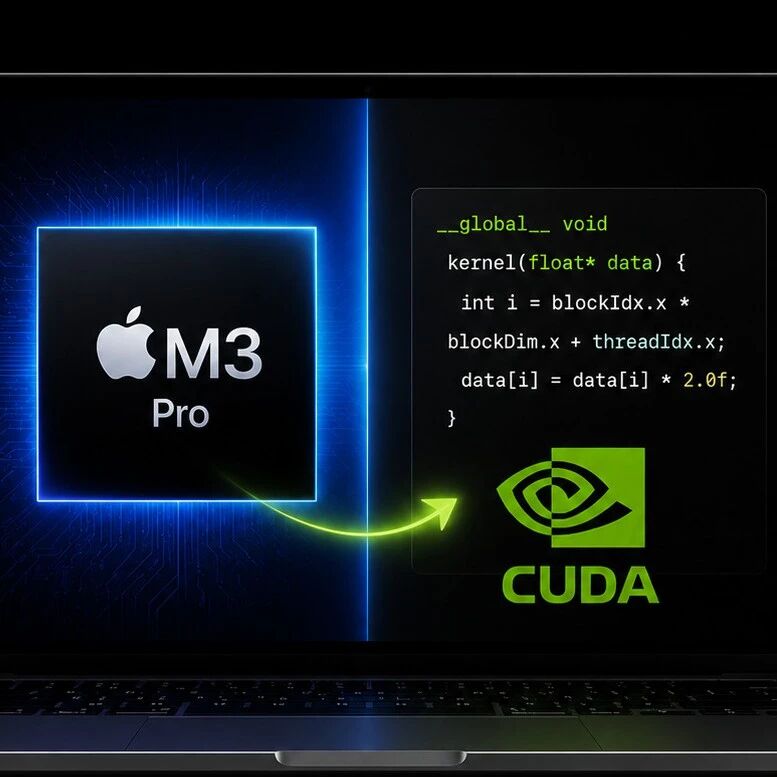
OpenFPM's Experimental Metal Backend: Running CUDA Programs on Apple Silicon
An experimental Metal backend PR for the open-source scientific computing framework OpenFPM runs original CUDA kernels nearly unchanged on an M3 Pro via Clang/HIP-SPIR-V-Vulkan-MoltenVK, with a measured ~10x speedup on a 3D SPH benchmark.

ChatCut: The Video Execution Layer Behind General Agents — Cut Video Through Conversation
From PaperCut to Codex/ChatGPT plugins, ChatCut is building the reliable, editable video execution layer behind general agents.

Claude's "Record a Skill": Screen Recording Plus Voice, One Click to a Reusable Skill
Hands-on with Anthropic's new feature: record your screen and narrate inside Cowork to auto-generate a reusable Skill, skipping the hand-written SKILL.md.

Qoder Security: Three Layers of Code Protection Inside the Session — a First in China with Same-Session Fixes
Alibaba's Qoder ships China's first three-layer in-session code security guard — vulnerability detection up 60%, false positives down 80%, enabled in 3 steps.