
Kimi Work Adds Goal Mode and a Plugin Center, with 50% Off Quota in June
Kimi Work launches Goal Mode with 24-hour continuous autonomous operation and a new Plugin Center supporting Baidu Netdisk, DingTalk, Feishu, and other apps, with all task quota consumption halved in June.

Kimi Work Adds Goal Mode and a Plugin Center, with 50% Off Quota in June
Kimi Work launches Goal Mode with 24-hour continuous autonomous operation and a new Plugin Center supporting Baidu Netdisk, DingTalk, Feishu, and other apps, with all task quota consumption halved in June.
Kimi Work (Beta) is getting two significant updates in June: "Goal Mode" lets the AI work continuously for 24 hours, advancing tasks on its own, while the "Plugin Center" lets it directly operate office software such as Baidu Netdisk, DingTalk, Feishu, and Canva. On top of that, quota consumption for all Work-mode tasks is halved in June.
Goal Mode: 24 Hours of Continuous Work
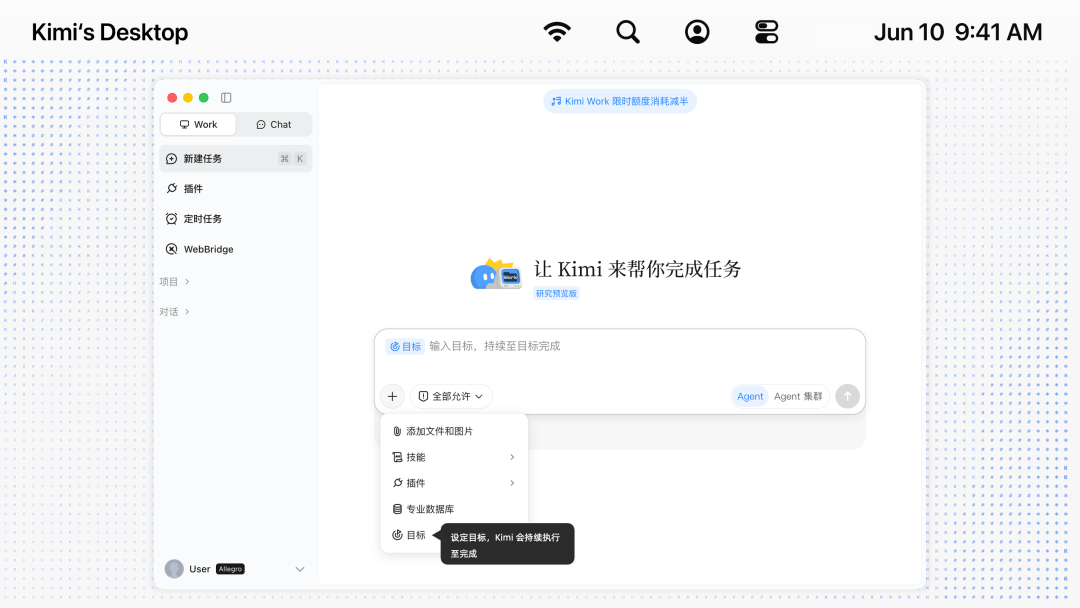
Behind Goal Mode is a loop mechanism:
- Goal-directed autonomous loop: you set a clear end state, and Kimi enters a continuous loop on its own, no human intervention required
- Self-evolving strategy: as it executes, the Agent compares the gap between its current state and the goal, continuously converging and refining its approach
- No goal drift: it first extracts a definition of "what counts as done" from the goal, and every step is decided against that same end state
- Human in the loop: the whole run is fully transparent; you can interrupt the loop and adjust direction at any time
How to Enable It
- Open the latest Kimi desktop client
- Switch to "Work" mode in the left sidebar
- Click the "+" button at the bottom left of the input box
- Select "Goal"
- Enter a goal that takes a long time to complete
What It's Good For
Goal Mode suits tasks that meet four conditions: a clear goal, an uncertain path, multiple rounds of attempts, and verifiable results.
Typical scenarios include:
- Migrating code
- Organizing massive amounts of material (such as turning 80 papers and 2000 pages of PDFs into an Obsidian knowledge base automatically)
- Reproducing paper results for research
- Building a personal knowledge base
Plugin Center: Connecting Your Everyday Office Software
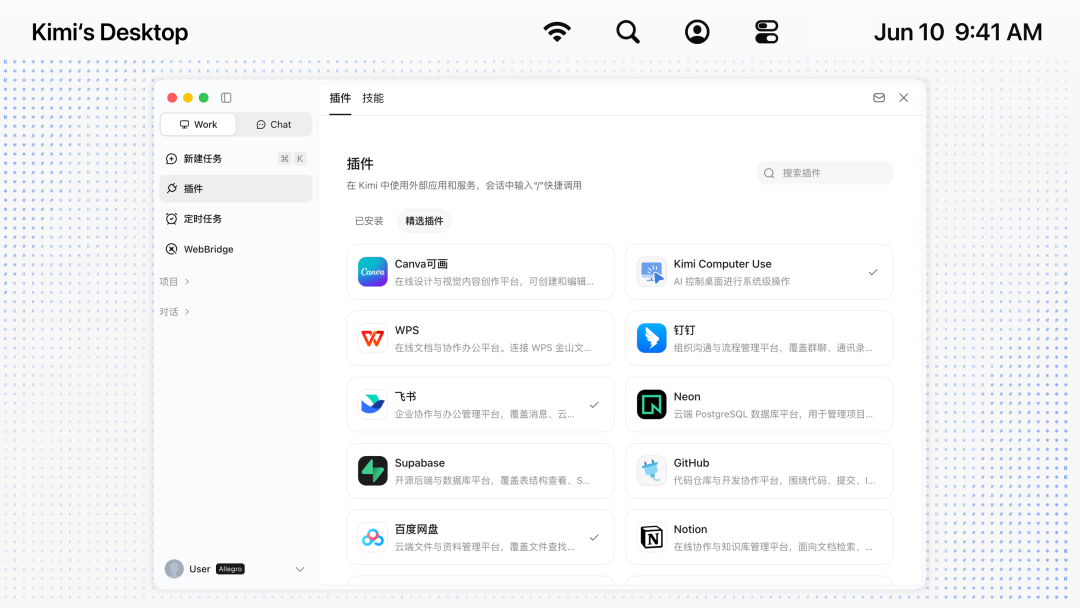
The new Kimi Work adds a Plugin Center. Beyond the built-in professional data plugins like Tonghuashun and Tianyancha, you can install curated office and collaboration plugins:
Office and collaboration: Baidu Netdisk, DingTalk, Feishu, WPS
Design: Canva
Notes: Notion
Web development: Cloudflare
How to Enable a Plugin
- Switch to "Work" mode in the left sidebar
- Click "Plugins" to open the Plugin Center
- Find and install the plugin you need
- Type a slash
/in the dialog box and select the plugin you want to invoke
June Limited-Time Perk: 50% Off Quota
Throughout June 2026, Work-mode tasks in the Kimi desktop client consume only half the membership quota. A task that used to cost 0.02% of your quota now costs just 0.01%.
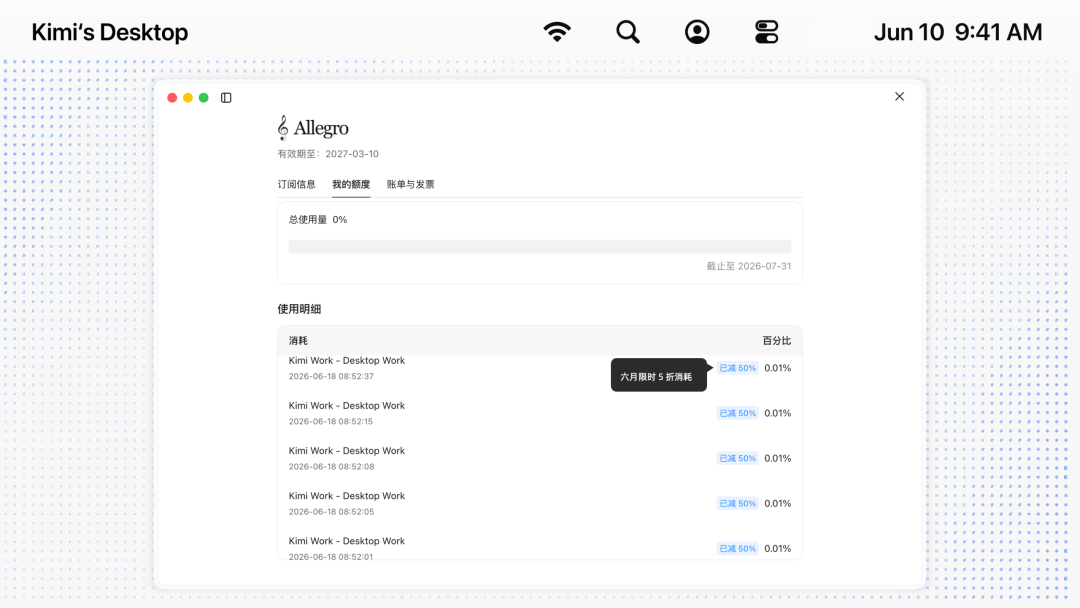
Tasks enjoying the 50% discount show gray text at the bottom of the conversation reading "quota consumption for this task has been halved". Note that this perk applies only to Work mode in the desktop client — it does not cover Chat mode, the kimi.com web version, or the mobile app.
Download: kimi.com/zh-cn/products/kimi-work (available for Mac Apple silicon and Windows)
Promo rules: kimi.com/activities/zh-cn/kimi-work-promo/rule
Original article: Kimi Work New Releases: Goal Mode, Plugin Center, and June Limited-Time Perks
Related articles
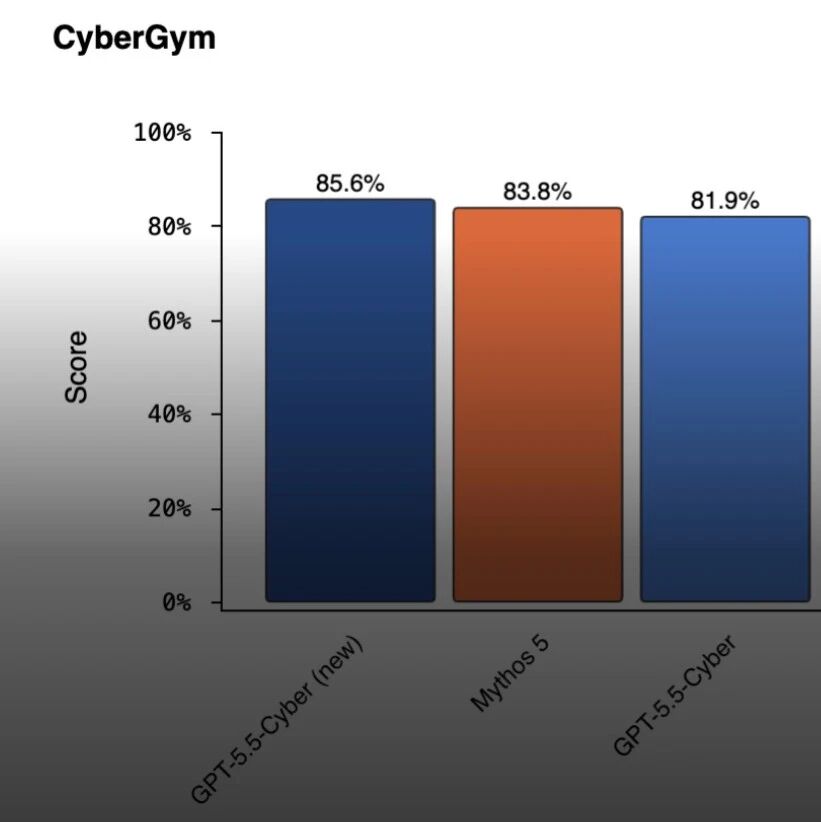
GPT-5.5-Cyber at Full Power: OpenAI Welds an AI Security Engineer into Codex
OpenAI expands its Daybreak security program with the full release of GPT-5.5-Cyber (CyberGym 85.6%, ahead of Mythos 5), a Codex Security plugin update, and the Patch the Planet open-source remediation effort — pushing vulnerabilities all the way from discovery to landed patches.

VLA-JEPA: Teaching Robots How Actions Change the World
Zhongguancun Academy × USTC × SJTU × EIT propose VLA-JEPA, fusing VLA models and world models in latent space: assembly tasks completed with just 13 trajectories, 97.2% on LIBERO, shared by LeCun and Saining Xie.

AutoControl-Arena: Auto-Generated, Actually Runnable Agent Risk Testbeds
Fudan × Shanghai Innovation Institute × Oxford publish the ICML 2026 paper AutoControl-Arena, which auto-synthesizes executable test environments to surface latent Agent risks in long-tail scenarios, reproducing Anthropic/OpenAI safety-report behaviors with a 0.87 correlation.

Nvidia Halos: An Open-Source Safety OS for Robots
At Automate 2026, Nvidia launched Halos for Robotics, a full-stack robot safety system that opens 18,600 engineering-years of autonomous-driving safety know-how to the embodied AI industry — the core safety framework is already open, with 43 companies on board.

PerfEvolve: Teaching Agents to Tune Databases Like a Senior DBA
ISCAS open-sources the PerfEvolve framework, converting static tuning docs into executable procedural skills for Agents and delivering up to 58.9% performance gains on PostgreSQL v16 — a direct fix for LLM tuning failures.
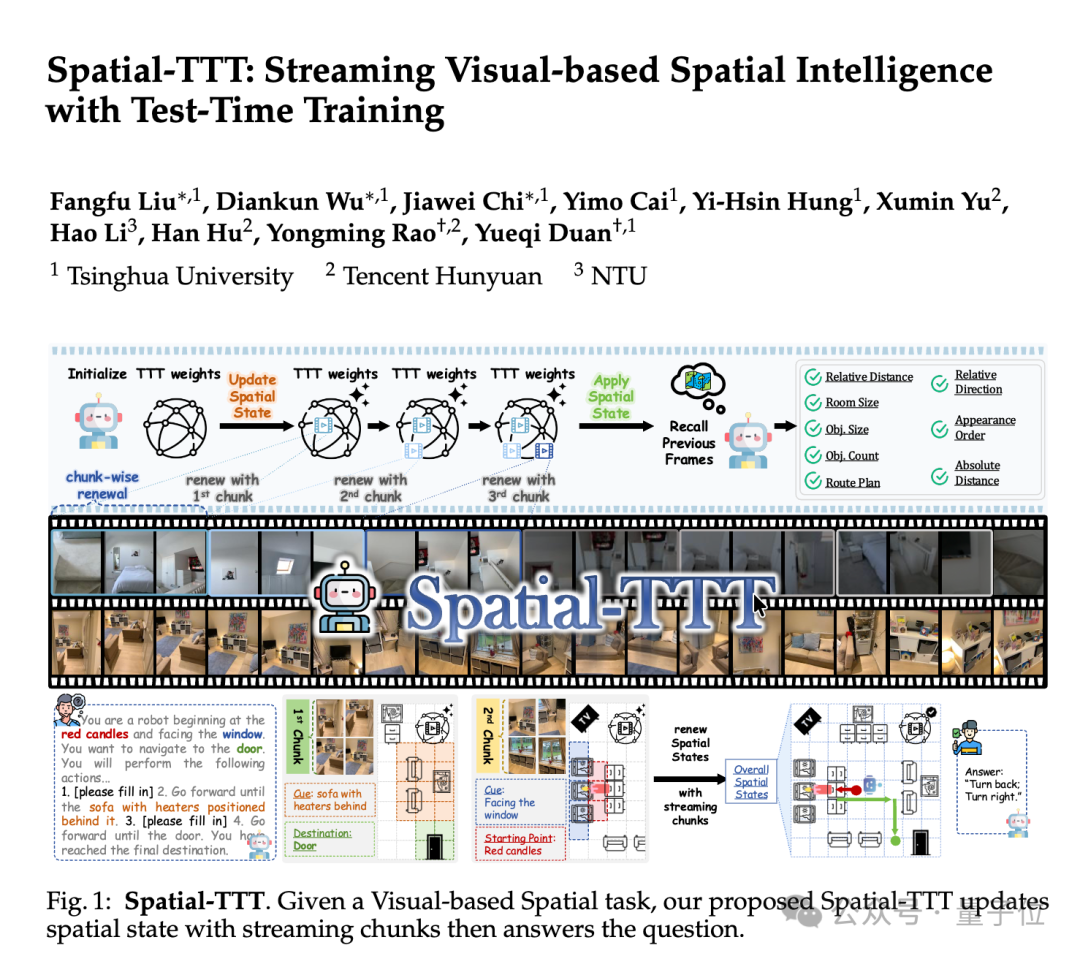
Spatial-TTT: An Open-Source Spatial Intelligence Model at 2B Parameters
Tsinghua's open-source Spatial-TTT makes ECCV 2026: at just 2B parameters it beats GPT-5 and Gemini-3-pro on multiple spatial intelligence benchmarks, handling 120-minute streaming video while updating its spatial memory as it watches.