
PilotDeck: The Open-Source Agent Operating System from Tsinghua
PilotDeck is an open-source Agent operating system jointly released by Tsinghua University's THUNLP Lab and partner teams, featuring independently isolated WorkSpaces, white-box memory management, smart routing that saves money, and Always-on proactive execution.

PilotDeck: The Open-Source Agent Operating System from Tsinghua
PilotDeck is an open-source Agent operating system jointly released by Tsinghua University's THUNLP Lab and partner teams, featuring independently isolated WorkSpaces, white-box memory management, smart routing that saves money, and Always-on proactive execution.
If you have used AI Agent tools like OpenClaw or Codex, you have probably run into these problems: running multiple projects at once cross-contaminates their memories, Token bills explode, and the Agent only responds passively instead of doing work proactively.
PilotDeck is an open-source agent operating system jointly developed and open-sourced by Tsinghua University's THUNLP Lab, ModelBest, OpenBMB, and AI9stars. With WorkSpace isolation, white-box memory, smart routing, and an Always-on mechanism, it solves several of the most painful problems in today's AI Agents.
- Open source: https://github.com/OpenBMB/PilotDeck
- Official site: https://pilotdeck.openbmb.cn/
What PilotDeck Is
In one sentence: if OpenClaw is a geek-romanticist "big toy," PilotDeck is an "agent collaboration pod" built for pure productivity.
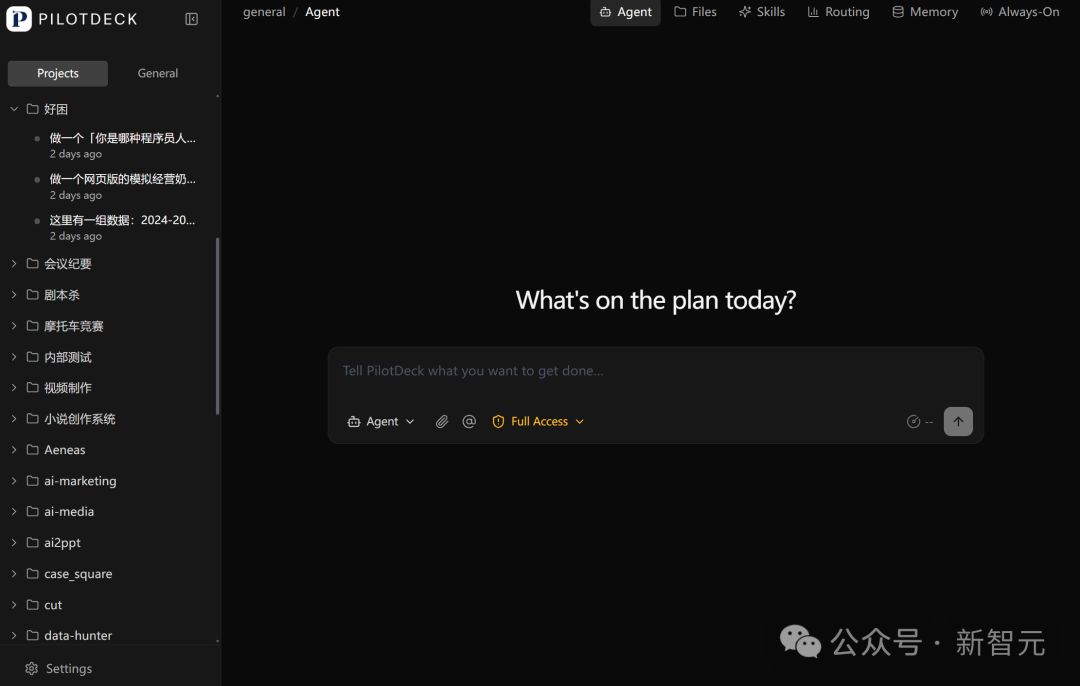
It is not just a chat window but a complete project pod — every project gets its own file system, memory, skills, and scheduled tasks.
Core Design: A WorkSpace Is Not a Folder
PilotDeck's core concept is the WorkSpace, but it is not the "workspace" found in other products. It is a project pod with a three-layer structure:
Layer one: a dedicated file system
Each project has its own scope of operable files, and AI-generated files are automatically labeled. Project A's Agent never touches Project B's files.
Layer two: dedicated memory
Two kinds: Project Memory records goals, progress, and constraints; Feedback Memory records your preferences and specific requests. Both are read and written around the project without interfering with each other.
Layer three: dedicated skills
Tools from the Skill store can be installed into the matching WorkSpace with one click. Skills accumulate automatically as tasks grow, and can be shared across pods or kept pod-specific.
Stack these three layers together and the Agent is not just doing tasks for you — it "lives" inside the project.
Four Key Capabilities
1. White-box memory management
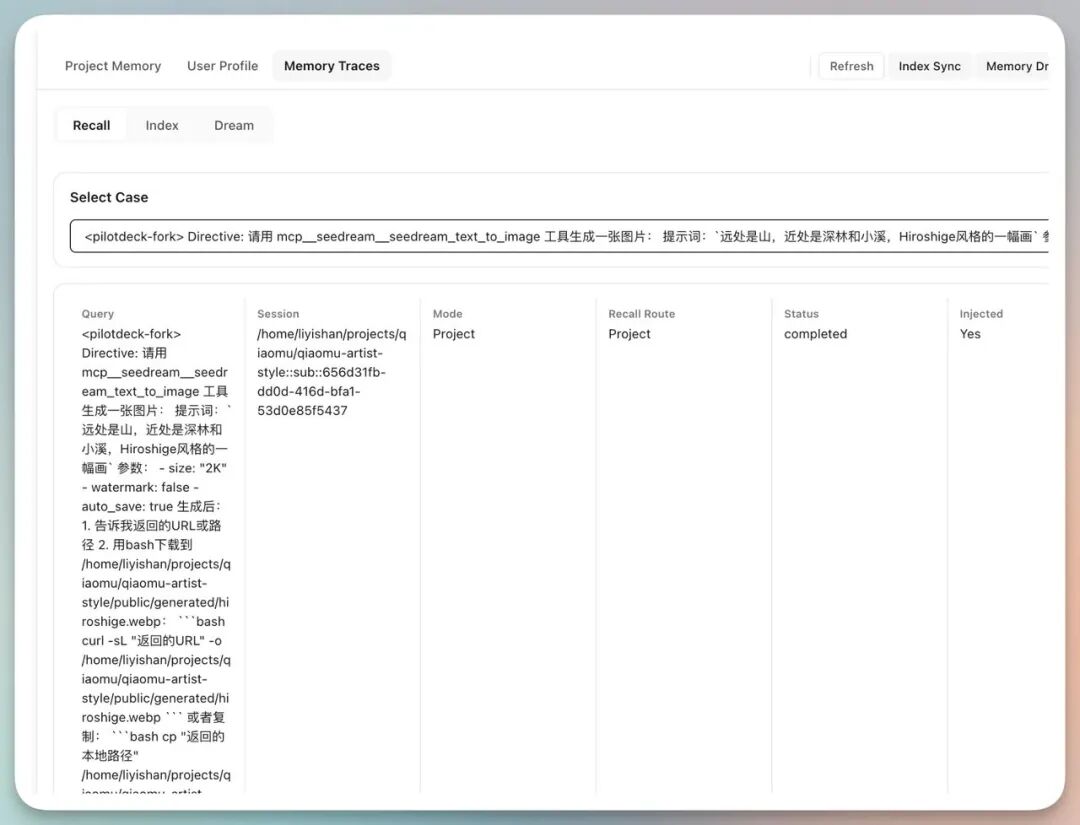
You can inspect all Memory across different WorkSpaces — when each memory was written and which project it came from — trace its origin, and even edit it.
There is also a mechanism called "Dream" (dreaming): during idle hours (usually late at night), the AI automatically reviews, organizes, and optimizes its own memories and experience, much like the brain consolidating memories during sleep.
2. Smart routing saves money
Running complex tasks with an AI Agent is usually expensive. PilotDeck has smart routing built in: it automatically senses task difficulty and matches the model to it. Simple tasks go to cheaper sub-Agents; only complex tasks call the capable main model.
Costs are fully transparent, with each WorkSpace billed separately. In real tests, one simple project saved $26, and one complex project saved $3 at the planning stage.
3. Always-on proactive execution
Most Agents still work in a "you ask, I answer" mode. PilotDeck's Agent does not wait for you to trigger it — it proactively finds work worth doing, proactively confirms, proactively advances, and proactively reports back.
Two forms: Cron Jobs run scheduled tasks automatically, or the Agent discovers tasks on its own. Even while you sleep, the Agent judges what is worth doing and reports back once it is done.
4. Continuous iteration via GitHub integration
When creating a project you can link a GitHub repo; after entering a Token, the Agent can push code directly. Paired with CI/CD tools like Vercel, every push automatically rebuilds and updates the site.
In Practice: Building a Website with PilotDeck
Take the "Painter Style Compendium" project as an example: enter one prompt, and PilotDeck automatically decomposes the task, installs the needed Skills, writes the code, and deploys to Vercel.
The whole process iterates through multi-round conversation — at any point you can have the Agent analyze project issues, propose improvements, split subtasks, and set up scheduled automatic fixes. Come back from lunch and every Bug is fixed, with a change report generated to boot.
How It Differs from Other Agent Tools
| Feature | PilotDeck | Codex | OpenClaw |
|---|---|---|---|
| Project isolation | Three-layer WorkSpace pod | Folder level | No isolation |
| Memory management | White-box, viewable and editable | Written to Markdown files | Limited context |
| Cost control | Smart routing allocates by difficulty | Fixed model | Fixed model |
| Proactive execution | Always-on + Cron | Passive response | Passive response |
| Scheduled tasks | Native support | Not supported | Not supported |
Quick Start
# Clone the repository
git clone https://github.com/OpenBMB/PilotDeck.git
cd PilotDeck
# Configure and start following the project README
Three things to try first to see the effect:
- Create two WorkSpaces, run tasks of different styles in each, and check whether memories stay isolated
- Run the same task once with routing on and once with routing off, then compare the bills
- Set up an Always-on task, go do something else, and see how far the Agent can push it