
WorkBuddy in Practice: An Open-Source Blueprint for Office Agents
A community author spent 7 days compiling an open-source WorkBuddy playbook (GitHub: AlephAITech/WorkBuddyGuide, MIT) covering tutorials, Skills, MCP, automation, and multi-agent practice. This article helps you quickly find the chapters you need.
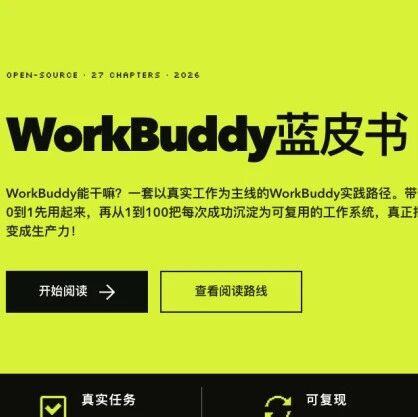
WorkBuddy in Practice: An Open-Source Blueprint for Office Agents
A community author spent 7 days compiling an open-source WorkBuddy playbook (GitHub: AlephAITech/WorkBuddyGuide, MIT) covering tutorials, Skills, MCP, automation, and multi-agent practice. This article helps you quickly find the chapters you need.
Tencent's WorkBuddy (an office agent) has become one of the most widely used desktop office agents in China, but the official documentation mostly covers "what it can do." When it comes to actually putting it to work, what you need most is: "for my role and my workflow, how exactly do I configure Skills, connect MCP, and set up automation."
Community author Cang He (freestylefly), together with several AI bloggers, ground through 7 days to compile an open-source WorkBuddy playbook. The repository lives at github.com/AlephAITech/WorkBuddyGuide — MIT-licensed, free forever, with a companion online reading site. This article helps you quickly decide whether the playbook is useful for you and gives you on-demand reading paths.
⚠️ Important boundary: this is a community-maintained practical knowledge base, not WorkBuddy's official source. For time-sensitive details such as product features, UI, pricing, availability, and security policies, defer to WorkBuddy's official channels.
What This Playbook Is
The problem it solves: WorkBuddy's official docs hand you a "feature list," but what users need are "scenario-based recipes" — for which role, which tasks, which Skills to use, how to orchestrate them, and how to avoid the pitfalls.
The playbook organizes these recipes into 4 sections:
- Hands-on cases: end-to-end approaches for concrete scenarios
- Advanced systems: higher-level capabilities like Skills, MCP, automation, and multi-agent
- Roles: tailored workflows per occupation (product, operations, development, design, sales, etc.)
- Industries: scenario solutions by industry
Before You Start
- WorkBuddy installed locally: download and install from official channels (Tencent Cloud's Techpedia has an international edition of the "Download and Usage Guide")
- GitHub account: to clone and star the repository
- Repository: https://github.com/AlephAITech/WorkBuddyGuide
- Online reading: the repo README links to the companion docs site, with sidebar navigation, full-text search, and dark mode
- License: MIT, free forever, commercial use allowed
How to Use This Playbook
Path 1: You're new to WorkBuddy
Start with the beginner tutorial chapters in the Hands-on cases section. They are laid out in a "zero to one" order:
- Initial setup the first time you launch WorkBuddy
- How to give natural-language instructions to get one concrete thing done (say, tidying up an Excel file, generating slides, or running data analysis)
- A few beginner cases with the quickest payoffs (worth following along once to build intuition)
Path 2: You want to fit WorkBuddy into your own workflow
Jump straight to the Roles section and find the chapter closest to your occupation. The playbook provides ready-to-use workflow recipes per role:
- The 5-10 most common tasks in your role
- Which built-in Skills to use for each task
- Prompt templates
- Common failure points and tips for avoiding them
By the end, you can basically assemble your own WorkBuddy workstation.
Path 3: You want deep customization (Skills / MCP / automation / multi-agent)
Go to the Advanced systems section — the most technically substantial part of the playbook:
- Skills: how to build custom Skill packages, with two extension paths — local import and publishing to the ClawHub marketplace (WorkBuddy is compatible with OpenClaw's skill ecosystem)
- MCP: how to hook MCP servers into WorkBuddy to reach external tools and data
- Automation: how to orchestrate repetitive tasks into automated flows
- Multi-agent: how to make WorkBuddy collaborate with other agents (putting the expert + assistant + team three-tier architecture into practice)
Path 4: You work in a specific industry
Go straight to the Industries section. Digital infrastructure, compliance requirements, and available data sources vary widely across industries; this part covers, industry by industry, "which data sources to connect, which Skills are most useful, and which operations to handle with care."
Extending with Skills
WorkBuddy is fully compatible with the skill ecosystem of open-source OpenClaw (nicknamed "Crayfish," an open-source computer-control framework). If you can't find a suitable Skill in the official marketplace, you can:
- Pick a ready-made one from the ClawHub marketplace
- Write your own following OpenClaw's Skill spec
- Import Skills directly from other agents (such as OpenClaw or CRM-type agents)
💡 Note: WorkBuddy can also connect to office communication tools such as WeCom, QQ, and Feishu (Lark), ships with 20+ built-in Skill packs, and supports the MCP protocol. If your workflow depends heavily on these IM tools, the advanced section includes a dedicated hands-on chapter on IM integration.
Staying Current and Contributing
The playbook itself is continuously updated on GitHub. You can:
- Watch / star the repository: to follow new chapters
- File issues: if you spot outdated content (WorkBuddy's official releases move fast) or errors, open an issue
- Contribute PRs: if you have hands-on experience in your role or industry, submit PRs following the existing chapter structure to enrich the community edition
The author team (Cang He, LiuCongNLP, Moyu Xiaoli, Jiamu, and others) also publishes on Zhihu, Juejin, and X, so you can follow updates on whichever channel you prefer.
FAQ
- Is this playbook official WorkBuddy material? No. It's a community-maintained open-source practical knowledge base, and the author team has no affiliation with Tencent. For official product information, rely on WorkBuddy's official channels.
- Will the content go stale quickly? Yes. WorkBuddy iterates fast, and the playbook explicitly warns that "product features / UI / pricing / availability / security policies defer to official sources." Treat it as an entry map and verify specifics against the official documentation.
- Can it be used commercially? Yes — it's MIT licensed. But commercial licensing of the WorkBuddy product itself is governed by Tencent's official terms.
- How does it differ from the official
Tencent/awesome-devbuddy? That repo leans toward development scenarios (CodeBuddy/DevBuddy, 6 Subagents + 3 Commands + a Playwright testing Skill), while this playbook leans toward office scenarios (WorkBuddy) — entirely different target users and content focus.
Who This Resource Is For
- Professionals already using WorkBuddy but unsure how to wire it into their role's workflow
- IT/digital leads evaluating or deploying WorkBuddy for their teams
- Engineers building agents who want reference material on Skills/MCP/multi-agent practices
- Anyone looking to move from "chatting with AI" to "running agents inside workflows"
Overall: this is the most systematic Chinese-language open-source WorkBuddy field guide available today. Even if you don't read all of it, finding your section via one of the four paths above is enough to take your WorkBuddy usage from "occasional questions" to "deep daily reliance."
Toolin Editorial Team
Categories
Related articles

MCP Adds Enterprise-Managed Authorization: One Login, Every Connector Ready
Model Context Protocol ships the Enterprise-Managed Authorization extension: enterprises can centrally govern MCP Server access through IdPs like Okta, and users connect on first login with zero configuration.

MobileForge in Practice: Putting GUI Agents on an Unlabeled Data Flywheel
Kuaishou, together with Zhejiang University, open-sources MobileForge: MobileGym + HiFPO let mobile GUI agents self-explore, self-feed-back, and self-improve inside real apps, with full code and models released.

StepFun's Step Edge On-Device Family: 0.1-Second Local Agent Tool Calls
StepFun releases the Step Edge on-device model family — base/Audio/GUI/Gen — aimed at phones and cars, with local tool calls as fast as 0.1 seconds and sensitive data never leaving the device.

Google Open-Sources Gemma 4: Four Sizes, 256K Context, Runs Locally
Google releases the Gemma 4 open model family (E2B/E4B/26B MoE/31B Dense) under Apache 2.0, with 256K context, native multimodality, and local deployment channels.

Grok 4.5: xAI's Coding Model Co-Trained with Cursor, Starting at $2
xAI releases Grok 4.5, co-trained with Cursor and built for real engineering tasks. API pricing is $2/$6 per million tokens, and it's live on all Cursor plans.
Meta Muse Spark 1.1: An Agent Model with a Million-Token Context, Now in API Public Beta
Meta has released Muse Spark 1.1, a multimodal reasoning model built for agent tasks with a 1 million-token context window, alongside a public preview of the Meta Model API.