
Building a Complete Game from Scratch with Codex in One Afternoon
Kick off game development with OpenAI Codex in a single sentence — assets, background removal, and music generated automatically; a publishable, complete game in one afternoon
Building a Complete Game from Scratch with Codex in One Afternoon
Kick off game development with OpenAI Codex in a single sentence — assets, background removal, and music generated automatically; a publishable, complete game in one afternoon
A developer used OpenAI Codex to build a complete zhiguai-supernatural roguelike deck-builder, Night Patrol: The Deserted Temple, from scratch in a single afternoon. No code written, no engine touched — only requirements described in natural language. This article breaks down his full development process; you can use the same method to quickly build your own game prototype.
The project is open source, and desktop installers (macOS / Windows) are already packaged: https://github.com/op7418/Night-Patrol/releases
Preparation
- Required tools: OpenAI Codex (requires Codex access), GPT-Image 2.0 (built into Codex)
- Optional tools: Seedance 2.0 (video generation), Suno v5.5 (music generation)
- Technical requirements: no programming background needed — Codex handles all the code
- Estimated time: 4-6 hours to a publishable game
Step 1: Describe Your Game Idea
All it takes is talking through your game concept with Codex. This developer's prompt was along the lines of 'Can you help me make a game like Slay the Spire?'
From your description, Codex plans the game architecture on its own. In this case it picked a React + Phaser stack and generated a complete loop in one go: title screen, map, battles, rewards, events, shop, rest, Boss, and results.
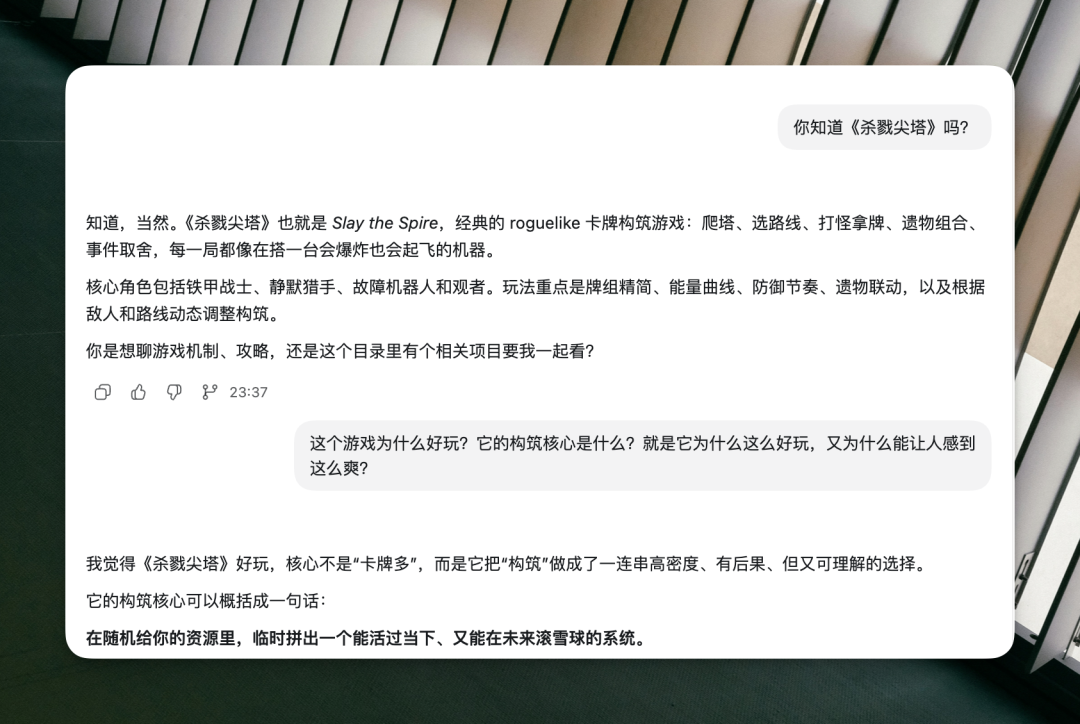
About an hour later, a playable prototype was already running.
Tip: Don't over-detail the first conversation. Codex's strength is deriving a complete design from a vague requirement. Let it build the prototype first, then iterate step by step.
Step 2: Let Codex Generate the Art Assets Automatically
Character art is a game's core visual asset. This step shows off one of Codex's most surprising capabilities.
A Self-Built Asset Pipeline
When the developer told Codex to 'call GPT-Image 2.0 to generate the assets,' Codex autonomously completed an entire pipeline:
-
Generated green-screen character art: it produced character sprites on a solid green background on its own, to make cutout processing easy later. The developer never told it a transparent background was needed — it derived that requirement itself.
-
Found its own cutout tools: it searched for, installed, and invoked tools like rembg to do the background removal, then filed the results by filename into the designated directories.
-
Handled bulk assets: when facing an asset pack with thousands of images, Codex wrote a script to stitch all the small images into one contact sheet, with each thumbnail labeled with its filename underneath. It then only needed to 'look' at this single large image to pick every asset it required in one pass.
Tip: The 'stitch into a sheet, then recognize' idea is well worth borrowing. When a multimodal task has to process large numbers of images, compose one index image with a script first and let the AI finish the screening in a single scan.
Step 3: Generate Video and Music to Polish the Game's Texture
Once the prototype runs, the next job is making it 'feel like a real game.'
Execution Animations with Seedance 2.0
The process for generating a finishing animation for each Boss:
- Use GPT-Image to generate a still frame of the Boss
- Feed the still frame to Seedance 2.0 to generate a short video
- Save the video into the assets directory; it plays automatically after each battle victory
The trick to a seamless loop: pass the same image as both first and last frame, so the video starts on that image and returns to it — spliced together, it loops infinitely.
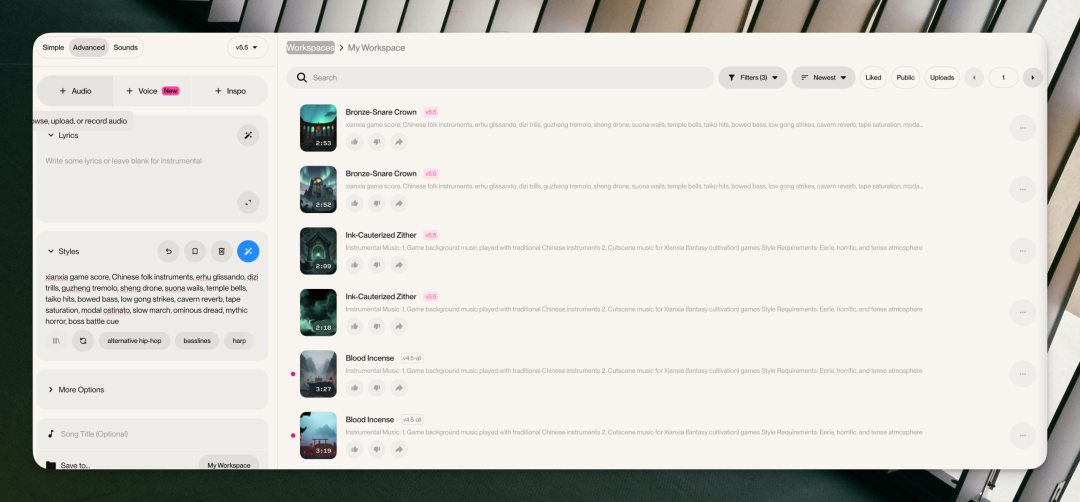
Background Music with Suno v5.5
Just give Suno a short direction. This project's prompt was: 'zhiguai night road, temple block, bells, low-frequency drone, pentatonic scale, restrained, not sentimental.' Run a few versions and pick the best fit.
Step 4: Polish the Game Feel
This is the step that separates a 'demo' from a 'game.' Codex handled these details on its own:
- Hit feedback: characters lurch left and right, the camera shakes, and the screen briefly flushes red
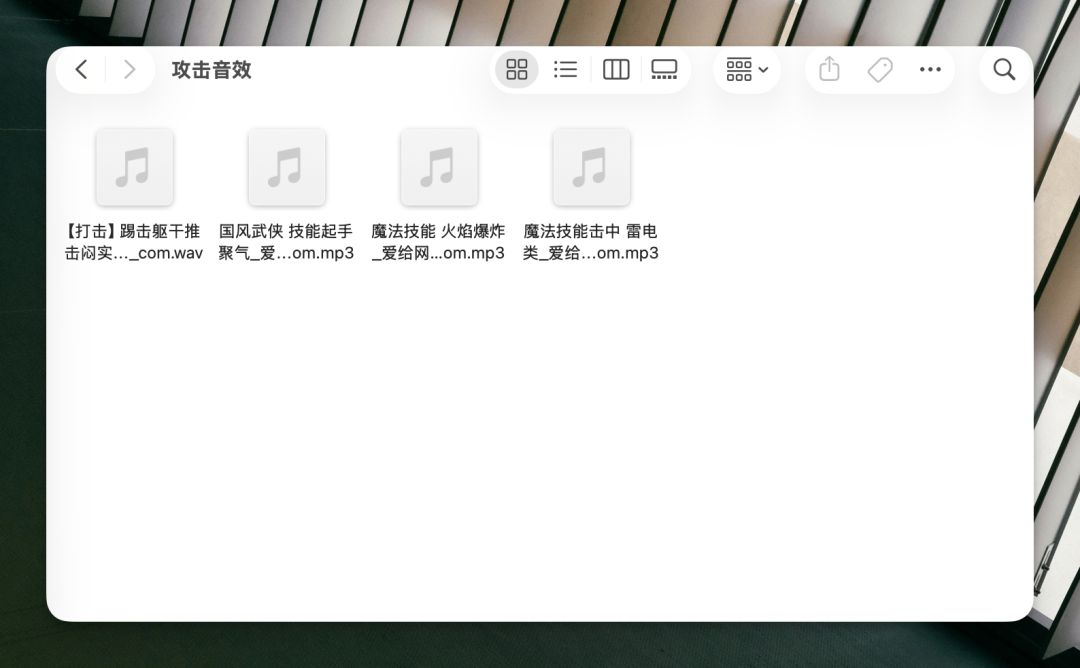
- Differentiated sound effects: sword, talisman, thunder, and fist each carry their own impact sound
- Freeze frames: a brief freeze the instant an enemy dies, then the execution animation plays
- Volume control: title-screen music plays louder, then automatically drops to background level once you press start
Verified Results
The final product is a complete tower-climb deck-builder:
- Complete game loop: title screen -> map exploration -> battle -> Boss -> results
- 7 monsters, 20+ cards, 4 burst combo lines
- Hit feedback, sound effects, music, card art, idle animations, and finisher videos all in place
- macOS and Windows installers built automatically via GitHub Actions
Project address: https://github.com/op7418/Night-Patrol/releases
Key Takeaways
- Don't over-describe: Codex derives complete designs from vague requirements — give it goals, not steps
- Let it build its own tools: when it hits a wall, Codex writes a script to solve the problem itself (like the contact-sheet stitch)
- The asset pipeline can be fully automated: from image generation to cutout to sorting, one sentence starts it all
- Polish matters more than the prototype: the first 3 hours produce a playable version; the hours after decide whether it feels like a game
- Pair your audio and video tools: the GPT-Image + Seedance + Suno combination covers all of a game's multimedia needs
Toolin Editorial Team
Categories
Related articles
An Anthropic Lead's Vibe Coding Masterclass
Anthropic researcher Erik Schluntz shares hands-on lessons on using Vibe Coding responsibly in production, covering the 22000-line code merge case, the leaf node strategy, and advanced tips.

AI Memory Enhancement Tools: A Roundup and Hands-On Guide
From Claude-Mem to DeepSeek DSA, a roundup of the mainstream AI memory enhancement tools of 2026, with principle comparisons and selection advice.

A Hands-On, End-to-End Guide to Producing AI Short Dramas
From script to finished film: make AI short dramas from scratch with Doubao, Xiaoyunque, Vidu and other tools, with tool comparisons and cost references.