
Multi-Machine Codex Collaboration: How to Actually Use Up Your AI Membership Quota
Build a Codex multi-machine collaboration system with 4 Macs, from research and planning to batch video generation, turning your AI membership from 'renewal anxiety' into 'continuous output'
Multi-Machine Codex Collaboration: How to Actually Use Up Your AI Membership Quota
Build a Codex multi-machine collaboration system with 4 Macs, from research and planning to batch video generation, turning your AI membership from 'renewal anxiety' into 'continuous output'
Bought the big AI membership, checked on the weekend, and found 80% of your quota still left? The problem isn't that the membership is too expensive — it's that you don't have a business system that continuously consumes AI compute.
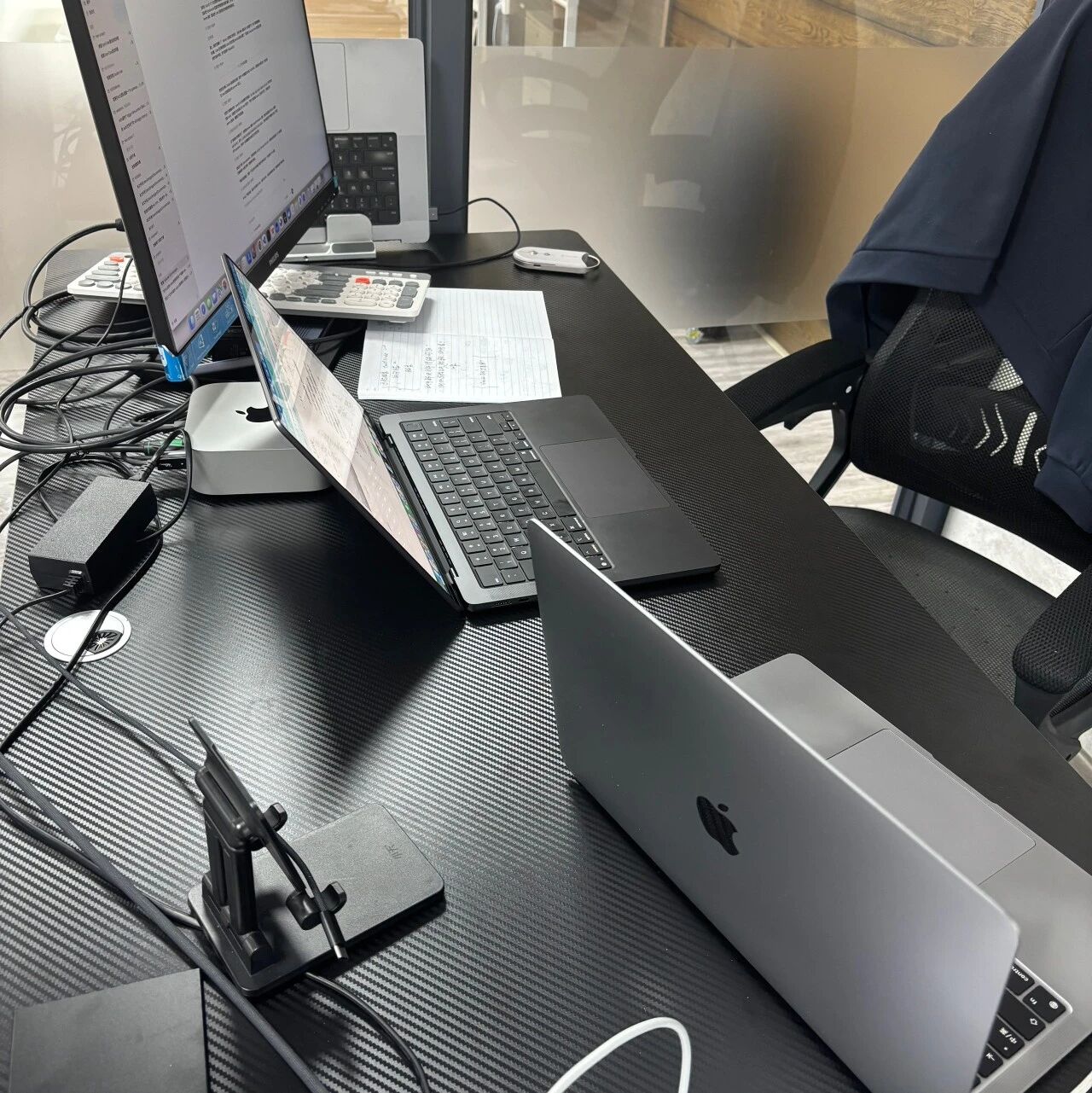
This article shares a Codex multi-machine collaboration setup that's actually in use: 4 Macs, each with its own job, covering everything from research and planning to batch video generation, turning AI quota from "renewal anxiety" into "continuous output."
Why You Can't Spend Your AI Quota
If you only use AI to write some articles or build a small tool, of course you'll have quota left over. Real consumption comes from long tasks + systematic processes.
The key insight: what the big membership buys isn't answers, it's the capacity to keep trial-and-erroring. For people without a system, quota is something to save; for people with a system, quota is output.
The Division-of-Labor Architecture of Four Macs
Machine 1: AI Native Gateway
Runs ngs's AI Center Gateway, sharing Codex capability out so the whole team uses it together.
Machine 2: TikTok Batch Video Generation
Dedicated to the batch video generation service. At least 100 videos a day; the key flow:
- AI first judges topic and script quality
- Once a script passes screening, images are generated
- Images are turned into video
- Results are checked automatically; anything off keeps getting revised
This isn't mindless mass generation — it's an industrialized pipeline with AI gatekeeping every step.
Machine 3: Portable Dev Machine
Remotely connects to the Codex on the two machines above for day-to-day project development.
Machine 4: Dedicated Claude Code Machine
Dedicated to Claude Code, responsible for:
- Researching user needs
- Planning product direction
- Breaking down tasks
- Dispatching execution to the Codex instances on the other machines
The Right Way to Run Long Tasks
To burn through serious quota, run long tasks of 8 hours or more. But the key isn't duration — it's process design.
Building Products: Don't Let AI Write Code Right Away
The right process:
- Research phase: have AI research users, competitors, feature boundaries, data structures, page interactions, and acceptance criteria
- Documentation: organize the research results into structured documents
- Hand it to Codex to execute:
- Codex reads the project first — no touching files
- After reading, it writes a plan; only once the plan passes does it execute
- After executing, it runs the tests itself
- If tests fail, it reads the logs itself and fixes them itself
- After fixing, it keeps running
- Every round gets logged: what changed, why it changed, and what's next
Codex's "Pursue the Goal" Feature
Codex recently shipped a "pursue the goal" feature -- set a goal and it refuses to give up until it gets there. This cuts down the complexity of manual orchestration.
The precondition is that you have: a clear goal, a systematic process, and executable acceptance criteria. Otherwise, no matter how hard the AI tries, it just circles around an empty requirement.
The Batch Video Generation Flow
Using TikTok videos as the example, run Seedance directly inside Codex:
Variable-driven thinking -- turn all of these elements into variables:
- Characters, scenes, actions, shots
- Product selling points, subtitle rhythm
- The first-three-seconds hook, the closing conversion
Execution flow:
- Combine freely and batch-run 10 prompts
- After the run, check automatically: is the character stable, is the product clear, is the rhythm right for TikTok
- If anything's off, keep revising and keep running until the target is hit
Core Principles
Buy the membership without building a system, and all you end up with is a monthly refill of anxiety.
The keys to building an AI system:
- Have a goal: every AI task has a clear deliverable
- Have a process: research -> plan -> execute -> verify -> fix, running as a closed loop
- Have acceptance criteria: whether the AI is done isn't up to the AI — it's up to machine-verifiable metrics
This methodology carries the same DNA as the Harness engineering approach -- model capability sets the ceiling, and your system decides how much of that ceiling you actually use.
Toolin Editorial Team
Categories
Related articles

Loom: An Engineering State Layer for Coding Agents That Cures Long-Task Local Amnesia
The open-source tool Loom gives coding agents like Claude Code / Codex an independent, structured engineering state layer, enabling long-task auto-checkpointing and zero-cost multi-agent handoff.

Jetson-PI: Peking University Open-Sources Real-Time On-Device VLA Control, 8.66× Higher Control Frequency on Jetson Orin
Peking University, AIRS, and PrimeBot open-source Jetson-PI (Apache-2.0): FAAC asynchronous inference + confidence scheduling + a llama.cpp engine lift π0.5 on Jetson Orin from 0.70Hz to 6.06Hz, with no loss in accuracy.

JiuwenSwarm: A Huawei-Backed Open-Source Multi-Agent Unified Workbench Where Humans Join the Agent Team
openJiuwen open-sources JiuwenSwarm (Apache-2.0), merging office / Code / entertainment work into a unified workbench and launching HITS, a new human-agent collaboration paradigm — installable with a single pip line.

OpenWorker: Andrew Ng's Open-Source Desktop AI Coworker That Ships Finished Work
Andrew Ng open-sources OpenWorker (MIT), a local-first, model-agnostic desktop agent connecting to 25+ tools, turning "prepare a customer brief" into a finished document you can actually open.
AutoMIA: Two Images In, a 3D-Printable Mirror Illusion Out — Runs on a Single RTX 3090
AutoMIA, a Tsinghua CVPR'26 Highlight open-source project, turns two input images into a 3D-printable voxel mirror-illusion art model (STL-ready) — single RTX 3090, 76 seconds per design.

Macaron-V1: An Open-Source Coding Model That Compresses Personalized Experience into LoRAs with MoL
Mind Lab open-sources Macaron-V1 (Venti / Coding-Venti / Tall tiers), a Mixture-of-LoRA architecture built on GLM-5.2 744B plus four 1B LoRA experts, with a free hosted API and a UI4A plugin.