
LibTV Team Edition Hands-On: 3 People Delivering the Output of a 30-Person Crew
LibTV Team Edition launches a multi-user real-time collaboration canvas, shared subject library, and credits pool management; in our hands-on test we made a Pixar-style 3D animated short in 3 hours.
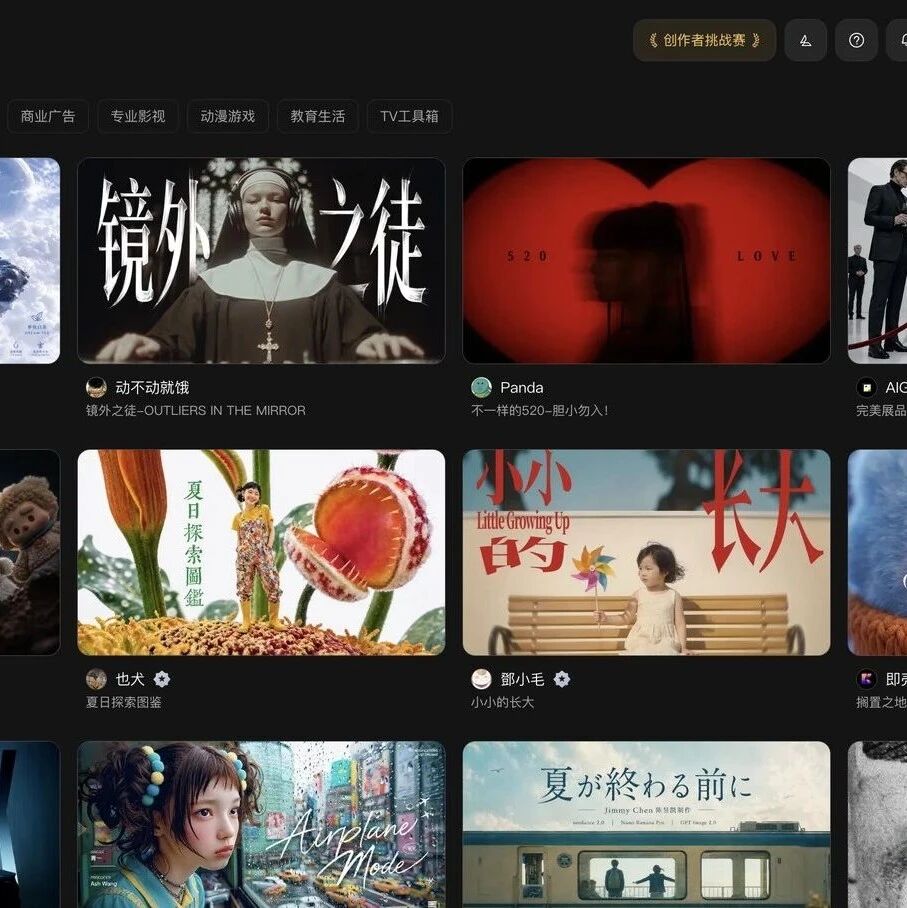
LibTV Team Edition Hands-On: 3 People Delivering the Output of a 30-Person Crew
LibTV Team Edition launches a multi-user real-time collaboration canvas, shared subject library, and credits pool management; in our hands-on test we made a Pixar-style 3D animated short in 3 hours.
If you make AI videos, you have surely run into these pain points: a character's face changing between shots, team assets scattered across everyone's hard drives, and credits shared on a single account with no way to tell who used what. These are exactly the problems LibTV Team Edition set out to solve.
This is not another Workspace with a "multi-user login" button bolted on. LibTV Team Edition fully delivers a real-time collaborative canvas, a shared subject library, a shared credits pool, and permission management — and it is the first AI video tool to genuinely treat "team collaboration" as its core product direction.
Core Features, Broken Down
Real-Time Collaborative Canvas
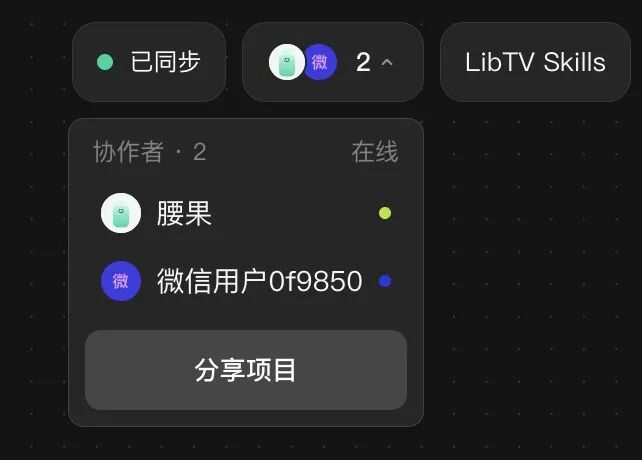
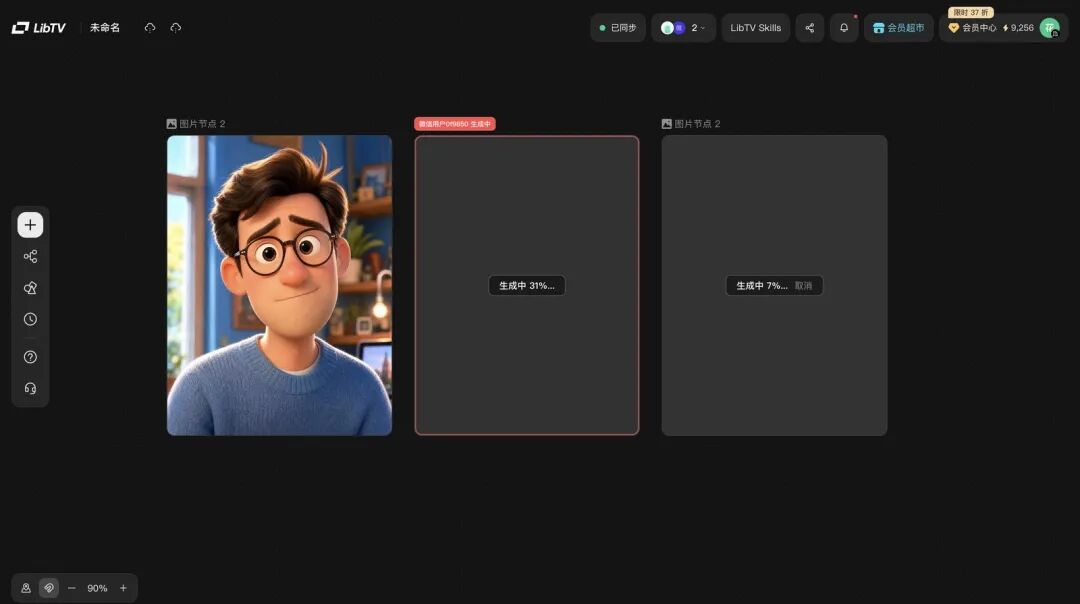
Open LibTV Team Edition and the view looks much like the personal edition — a black infinite canvas. But the top-right corner adds key elements: sync status and a list of online members' avatars.
You and your teammates work on the same canvas, and you can see each other's cursor positions and the nodes being edited. A node someone else is editing gets a prominent "XX editing" ring around it, so you won't touch their content by mistake. The whole experience feels much like co-editing a document in Feishu Docs.
Team Subject Library
This is the key to solving character consistency. Any character subject created by one member can be used directly by the whole team. Open "Subject Library" in the left sidebar and every subject members have ever created is arranged by character/scene/prop, filterable by member — drag one out and it is ready to use.
The character creation flow: generate a standard-angle character image first, right-click "Create Team Subject", and LibTV automatically fills in 9 angles; keep the few that resemble it most.
GVLM 3.1 in the Script Node
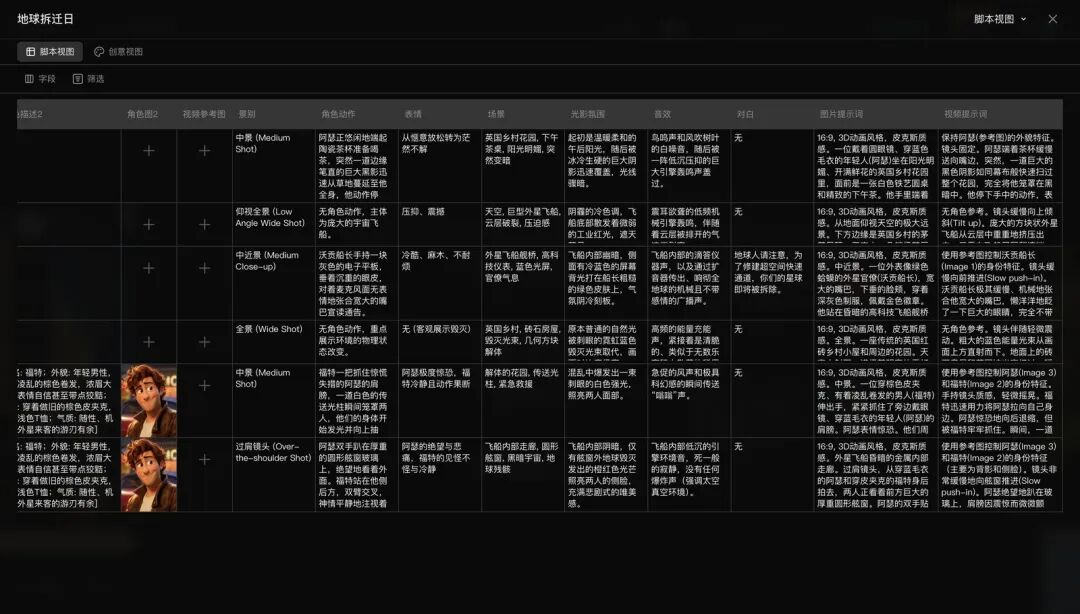
Drop a plot into the script node and a complete storyboard script comes out tens of seconds later. The table lists, for every shot: picture description, camera movement, characters, expression style, action, scene, lighting, tone and mood, sound effects, shot size, and resolution. You only need to do one thing: review.
Shared Credits Pool
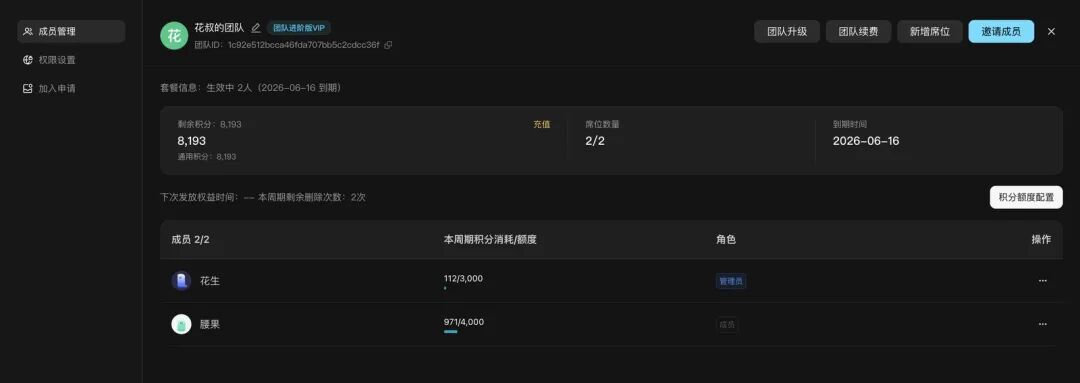
The whole team shares one credits wallet; admins can set a monthly cap per member and check at any time who spent what. After this test, the backend showed: at a volume of 5 card draws per storyboard shot and 3 per video segment, my friend burned a thousand-plus credits and the author two thousand-plus. No more doing the accounting in Excel.
Permission Management
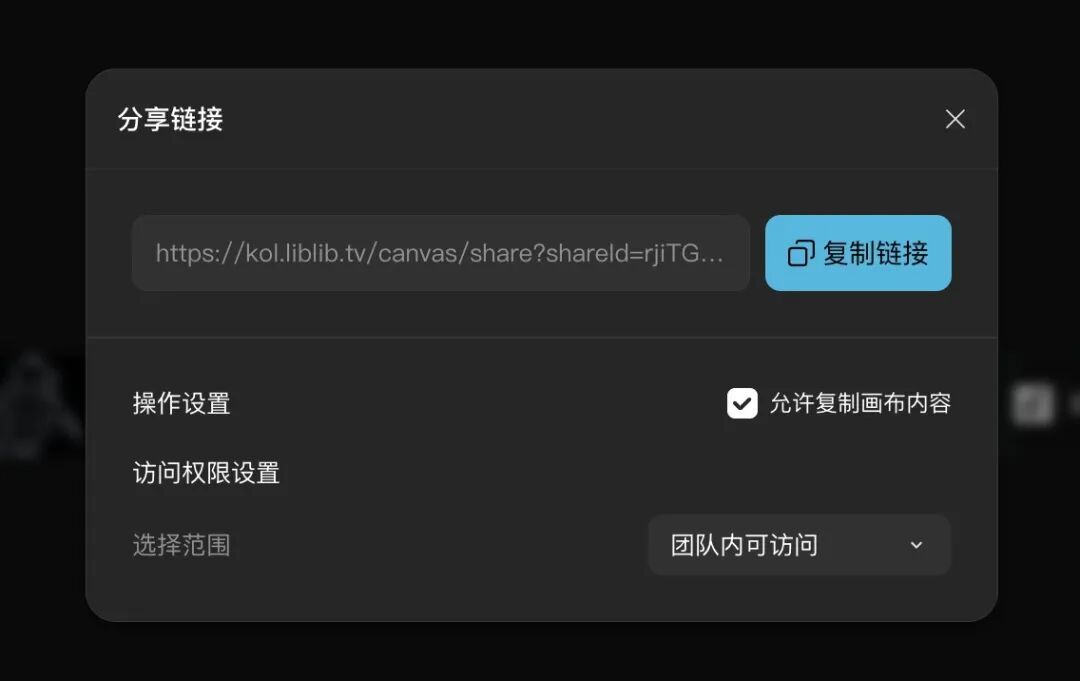
Project sharing supports three permission tiers: public access, team-wide, and specific members. When sharing with a client for review, you can uncheck "Allow copying canvas content" so they can look but not take. When membership changes, assets are handed over to the admin automatically — nothing gets lost.
Useful New Features Shipped Recently
Subtitle Removal
Want to strip someone else's subtitles out of a video? You used to have to pull it into Premiere Pro and mask it; now a single button at the top of the video node does the job. We tested it on a park short clip — no visible trace of the erase, and this test consumed no credits.
Storyboard Groups
Marquee-select scattered storyboard frames and choose "Merge Storyboard Group"; the system runs an automatic harmonization pass, and both visual consistency and overall quality visibly improve. Several storyboards originally made separately come out looking like they were produced in one go. It tidies the canvas and gives you a quality pass along the way.
Canvas Tidying
Once the canvas fills up with nodes, the shortcut Shift+Option+F auto-rearranges the layout in one keystroke. It is one of those small features you never notice until you use it once — and then cannot go back.
Who It's For
- 3-5 person AI short-drama/animated-drama studios: the team subject library solves cross-episode character consistency, and tiered permissions manage outside contractors
- Brand content teams taking commercial jobs: store brand style presets in the team toolbox and keep the tone consistent across campaigns
- 4A agencies and film studios: cross-team, cross-client project management, down to external review permissions as fine-grained as "view but no copying"
- Independent creators: nail the basic workflow on the personal edition first, then upgrade to Team Edition when you need collaboration
Real-Project Numbers
We used LibTV Team Edition to make a Pixar-style 3D-animated segment of The Hitchhiker's Guide to the Galaxy: 30 seconds, 6 storyboard shots, from the English countryside to the porthole of an alien spaceship. Two people, 3 hours.
Another benchmark case: Mudan Ji, Best Short in the Beijing International Film Festival's AIGC unit — 3 people, a budget of 2000 CNY, 2 months. The film's entire visual tone is xuan paper fiber; it does not look AI-made at all.
Pricing and Availability
LibTV Team Edition is officially live. Multi-user collaboration, project management, and other core perks — 8 in total — are unlocked all at once. A limited-time launch offer is now open, gifting up to 3800 free Seedance 2.0 generation credits.
Official site: https://www.liblib.tv/
Toolin Editorial Team
Categories
Related articles

Grok 4.5: xAI's Coding Model Co-Trained with Cursor, Starting at $2
xAI releases Grok 4.5, co-trained with Cursor and built for real engineering tasks. API pricing is $2/$6 per million tokens, and it's live on all Cursor plans.
Meta Muse Spark 1.1: An Agent Model with a Million-Token Context, Now in API Public Beta
Meta has released Muse Spark 1.1, a multimodal reasoning model built for agent tasks with a 1 million-token context window, alongside a public preview of the Meta Model API.
GPT-5.6 Is Here: Three New Model Tiers + ChatGPT Work, Codex Merged into the Desktop App
OpenAI has launched the GPT-5.6 family (Sol/Terra/Luna) and the ChatGPT Work agent, and merged Codex into the ChatGPT desktop app — with full pricing and availability details.
ChatGPT's Big Voice Upgrade: GPT-Live Full-Duplex Mode Goes Live
OpenAI has released the GPT-Live full-duplex voice model family. ChatGPT can finally talk while listening, chime in naturally, and know when to stay silent, replacing the original Advanced Voice Mode.

LingBot-World 2.0: An Open-Source, Playable Interactive World Model with Effectively Unlimited Duration
Ant Group's Robbyant has open-sourced LingBot-World-Infinity: hour-level real-time generation at 720p/60fps, with a built-in agent proposing events automatically — turning watching video into entering a world.
Two Open-Source Skills: Have Codex/Claude Code Make Your Illustrations and Web Designs
The open-source guizang-material-illustration article-illustration skill and web-design-taste web design skill install into Codex with one command — goodbye to AI-flavored illustrations and cookie-cutter web pages.