
Three Steps to Settle MaxClaw into WeChat! Scan a QR Code to Use It — One Account Can Raise Up to 3 Lobsters
Connecting MaxClaw to WeChat takes just three steps: add the weixin-connect skill, enter the command to get a QR code, and scan to pair — with voice interaction and multi-account deployment supported.

Three Steps to Settle MaxClaw into WeChat! Scan a QR Code to Use It — One Account Can Raise Up to 3 Lobsters
Connecting MaxClaw to WeChat takes just three steps: add the weixin-connect skill, enter the command to get a QR code, and scan to pair — with voice interaction and multi-account deployment supported.
In One Sentence
MiniMax has officially released a WeChat ClawBot plugin that lets your MaxClaw chat with you directly inside WeChat. Setup takes three steps: add the skill → enter the command → scan the QR code to pair, and one account supports deploying up to 3 lobsters.
Why Connect to WeChat?
MaxClaw already integrates with mainstream IM channels such as Feishu, DingTalk, WeCom, Telegram, and WhatsApp.
But for users in China, WeChat is the most-used communication tool of all. Once WeChat is connected:
- ✅ Chat with your lobster anytime, anywhere — no app switching
- ✅ Let your lobster handle things in WeChat for you (forwarding messages, viewing chat history, and so on)
- ✅ Multiple WeChat accounts can each raise their own lobsters (up to 3 per MaxClaw account)
Three Steps to Connect
Step 1: Add the Skill
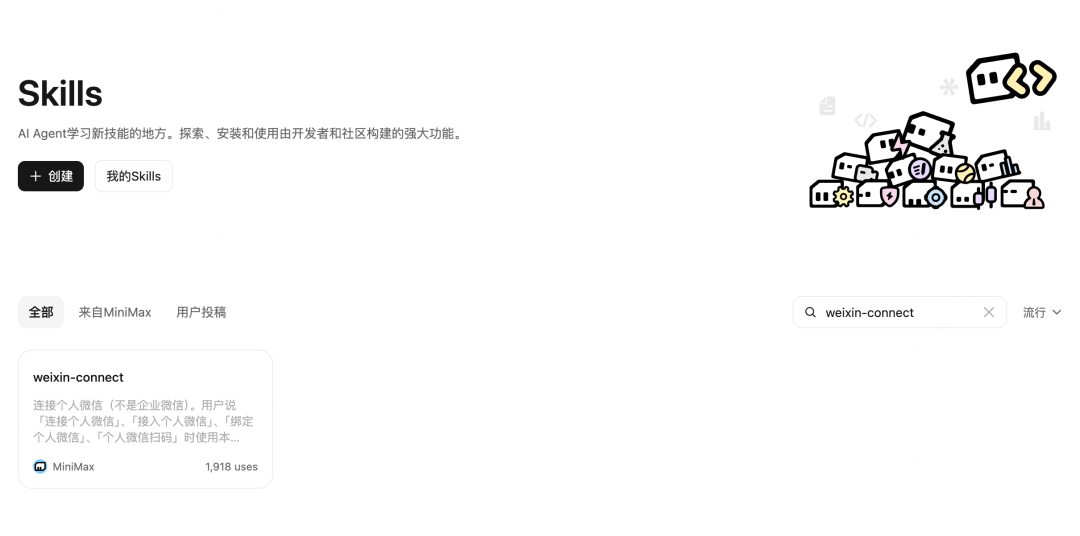
Open the MaxClaw web app, go to the Skills community, search for weixin-connect, and add it to your skill library.
Step 2: Enter the Command
Enter the following command in the MaxClaw chat box:
Strictly use the skill in /workspace/skills/weixin-connect/SKILL.md to connect my personal WeChat for me.MaxClaw will automatically install the required plugin and fetch the QR code.
Within about half a minute, the QR code needed for pairing will appear on screen. You can also:
- Click the image link to view it
- Find it in
Files:/workspace(the default file name isweixin_qr.png)
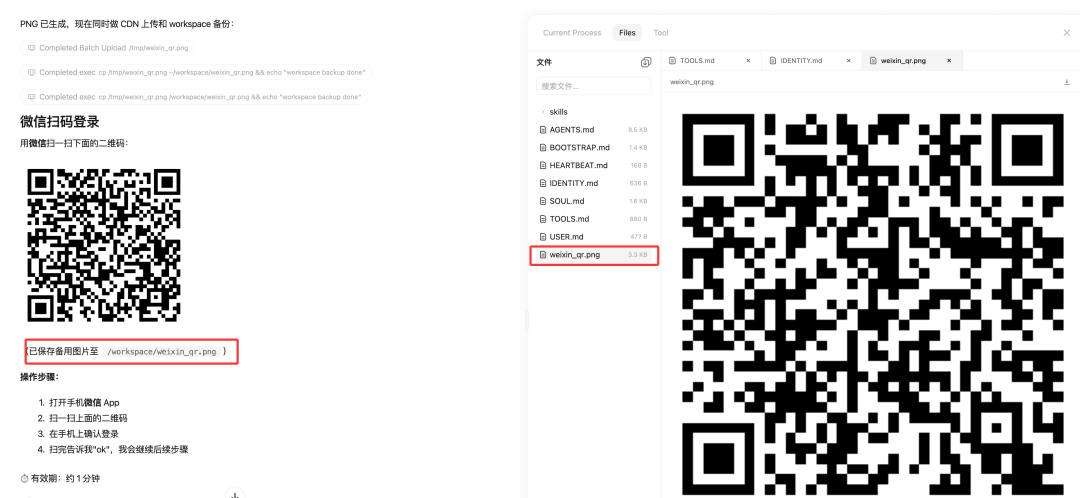
If the QR code does not appear, redeploy MaxClaw and try again.
Step 3: Scan to Pair
Scan the QR code with WeChat within its 1-minute validity window to complete pairing.
Once paired successfully, you can say hello to your lobster right inside WeChat!
Multi-Account Deployment
What if you have several WeChat accounts and want to raise a lobster on each of them?
A MaxClaw account supports deploying up to 3 lobsters, so multiple instances are no problem.
Each WeChat account gets its own lobster, and they never interfere with each other.
What Can You Do Once It's Connected?
1. Voice Interaction
Talk to your lobster by voice — no typing required.
2. Have the Lobster Sing
Drawing on MiniMax's multimodal capabilities, your lobster can sing you a song.
3. Give the Lobster an Avatar
You can set a lifelike avatar for your lobster and ask what it's up to.
4. Handle WeChat Messages
Have your lobster forward messages, view chat history, and more for you (relevant permissions required).
Things to Note
QR Code Validity
The QR code is valid for only 1 minute, so scan it promptly. If it expires, simply enter the command again.
Permissions
Some features require WeChat authorization; you may need to confirm manually the first time you use them.
Stability
WeChat's interface may impose limits — if you hit problems, try re-pairing.
Toolin's Take
Who is it for?
- MaxClaw users who want to use their lobster inside WeChat
- Heavy WeChat users who don't want to switch apps
- Multi-account users who need different lobsters on different WeChat accounts
Who is it not for?
- Users without a MaxClaw account (you need to register first)
- Users with concerns about WeChat privacy (WeChat login authorization is required)
Advantages over other IM channels
- WeChat is the most-used communication tool in China
- Simple setup — done in three steps
- Supports multi-account deployment
Clear drawbacks or limitations
- The QR code is valid for only 1 minute, so you have to scan fast
- Some features are constrained by WeChat's interface
- One MaxClaw account can host at most 3 lobsters
Pricing and barrier to entry ✅ Requires a MaxClaw account (free and paid tiers available) ✅ Connecting to WeChat itself is free ✅ What you can do depends on your MaxClaw subscription plan ✅ Technical barrier: if you can copy and paste a command, you're set
Toolin Editorial Team
Categories
Related articles

AutoControl-Arena: Auto-Generated, Actually Runnable Agent Risk Testbeds
Fudan × Shanghai Innovation Institute × Oxford publish the ICML 2026 paper AutoControl-Arena, which auto-synthesizes executable test environments to surface latent Agent risks in long-tail scenarios, reproducing Anthropic/OpenAI safety-report behaviors with a 0.87 correlation.
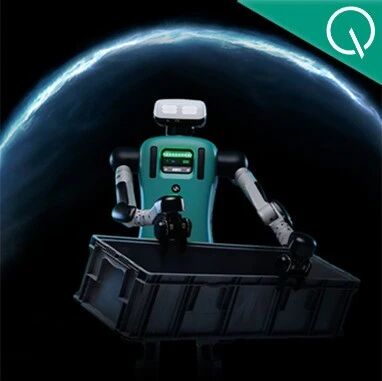
Nvidia Halos: An Open-Source Safety OS for Robots
At Automate 2026, Nvidia launched Halos for Robotics, a full-stack robot safety system that opens 18,600 engineering-years of autonomous-driving safety know-how to the embodied AI industry — the core safety framework is already open, with 43 companies on board.

PerfEvolve: Teaching Agents to Tune Databases Like a Senior DBA
ISCAS open-sources the PerfEvolve framework, converting static tuning docs into executable procedural skills for Agents and delivering up to 58.9% performance gains on PostgreSQL v16 — a direct fix for LLM tuning failures.
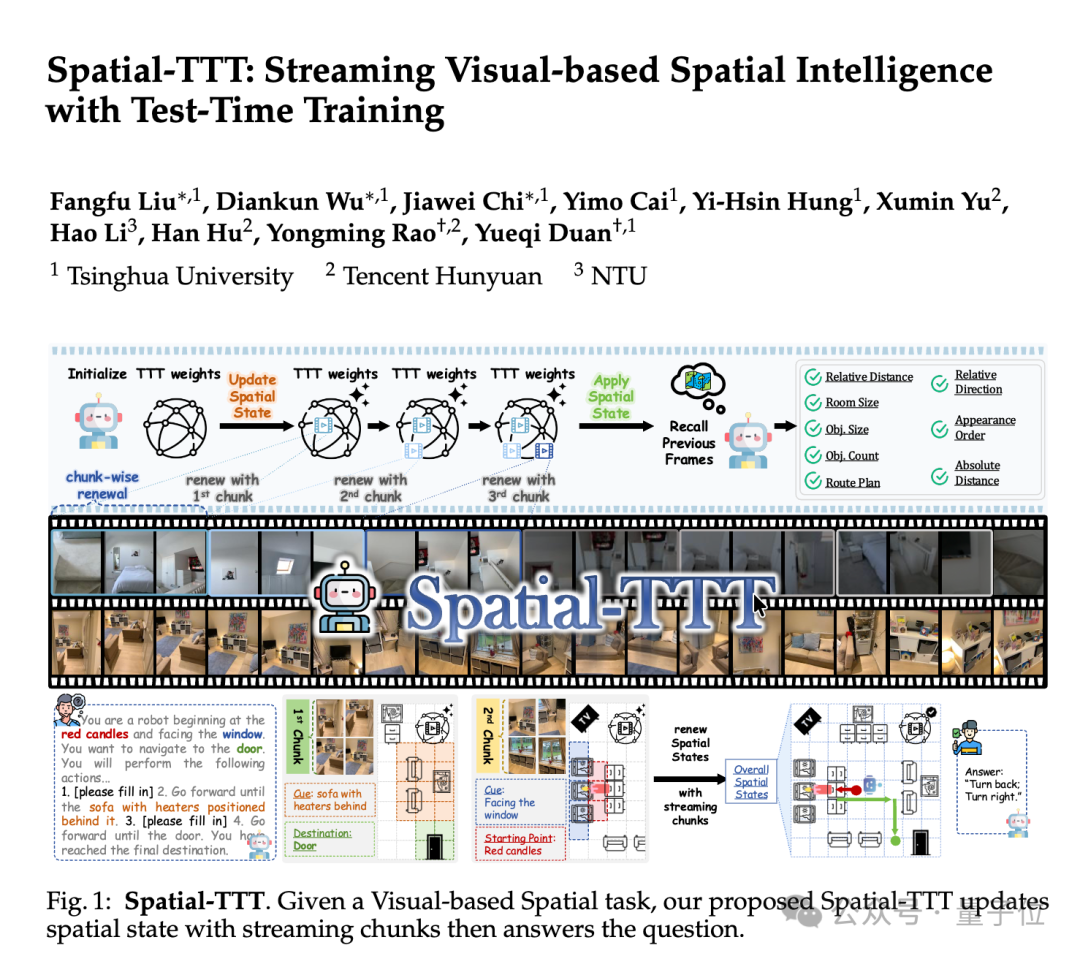
Spatial-TTT: An Open-Source Spatial Intelligence Model at 2B Parameters
Tsinghua's open-source Spatial-TTT makes ECCV 2026: at just 2B parameters it beats GPT-5 and Gemini-3-pro on multiple spatial intelligence benchmarks, handling 120-minute streaming video while updating its spatial memory as it watches.

TerminalWorld: The First Agent Benchmark Built on Real CLI Workflows
A 1,530-task benchmark distilled from 80,000 human terminal recordings, spanning 18 workflow categories and 1,280 command tools — a cure for Agents that rack up leaderboard points yet fall apart in real terminal scenarios.

Ruoyu Lanyue 01: The World's First AI Explosion-Proof Robot Fuels Real Cars by Itself
Driven by the Ruoyu Jiutian robot brain, the explosion-proof Lanyue 01 robot autonomously runs the full workflow at gas stations 24/7 — opening the fuel door, grabbing the nozzle, fueling, returning the nozzle — bringing embodied intelligence into high-risk environments.