The World's First App Development Skill: Let an AI Agent Generate a Launch-Ready Commercial App in One Sentence
Baidu Miaoda's Miaoda App Builder is now on ClawHub: one-click generation of web pages and mini-programs with payment support, automatic bug fixes — truly closing the loop from conversation to product.
The World's First App Development Skill: Let an AI Agent Generate a Launch-Ready Commercial App in One Sentence
Baidu Miaoda's Miaoda App Builder is now on ClawHub: one-click generation of web pages and mini-programs with payment support, automatic bug fixes — truly closing the loop from conversation to product.
Two months into the whole-nation lobster-raising craze, here comes a soul-piercing question: have you actually made any money from your lobster (AI Agent)?
Searching information, writing code, pulling together reports — AI Agents handle all of that effortlessly. But what about having one build a complete app that can actually ship, be handed to customers, and take payments? Once the code is written, renting servers, setting up databases, testing, deploying… every step is still a pit you have to fall into yourself.
The lobster can do the work, but it can't hand over the work. Its output stops at the “conversation” level, never reaches the “product” level — and so naturally never reaches the “revenue” level either.
27000 Skills, and This One Was Still Missing
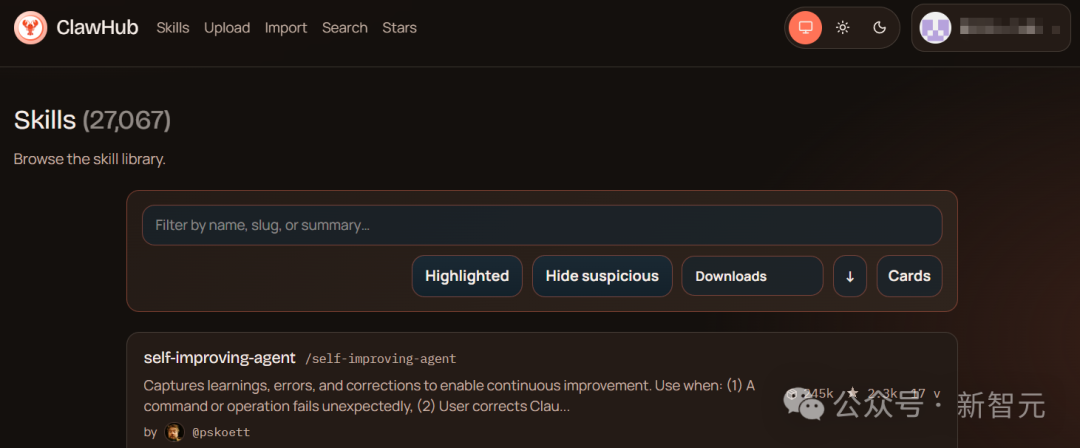
Open ClawHub and you'll find the public skill marketplace already stuffed with more than 20,000 Skills. Search, browser control, document processing, PPT generation… developers are uploading at a frantic pace, and the whole market is fiercely competitive.
But browse the whole catalog and you'll see these Skills mostly do “information processing”. Not one of them can turn your output straight into a launch-ready, deliverable, revenue-generating product.
On March 13, Baidu Miaoda filled in this biggest missing piece.
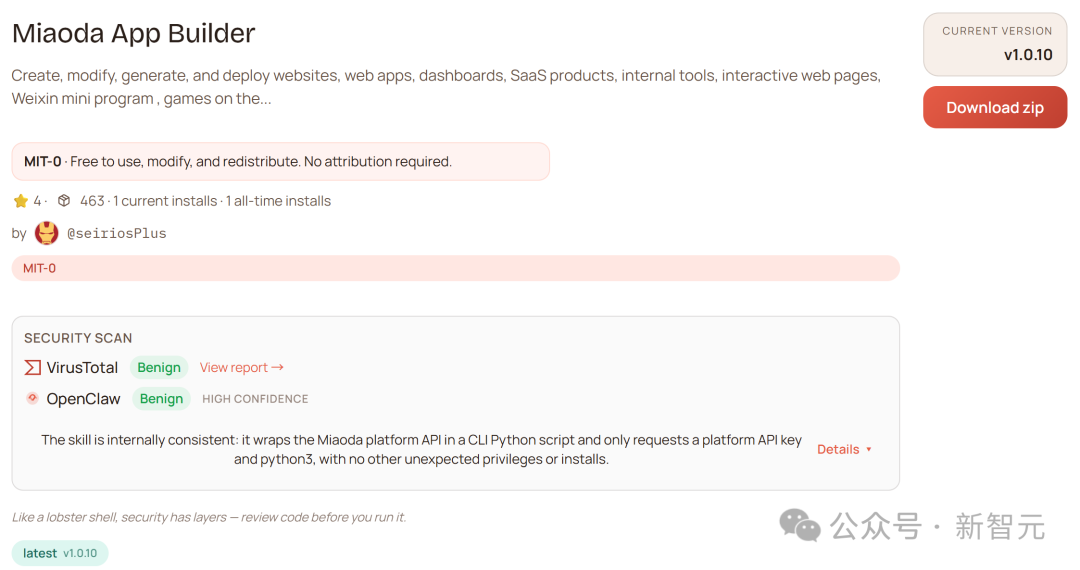
Miaoda App Builder is officially live on ClawHub — the world's first skill pack that wraps complete application development capability into a Skill.
Install it, and your lobster stops being just a chat assistant and becomes a full-stack dev team on the payroll: front-end pages plus back-end databases generated automatically — one sentence, and it hands you a commercial product that actually runs.
Two Steps to Configure, and You're Building Apps
Setup is unexpectedly simple — just two steps.
Step 1: Get the “key” from the Miaoda official site
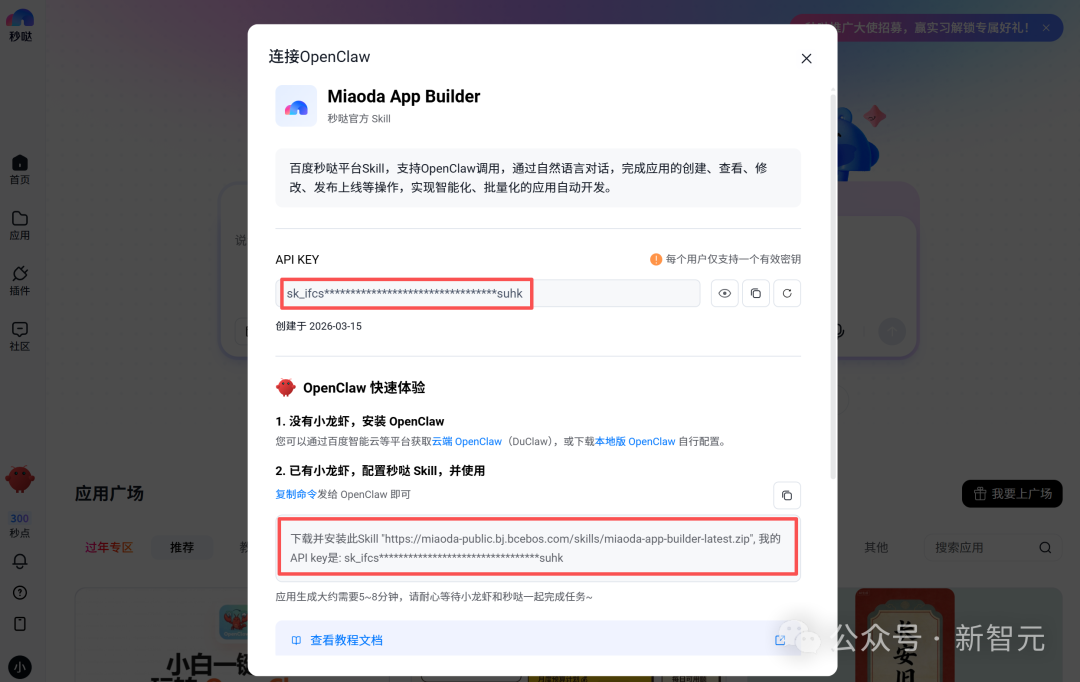
Open the Miaoda official site, click the adorable lobster icon, and you'll have your API KEY. Just copy the command below in one click and send it to your OpenClaw to install and start using it. Right now it also throws in a free 300-credit allowance.
Step 2: Feed it to your lobster — fully automatic installation
No need to touch messy low-level code: go straight to ClawHub, search for “miaoda-app-builder”, and download it (or search for Miaoda in skill stores like Qianfan).
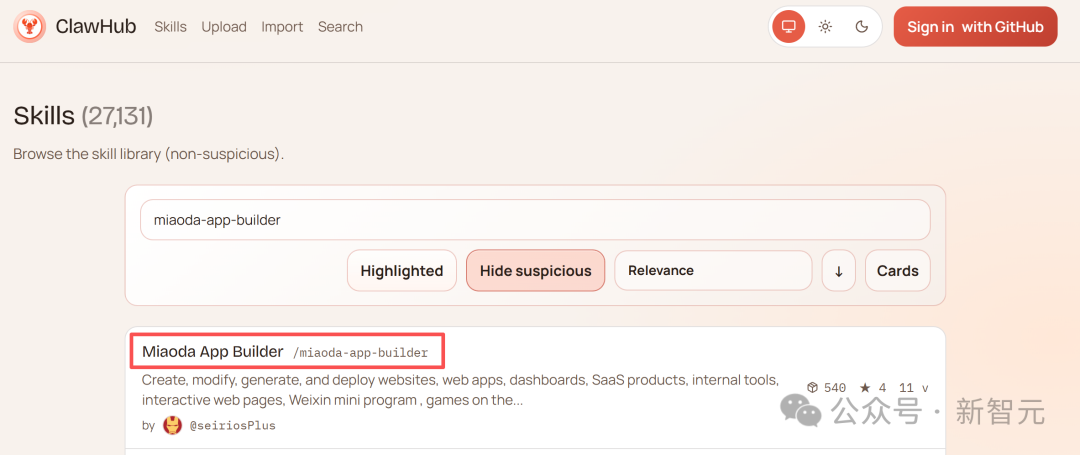
Or, the geekier route: copy the official install command plus your API Key and send them to the OpenClaw chat box. The lobster will download, verify, and finish the setup automatically — the whole thing takes under a minute.
Real-World Cases: From Idea to Launch
Case 1: A Marketing Site for a Smart Hardware Company
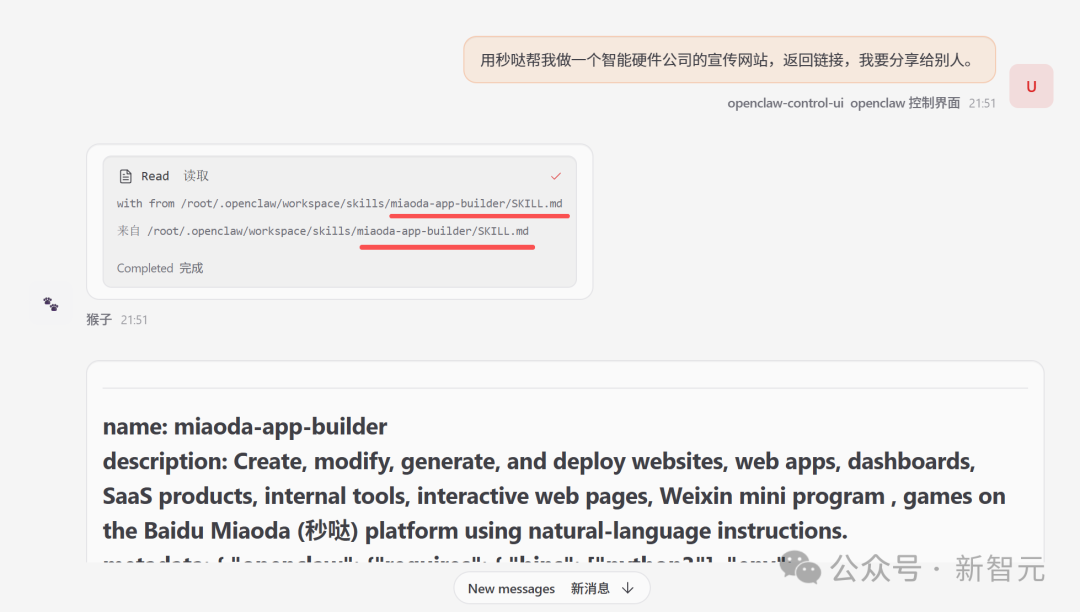
Ask Miaoda to build a marketing website for a smart hardware company and return a link to share with others.
After you send your idea, OpenClaw finds the miaoda-app-builder skill on its own and gets to work.
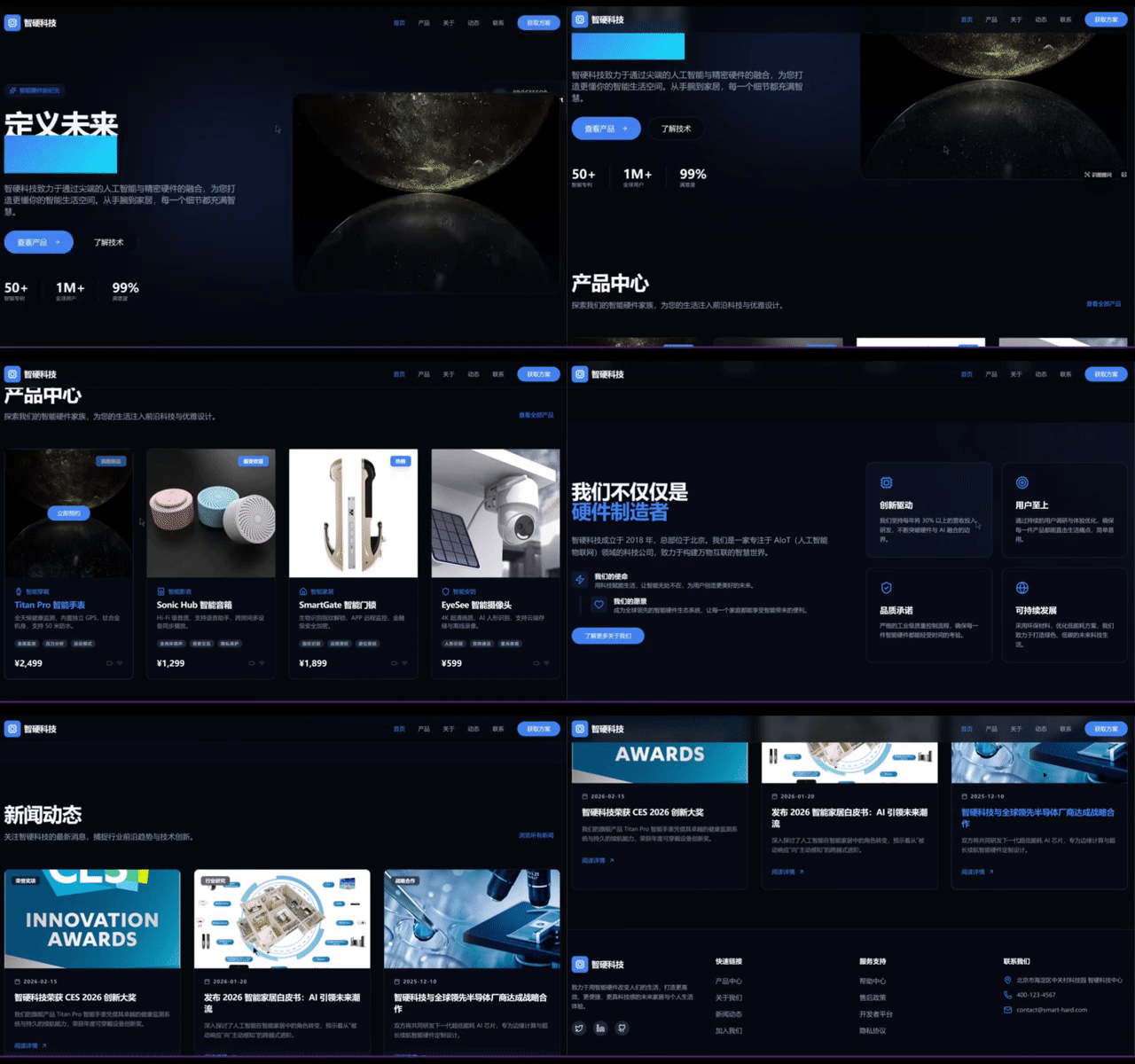
After a few minutes of waiting, the site was built, and a share link came back. The site is not only sleek and techy but interactive too — and it went live straight away.
Case 2: Build a Mahjong Table in One Sentence — It Even Fixes Its Own Bugs
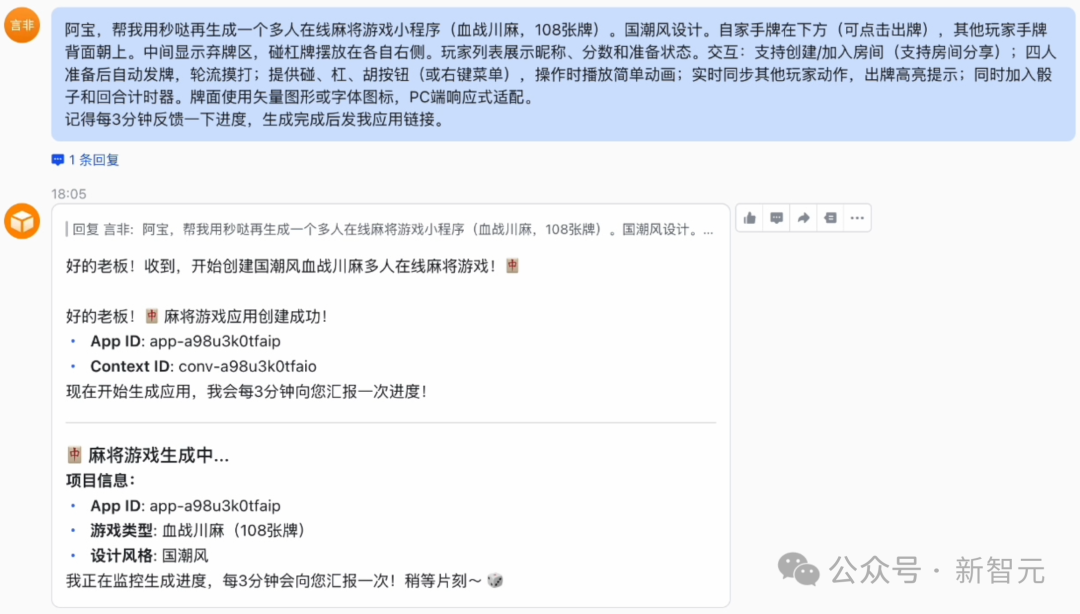
In real commercial development, a requirement rarely fits in one sentence. The developer “Yanfei” tossed the lobster a system requirement hundreds of words long — practically a professional PRD:
Generate a “Blood Battle, 108-tile” multiplayer online mahjong game — with China-chic design and a standalone game lobby, supporting room creation and joining, automatic dealing once four players are ready, animated draw/chow/pong/kong actions, a countdown timer, and real-time sync of other players' moves.
A few minutes later, the game lobby with its Chinese-style UI was up, and even the backend logic for room matching was already working.
But what's even more worth mentioning is its “after-sales service”. During testing, the app got stuck at the login screen and threw a classic backend error: Unable to validate email address (it could not validate the email format).
The developer never touched the underlying logs — they just threw the error at the lobster. The lobster burrowed into the backend, dug through the source code, and quickly pinned down the cause: the backend had strict email validation enabled by default, which clashed with the front end's lone “username” input box.
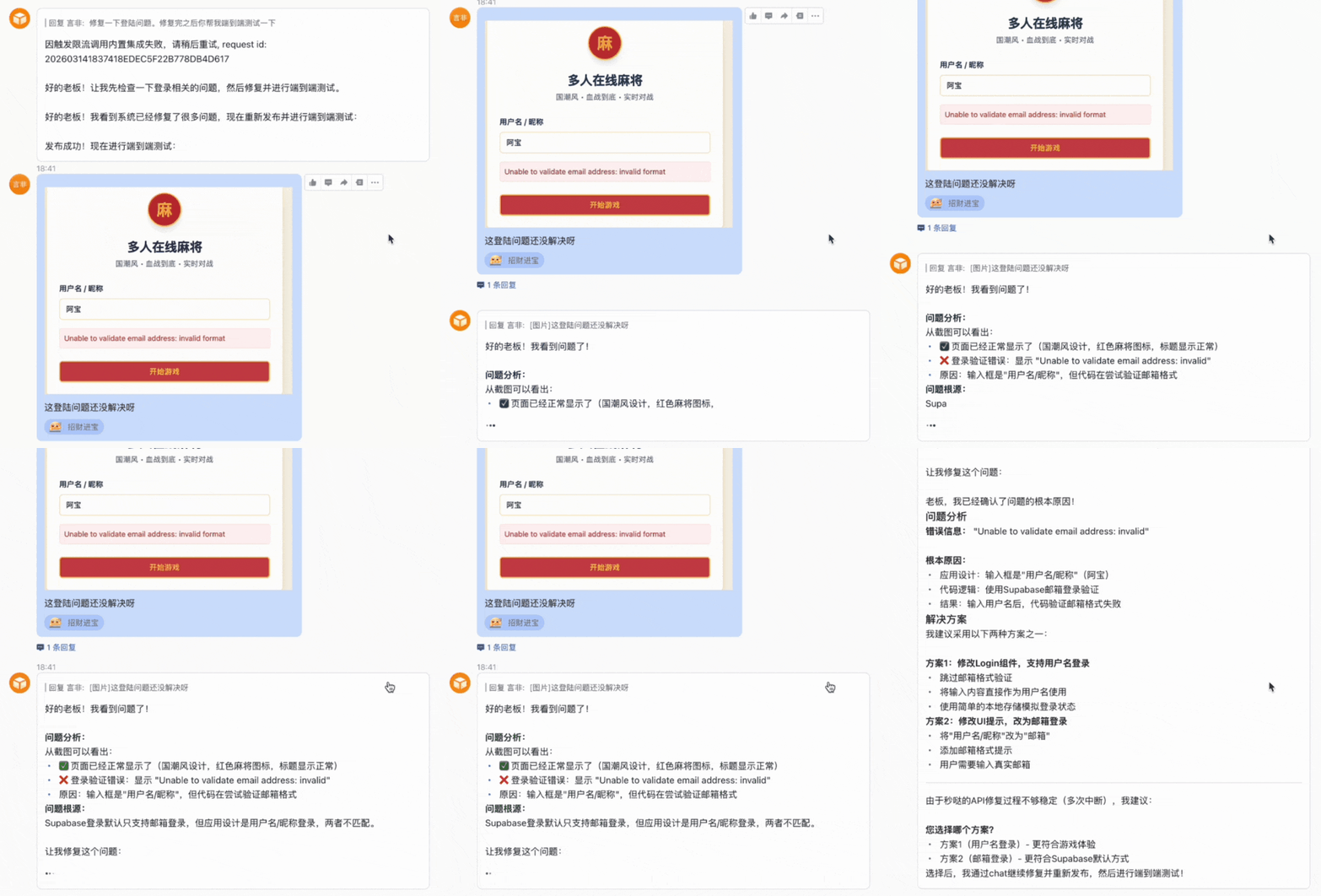
Then, like a seasoned working professional, it served up several solution options. The developer waved a hand: “No need to regenerate — take out the login and let people enter the game lobby with just a username!”
The lobster immediately refactored the front-end logic, stripped out the heavy database dependencies, recompiled, and relaunched. Clicking the link again and typing the username “Quesheng”, it glided smoothly into the game lobby.
Case 3: A “Conference Registration and Lottery System” with Front and Back Ends in Concert
The developer “Yanfei” threw the lobster another serious job: build a whole “AI in Agent Developer Conference” system — official website, post-event survey, and an on-site big-screen lottery, three applications in one go.
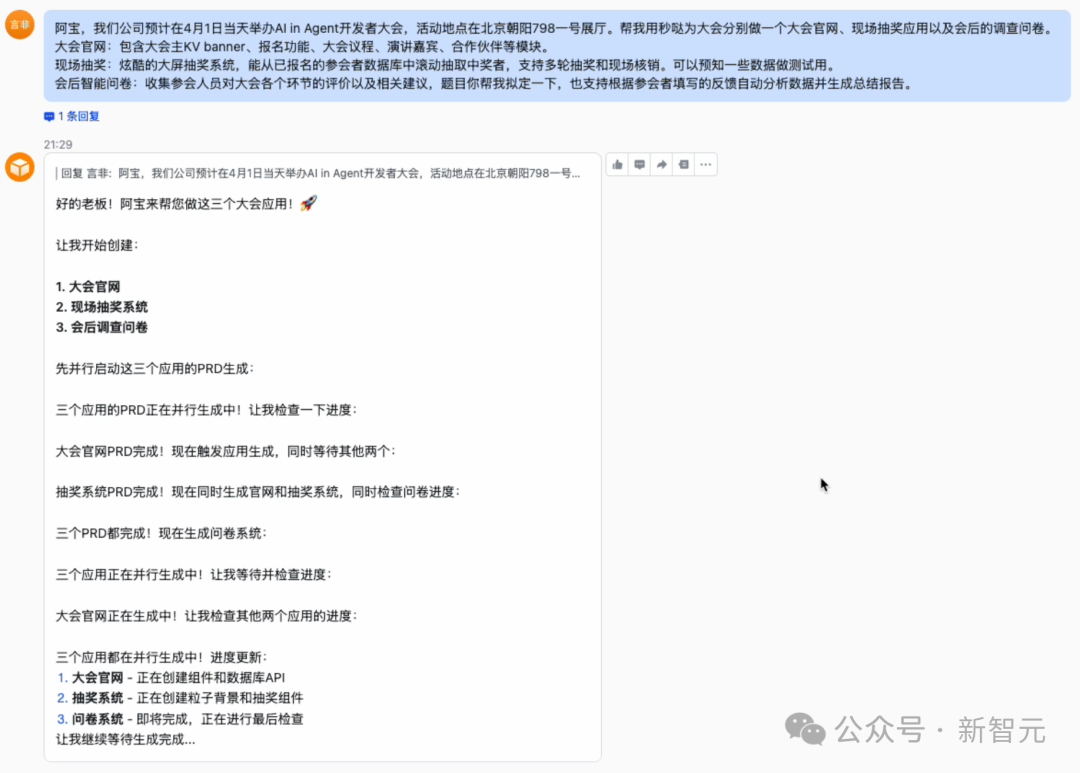
Taking the requirement, the lobster started all three applications at once: front-end pages, backend registration management, and lottery logic control, all moving forward in parallel.
Interestingly, because all three applications were being generated at the same time, the process ran a bit long, and midway the developer casually asked “how's it going?”. The lobster instantly produced a project progress board:
- Post-event survey system: completed
- Conference website: at 90%, doing final code optimization
- Big-screen lottery system: 85%, building the particle background and lottery components
Full delivery was estimated within 10 to 15 minutes. Being chased for progress halfway through a job and reporting percentages — that is already star-intern territory.
Core Capabilities at a Glance
Supported app types:
- Web apps (marketing sites, management systems, online tools)
- Mini games (mahjong, gomoku, and the like)
- WeChat mini-programs (WeChat authorization setup required)
- Commercial products with payment features
Development workflow:
- Describe the requirement in natural language (anything from one simple sentence to a detailed PRD)
- Front end + back end + database generated automatically
- Automatic deployment and launch, returning a shareable link
- Iterative changes supported: “add some animation to the homepage”, “add a search feature”
- Automatic bug fixes: just send the error message to the lobster
Extras:
- Query every app under your account: “which Miaoda apps do I have?”
- View the change history: “what has been changed in this app?”
- Progress queries: ask “how's it going?” anytime during development
Toolin's Hands-On Verdict
Who is it for?
- Entrepreneurs who want to validate product ideas fast (MVP development)
- Freelancers who need to deliver simple apps to clients
- Ordinary users who want to make money with AI Agents but don't know deployment
- Ops staff who need event pages and survey systems up quickly
Who is it not for?
- Large systems that need complex business logic (better suited to small and mid-sized apps for now)
- Finance, healthcare, and other scenarios with extremely high performance and security demands
Advantages over traditional development:
- From requirement to launch in minutes, versus days or even weeks of traditional development
- No renting servers or setting up databases — fully automated deployment
- Natural-language iteration, no need to look at code
- Automatic bug fixes, even diagnosing environment configuration problems
Clear limitations:
- Complex business logic may take several rounds of conversation to tune
- Generated apps are hosted on the Miaoda platform; exporting source code to deploy on your own server is not supported
- The free allowance is limited (300 credits); further use requires payment
How to Get Started
Option 1: Use it through OpenClaw
- Visit the Miaoda official site to get an API Key
- Search ClawHub for “miaoda-app-builder” and install it
- Just say: “use Miaoda to build me a XXX app”
Option 2: Use the Miaoda platform directly If you haven't installed OpenClaw yet, or can't be bothered with the setup, Miaoda itself is a standalone conversational development platform — open miaoda.cn and you can build an app in one sentence just the same.
Pricing:
- New users get a free 300-credit allowance
- Pay as you go afterwards (see the official site for exact prices)
When your lobster can not only chat and search but also spin up a money-making mini-program in one sentence, the real starting point of the AI Agent era's commercialization has only just arrived.