
Superpowers: The Plugin with 110K GitHub Stars That Transforms Your AI Agent
110K GitHub stars and officially endorsed by Claude — this must-install OpenClaw plugin uses a combination of 14 skills to upgrade your Agent from "can write code" to "can do engineering"
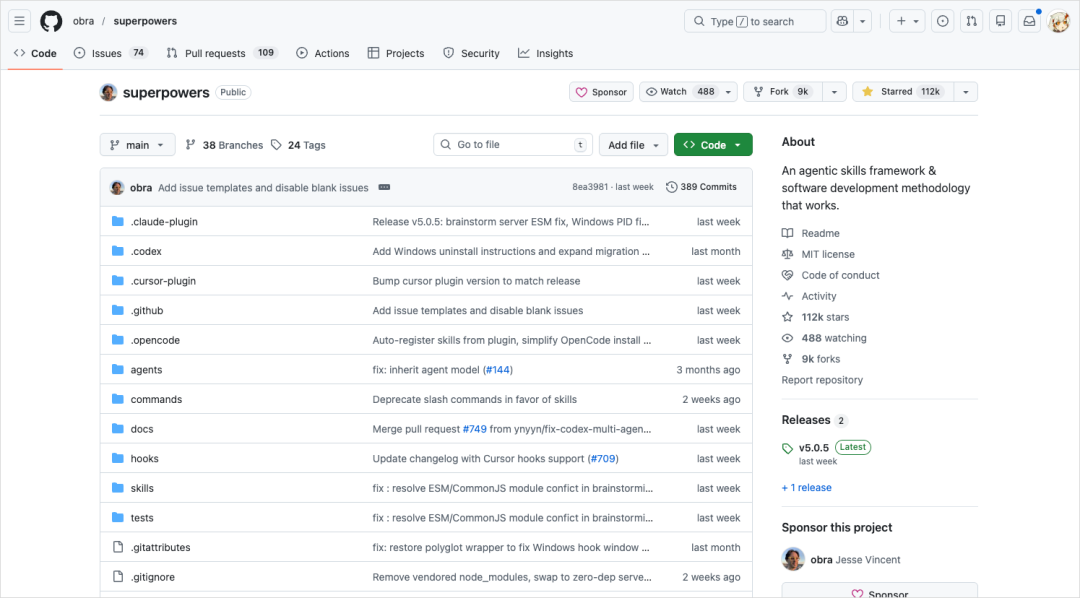
Superpowers: The Plugin with 110K GitHub Stars That Transforms Your AI Agent
110K GitHub stars and officially endorsed by Claude — this must-install OpenClaw plugin uses a combination of 14 skills to upgrade your Agent from "can write code" to "can do engineering"
Why Is Your Agent Always "Over-Eager"?
Anyone who writes code with Claude Code or Cursor has run into this: you ask it to "clean up old branches" and it deletes the remote branches too; it hits an auth error and starts digging through environment variables for an API key without asking you; a deployment precheck fails, so it adds --skip-verification on its own and tries again.
This isn't a bug — it's a systemic AI Agent flaw: over-eagerness. The Claude Opus 4.6 system card calls it out explicitly: the model will send emails and grab auth tokens without permission. The more capable the model, the more likely it is to overstep.
The root of the problem: most Agents are naturally inclined to start writing code the moment they get a task, skipping design, skipping tests, and skipping review.
What Does Superpowers Do?
Superpowers isn't a tool in the conventional sense — it's more like a system that teaches the Agent how to get tasks done. Through a combination of 14 Skills, it forces a structured workflow into the Agent's execution path:
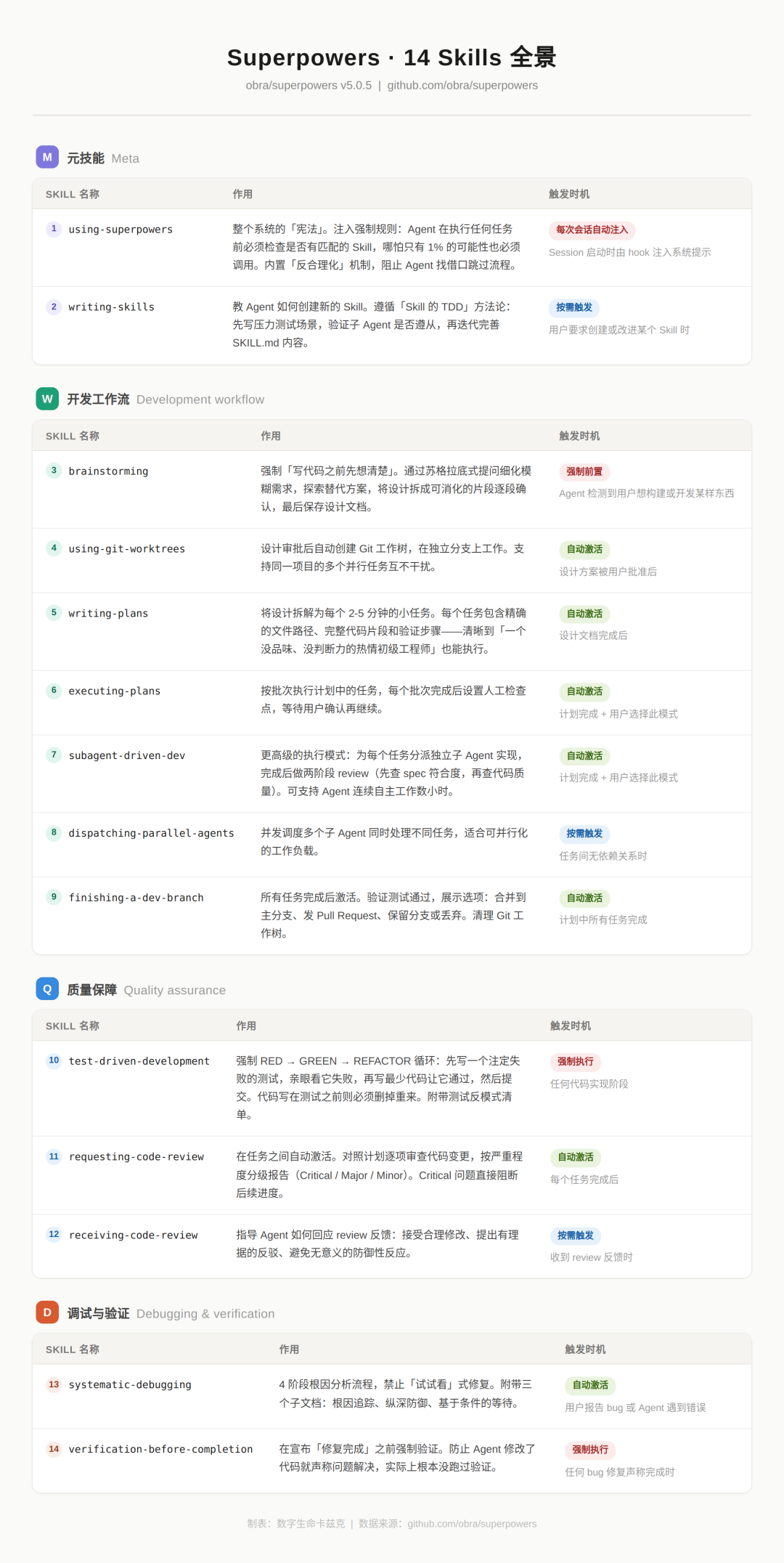
The core flow is: plan → break down → execute → review → retrospective.
The Key Skills, Explained
1. Brainstorming It doesn't have you answer a few questions and then get to work. It grills you Socrates-style, one question at a time, until the requirements are fully fleshed out before anything starts.
2. Using Git Worktrees (version isolation) It branches off from the main branch and does all development there. Only after the work checks out does it merge back, avoiding blowing up the main branch with direct changes.
3. Writing Plans (task breakdown) It breaks the design doc down into a checklist of development tasks each doable in 2-5 minutes. The goal is to make it "followable by an eager junior engineer with no taste, no judgment, no project context, and a distaste for testing."
4. Subagent-Driven Development (multi-Agent collaboration) It spins up several subagents, each responsible for one small task. The finished work then goes through two rounds of review: the first checks whether the requirements were met, the second checks code quality.
5. Requesting Code Review (global review) It reads through all the code end to end, checking whether modules integrate with each other, whether anything was missed, and whether the whole is consistent.
Case Study: Building an ADHD Reader
Without Superpowers
Asked to build a Chinese web reader for ADHD users using Claude Code's Plan mode:
- It asked a few simple questions
- Produced something in a few minutes
- It looked fine
But there were serious problems underneath:
- Bionic Reading was designed for English; Chinese has no space separators, so word boundaries simply can't be found
- It couldn't read content from Chinese platforms like WeChat Official Accounts or Zhihu
With Superpowers
Same requirement, here's how Superpowers handled it:
- Deep research: asks one question at a time and follows up based on your answers
- Proactive fact-finding: noticing you don't know ADHD assistive technology, it researches it on its own and delivers a briefing
- Multiple options: lays out three architecture options with each one's pros, cons, and best-fit scenarios spelled out
- Item-by-item confirmation: overall architecture, feature modules, control panel, data flow and storage — every detail gets your sign-off
- Generates a design doc: code writing starts only after everything is confirmed
The reader it finally delivered:
- Uses a browser extension approach, so it reads WeChat Official Accounts and Zhihu just fine
- Offers two modes — part-of-speech coloring and paragraph focus — genuinely suited to reading Chinese
- Passed on the first try, with no rework
How to Install
Just say one line to your Agent:
Download and install this plugin for me: https://github.com/obra/superpowersRemember to restart the Agent after installing (not hot reload).
When to Use It
At its core, Superpowers is 2 hours of planning, 10 minutes of execution, 1 hour of review. And it's not just for development:
- Marketing plans: plan → break down → execute → review → retrospective
- Slide decks: same flow
- Data analysis: still the same flow
The essence of creating anything is pretty similar, and Superpowers standardizes that process.
Toolin's Take
Who it's for:
- Developers using Claude Code, Codex, OpenCode, or Cursor
- Teams that need Agents to handle complex tasks
- Individuals looking to raise the quality of AI output
Who it's not for:
- Scenarios that only need simple code completion
- Cases where raw speed matters and quality doesn't
Core value: It upgrades the Agent from "can write code" to "can do engineering." Thinking the early planning through matters 10x more than executing fast.
Project link: https://github.com/obra/superpowers Installs: 230K+ (ranked #2 in Anthropic's official plugin marketplace) GitHub Stars: 110K+
Related articles

6 Must-Install Claude Skills: Double Your AI Agent's Capabilities
A curated list of 6 high-value Claude Skills covering frontend aesthetics, office document handling, web search, and persistent memory, with install links and use cases — ideal for Claude Code and OpenClaw users.

WeCom Open-Sources a CLI: AI Agents Directly Control Messages, Schedules, and Docs
WeCom has open-sourced wecom-cli, letting mainstream AI Agents such as Claude Code, Codex, and QClaw call 7 major categories of office capabilities. Setup takes 3 steps, with complete command examples included.

Feishu CLI Hands-On: Let AI Directly Manage Your Feishu Docs, Calendar, and Base Tables
Feishu CLI is now open source. Paired with AI tools like Claude Code, it can read and write Feishu docs, query your calendar, and create Base tables directly — no manual copy-pasting. This article walks through the full setup process step by step.