LightPDF
Officially listedAn all-in-one AI-powered PDF platform for editing, conversion, chat with documents, and OCR.
LightPDF
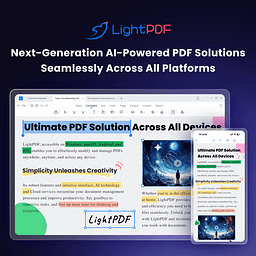
LightPDF is an AI-powered all-in-one PDF productivity platform that combines traditional document processing with cutting-edge AI. It aims to give students, researchers, and professionals a smarter, more efficient document experience, making it a great pick for leaving tedious PDF chores behind.
Core Capabilities
- AI chat assistant: Chat directly with long documents to quickly summarize key content and extract critical data with precise citation sources, greatly improving reading efficiency.
- One-click document generation: A built-in AI generator turns a text prompt into a complete PDF document or presentation in moments.
- PDF to mind map: Automatically parses dense text and complex content into clear, intuitive visual mind maps that untangle the information flow.
- Smart watermark removal and erasing: AI algorithms remove watermarks and handwritten marks from scans and test papers, restoring documents to their cleanest original state.
- High-accuracy OCR: Advanced OCR precisely extracts text from images or scanned PDFs and supports direct editing.
- Cross-platform sync: Full-platform cloud sync across Web, Windows, iOS, and Android for seamless collaboration anywhere.
Use Cases Ideal for students and faculty handling large volumes of literature, academic researchers organizing study reports, and professionals who frequently review contracts and long documents. If you want to get answers from documents by asking questions, or need to produce and edit PDF presentation materials with ease, it fits perfectly.
Unique Advantages Compared with premium rivals like Acrobat, LightPDF has a lower price bar and embeds AI as the core driving force in the workflow. Its AI chatbot delivers document-level deep understanding and visual map conversion, establishing a clear competitive edge in value and intelligence.
Editor's Verdict This is more than a powerful PDF editor — it is a smart assistant for understanding and reshaping documents. A clean, intuitive interface plus impressive AI summaries make it a "game changer" for complex literature analysis. Although premium features are capped by monthly credits, its comprehensive cross-platform cloud sync and excellent processing speed make it one of the most recommendable document productivity tools on the market today.
Pricing
### 💰 定价模式:免费增值 **起步价**:免费 #### 主要方案 - **免费版**:0 - 支持基础的在线转换及编辑功能,每日限制 3 个 AI 提问,有单文件大小限制 - **付费订阅**:提供多梯度套餐 - 解锁全部进阶功能(如高精度 OCR 识别、无限制多端云同步)、拥有更高的 AI 配额且价格低于同类高端竞品 #### 试用/其他信息 高级订阅用户的 AI 助手问答受到月度积分(Credit System)的上限控制,非常适合高频处理文档需求的用户酌情升级订阅。 — Visit website
FAQ
Is LightPDF free?
LightPDF offers a basic free version with limits (such as 3 AI questions per day and file size caps). To unlock advanced features and more AI quota, choose a paid subscription.
What can LightPDF do?
LightPDF edits, merges, and converts PDFs, lets you chat with long documents via AI, auto-generates documents, converts PDFs to mind maps, and intelligently removes handwritten marks from test papers, among other tasks.
Does LightPDF's cloud work across platforms?
Yes. As a comprehensive document management suite, LightPDF supports seamless cloud sync and cross-platform collaboration across Web, Windows, iOS, and Android devices.
How does LightPDF protect document security?
LightPDF uses strict encryption protocols to safeguard data. Whether for ordinary document management or AI analysis of long documents, your confidential information is handled in a secure environment.
How does LightPDF differ from Adobe Acrobat and similar tools?
Compared with traditional tools like Acrobat, LightPDF offers better value for money and adds deep AI Q&A, text-to-PDF generation, and one-click mind map conversion, with a clear edge in intelligent experience.
Can LightPDF's OCR handle complex scans?
LightPDF has advanced OCR technology that extracts text effectively for later use. However, extremely complex layouts or low-quality scans may produce minor recognition errors.