Linnk
Layout-preserving AI document translation and summarization in 154 languages
Tool details
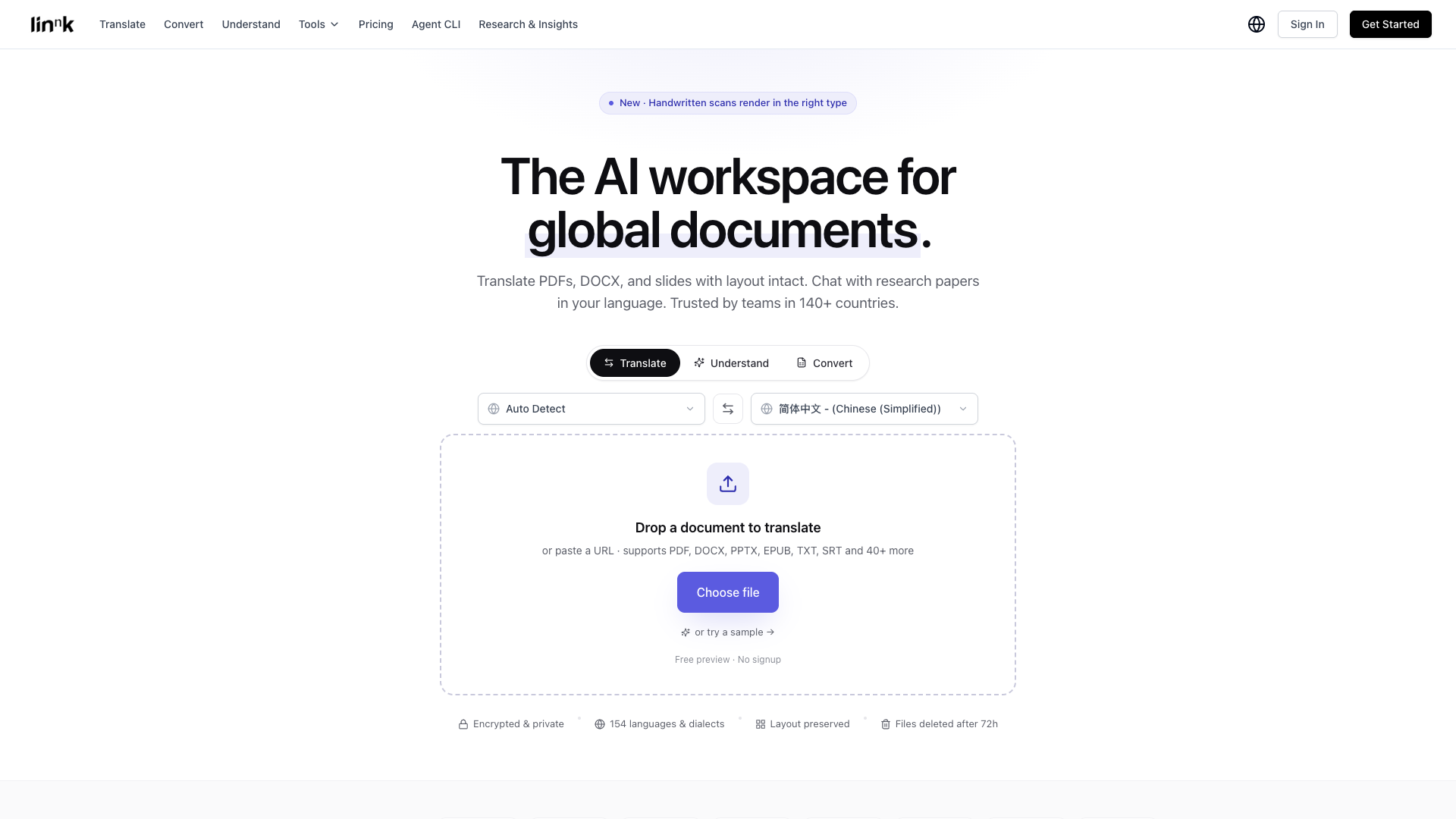
Linnk is an AI workspace for global documents built by Linnk AI, combining layout-preserving document translation and smart summarization in a single sidebar. It is designed for researchers, legal teams and localization teams that frequently handle long, multilingual documents with complex formatting, and you can preview it for free without signing up.
Core capabilities
- Layout-preserving translation: Translates PDF/DOCX/PPT while keeping tables, formulas, footnotes and two-column layouts intact, covering 154 languages and 50+ formats
- Direct scan reading: A vision language model reads scanned and handwritten content directly, and the vendor says no separate OCR step is needed
- Smart summarization: Extracts context-aware key insights from papers, reports and slide decks, and also supports web page and video summarization
- Research assistant: Offers literature reviews and citation suggestions, producing APA/MLA/Chicago/IEEE and other citation formats
- Mind maps: Automatically turns long documents into mind maps and knowledge graphs to quickly build a knowledge framework
- Extensions and CLI: A Chrome/Firefox/Edge sidebar for instant summarization and translation, plus a CLI that Claude Code and Cursor can call
Use cases Close reading of foreign-language papers, translation of contracts and compliance documents, localization of multinational reports and slide decks, and long-form reading for non-native speakers. It suits researchers, students, legal professionals, multinational business and localization teams, and developers who want to plug layout-preserving translation into AI agents.
Unique advantages Compared with DeepL and Google Translate, which lean toward plain text, and ChatPDF, which leans toward PDF Q&A, the moat of Linnk is an integrated workflow of document-level layout-preserving translation plus direct scan reading plus multilingual summarization, rather than a single point feature.
Editorial assessment Its positioning is clear, its features are complete and the free tier has a low barrier, making it one of the better-equipped players in the layout-preserving document translation plus research assistant space. However, third-party review samples are generally very small and split between positive and negative, and combined with sponsorship advertising controversy and inconsistent wording on the official site, we rate it about 3.5/5. We suggest first trying the free preview without signing up to verify results on your target documents and language pairs before subscribing, and note that it is not the same product as the similarly named bookmarking tool linnk.net.
Pricing
FreemiumFreeFree preview, no sign-up required, first document up to 20 pages free; free users have a per-file limit of 20 MB or 50 pages (images <= 5 MB).$15/month list price for comparison; 8 file credits/month, per-file limit of 20 MB & 50 pages
$20/month list price for comparison; most popular; 20 credits/month, 100 MB & 100 pages; includes advanced AI models
$45/month list price for comparison; 40 credits/month, 300 MB & 300 pages; all features + priority support
$85/month list price for comparison; 80 credits/month, 1000 MB & 1000 pages; for teams / high-volume translation
Additional notes
The official /pricing page offers a monthly/annual switch (annual saves 50%+), and the figures above are annual-equivalent monthly prices shown alongside the list prices on that page. The site copy is inconsistent: one Chinese tool page once carried a standalone statement that the advanced tier starts at $9.99/month, which coexists with Professional at $9.9/mo and Premium at $19.9/mo; both are noted here without adjudicating. There is also a separately billed Agent CLI (Agent Starter $8/month, Agent Pro $16/month, Agent Max $32/month, billed by credits, with credits rolling over for 2 months). All prices are official USD and no currency conversion has been applied.
FAQ
User reviews
User Reviews
No reviews yet
No one has reviewed this tool yet