
LUT Generator
An online tool that turns a reference image into a reusable `...
Tool details
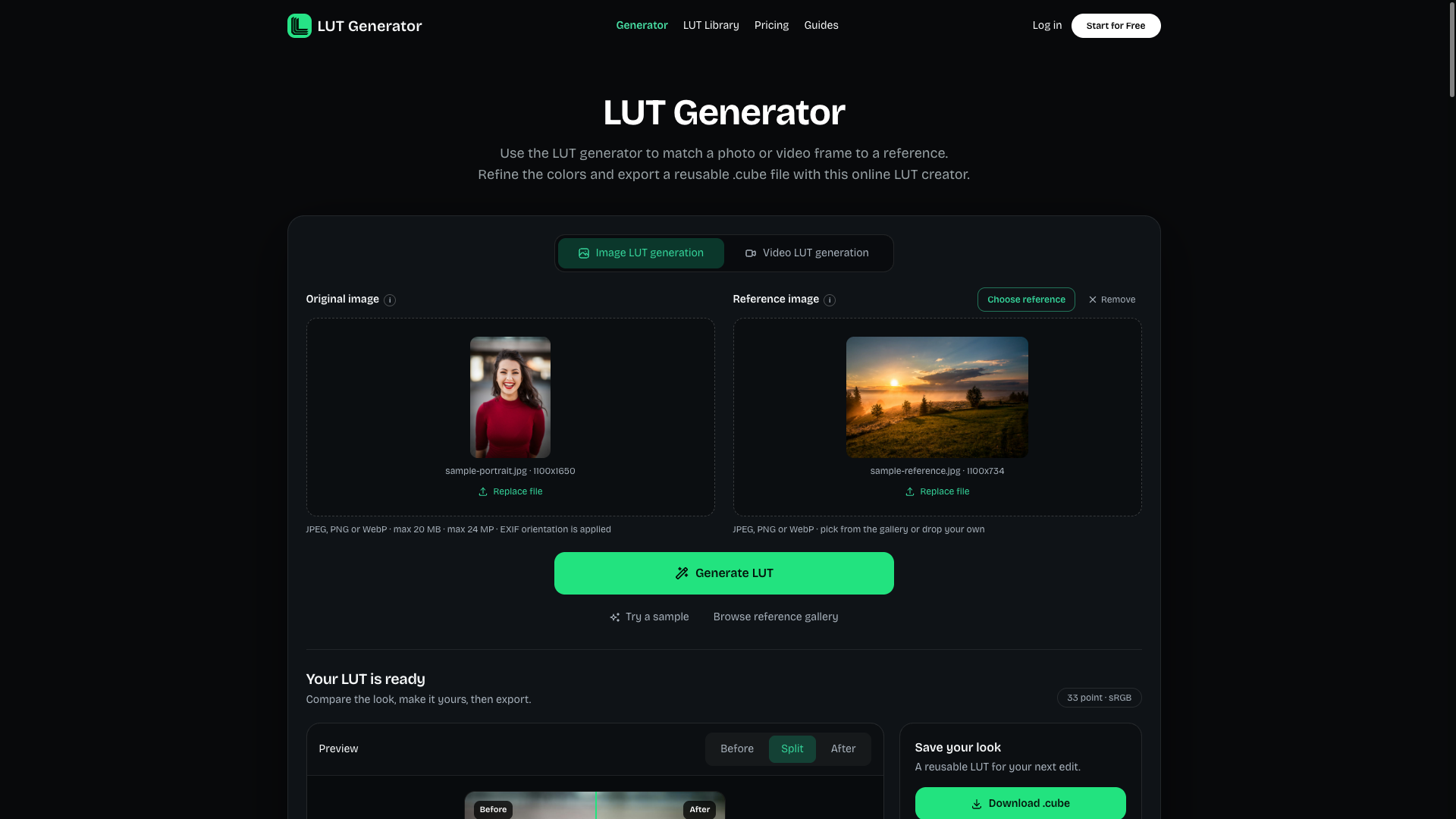
LUT Generator is an online .cube LUT generator: give it a source image and a reference image and it fits the reference's color look into a reusable 3D LUT that you export and drop into your editing or retouching software. Its honesty shows here: what actually computes the color mapping is deterministic color statistics transfer inside the browser, and the large model is not the workhorse.
Core capabilities
- Reference image to LUT: compares the mean and standard deviation of the source and reference images in CIE Lab and fits a global color transform, with results in seconds
- Local processing: decoding, matching, fine-tuning and PNG previews all run in the browser, so your originals never need to be uploaded
- Two export specifications: 33³ or 65³
.cube, with a choice of sRGB→sRGB or Rec.709 Gamma 2.4; works in mainstream software - Manual fine-tuning: strength, exposure, contrast, saturation, temperature, tint, and shadow and highlight tint can each be adjusted separately
- Optional AI suggestions: the color grading assistant uses Mistral Small 4 to suggest parameters and explain them — suggestions only, no image generation
- 6 free presets: original LUTs such as Cinematic Warm, Teal & Orange and Soft Portrait can be downloaded free and fine-tuned further
Where it fits It suits independent creators who have a reference image whose look they want to copy and would rather not upload their material: video creators, wedding and event photographers, and editing beginners looking for a color reference for video. It only produces LUTs — it does not render or encode video, and you still apply the LUT in your own editing software. Light users who only need creative sRGB / Rec.709 LUTs will also find it painless.
What sets it apart Rivals tend to lead with AI, while this one explains its implementation instead: the core is deterministic color matching in the browser, AI only handles optional color grading suggestions, and the terms state outright that the model takes no part in LUT rendering. The documentation also lists what it cannot do — a rarity — and makes no claims of official certification.
Editorial verdict
Whether it is worth it depends on volume: if you export a handful occasionally, the 5 permanent credits from signing up are enough; if you deliver footage every month, the $14.99 Pro tier works out to about $0.30 per export, which is reasonable. If you need Log / HDR / RAW pipelines or batch application, switch to Luttie or CinemaLut; if all you want is a free .cube, the free alternatives are enough.
Pricing
Freemium$5.99/month (Lite, 10 export credits per month)No free trial tier; the equivalent is 5 permanent credits granted at sign-up (no card required), plus free-forever local matching, fine-tuning, PNG previews and 6 built-in presets10 export credits/month; credits valid for 30 days, 1 credit = 1 .cube export
50 export credits/month; recommended tier, about $0.30 per export
120 export credits/month; about $0.25 per export
5 credits, one-time purchase, never expires
100 credits, one-time purchase, never expires
250 credits, one-time purchase, never expires
Additional notes
1 credit = 1 .cube export = 1 AI request, and both draw on the same quota; subscription credits expire after 30 days, including on annual billing, while one-time credit packs never expire; sign-up grants 5 permanent credits but there is no permanent free tier; annual billing at $59 / $139 / $269 claims 18–25% savings, which only holds if you use the full quota every month (credits are granted monthly and expire monthly); the official About page describes the service as a preview, and the terms say it may change or be withdrawn at any time
FAQ
User reviews
User Reviews
No reviews yet
No one has reviewed this tool yet