Photoshoot
AI portrait generator with 12 scene-based styles
Tool details
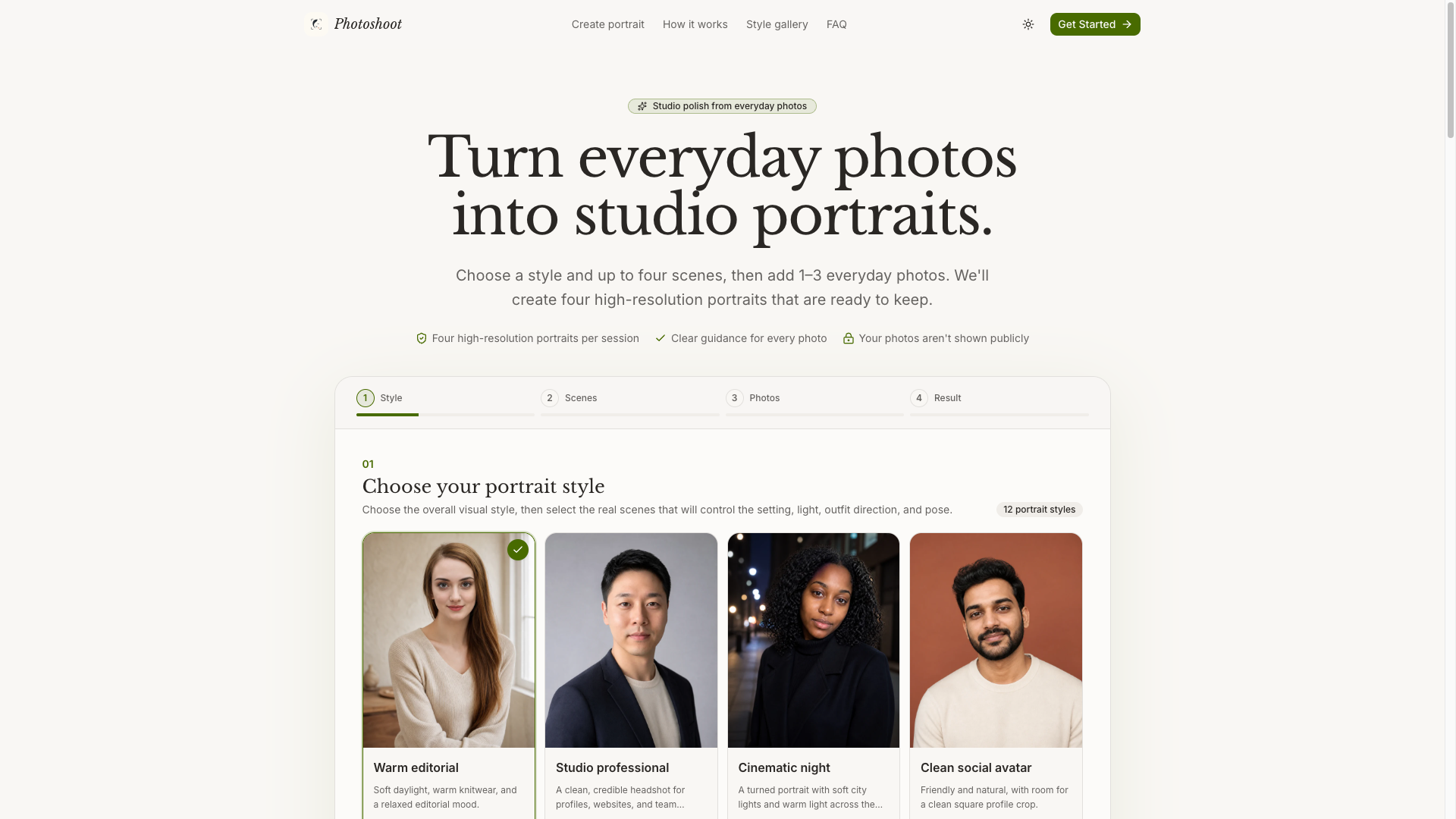
Photoshoot (this site is photoshoot.help) is a web-based AI portrait generator: upload 1–3 everyday photos of the same person, choose a style plus up to 4 scenes, and receive 4 finished images in 3:4 portrait framing each time. It does not train a model — it works straight from reference photos — and leads with “your features stay yours” plus studio-grade lighting.
Core capabilities
- Straight from everyday photos: 1–3 photos of the same person are enough to start; the client compresses and brightens them first and gives a face-quality score, asking for a different photo when they fall short
- 12 styles, 24 scenes: from professional headshots, warm editorial and golden-hour outdoor shots to graduation, birthday, Halloween and Christmas; up to 4 scenes per run
- 4 finished images each run: your chosen scenes take the slots first, and with fewer than 4 scenes the shortfall becomes controlled variations, all in 3:4 portrait framing
- Watermark-free delivery: paid tiers export images without a watermark and one-time credits never expire; failed tasks return credits
- One-sentence edits: after generating, describe the direction in natural language, with separate switches for a new expression, a new background and brighter skin tone
- Reusable identity profile: save up to 3 reference photos plus one base image, so later sessions no longer depend on that day's upload quality
Where it fits Job seekers swapping LinkedIn and résumé headshots, freelancers building personal-brand images, social media managers stocking festive assets — the need for “a batch of finished images that still look like me, on a budget of ten-odd dollars” fits best. Pixel-deliverable commercial shoots, or team purchases that need invoices and a DPA, should not pick it.
Distinctive edge In the same space morphed.app offers 65 looks, and photosshoot.com (double s, a different product) trains models. Photoshoot's difference is the lightweight mix of “12 styles plus real-world scenes plus as little as $0.17 per image”: lighter than the heavy route of 40–100 images per shoot, and cheaper than tools that charge $3 per image. It makes no 4K claims and promises no turnaround time; images come from a third-party image model, and what is built in-house is the style and scene orchestration.
Editorial take The pricing is honest: the per-image decline from $0.30 to $0.17 adds up. The weak points are just as clear: no free trial, only 12 styles, no turnaround-time or pixel promises, and no third-party review endorsement to be found. It is worth spending $8.99 on 30 images to test the water first, then adding Popular or Pro; content creators who generate continuously can look at the $24.99 monthly plan.
Pricing
Subscription$8.99 (Starter, 30 images, no watermark)30 images, one-time credit pack, about $0.30 per image
90 images, one-time credit pack, about $0.22 per image
240 images, one-time credit pack, about $0.17 per image
150 images per month, monthly plan visible only in the front-end pricing config, not listed on the pricing page
Additional notes
No free trial tier; the example person shown on the site is a pre-generated sample and you cannot upload your own photos for a free test; one-time credit packs never expire; the monthly plan exists only in the front-end config (150 images per month, $24.99) and is not shown on the page; checkout is live (Stripe), while Creem/PayPal/Alipay/WeChat Pay code is in place but not enabled; each generation always consumes 4 portraits from your balance, and with fewer than 4 scenes the remaining portraits become controlled variations.
FAQ
User reviews
User Reviews
No reviews yet
No one has reviewed this tool yet