
PixAI
Anime illustration platform with a community model marketplace
Tool details
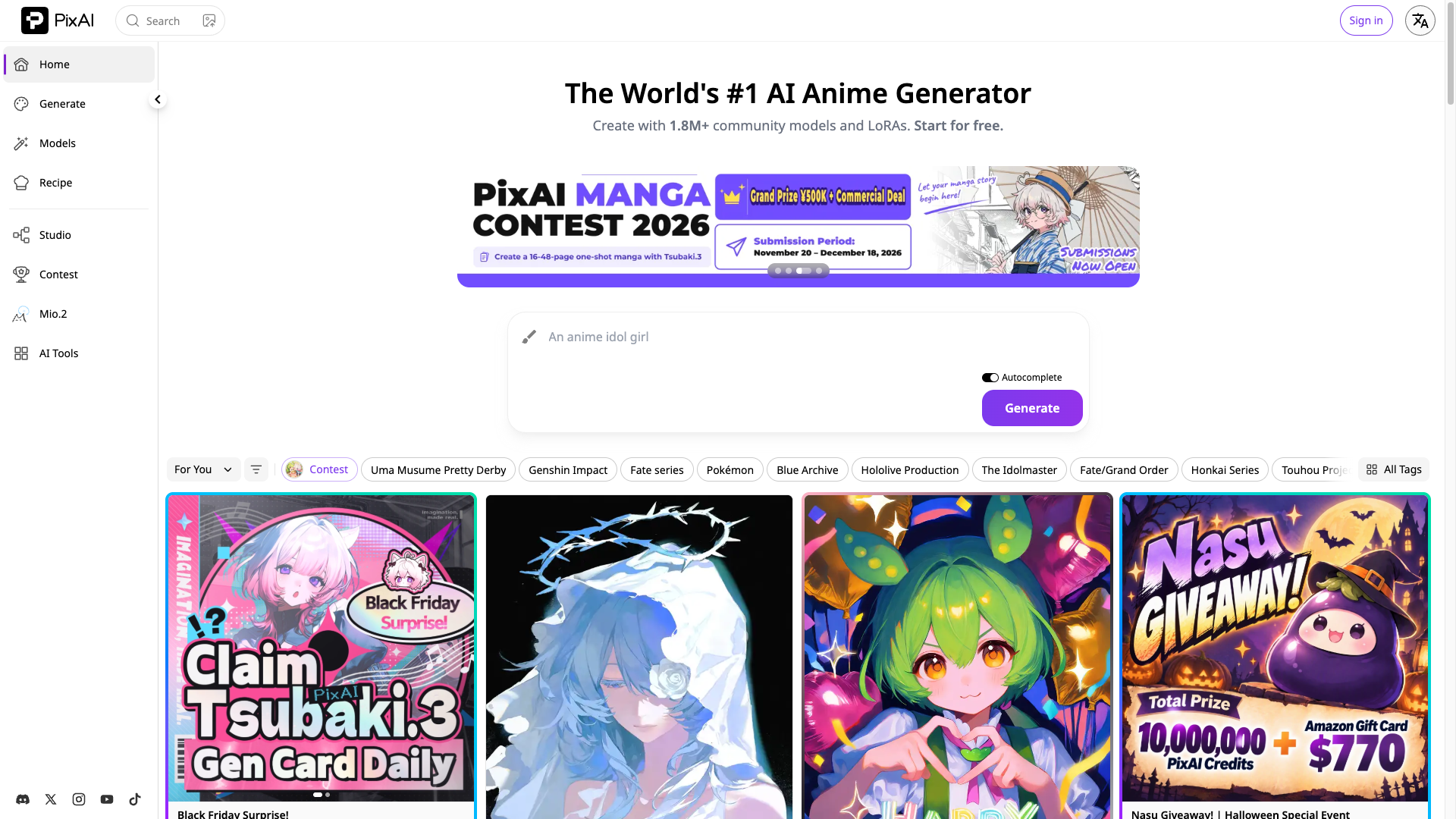
Type a sentence and get a usable anime illustration back — that is the part most people underrate about PixAI. Behind it sits an entire production line, running from a community model marketplace through generation and editing to motion.
Core Capabilities
- Text-to-image with a model market: the library holds 1.8M community models and LoRAs, covering everything from cel-shaded anime to painterly illustration, and any artwork you like can be reused as a one-click setup before you add your own twist.
- Image editing and upscaling: upload an existing picture to expand the frame, retouch locally, swap styles or upscale; a rough sketch can be pushed to a far more finished state.
- Image-to-video animation: hand a still or one of your own generations to the animation model, describe the motion in words — hair in the wind, a slow push-in — and download the clip with no watermark.
- LoRA training: upload a set of your own images; the basic mode picks parameters and captions them for you and returns a model in about an hour, while the advanced mode lets you tune it yourself, and trained LoRAs stay callable at generation time.
- Creative mini-tools: over twenty one-click templates turn a character sheet into a vector logo, a chibi animated sticker, a pixel sprite, a cut-out on a transparent background or a plushie design sheet, plus oddities such as a stadium big-screen check-in shot.
- Conversational editing: Mio.2 lets you direct the model in plain language to change outfits or adjust poses, and to lay out comic panels from a description.
Use Cases
- Fan artists and original-character players who need consistent characters while testing many outfits and scenes quickly.
- Game and light-novel teams producing key art, icons, stickers and promo images in batches at controlled cost.
- Short-video and livestream operators turning a single illustration into an animated cover or a looping clip.
Why It Stands Out Community scale is the real moat here: with 1.8M models, almost any art style already has a ready base, so you never start from zero. The output stream from 16M registered creators in turn feeds model ranking and recommendation. The free allowance is generous — ten thousand credits a day — so the whole pipeline runs at zero cost, and the mobile app can generate, edit and animate too, with credits and history synced between phone and browser.
Editor's Take PixAI reads more like an operating system for anime creation than a single-purpose tool: strong on ecosystem depth and the feel of its output, weaker on photoreal subjects outside the anime lane, and it is not aimed at teams that need fine layout control or agency-grade delivery. For a low-cost entry into anime style it is close to a default choice; for brand-level visuals, pair it with a professional retouching workflow.
Pricing
FreemiumFree (with a daily credit allowance)A daily credit allowance covers text-to-image, image-to-video and basic LoRA training
300,000 monthly credits, $7.99/month if billed annually
1,000,000 monthly credits, $22.99/month if billed annually
2,000,000 monthly credits, $35.99/month if billed annually
Additional notes
Annual billing is charged once at $95.88, $275.88 or $431.88; credit packs are sold separately
FAQ
User reviews
User Reviews
No reviews yet
No one has reviewed this tool yet