SVGBase
An AI vector workbench that turns text into editable SVG code
Tool details
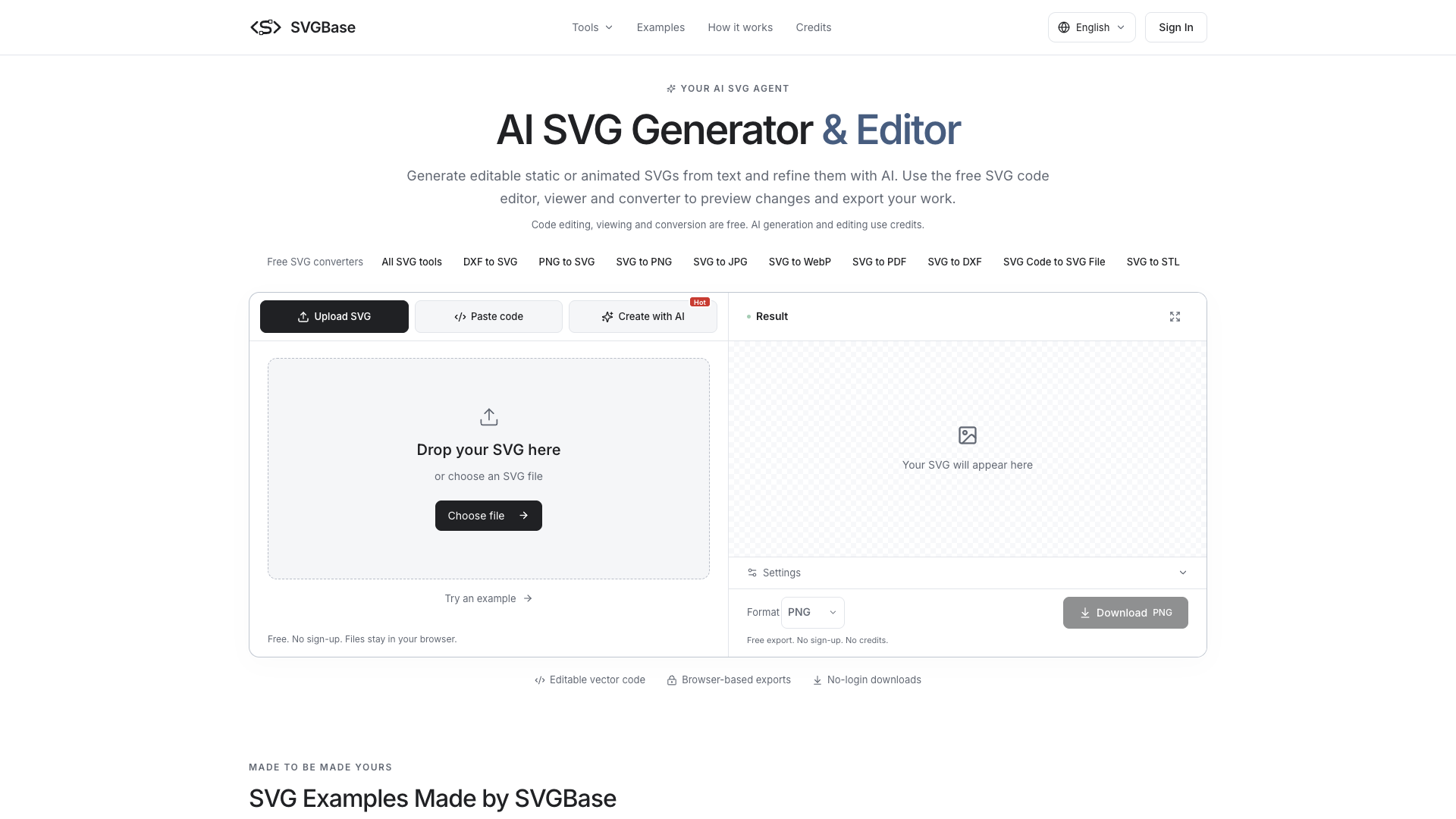
SVGBase packs "AI SVG generation" and a "free SVG toolbox" into a single page: describe what you want in one sentence and get editable vector code back, then keep editing it at the code level with AI or by hand. It suits two kinds of people — front-end developers who need source code they can drop straight into a project, and casual users who just want one free format conversion without signing up.
Core capabilities
- Text-to-SVG: describe the subject, style and color scheme, and get downloadable .svg source with a live preview — it delivers code, not a bitmap
- AI second-pass editing: upload an existing SVG and say what should change; the AI works at the code level, and you can compare against the original file before exporting
- CSS animation: stroke drawing, spinning loaders, pulsing/breathing effects and more, output as pure CSS @keyframes with a reduced-motion fallback, at the same price as static output
- Free workbench: syntax-highlighted editing with live preview; export SVG, PNG, JPG, WebP — no signup, no watermark
- Format conversion: PNG to SVG is real tracing with color-count and detail sliders, plus two-way DXF and SVG to STL, ready for laser cutting and 3D printing
- Local processing: with the free tools, images and code are never uploaded to a server; files never leave the browser
Who it is for Front-end developers and indie makers building icons, loading animations and small illustrations, where the code goes straight into a component library; laser-cutting, CNC and 3D printing hobbyists who need DXF or STL output; marketing and design colleagues who occasionally recolor or export a one-off PNG or PDF without installing a whole desktop suite. If you cannot read SVG code, the learning curve is clearly steeper than with drag-and-drop software.
What sets it apart Generation and utilities are wired into the same workbench, which is a rare combination. Recraft is strong on style consistency and Vectorizer.AI is the single-purpose vectorization benchmark, but neither covers DXF/STL or CSS animation export; that the free tools run entirely locally with no signup is genuinely practical.
Editorial take Start with the free tools to get a feel for it: viewing, editing code and conversion really are free, and what you export is real vector code. The limits are firm — no SMIL, path morphing or Lottie, bitmap exports capture only a still frame of the animation's 1st second, and full rewrites are capped at 8 KiB; each generation runs 5 to 10 credits. Add that the domain was only registered in 10/2026 and the terms do not disclose a legal entity, so the prudent path is to validate your need with the 20 credits you get at signup rather than paying annually on a first order.
Pricing
Freemium$0 (20 free credits)20 credits for signing up and verifying your emailGranted on signup with email verification, about 4 Fast or 2 Quality generations; code editing, viewing and format conversion are free forever and need no signup
One-time credit pack; credits never expire
One-time credit pack, the officially recommended tier
One-time credit pack with the lowest cost per credit (about $0.095); $19.00 monthly gets 300 credits/month, while annual billing charges $190 once and delivers credits monthly
Additional notes
Monthly billing costs the same as the credit packs but includes 50% more credits: $4.90/60, $9.00/120, $19.00/300, and credits expire at the end of that month with no rollover. Annual billing charges once: $49 / $90 / $190 (roughly 10 months' price, or $4.08 / $7.50 / $15.83 per month), with credits delivered monthly rather than in one upfront batch. All prices are in USD, excluding tax, billed through Stripe.
FAQ
User reviews
User Reviews
No reviews yet
No one has reviewed this tool yet