
Build a Claude AI Desktop Pet in 10 Minutes: An Open-Source Hardware Tutorial
Anthropic open-sourced Claude-Desktop-Buddy: build an AI desktop pet on a Shenzhen-made M5StickC Plus dev board that shows working status, approves operations, and ships with 18 built-in animations.
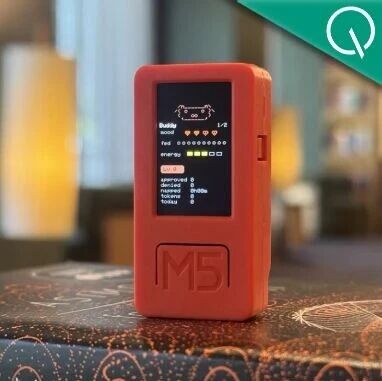
Build a Claude AI Desktop Pet in 10 Minutes: An Open-Source Hardware Tutorial
Anthropic open-sourced Claude-Desktop-Buddy: build an AI desktop pet on a Shenzhen-made M5StickC Plus dev board that shows working status, approves operations, and ships with 18 built-in animations.
Anthropic has open-sourced a project called Claude-Desktop-Buddy — a coin-sized AI desktop pet. It shows Claude's working status (writing code, waiting for approval, idle), and you can approve or reject Claude's actions with one press on the device itself. Even better, it ships with 18 ASCII critter animations — sleeping, busy, celebrating, and more — that cycle without repeating. The whole build takes one dev board and 10 minutes.
Preparation
Required Hardware
- M5StickC Plus dev board (from Shenzhen's M5Stack; about 80-120 RMB on Taobao)
- A computer (macOS / Windows / Linux all fine)
- A USB-C data cable
Note: The M5StickC Plus has already sold out on Taobao because of the project's popularity; the newer Plus 2 or Stick S3 also work.
Required Software
- Claude Code (Anthropic's coding tool)
- Bluetooth connectivity
Estimated Time
10 minutes
Step by Step
Step 1: Get the Dev Board
Buy an M5StickC Plus. The board comes from Shenzhen-based M5Stack, is built on an Espressif ESP32 chip, and includes a screen, microphone, speaker, infrared, gyroscope, and buttons — all for under 100 RMB.
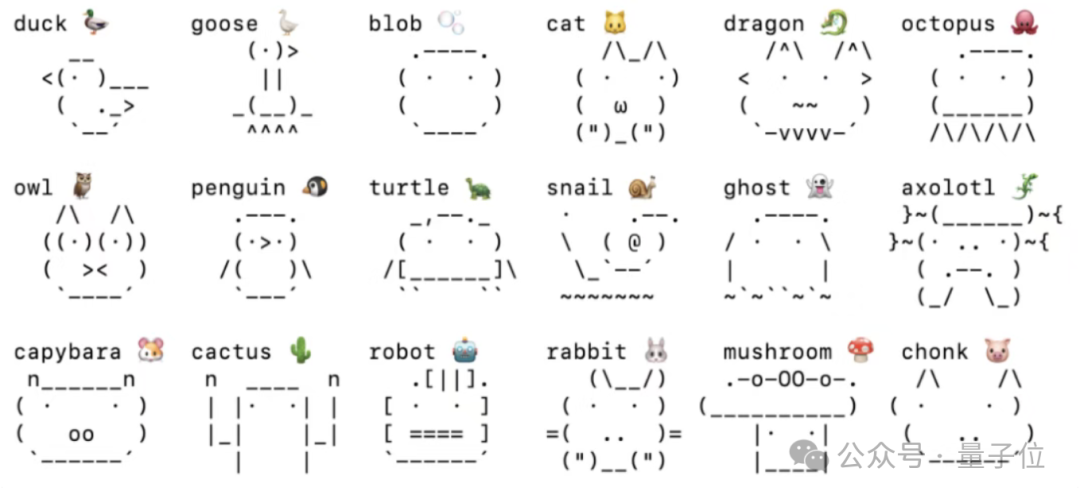
18 built-in ASCII critters, each with a full animation set
Step 2: Clone the Open-Source Project
git clone https://github.com/anthropics/claude-desktop-buddy.git
cd claude-desktop-buddy
Step 3: Let Claude Handle the Flashing
This step is the easiest — connect the board to your computer over USB, turn on Bluetooth, and hand the flashing docs to Claude Code:
Please follow the instructions in the README to flash Claude-Desktop-Buddy onto my M5StickC PlusClaude compiles the firmware and flashes the board automatically. No manual dev-environment setup at any point.
Tip: If flashing fails, check that the USB driver is installed correctly (macOS usually needs no extra driver; Windows may need the CP210X driver).
Step 4: Pair over Bluetooth
Once flashing finishes, the board enters Bluetooth standby. Search for the device on your computer and connect; once paired, the desktop pet is live.
What It Looks Like in Use
After pairing, the pet mirrors Claude's working status in real time:
- When idle: the critter falls asleep and occasionally rolls over
- Claude at work: the critter scurries around busily
- Waiting for approval: the critter grows visibly impatient
- Task complete: the critter celebrates and cheers
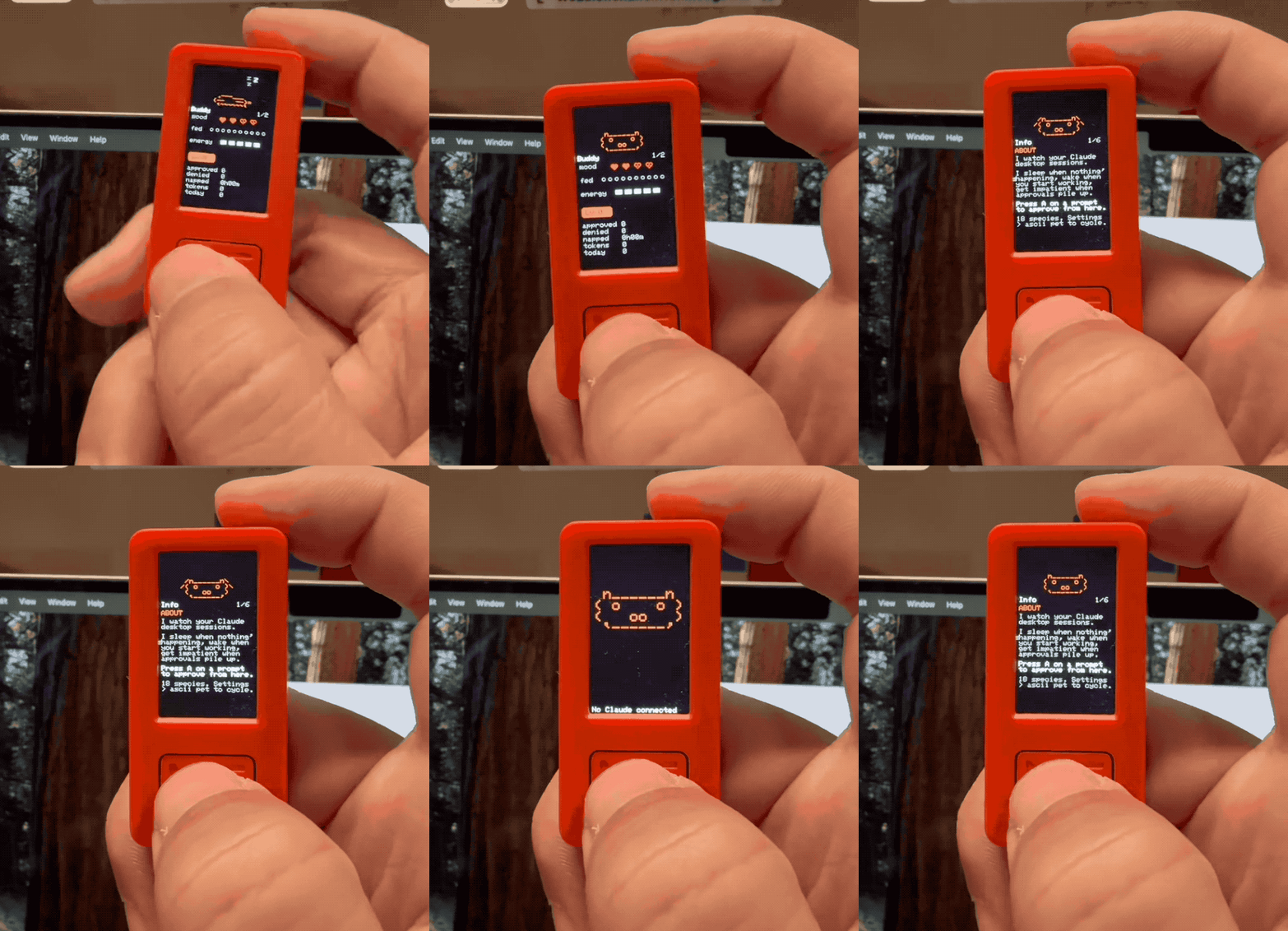
Plenty of developers have already reproduced Claude-Desktop-Buddy
Going Further
Voice-Control Claude
A developer, passyear999, added a page on top of the source code: a button press triggers Typeless voice input, and a long press sends it — turning the board into a physical remote for voice-controlling Claude.
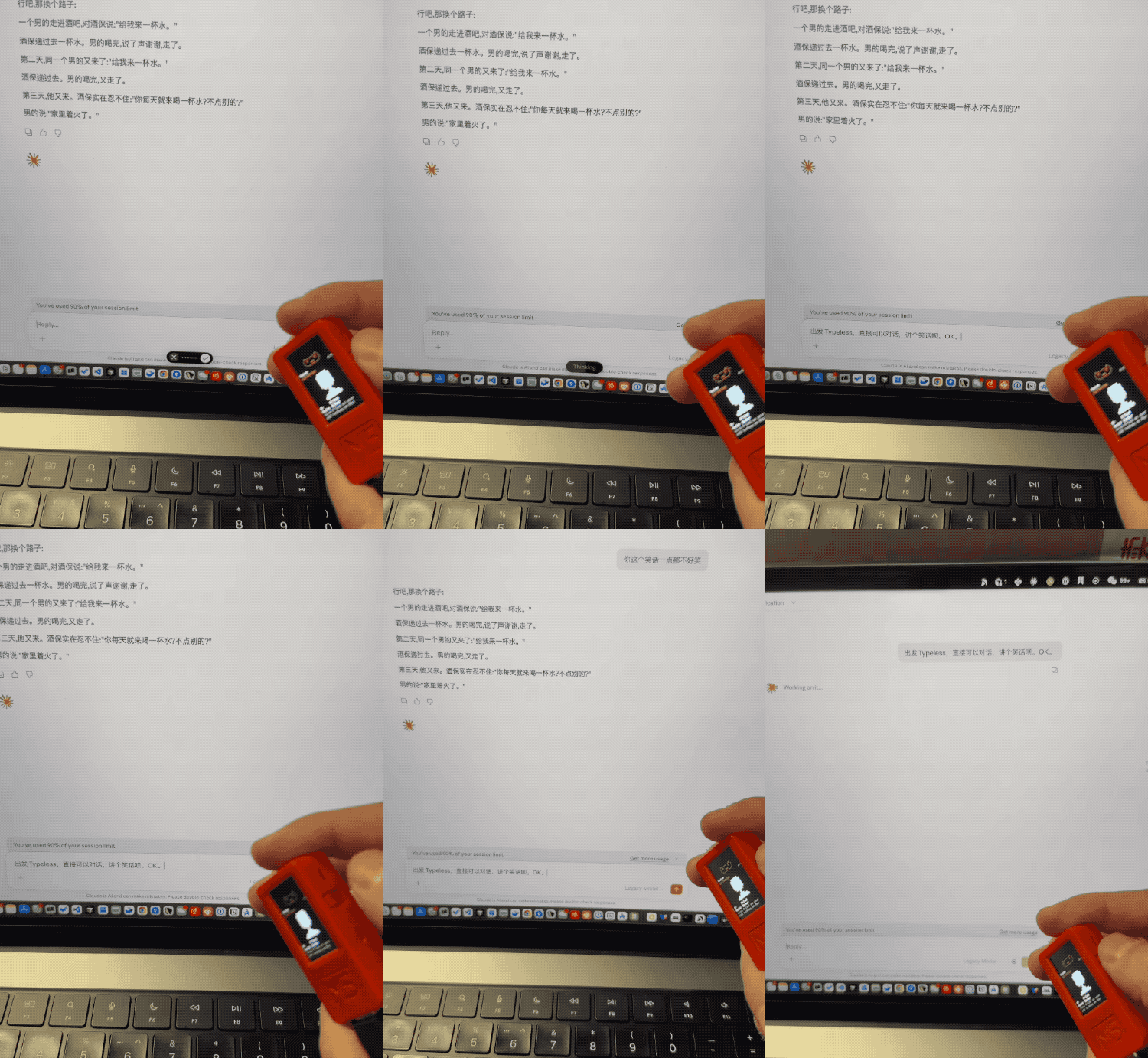
The modified version supports voice input to control Claude
A Bigger Screen
If the M5StickC Plus's screen feels too small, try building on a larger dev board for a better display.
FAQ
- Can't get an M5StickC Plus?: try the newer M5StickC Plus 2 or M5StickS3, though the firmware config may need small tweaks
- Bluetooth won't connect?: make sure the firmware flashed correctly, restart the board, and retry
- Display cut off?: check that the firmware version matches your board model
- Is it actually useful?: for now it's mostly a desk pet, but the approval feature and the voice-control mod already show real utility
Project address: github.com/anthropics/claude-desktop-buddy
Toolin Editorial Team
Categories
Related articles

The Complete Guide to Prompting GPT-5.5 and Claude 4.7
A walkthrough of the official OpenAI and Anthropic prompting guides: 11 practical tips to make your prompts more effective and more cost-efficient.

The 2026 All-Scenario AI Tool Recommendation List
The most practical AI product recommendations for 2026, covering 14 scenarios including knowledge Q&A, coding, image design, video generation, and music creation, with both an international and a Chinese pick for each
CC Switch: An Open-Source Gem That Switches Models for 6 Agent Tools in One Click
An open-source desktop tool with 50K GitHub stars that switches models in one click across 6 agents including Claude Code and OpenClaw, with usage tracking and failover built in