
guizang-ppt-skill: The Open-Source Tool for Magazine-Grade AI PPTs
The open-source PPT Skill ships 10 page layouts and 5 theme palettes and outputs a single-file HTML that opens in a browser with a double-click — installation and usage tutorial included
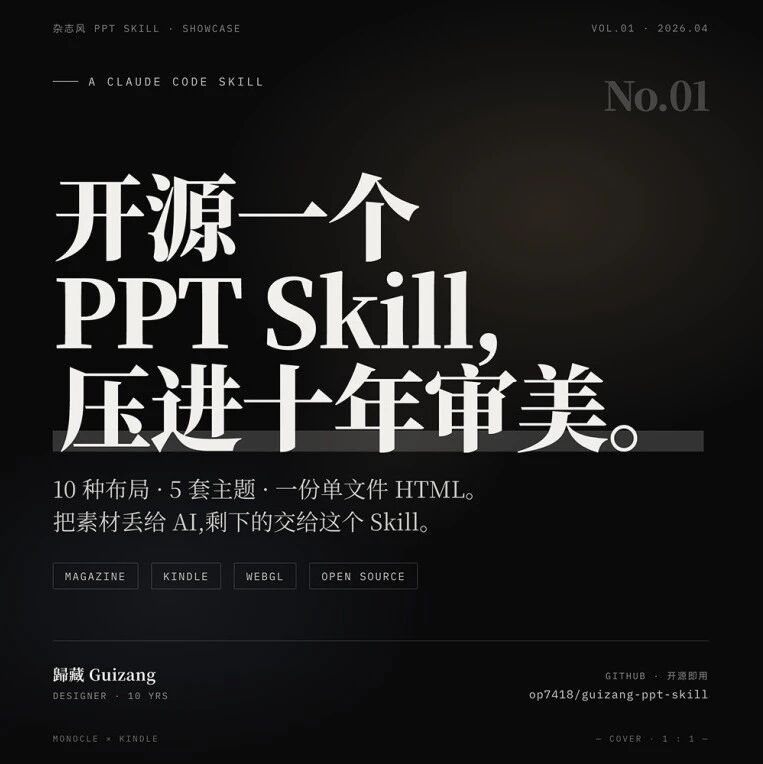
guizang-ppt-skill: The Open-Source Tool for Magazine-Grade AI PPTs
The open-source PPT Skill ships 10 page layouts and 5 theme palettes and outputs a single-file HTML that opens in a browser with a double-click — installation and usage tutorial included
Have you made slides with AI? Chances are the result screams 'AI-generated' at first glance — stiff layouts, odd colors, no design sense at all. A designer with ten years in the field has open-sourced his PPT Skill, called guizang-ppt-skill. It isn't just another template library: it's a complete scheme for porting the language of magazine typography into HTML. Paired with Claude and other large models, it produces decks that 'don't quite look AI-made.'
What It Is
guizang-ppt-skill is an open-source AI PPT generation skill whose deliverable is a single-file HTML — double-click it and it plays in the browser, and sending it to someone else means sending one file, with no worry about fonts or animations breaking on their machine.
The visual style is defined as 'digital magazine x e-ink':
- Cover: ink-black base + a large serif title, with a slowly flowing WebGL fluid behind it
- Body: paper-white background + ink-colored text, like an open printed magazine
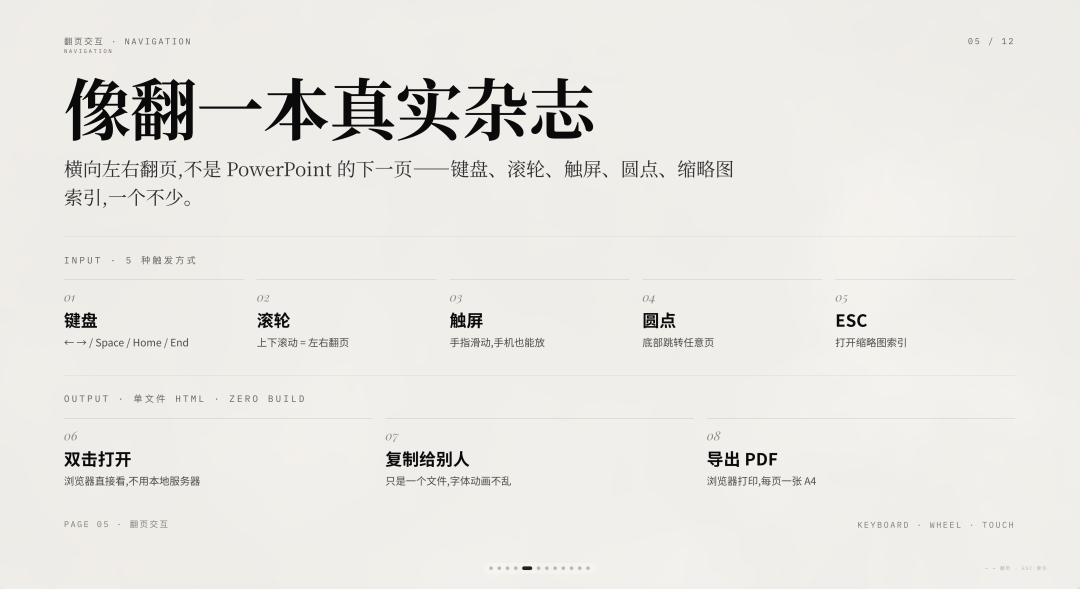
- Page turns: horizontal left-right sliding, with keyboard, scroll wheel, and touch gestures
- Metadata: every page carries a chapter number and page number in the corner, like a newspaper footer
Core Features
10 Page Layouts
Covering most of the page types a 15-30 page talk needs:
Opening cover, section divider, big-number stat slide, text-left/image-right, image grid, pipeline flow, suspense question, big quote, before/after comparison, and mixed text-and-image.
Each layout is an HTML skeleton you can paste straight in — swap the text and images and it works.
5 Theme Palettes
| Theme | Best for |
|---|---|
| Ink Classic | Business launches, general default |
| Indigo Porcelain | Tech, research, AI keynotes |
| Forest Ink | Nature, sustainability, humanities |
| Kraft Paper | Nostalgia, literary, indie magazines |
| Dune | Art, design, creative work |
Switching themes means replacing just 6 CSS variables in :root. The designer deliberately restricted the ability to use custom hex values — the tighter the constraints, the steadier the style.
Page-Turn Interaction
Keyboard arrows, mouse wheel, touch swipes, bottom dots for jumping to a page, and the ESC key to open a thumbnail index — all supported, aiming to come as close as possible to flipping through a real magazine in the browser.
How to Use It
Step 1: Install the Skill
Project address: github.com/op7418/guizang-ppt-skill
The README includes an 'installation prompt for the AI.' Copy and paste it to your Claude Code or other AI Agent and it completes the installation on its own.
You can also use it directly in Bloome Agent (currently free).
Step 2: Start the Conversation
Once it's installed, tell the AI 'make me a magazine-style deck.' The AI asks you 6 questions in return:
- Who is the audience, and what's the setting?
- How long is the talk? (about 10 pages for 15 minutes, about 20 for 30)
- Do you have source material? (documents, data, old slides, article links)
- Do you have images, and where are they?
- Which theme palette do you want?
- Any hard constraints?
You don't need to answer everything at once — it asks one question at a time. Once you've answered, it produces an outline and a theme pacing table first, and only starts writing code after you're aligned.
This clarification flow moves 'alignment' to the very beginning, solving the biggest pain point of making slides with AI — discovering on page 10 that the whole direction was wrong.
Step 3: Manage the Images
Images go in an images/ folder sitting next to index.html, named like this:
ppt/
  ├── index.html
  └── images/
      ├── 01-cover.jpg
      ├── 03-figma.png
└── 05-dashboard.png- Zero-padded page number + English semantics, for easy sorting and AI referencing
- JPG for photos, PNG for screenshots (crisp, no mush)
- No image narrower than 1600px wide (holds up on large projected screens)
To swap an image, just overwrite it under the same name — the HTML doesn't change by a single character.
The Design Logic: Why It Looks Good
This isn't mystique — it's a set of decisions you can take apart:
- Three-tier font roles: serif for opinions (big titles), sans-serif for information (body text), monospace for metadata (headers and footers)
- Color discipline: paper white + ink + one accent color; the background is never pure white #FFFFFF, and the text is never pure black #000000
- Grid rhythm: fixed grids of 7:5, 6:6, and 8:4 guarantee order; hero and non-hero pages alternate; a hard rule bans three consecutive pages with the same theme
All of these rules live in SKILL.md and checklist.md, and the AI executes them one by one.
Where It Fits
- Decks for product launches and tech talks
- Industry salons and internal sharing sessions
- People who want good-looking slides without PowerPoint
- Any scenario that needs text content turned into presentable HTML, fast
