
Hooking Doubao Seed 2.1 Pro into Claude Code: Swap Your Main Model in Three Steps
Volcano Ark speaks the Anthropic protocol; three environment variables let Claude Code switch to Doubao Seed 2.1 Pro — verified by fixing real bugs in a complex project.
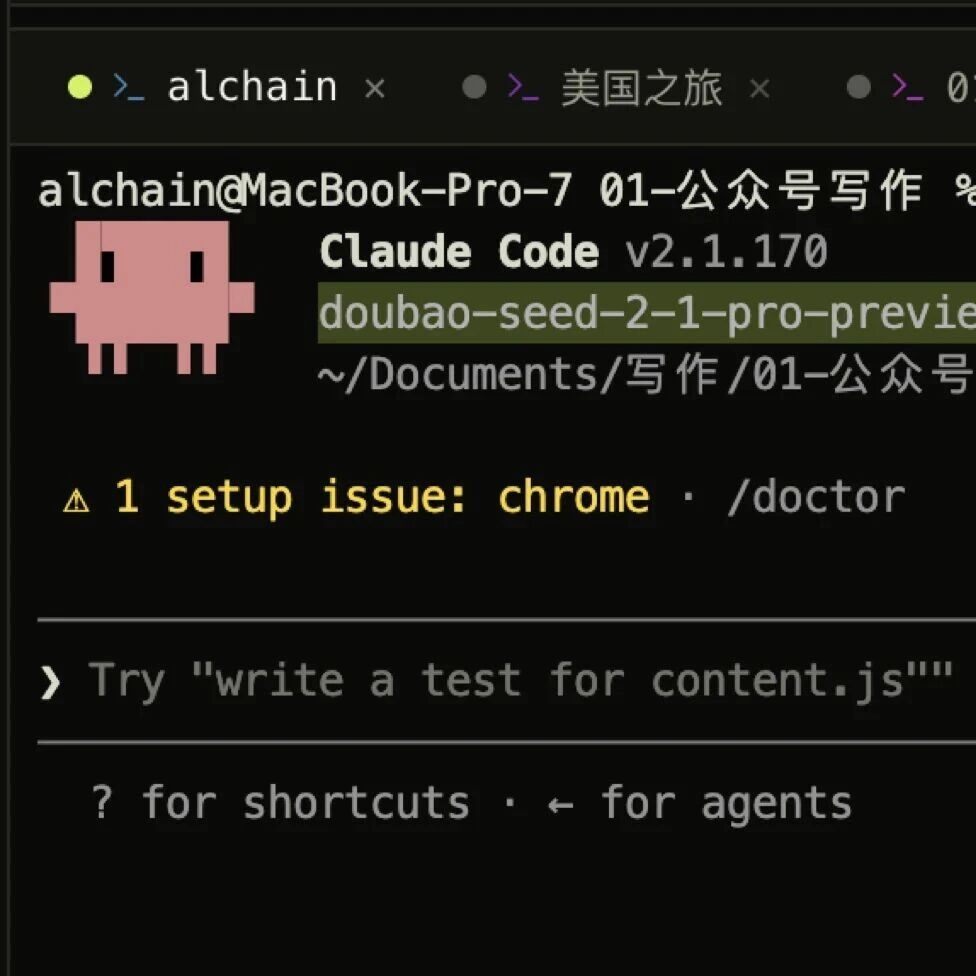
Hooking Doubao Seed 2.1 Pro into Claude Code: Swap Your Main Model in Three Steps
Volcano Ark speaks the Anthropic protocol; three environment variables let Claude Code switch to Doubao Seed 2.1 Pro — verified by fixing real bugs in a complex project.
Doubao Large Model 2.1 (Seed 2.1 Pro) is officially released, with frontend coding ability ranked 8th on the Arena Frontend leaderboard, in the same tier as Opus 4.6. More importantly, Volcano Ark offers an endpoint compatible with the Anthropic protocol, which means the coding agents you use daily — Claude Code, Cursor — can switch seamlessly to a Doubao engine. This tutorial shows how to complete the switch with three environment variables, then verifies with a real bug in a real open-source project whether it can hold up as your main model.
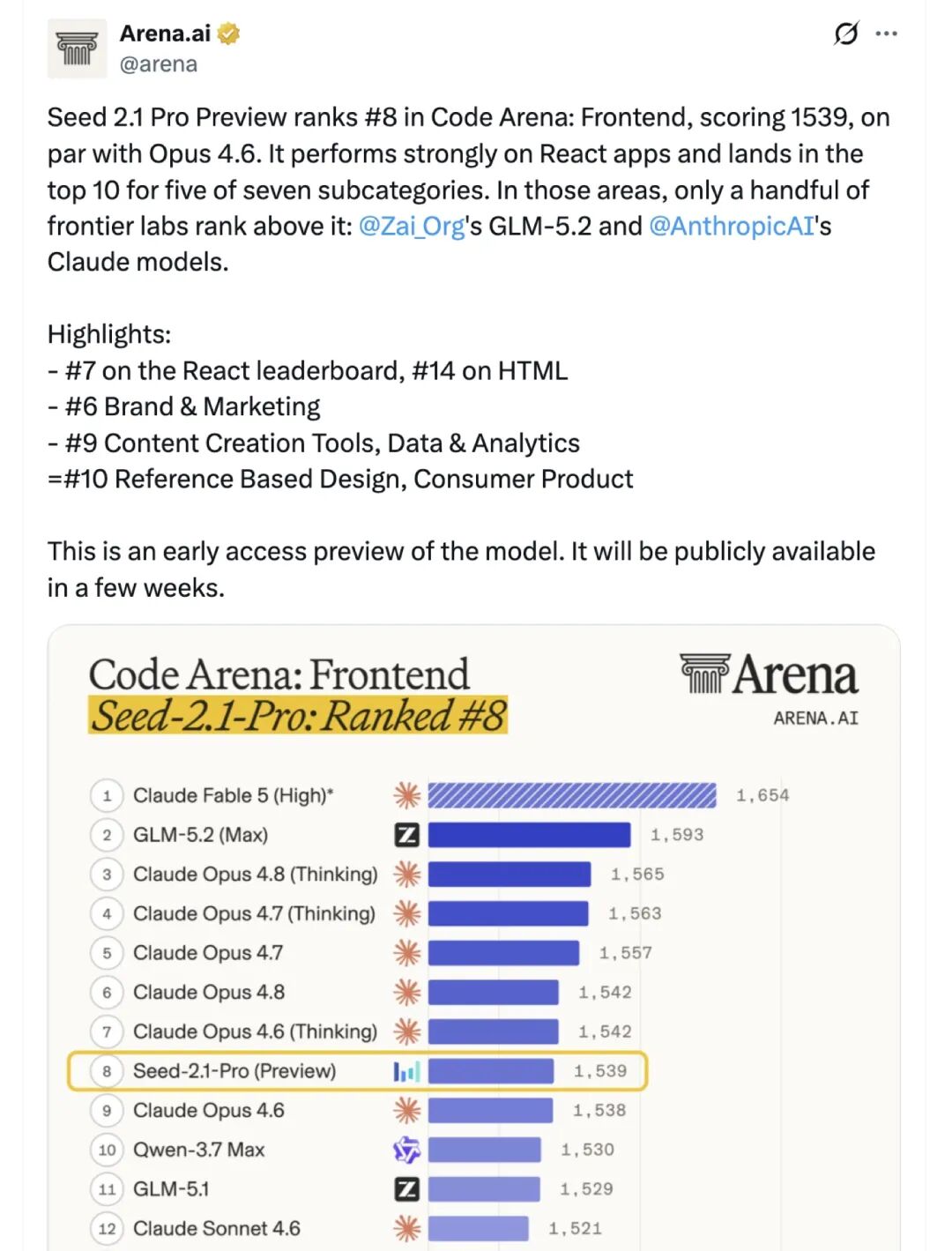
Seed 2.1 Pro's position on the Arena Code Frontend human blind-vote leaderboard, in the same tier as Opus 4.6.
Before You Start
Before switching you need:
- A Volcano Ark account (sign up via the Volcano Engine console)
- Claude Code installed (the terminal command-line agent)
- A terminal environment (macOS / Linux; Windows users should use WSL)
- Estimated setup time: 5 minutes; billing is by token usage afterward
Three Steps to Hook It Up
Step One: Activate the Model and Get an API Key
Log in to the Volcano Ark console, find and activate the model doubao-seed-2-1-pro-preview, create an ARK API Key under "API Key Management," and copy and store it.
💡 Tip: Remember to top up after activation. Doubao 2.1's overall cost of use is nearly 80% lower than Claude Opus 4.6, so budget-sensitive developers can use it with confidence.
Step Two: Set Three Environment Variables
Inject the three variables before launching Claude Code (you can also write them into the env field of ~/.claude/settings.json):
export ANTHROPIC_BASE_URL=https://ark.cn-beijing.volces.com/api/compatible
export ANTHROPIC_AUTH_TOKEN=your_ARK_API_Key
export ANTHROPIC_MODEL=doubao-seed-2-1-pro-preview
It's recommended to write an alias in ~/.zshrc that isolates the Doubao-driven setup from the original claude so the two never interfere:
alias doubao='ANTHROPIC_BASE_URL=https://ark.cn-beijing.volces.com/api/compatible \
ANTHROPIC_AUTH_TOKEN=YOUR_KEY \
ANTHROPIC_MODEL=doubao-seed-2-1-pro-preview \
claude'
After saving, run source ~/.zshrc; from then on, typing doubao in the terminal gives you a Doubao-driven Claude Code, while typing claude still runs the original model.
Step Three: Verify the Setup Works
Run in the terminal:
claudeOnce inside, type /status and confirm that the Model field shows doubao-seed-2-1-pro-preview.
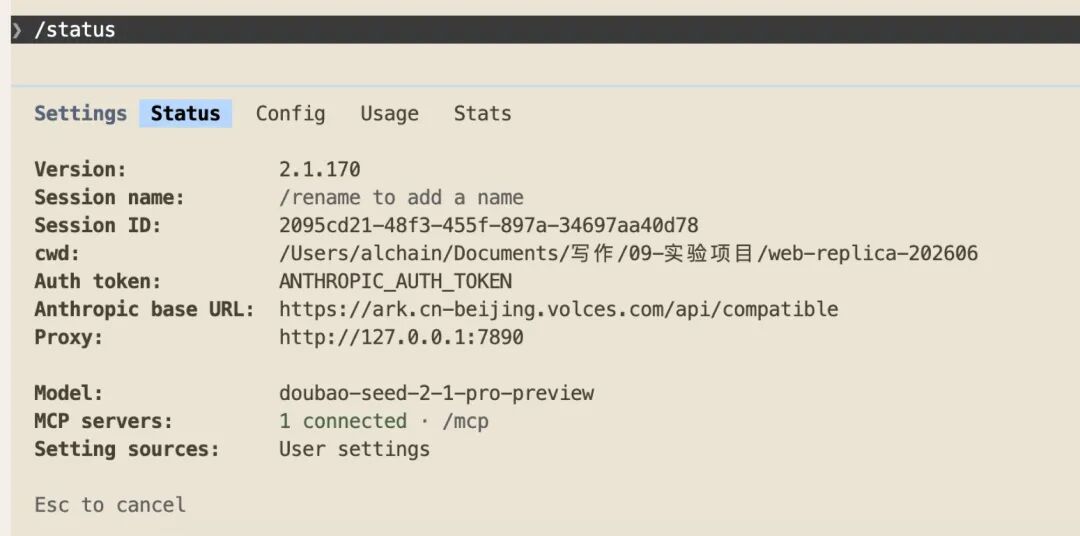
The /status command directly confirms which model Claude Code is actually calling, catching configuration mistakes.
💡 Tip: The whole routine — setting variables, writing an alias, changing the endpoint — you can hand straight to Claude Code or any agent and have it wired up in a few minutes. The only things you must do by hand: activate the model, grab the Key, top up.
Field Test: Fixing a Real Bug in a Real Open-Source Project
The Test Subject: FanBox
The test target is an open-source project called FanBox — a "cockpit for coding agents": browse and preview local files on the left, run Claude Code and Codex in an embedded real terminal on the right, and each time the agent touches a file the corresponding card lights up.
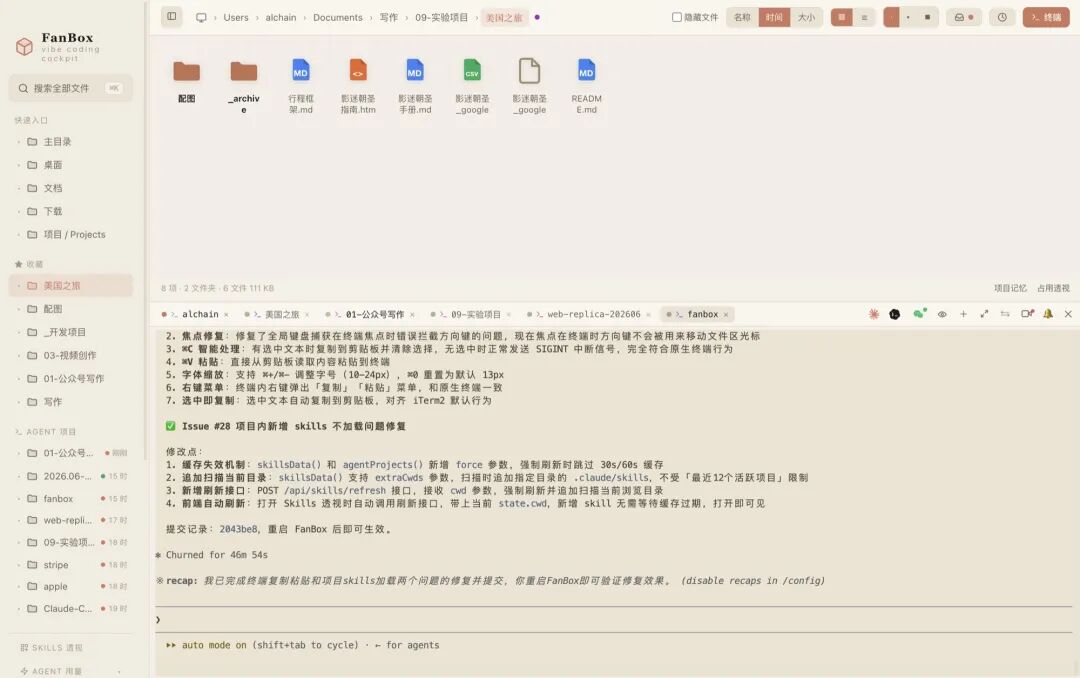
FanBox is a product with real users that grows by the day: 28 hand-written files and 15609 lines of code, with app.js alone at 4572 lines. Complexity enough to test a new model's real-world ability.
We simply had it pull FanBox's open issues from GitHub and pick two real user-reported problems:
- #27: copy-paste doesn't work in the terminal, unlike a native terminal
- #28: newly added skills in the project fail to load
Neither bug can be seen through at a glance — the project author had no leads on the first, and the second requires understanding the skills loading-and-refresh logic.
It Didn't Rush to Change Code
After taking the task, Seed 2.1 Pro first entered plan mode (Claude Code's "explore first, think it through, then act" mode) and broke the task into two parallel tracks on its own: it dispatched two Explore subagents to run simultaneously — one chewed through the terminal implementation code (45 tool calls, 120,000 tokens), the other investigated the skills loading mechanism (35 calls, nearly 40,000 tokens) — and both only returned after mapping out the relevant code.
Plan mode plus parallel subagents is scaffolding Claude Code provides; whether a model uses it well is a measure of model capability.
The Fix Followed the House Rules
On #27 it took no back door; it fixed things the way the project was already written: it installed xterm's official clipboard add-on and attached key handling to the terminal — Cmd+C copies the selection, Cmd+V reads the system clipboard and safely feeds it in via bracketed paste, and it threw in Cmd+plus/minus for font size along the way. The changes landed in app.js and 4 other files, 80-plus lines.
The key impression: it edited while holding to the repo's existing conventions. The project uses __noXterm-style "degrade on load failure" switches everywhere, and the fix added a matching __noClipboard fallback in exactly the same spirit, dovetailing with the original code style. For a long-term-maintained project, this matters even more than "does it run."
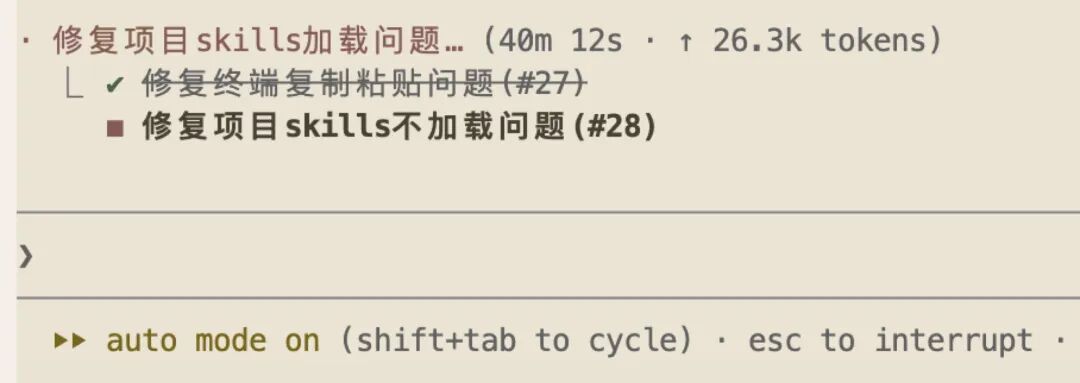
In auto mode, Seed 2.1 Pro ran for over 40 minutes straight without a human stepping in — holding a complex task steady over a long stretch is itself a hard indicator of capability.
Verification Results
After the changes, both issues were committed into the product in a single commit. The author clicked around the app personally:
- Terminal
Cmd+Vnow pastes, and a skill added in a new project shows up too - #27 also picked up a context menu and copy-on-selection for good measure (matching iTerm2)
- The root cause of #28 hid in the cache logic — skills loading only scans the "12 most recent active projects," so a skill in a new project falls outside the list and never loads. It added a force-refresh endpoint to bypass the cache; digging that pit out on its own is genuinely impressive
FAQ
/statusdoesn't show a Doubao model after configuration: check that all three environment variables are injected correctly; in particular make sureANTHROPIC_BASE_URLhas no extra trailing/.- "Connection timed out" or "authentication failed": confirm the ARK API Key has permission for the
doubao-seed-2-1-pro-previewmodel enabled and that the account has balance. - Want the Turbo tier to save cost: just change
ANTHROPIC_MODELtodoubao-seed-2-1-turbo-preview— half the price, suitable for simple tasks. - Can I keep the original model at the same time: yes. Isolate them with the alias —
doubaoruns Doubao,clauderuns the original model, no interference.