
Video-to-Blog: Rebuilding Karpathy's Workflow with Agents and Multimodal Models
A four-step workflow that turns videos into illustrated blog posts automatically, pairing the Doubao Seed 2.0 Lite omnimodal model with an Agent — solving the visual information lost by traditional ASR+LLM pipelines.
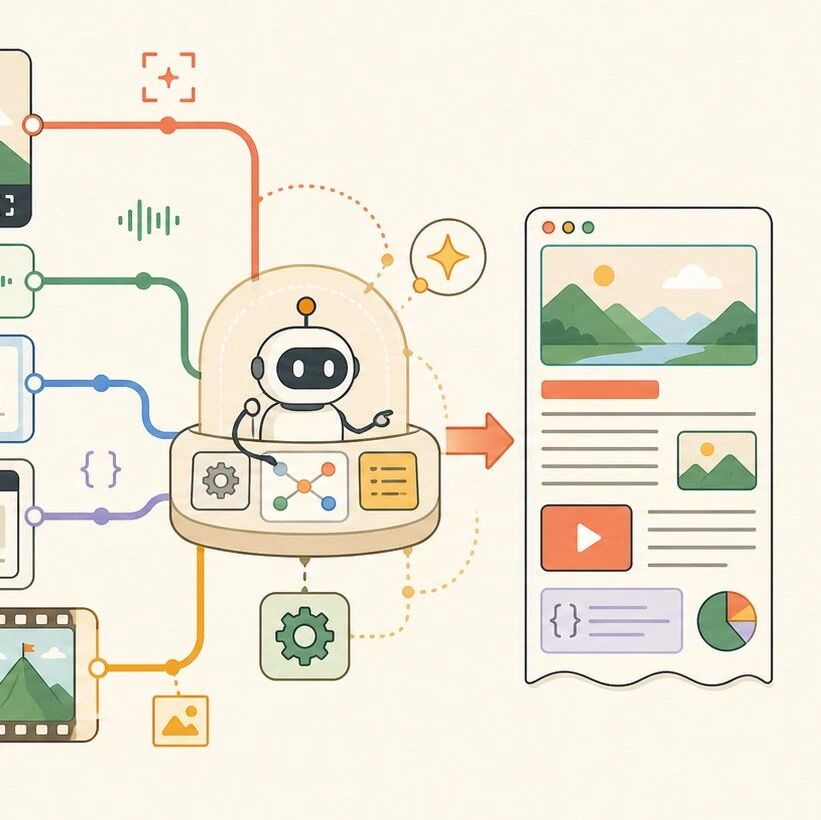
Video-to-Blog: Rebuilding Karpathy's Workflow with Agents and Multimodal Models
A four-step workflow that turns videos into illustrated blog posts automatically, pairing the Doubao Seed 2.0 Lite omnimodal model with an Agent — solving the visual information lost by traditional ASR+LLM pipelines.
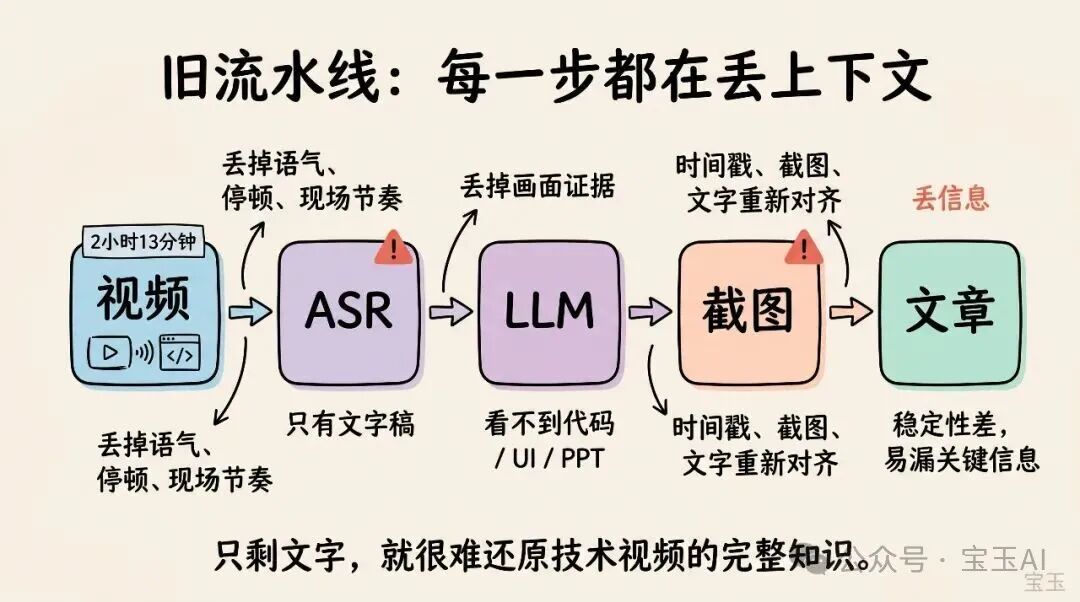
Two years ago, Andrej Karpathy wanted to automatically turn his 2 hour 13 minute tokenizer tutorial video into a blog post. The solution at the time (Whisper transcription + LLM rewriting + manually picked images) produced unstable results, because every step lost information. Now, with the omnimodal understanding model Doubao-Seed-2.0-lite and an Agent workflow, this can finally be done in a properly engineered way.
This article walks you through the complete four-step, hands-on process of 'video to illustrated blog.'
The Essence of the Problem
Traditional ASR + LLM pipelines have a fundamental flaw: the transcription step throws away a large amount of information.
- ASR only keeps 'what the speaker said,' discarding tone, pauses, and background audio
- The LLM can only read the transcript — it cannot see the code, charts, or slides on screen
- Illustration is a separate standalone task: either a human picks frames by hand, or an extra vision model gets pulled in
Much of the key information in a technical video is not in the speech but on the screen: architecture diagrams on slides, commands running in a terminal, lines of code being edited in an IDE, the changing status of a GitHub PR.
The value of an omnimodal model is that it puts 'audio,' 'visuals,' 'on-screen text,' and 'context text' into one understanding space, answering at once: What did the speaker say? What appeared on screen? And what technical meaning do the two express together?
Preparation
- Required tools: an Agent framework (Claude Code, Trae, etc.), the Doubao-Seed-2.0-lite API, and ffmpeg
- Required account: a Doubao large-model API Key (register on the Volcano Engine platform to get one)
- Technical requirements: basic command-line skills and a grounding in TypeScript/Python
- Open-source Skill:
doubao-multimodal(https://github.com/JimLiu/doubao-multimodal-skill)
doubao-multimodal is a CLI tool written in Bun + TypeScript that wraps the Doubao-Seed multimodal chat completion endpoint. It accepts local files or remote URLs and handles the engineering details automatically — downloading, video slicing, concurrent calls, merging results.
Atomic Tasks Built into the Skill
| Task | Purpose | Keeps visuals |
|---|---|---|
asr | Pure speech transcription | No |
asr-timestamp | Timestamp for every character | No |
multispeaker-asr | Multi-speaker transcription | No |
diarize | Speaker + time-segment log | No |
caption | Overall audio/video description report | Yes |
video-timeline | JSON timeline of video events | Yes |
keyframe-extract | Picks keyframes to illustrate a technical blog | Yes |
understand | General audio/video understanding with a custom prompt | Yes |
These tasks are atomic and can be combined freely. Beyond blog writing, with a different prompt and output format the same Skill works for transcription reports, competitor analysis, class notes, and more.
The Four Steps in Detail
Step 1: Slice the Long Video, but Don't Flatten It into Plain Text
The model has limits on how much it can take in per call, by duration and size. The Skill first inspects the video: if it exceeds 20 minutes or 50 MB, it auto-slices it with ffmpeg; if the resolution is above 720p, it downsamples to 720p. After slicing it calls the model concurrently, then merges the results in time order.
Key point: slicing is not transcription. Every slice still carries video, visual, and audio information, so the model can still see the slides, the code, and the UI, and hear the speaker.
# Slicing logic the Skill runs automatically (no manual step required)
ffmpeg -i input.mp4 -c copy -map 0 -segment_time 600 -f segment output%03d.mp4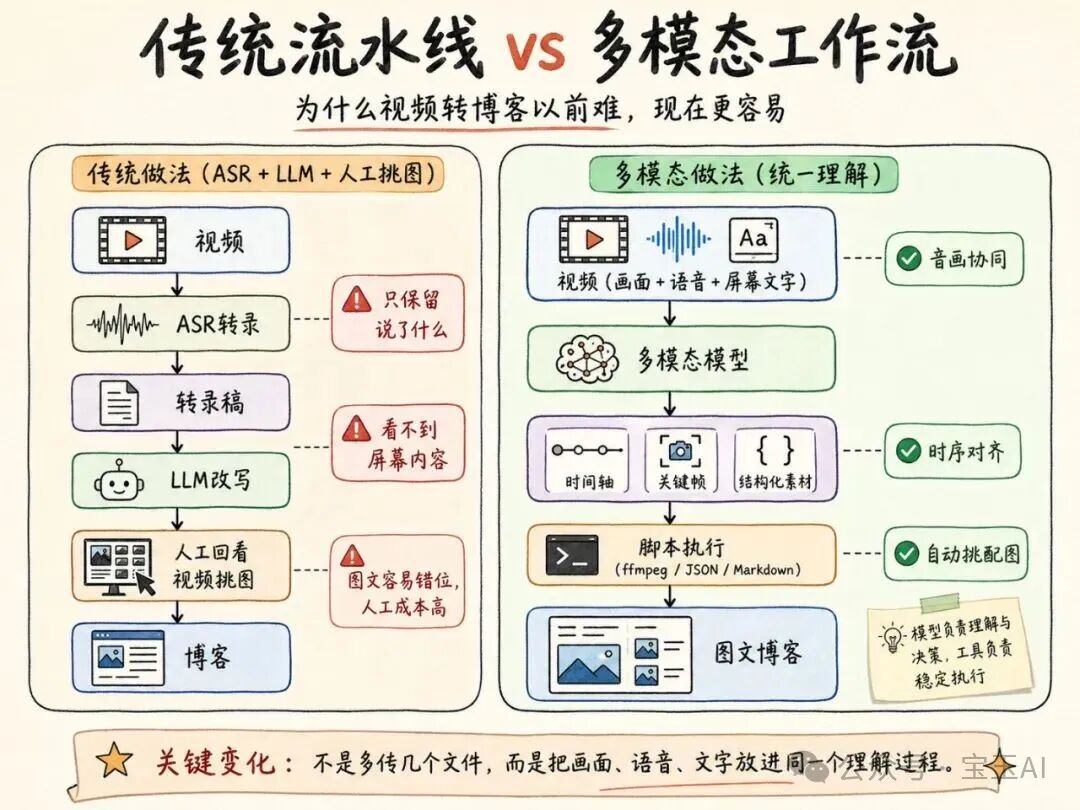
Step 2: Generate Structured 'Article Material' First — Don't Force the Final Draft
For a long video, don't have the model output the finished article in one shot. The more reliable approach is to produce structured material first, then write from that material.
The prompt to give the Agent:
Based on this technical talk video, produce a set of structured material for writing a technical blog post.
Draw on the visuals, the speech, and the on-screen text together — do not just summarize the speech.

Include at least:
- The video's topic and a one-sentence summary
- Chapters broken out in chronological order
- The key points made in each chapter
- Key on-screen evidence (code, architecture diagrams, commands, UI states)
- English terms, commands, file names, and API names to keep verbatim
- Anything uncertain or requiring human review
This step makes the model a 'research assistant' first rather than an 'author,' getting the factual boundaries straightened out up front.
Tip: Once the structured material is in hand, the Agent moves into the writing stage and reworks the material into a blog draft. An article written this way is more consistent than one-shot generation, and far easier to check.
Step 3: Match the Article Back Against the Video and Auto-Pick Keyframes
Once the draft exists, have the Agent hand both the 'article content' and the 'original video' to the multimodal model, and let it choose the blog's illustrations.
The structured JSON it outputs:
{
  "keyframes": [
    {
      "timestamp": "03:15",
      "timestamp_sec": 195.0,
      "description": "Full command-line output appears in VS Code, showing a JSON structure",
      "suggested_caption": "Figure: an example of structured output",
      "reason": "Backs the article's argument that the JSON can be parsed by upstream systems"
    }
  ]
}
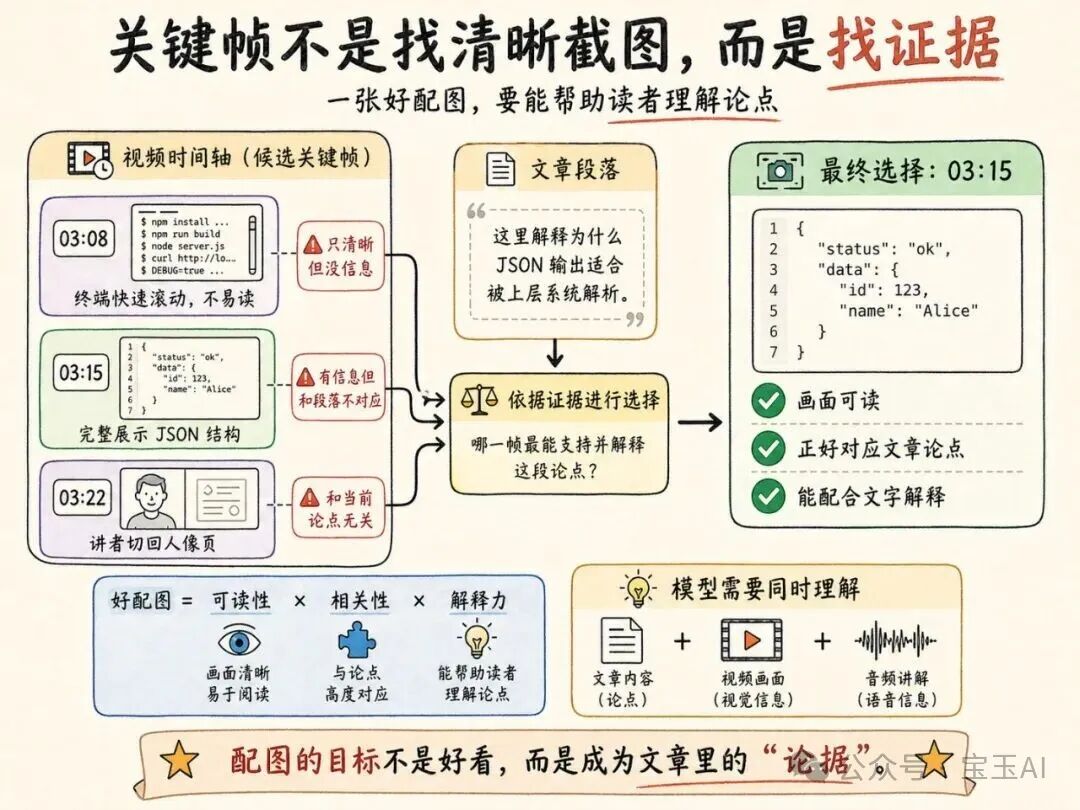
The most important field is reason. The model has to answer three things at once:
- What is this part of the article saying?
- What is on screen at this moment in the video?
- Will this image help readers grasp the argument?
This is exactly where a traditional ASR + LLM pipeline falls short.
Step 4: Capture Frames with ffmpeg and Insert Them Back into the Markdown
With the keyframe JSON in hand, use deterministic tools — not the model — for the capture and insertion:
mkdir -p imgs

i=0
jq -r '
  (.segments[0].text | fromjson | .keyframes[]) |
  [.timestamp_sec, .suggested_caption] | @tsv
' out/keyframe-extract.json |
while IFS=$'\t' read -r ts caption; do
  i=$((i + 1))
  file=$(printf "%02d.jpg" "$i")

  ffmpeg -hide_banner -loglevel error \
    -ss "$ts" -i talk.mp4 \
    -frames:v 1 -q:v 2 "imgs/$file"

  printf "%s[%s](imgs/%s)\n\n" "!" "$caption" "$file" >> frames.md
doneNote: If the video was sliced into multiple segments, the model's
timestamp_secmay be a segment-local timestamp. When merging results, the Skill has to addsegment.start_secback in and convert everything to global timestamps in the original video.
Verified Results
A single short Agent instruction runs the whole pipeline:
/doubao-multimodal Help me write a technical blog post based on the video <~/downloads/xxx.mp4>,
substantive and richly illustrated; save it under out in a newly created directory, with the markdown and imgs.
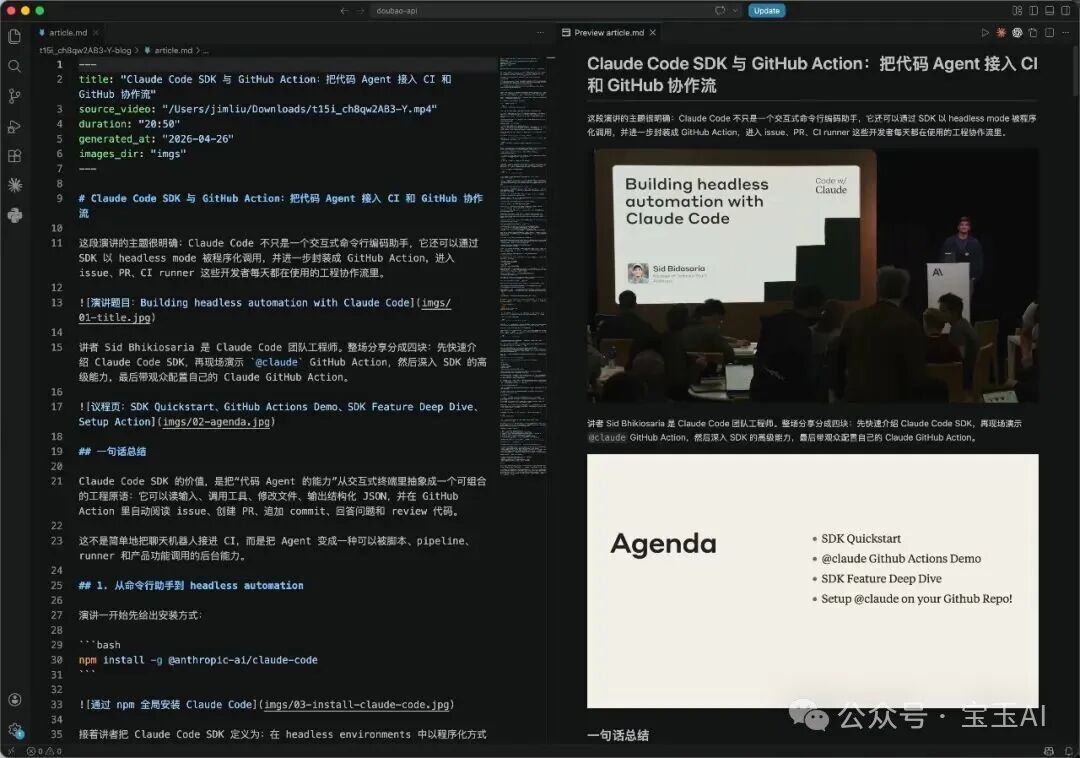
The finished article contains: structured body content, automatically chosen keyframe screenshots from the video, and the matching timestamp references.
FAQ
- What if a long video exceeds the limits? The Skill slices and processes concurrently on its own, supporting videos of any length.
- What if the timestamps are imprecise? The model can locate 'roughly which moment suits a screenshot.' If you need sharp, on-point frames, pull several candidates around
timestamp_secand screen them in a second pass. - Is human review still needed? Yes. The model can help you understand the video, organize the structure, and pick images, but for specific APIs, versions, commands, and factual judgments, a human pass before publishing is wise.
- Does this pipeline suit real-time processing? No. This is an asynchronous deep-understanding approach, built for 'process after recording.' Real-time scenarios need a different system design.
Extended Use Cases
The pattern isn't limited to video-to-blog; it also transfers to:
- Competitor livestream tracking: GUI Agent scheduled capture + multimodal understanding + dashboard generation
- Online class reports: student performance analysis — not just answer accuracy, but focus, fluency, and emotional state
- Game post-match reviews: screen recording + teammate voice chat + event timeline, analyzed together
Toolin Editorial Team
Categories
Related articles

A Must-Have OpenClaw Security Plugin: The Skill Vetter Guide
OpenClaw Skills carry poisoning risks. Skill Vetter reviews a plugin's safety before installation, guarding against malicious code threats.
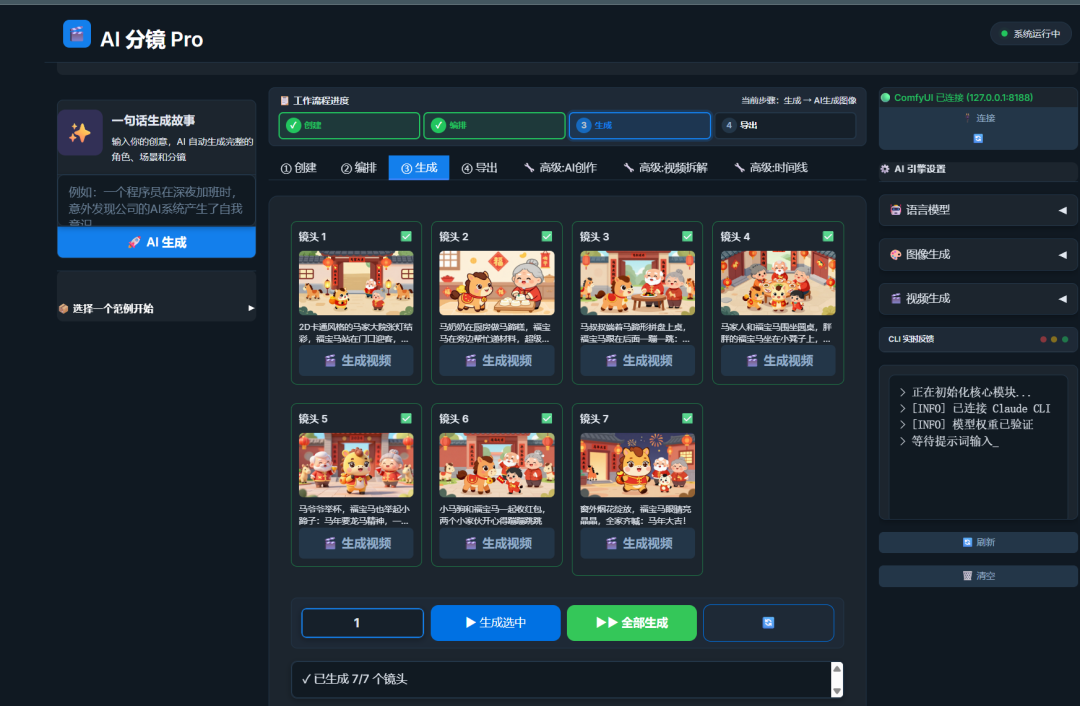
Hands-On Tutorial: Generate an AI Comic Story from a Single Sentence (Open Source)
A step-by-step guide to using an open-source AI comic platform to create high-quality comics in one place, from script generation and character locking to panel drawing.
Hands-On Tutorial: Edit Exactly Where You Point! Make Local Edits to 3D Models with Hyper3D Edit
A step-by-step guide to Hyper3D Edit: use natural language and box selections to make precise local edits to 3D models while preserving the original details.