
Burning Bridges AI
Turn a single photo into a 15-second Drake party trend video
Tool details
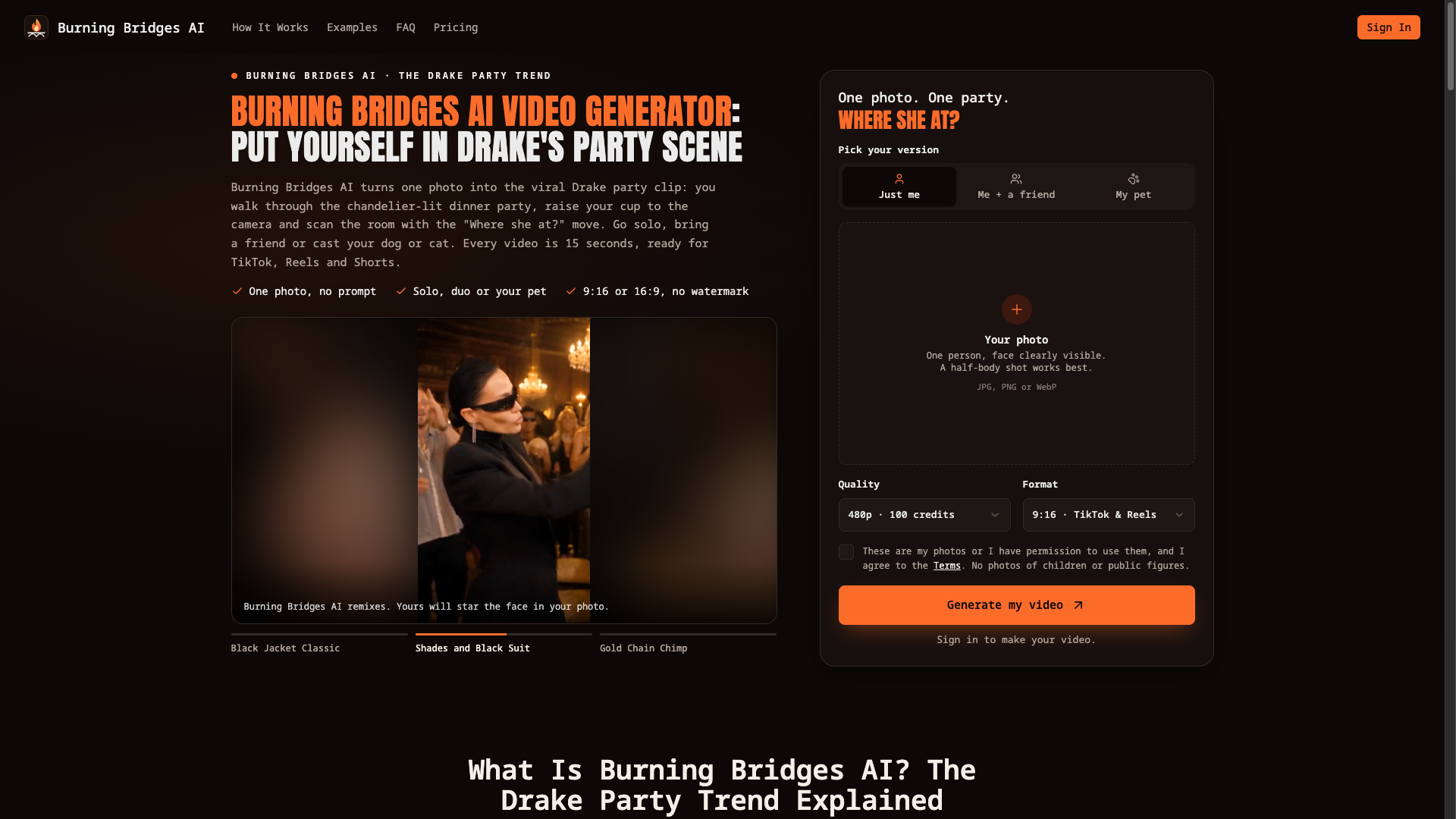
Burning Bridges AI does exactly one thing: you upload a photo and get back a 15-second “Drake party” clip. The entrance walk, the raised-glass toast, and that palm-over-eyes “Where she at” scan are all scripted server-side. It is not built for general video creation, only for “I want a postable version right now.” The site states plainly that this is a third-party recreation tool, unaffiliated with Drake, OVO, Republic Records, or any rights holder.
Core capabilities
- Zero prompts: a photo plus the aspect ratio and resolution is all you submit; the prompt and the five-beat structure are injected server-side
- Three character branches: solo, duo (2 photos required), and pet each follow their own line, so cats and dogs can carry the full party sequence too
- Fixed 15-second spec: 480p or 720p, 9:16 or 16:9, MP4 exported directly with no watermark, and the duration cannot be adjusted
- Ambient audio generated: the model produces party ambience but no original song, and the site points users to the TikTok/IG sound library to add the official audio
- Not built in-house: video is generated by ByteDance Seedance 2 Mini (bytedance/seedance-2-mini) through the third-party aggregation API KIE; what the site owns is the scene choreography and the frontend
Use cases Individual TikTok / Reels / Shorts creators who want to ride a trend but cannot edit will find it easiest to turn themselves or their pet into a postable version. It is a poor fit for teams that need 1080p, custom durations, or explicit commercial licensing — the terms grant personal use and social posting only.
What sets it apart Most products in this lane deliver only 8-second or 10-second clips; this one hands over a complete 15-second party sequence in a single pass and supports both vertical and horizontal framing. At $4.99 for a single 480p video the entry price sits low, at the cost of a ceiling of 720p.
Editor's take As a one-off ticket into a trend, it shrinks the distance from “one photo” to “postable short” to the minimum: no prompt writing, no beat trimming, and failed generations return credits automatically. It suits individual users who just want to spend $4.99 on one attempt, post it, and walk away; for sustained output you can move up to Creator or Studio to push the per-video cost down to $2.77 / $2.50, the latter requiring a one-time $59.90 payment.
Pricing
Subscription$4.99 (one 480p 15-second video, 100 credits)One-time purchase of 100 credits, equivalent to 1 video in 480p at 15 seconds (720p needs 200 credits, which this tier does not cover)
One-time purchase of 300 credits: 480p 3 videos, or 720p 1 video plus 480p 1 video
One-time purchase of 900 credits: 480p 9 videos, or 720p 4 videos plus 480p 1 video
One-time purchase of 2,400 credits: 480p 24 videos or 720p 12 videos, about $2.50 per video
Additional notes
All four tiers are one-time credit packs: no subscription, no annual billing, no free allowance (official FAQ: there are no free credits); Standard 480p = 100 credits per video, HD 720p = 200 credits per video; credits stay valid for 365 days (the page also says 12 months); failed generations automatically return credits; successful but unexpected results are not refunded.
FAQ
User reviews
User Reviews
No reviews yet
No one has reviewed this tool yet