HausDraft
A photorealistic AI home makeover tool that keeps your walls, windows and doors
Tool details
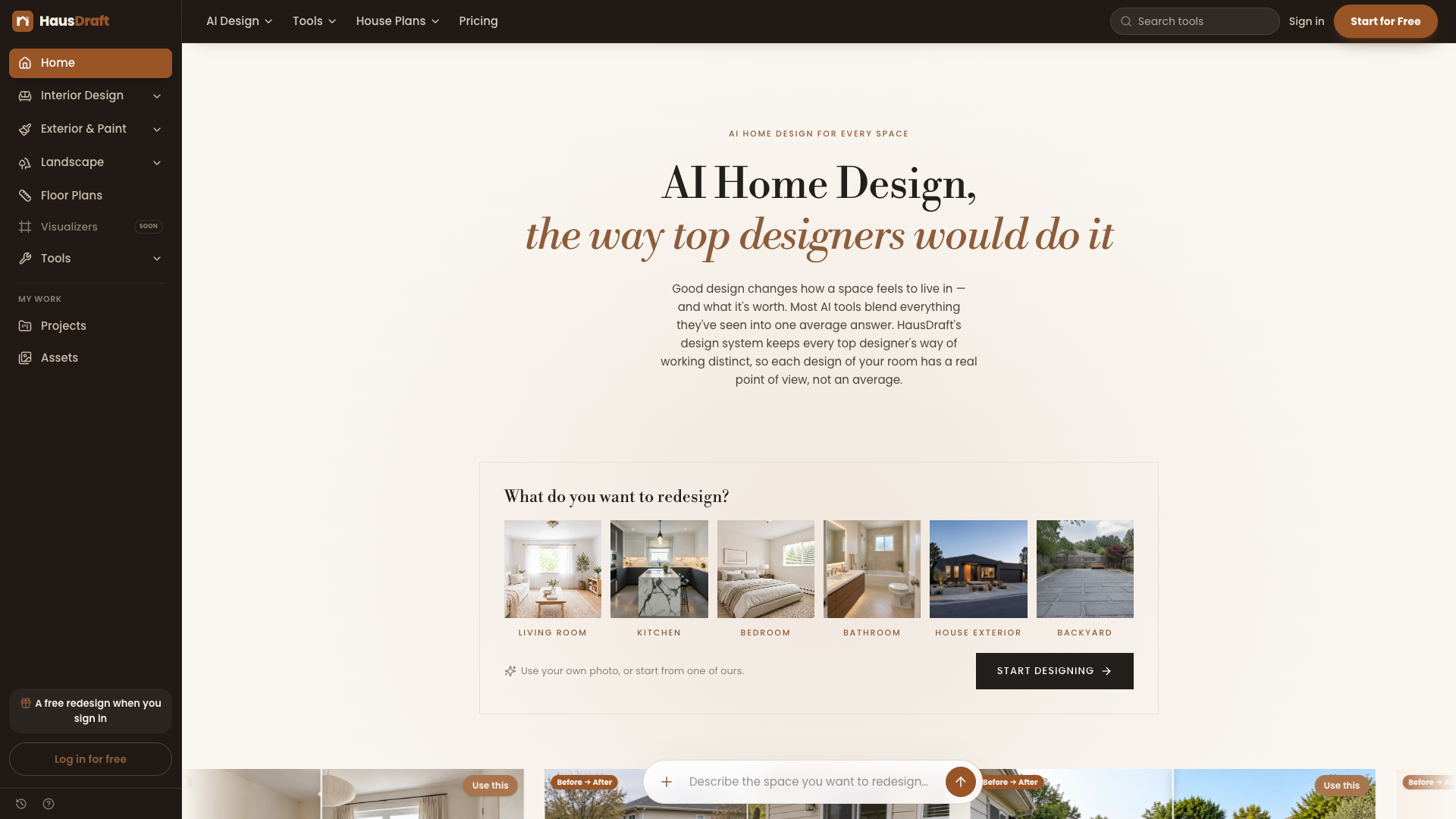
HausDraft is a workspace where uploading a photo is enough to redesign a space: interiors, home exteriors, yards and paint jobs can all be changed. It does not train models itself; instead it orchestrates third-party image models (including GPT Image 2 and Nano Banana Pro), restyling furniture and materials while locking the walls, windows, doors, ceiling height and camera position you already have.
Core capabilities
- Photorealistic redesign: one phone photo turns into a 2K render, and the official promise is to preserve walls, windows, doors and the shooting angle
- Multi-model orchestration: GPT Image 2 by default, with GPT Image 2.5 and Nano Banana Pro selectable on paid plans, trading off detail against lighting and realism
- Fine-grained changes: 21 styles + 11 room types, so you can change only one wall or just the floor and lighting, and a renter-friendly mode that swaps only what you can carry away
- Idea wall: generate 6 or 12 layout options at once, all delivered in about 1-2 minutes and saved into Projects automatically when it finishes
- Mood Board and product import: drop photos of your own sofa or tiles into the Mood Board so the render uses your real furniture
- Companions on the same site: floor plan maker, remodel cost calculator, share links and video copy generation, taking you from render to quote without leaving the page
Who it is for Homeowners and renters who want a direction before renovating, especially renters, who can change only the furniture that can be moved out; real estate agents and home stagers doing virtual staging or making listing images with their own logo; designers and contractors bringing renders together with floor plans and quotes to win clients.
What sets it apart Most AI image tools invent the room all over again, while HausDraft anchors the result to your photo — "you can still tell it is your own home after the change" is the hard difference. Combining floor plans with a cost calculator also makes its toolset more complete than rivals that only produce images.
Editor's take Within the AI home makeover category, its polish and pricing transparency sit above average: four price tiers, the credit rule and the free-plan limits are all written on the page. It suits people who want to validate a renovation direction quickly, and also agents and design professionals who need images in volume; the free allowance covers only one image, so if you like the output you have to go straight to Lite, which is its one unfriendly point.
Pricing
Subscription$9.99/mo (Lite, 30 credits ≈15 images; Free gives only a one-time 2 credits, with no permanent free tier)Signup gives a one-time 2 credits with no monthly free allowance; no credit card is needed to run one imageSignup gives a one-time 2 credits (about 1 image); every scenario can be tried, Mood Board comes with a watermark, downloads are capped at 1024 px, no credit card required
30 credits a month (≈15 images); watermark removed, your own product photos can be imported, share links available
232 credits a month (≈116 images); premium 2K models to choose from, commercial licensing, your own logo can be added to finished designs
552 credits a month (≈276 images); everything in Starter plus unlimited saved Mood Boards
Additional notes
① Pricing unit: 1 image = 2 credits; an idea wall of 6 or 12 options and the premium 2K models use more credits. ② Subscriptions renew automatically and can be cancelled at any time, payments already made are non-refundable, and credits expire when the subscription ends. ③ The public pages offer no one-time credit packs and no annual plan (they exist in the code but are not sold publicly). ④ The company entity and governing law are not disclosed, /terms and /plans return 404, and the real terms live at /legal/terms-of-service. ⑤ There is no AUP (acceptable use policy) page.
FAQ
User reviews
User Reviews
No reviews yet
No one has reviewed this tool yet