
Image to Text converter
A fast, efficient AI-powered OCR tool that converts images to editable text
Tool details
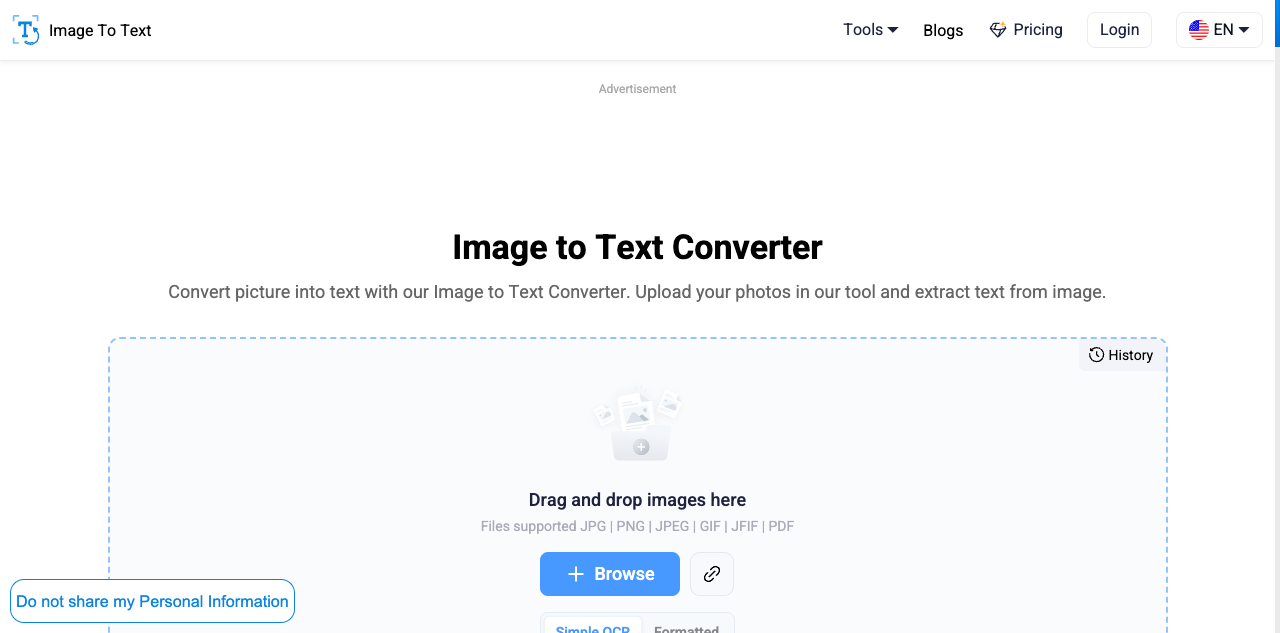
Image to Text converter is an AI-based online optical character recognition (OCR) tool designed to quickly turn images, scanned documents, or handwritten notes into editable text. With no installation required, it works the moment you open it, precisely solving the core pain point of turning what you see in an image into text instantly, making it a great helper for boosting data entry and document processing efficiency.
Core Capabilities
- High-accuracy text extraction: Built on the advanced Tesseract engine, it recognizes mainstream formats like JPG and PNG plus scanned PDFs, reading even low-resolution or blurry images accurately.
- Math formula recognition: Optimized for education and research, it accurately recognizes and extracts complex arithmetic equations and polynomial expressions.
- Handwritten note conversion: Strong handwriting recognition digitizes classroom notes or meeting jottings into editable text with ease.
- Broad multilingual support: Extracts text in Chinese, English, Spanish, and more than 20 other languages, serving global work and study needs.
- Fast access across ecosystems: A convenient Chrome extension supports right-click extraction from web images and screenshot recognition, plus API integration for developers.
- Multiple export formats: Extracted plain text can be copied in one click or quickly downloaded as TXT, HTML, Markdown, Word, and more.
Use Cases Best for office workers who frequently pull text from web screenshots and work documents, students and researchers digitizing handwritten notes and literature formulas, and content creators collecting scattered material. Whether for fragmented text extraction or batch document conversion, it responds extremely fast.
Unique Advantages Unlike typical mobile scanning apps, it is a purely efficient web app that fits PC workflows; compared with rivals focused on layout preservation, it concentrates on fast plain-text extraction with minimal steps. Its optimized handling of complex math operators and low-quality images makes it stand out among free online OCR tools.
Editor's Verdict Image to Text converter strikes a fine balance between simplicity and recognition accuracy. The free version has ads and batch limits, but its zero-friction, no-login setup and very fast processing impress. For anyone with daily image-to-text needs, it is a lightweight productivity tool worth pinning in your browser bookmarks.
Pricing
FreemiumFreeBatch processing limited to 1-3 images per run, 10MB max per file, includes ads
50 images per batch, 30MB file limit, ad-free
10,000 credits per month, batch upload supported, ad-free experience
22,000 credits per month
100,000 credits per month, includes priority customer support
Full batch processing unlocked, with premium history and 24/7 support
Additional notes
Basic features are free to use without registration or login; the premium subscription plans offer more batch-processing allowance and a clean, ad-free experience.
FAQ
User reviews
User Reviews
No reviews yet
No one has reviewed this tool yet