MarkAny
Markdown conversion in both directions, with 9 export formats
Tool details
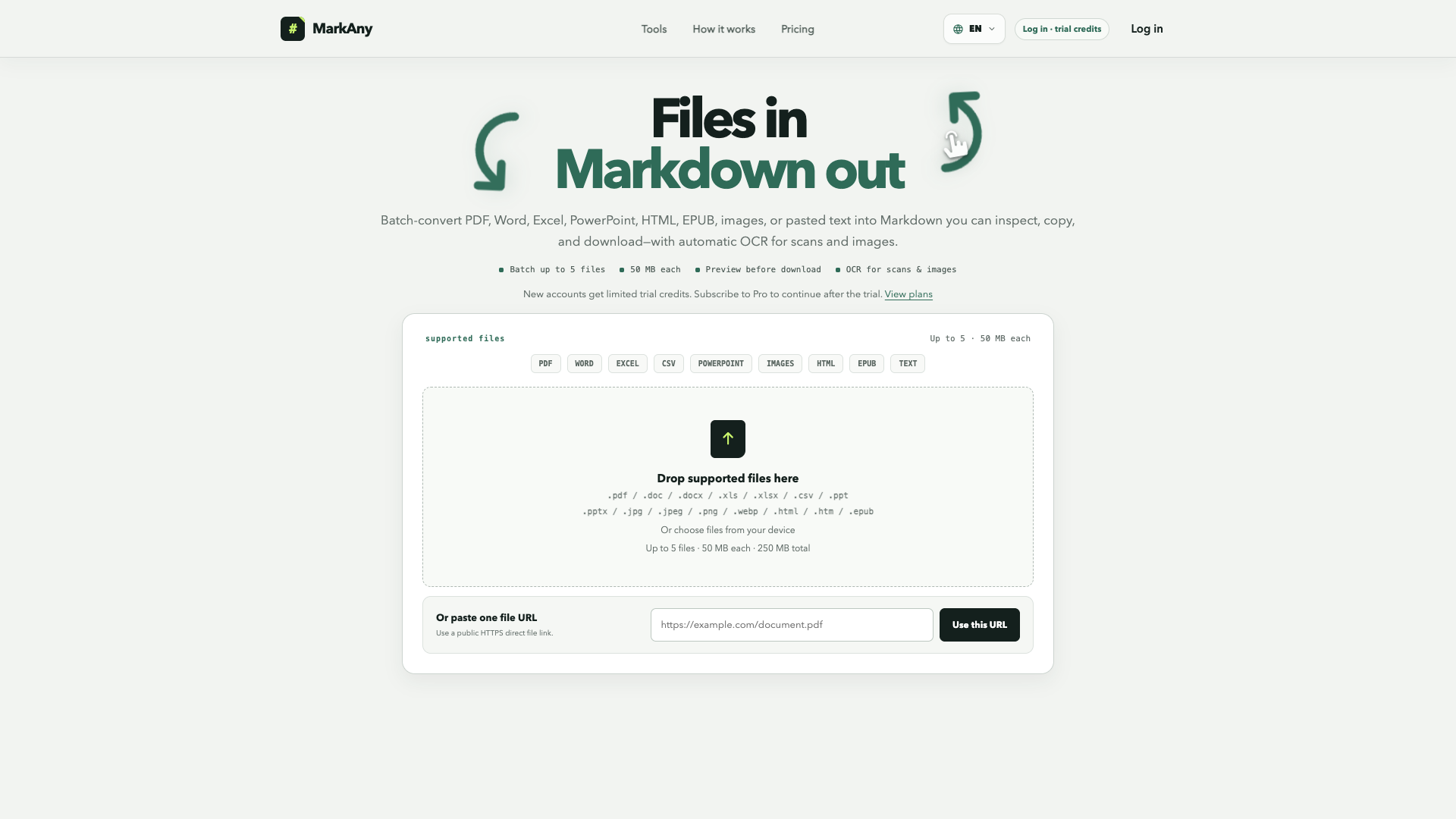
MarkAny is a two-way Markdown converter: it turns files into Markdown, and turns Markdown back into file formats. It is not a generative writing tool — conversions of web pages, CSV and pasted text, plus every export, all run inside the browser; only PDF, Office, image and EPUB to Markdown jobs are handed to a third-party document parsing service.
Core capabilities
- Two-way conversion: file-to-Markdown and Markdown-to-file share one quota, so you just drop a file in and it converts.
- Nine export formats: Markdown can be exported as DOCX, PDF, HTML, images, EPUB, PPTX and XLSX, and you can upload .md files or a ZIP archive with images.
- Batching and status tracking: up to 5 files per run with 2 concurrent conversions, and each file has its own status and failure retry.
- Scanned-document recognition: scanned PDFs and images get automatic text recognition, keeping headings, lists, tables and link structure wherever possible; formulas may be converted to LaTeX.
- Local exports: exports and pasted-text conversions are generated entirely in the browser and are never uploaded to the conversion server.
Use cases It suits technical writers and researchers who hold public PDFs, images or web pages and want editable Markdown quickly, as well as content teams that write in Markdown and need to deliver finished drafts to colleagues as DOCX/PDF/PPTX. It is not a fit for enterprise users who need compliance audits, file-deletion commitments or handling of confidential documents.
Key advantages Most online tools of this kind convert in one direction only; MarkAny covers both directions and also does exports locally, giving it a privacy edge over purely cloud-based options. Compared with open-source projects such as MinerU, Marker and MarkItDown, which need a self-hosted environment or a GPU, its advantage is zero installation; pricing is also pushed down to $9/month and $49/year with advertised unlimited conversions.
Editorial review In testing, headings, paragraphs and italics in text-only PDFs mapped accurately, a single page converted in about 10 seconds, and the engineering quality is above that of small sites of comparable size. Two points must be stated honestly: Word/DOCX to Markdown currently returns 503 and is unavailable, so you can only save the Word file as PDF first; and the free allowance of 5 conversions is on the small side, with complex layouts still needing manual review. We suggest verifying accuracy with the free allowance first, then deciding whether to upgrade to the annual plan.
Pricing
Freemium$0 (5 conversion credits granted at signup)The free tier needs no card; signing up immediately grants 5 conversion credits5 conversion credits granted at signup, shared across both directions; 50 MB per file, 5 files per batch, scanned-document recognition supported
Advertised unlimited conversions, covering every input format and 9 export formats; cancel anytime
Works out to about $4.08/month; the official page states roughly 55% savings versus monthly billing
Additional notes
Annual billing is the plan the page pushes as the default (it carries a Popular badge), but monthly and annual are separate subscriptions and annual billing is not pre-selected; prices are all in US dollars with no localized currencies; the PayPal route is provided by Paddle; pay-per-use credit packs are not live yet.
FAQ
User reviews
User Reviews
No reviews yet
No one has reviewed this tool yet