

MP3 to Text (TXT/SRT)
Minimalist AI speech-to-text tool with no subscriptions
Tool details
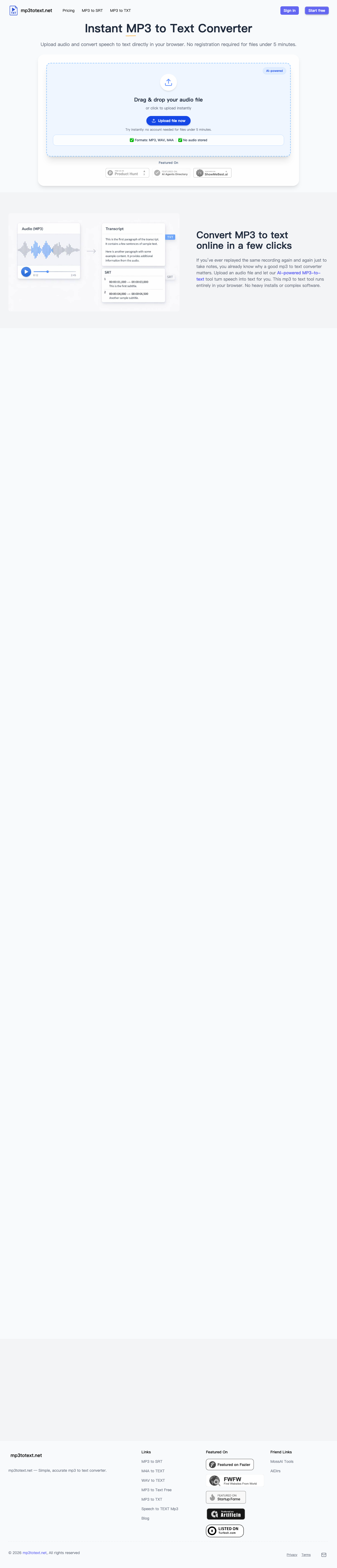
mp3totext.net is a lightweight, browser-based AI audio-to-text tool built around "use it and go," made for users tired of heavy software installs and steep subscription fees. With an extremely low barrier and a privacy-conscious, zero-friction experience, it helps you quickly convert recordings, interviews, or podcast clips into accurate text and subtitle files.
Core Capabilities
- High-precision AI transcription: Powered by an advanced AI speech recognition model, it converts multilingual audio into text with high quality.
- Pure browser processing: The entire workflow runs in the browser — no bloated clients to download, saving disk space.
- Built-in text proofreading: A web-based real-time editor lets you quickly review and fix misrecognized words before exporting the final file.
- Multi-format export: One-click export of finished transcripts as plain text (TXT) or subtitle files with precise timelines (SRT).
- Smart long-form layout: Automatically adds appropriate punctuation to transcripts and intelligently splits long paragraphs, greatly improving readability.
- Broad format support: Flawlessly accepts MP3, WAV, M4A, AAC, and most other mainstream audio formats.
Who It's For This tool best serves light users who don't process audio at high volume and only occasionally need to convert foreign-language interviews, class recordings, or short-video material into text or subtitles. Whether you're a new freelancer taking one-off gigs or a student or researcher occasionally tidying interview recordings, it handles urgent, quick-turnaround jobs.
What Sets It Apart Unlike heavy AI tools that demand a credit card or auto-bill monthly, its biggest trump card is "no subscription traps." It uses a very fair one-time credit purchase model — credits never expire, with zero auto-renewal risk. It also promises not to store your recordings long-term on servers, destroying them right after processing, making confidential or privacy-sensitive transcription far more reassuring.
Editor's Take In an era where vendors pile on features and push continuous monthly subscriptions, mp3totext.net is a breath of fresh air. For heavy office users or professional editors, its advanced features are a bit thin; but if you only occasionally need a simple, fast, no-strings-attached backup tool, it is the best choice. The free trial allowance and pay-as-you-go credits mean every dollar is genuinely well spent.
Pricing
FreemiumFreeUp to 5 minutes of audio transcription per month, no registration required
Sign up to get a 30-minute (30-credit) initial allowance
Get 5 hours (300 credits) of transcription time; credits never expire
Additional notes
Billing rule: 1 credit equals 1 minute of audio; anything under 1 minute is rounded up to 1 minute; one-time purchase only — no auto-renewal or monthly subscription traps at all.
FAQ
User reviews
User Reviews
No reviews yet
No one has reviewed this tool yet