
Pixo
A multi-model orchestrated workbench for AI video direction
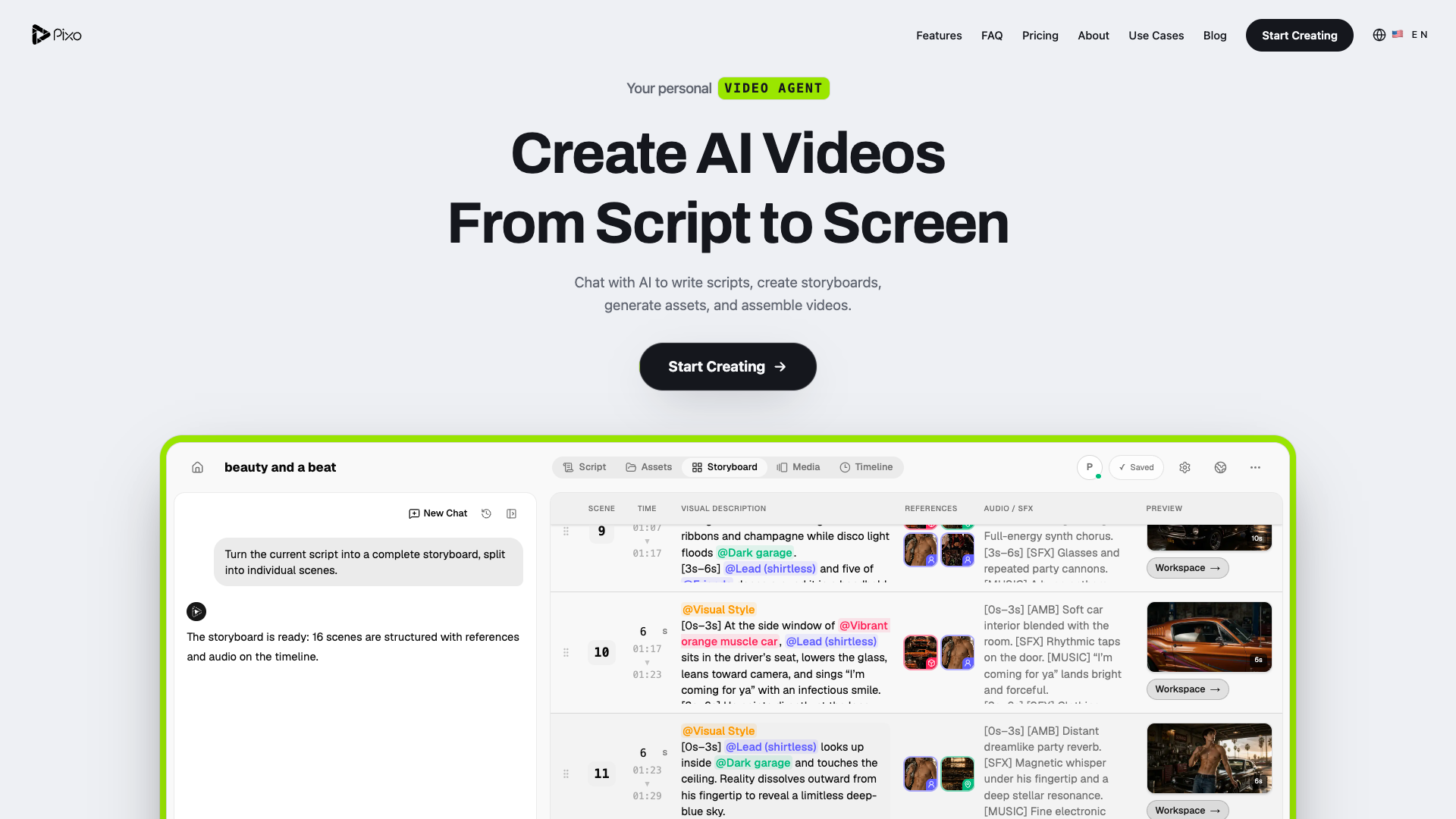
Tool details
Pixo is an AI production desk in the browser: give it one request and the AI Director main agent pushes script and storyboard all the way to export. It does not build its own video models; instead it orchestrates 56 third-party models into a single pipeline, so you can swap models shot by shot and finish on the same timeline.
Core capabilities
- AI Director orchestration: the main agent plans and iterates, with configurable skills and sub-agents; the pipeline runs script → storyboard → assets → images → video → audio → QA → auto-fix → export
- Per-shot model choice: 56 models from 14 providers, swappable shot by shot within one project, and you can compare 4 results side by side from the same prompt
- Four-view workspace: Script, Storyboard, Assets and Timeline; the storyboard lets you change shot size, camera move and sound, and @ assets keep characters consistent
- Multi-track timeline: video, audio and text on three tracks, with trim and split, ripple delete, snapping and text animation; anything the AI does, you can change by hand
- Dual-mode collaboration: Auto runs straight through, Review shows you the plan first and waits for your approval, switchable at any time, with CRDT real-time collaboration
- Specs and export: 1–30 seconds per shot, up to 4K, 8 aspect ratios, finished video exported as MP4
Use cases Multi-shot narrative longer than 30 seconds: short drama and short-video accounts, music videos, product demos and corporate training, and small agencies that must deliver several ad variants. It suits work that needs consistent characters and scenes and painless shot-level rework; pure talking-head video or long-video clipping is not its battlefield.
Unique advantage Most tools in this class are single-clip generators; Pixo bets on a reviewable storyboard, an intervenable timeline and multi-model orchestration: stitching ByteDance, Google and Kuaishou into one shooting workflow and one bill.
Editorial take The direction is right: an agent plus an NLE suits long-form content better than single-clip generation. But the boundaries are clear — not building its own models means capability and cost are held back by upstream vendors; the free tier has only 200 one-time credits and cannot produce finished video; it is still a public Beta as of 2026-01-01; the struck-through prices on the page are easily misread as what you actually pay; the ToS lacks governing-law and jurisdiction clauses and makes no promise about not training on your data, while the entity name wobbles between Pensieve Pte. Ltd. and Pixo Inc. It suits low-cost pilots, not pushing straight into production without a budget for trial and error.
Pricing
Freemium$12.90/month (Basic, 1,000 credits per month)200 one-time credits that do not refresh; video export, voice and music are disabled on the free plan
1,000 credits per month, full model access; $118.80 per year
4,200 credits per month; $478.80 per year
22,000 credits per month; $2,398.80 per year
Additional notes
There is no permanent free tier: the free plan gives only 200 one-time credits and cannot export video. The $19.90/$84.90/$439.90 shown on the page are struck-through list prices used as reference anchors, not checkout prices; based on the actual monthly prices, annual billing saves 23.3%/20%/16.7% respectively. Separate credit packs and top-up packs exist, but their unit prices are generally higher than subscriptions, and the 3,000-credit pack is actually more expensive than the 2,000-credit pack. The hidden Starter tier at $6.90/month is not shown publicly.
FAQ
User reviews
User Reviews
No reviews yet
No one has reviewed this tool yet