
QwenWork
Alibaba's all-in-one AI office platform
Tool details
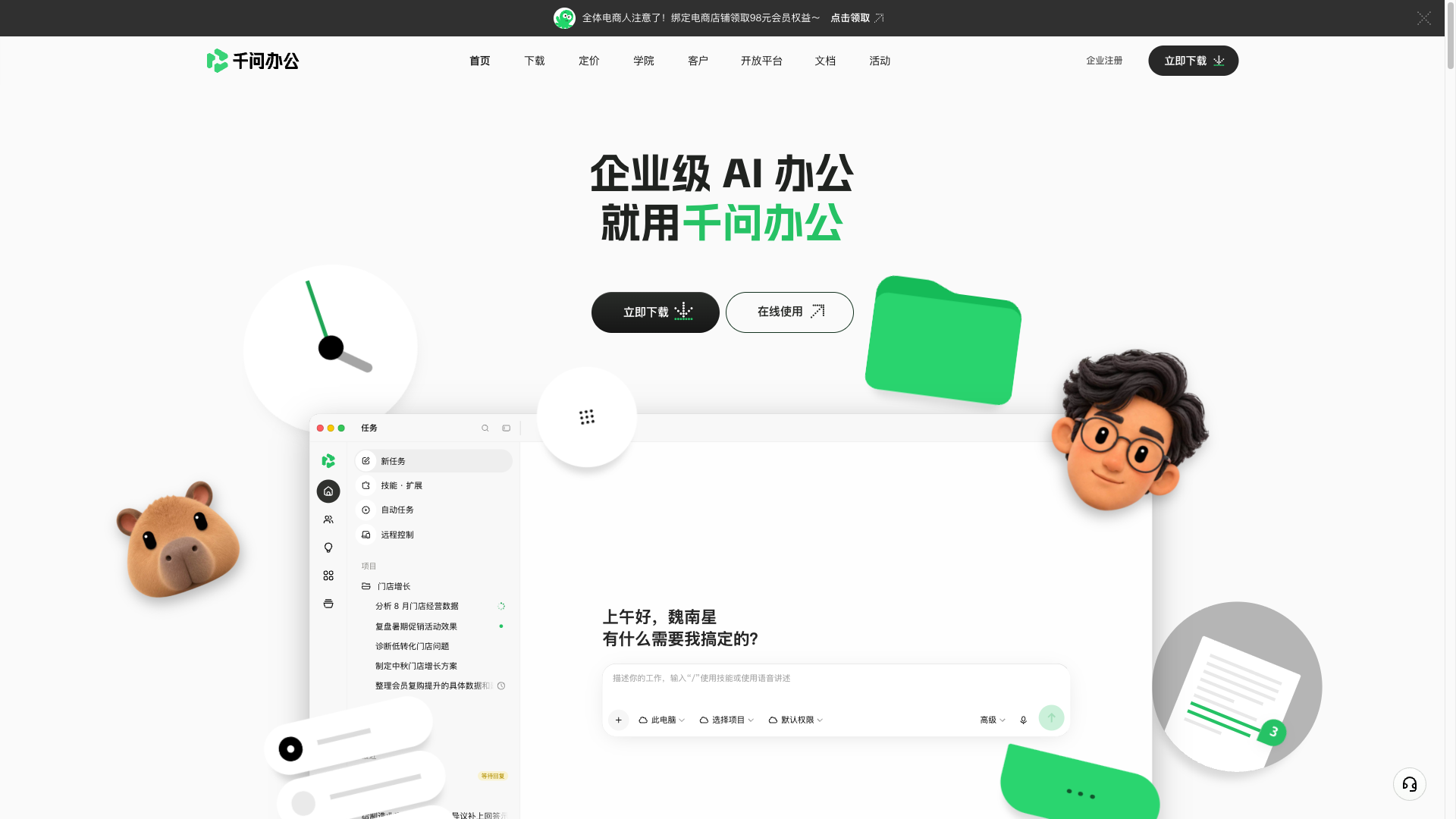
QwenWork is what happens when Alibaba drops the Qwen models into an office suite: describe what you need and it hands back an editable Word file, Excel sheet, slide deck, analysis report, or even a web page that is ready to publish. Unlike assistants that only chat, every task ends with a deliverable you can open and keep editing, not a block of text you have to move around yourself.
Core capabilities
- Conversation as delivery: one instruction in, a finished file out — documents, spreadsheets, decks and pages all stay editable afterwards, so you never shuttle content between tools.
- Task orchestration: long jobs are split into steps, run in parallel and tracked; you can cut in mid-flight to change direction and everything lands in the same task.
- Data analysis and charts: upload local data or connect a business system and get analysis with charts, exportable as a sheet or a report.
- Skills and expert kits: a skill is a pre-written playbook; define it once and it is picked up automatically in later conversations, so a team can share one standard.
- Connectors and automation: read and write DingTalk, Feishu, Notion, Microsoft 365 and local files, and let scheduled or event-triggered tasks run unattended.
- Multi-platform and local files: web plus macOS, Windows, HarmonyOS and Linux clients share one product; the desktop app reads and writes files on your disk without re-uploading.
Where it fits Weekly reports and meeting minutes, sales and operating analysis, contract data extraction, training decks and review slides, e-commerce assets and back-office cleanup, market research reports. Enterprise plans add an admin console with SSO, seats, model policies, quotas, usage stats and audit logs.
What sets it apart Most AI office tools stop at drafting a paragraph; QwenWork pushes the execution layer into the product — it can drive a browser, read your local disk and fire on events, and the artifacts stay in a shared space where people can keep editing. Deep DingTalk integration lowers the cost of adoption inside Chinese companies, and the free tier lets individuals try it with credits before subscribing.
Editor's take It behaves like a capable intern rather than a smarter search box. Best for teams with repeatable workflows that want to hand off the busywork; if you only need Q&A, the free plan is enough. Credits make heavy use cost extra, and output quality still depends on how precisely you state the job.
Pricing
Freemium¥0/month300 universal credits on first signup, valid for 90 days; another 100 credits on the 1st of each month (limited-time)300 universal credits/month plus 100 bonus credits each month; 1GB artifact drive, 5 published pages, 10 queued parallel tasks
500 credits/month and 300 credits on signup; unlimited Standard mode (queued at peak), 5GB drive, 10 published pages; ¥22.4/month with auto-renew
2,000 credits/month, 10GB drive; first month ¥29.9, then ¥78/month
4,000 credits/month, 20GB drive, 50 published pages; first month ¥69.9, then ¥158/month
2,000 credits/seat/month, 100GB drive; final price confirmed at checkout
Includes VPC deployment, private enterprise marketplace, trusted networks and devices, Hooks and sensitive-word controls, IM channel security and dedicated support
Additional notes
Billed in universal credits; paid individual and enterprise plans can buy credit top-ups. Individual plans support monthly, auto-renew monthly and annual billing, while enterprise plans support monthly and annual.
FAQ
User reviews
User Reviews
No reviews yet
No one has reviewed this tool yet