
Accio Work Enterprise: One-Click Team Sharing for Skills and Agents
Alibaba's Accio Work launches its enterprise edition with one-click team sharing and auto-updates for Skills and Agents, solving a collaboration pain point for small and mid-size teams.
Accio Work Enterprise: One-Click Team Sharing for Skills and Agents
Alibaba's Accio Work launches its enterprise edition with one-click team sharing and auto-updates for Skills and Agents, solving a collaboration pain point for small and mid-size teams.
If your team uses Agents, you have definitely hit this problem: you write a great Skill and want to share it with colleagues, and the only way is to zip it up and send the archive. After an update, you re-zip, re-send, and colleagues reinstall. Who is on which version is anyone's guess.
The enterprise edition that Accio Work, part of Alibaba, just launched fixes this pain point.
What Accio Work Is
Accio Work is an AI Agent work platform from Alibaba. It was the first in its category to ship multi-Agent group-chat collaboration, and now it has launched an enterprise edition that squarely solves the problem of sharing Skills and Agents within teams.
Core Feature: Team Skill Sharing
This is the enterprise edition's most essential capability. The workflow is dead simple:
Upload a Skill
-
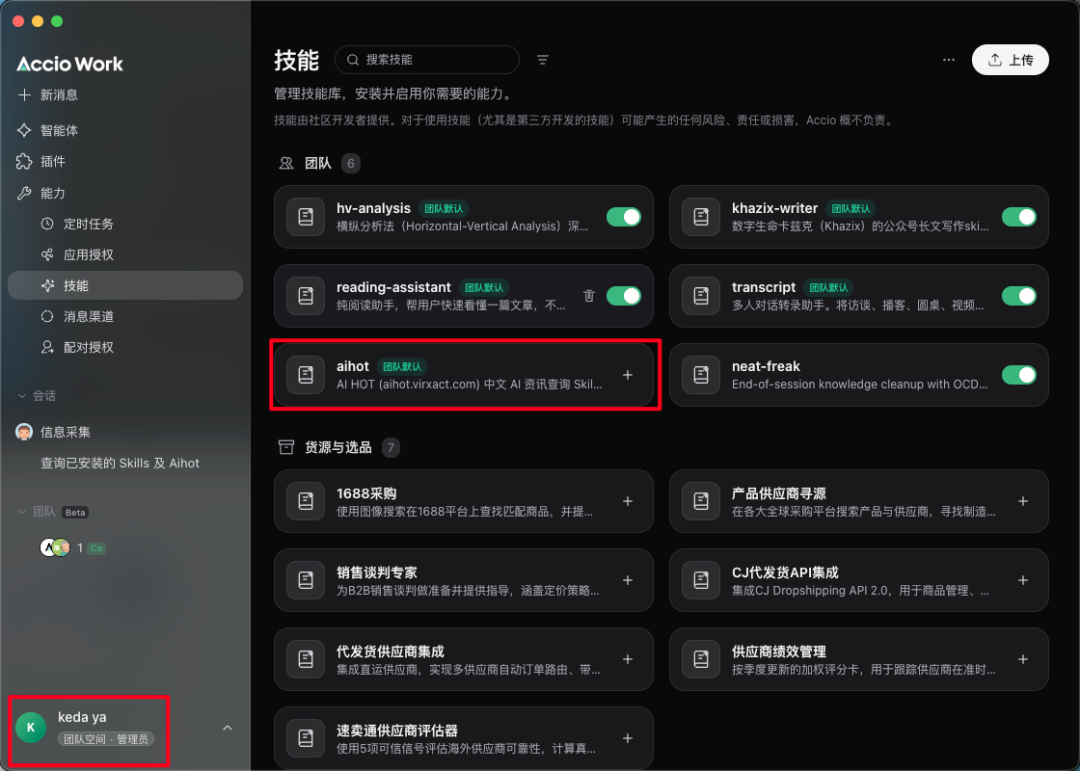
Find "Skills" in the app's left sidebar and click "Upload" in the top-right corner
-
Select the Skill file to upload
-
Admins can choose whether to make it "visible to everyone"
Colleagues Install It
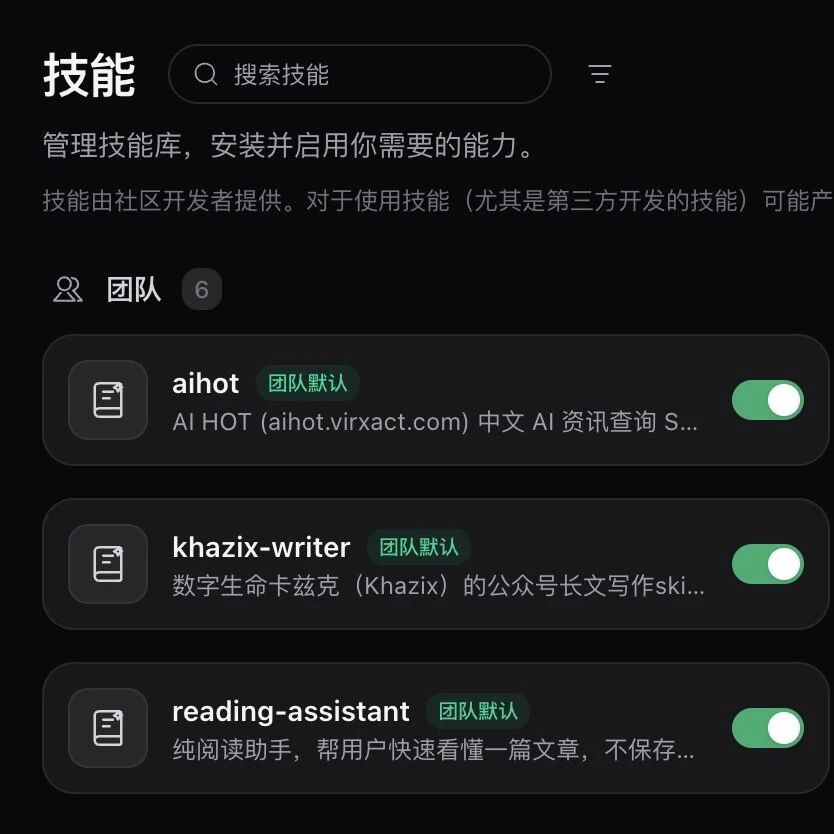
Shared Skills appear in every team member's Skills list with a team badge, shown in the "Not installed" state. Colleagues click the plus sign and it is installed.
One-Click Updates
When the Skill author makes changes, team members just click "One-click update" in the top-right corner to sync the latest version.
Agents Can Be Shared Too
Beyond Skills, team members can also recommend Agents they built that work well to the team. Click "Recommend" in the agent list to upload it to the team workspace. Once an admin approves it, everyone else can use that Agent directly, with no need to rebuild it themselves.
Team Management
The team workspace ships complete management features:
- Member management: Invite by email, allocate credits
- Tiered permissions: Owner > Admin > Regular member
- Plan options: Starter (5 seats), 15-seat, and 50-seat editions
Who It Is For
- Small and mid-size teams: A handful to a few dozen people who need to share Agent skills and configurations in-house
- Teams that do business: Accio Work itself is positioned as a business-domain Agent, fitting e-commerce, operations, and similar scenarios
- Teams that frequently sync Skill updates: Say goodbye to the primitive routine of passing zip files around
If you are looking for an Agent platform that supports team collaboration, Accio Work Enterprise is currently one of the few products that has built substantive features at the team-collaboration level.