
Coze 3.0: Put a Team of AI Agents to Work for You
Coze 3.0 is officially out, with multi-agent collaboration, remote control of your computer from your phone, one-click import of local agents, and the ability to turn a story idea straight into video.
Coze 3.0: Put a Team of AI Agents to Work for You
Coze 3.0 is officially out, with multi-agent collaboration, remote control of your computer from your phone, one-click import of local agents, and the ability to turn a story idea straight into video.
Coze 3.0 is here. The core of this update isn't making one AI smarter — it's getting a whole group of AIs to work as a team: @ one of them and multiple agents divide the labor and start working simultaneously.
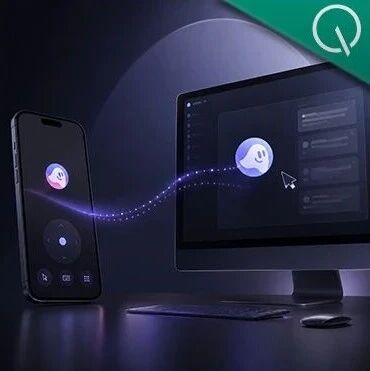
Even more important: mobile, desktop, and web are now fully connected. You can remotely drive the agents on your computer from your phone, having them read local files and execute tasks. Almost no previous agent product could do this.
What Is Coze 3.0
Coze is ByteDance's AI agent platform. The core change in 3.0 is an upgrade from "single-AI chat" to "multi-agent, project-style collaboration." You can pull agents with different specialties (copywriting, design, programming, data analysis) into the same project and let them divide up complex tasks.
It also supports importing the local agents you already use daily, such as Claude Code, Codex CLI, and OpenClaw.
Core Features
Multi-Agent Collaboration: @ Once, Everyone's in Place
Create multiple agents with different roles inside the same project, mention them with @, attach a prompt, and the expert agents each get busy.
Take "build an AI trending-topic dashboard" as an example — you could arrange 4 agents to collaborate:
- Topic-writing agent: decides which news is worth covering, adds background, checks facts
- Product design agent: breaks the requirements into page modules
- Frontend development agent: handles the code implementation
- Xiaoyao: the agent that ships built into Coze 3.0
When past AI products handled this kind of task, they usually produced one big catch-all answer. Coze 3.0 works more like a project in motion: it splits a complex task into continuous labor across different roles, every agent's output is visible to everyone, and no manual syncing is needed.
Two Ways to Connect Agents
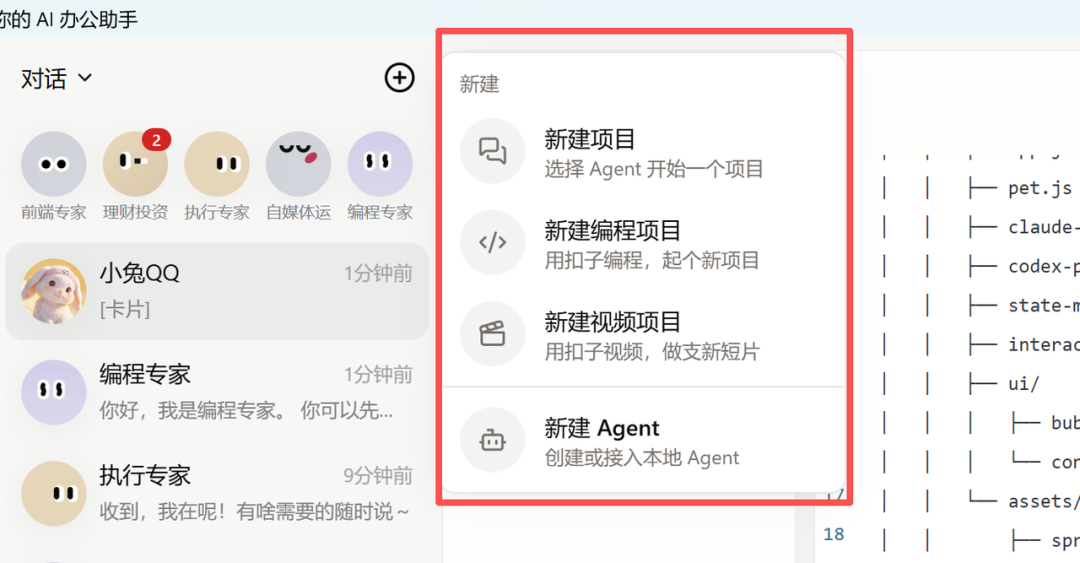
Cloud connection: create a new cloud agent and pick Codex, Claude Code, OpenClaw, Coze Agent, and more from a list. It runs on Coze's dedicated cloud computer, uses none of your local resources, and stays online 24 hours a day.
Local connection: Coze 3.0 automatically detects agents installed on your machine, and anything you've already tuned locally plugs right in. Local and cloud agents can collaborate inside the same project.
One Sentence to Video
It's not just for writing code. You can toss a story idea straight into a video project, and a single prompt generates a short video matched to the content. It uses the Seedance 2.0 model by default and supports multiple video styles.
Assets such as characters, props, and documents accumulate in the project, so you don't have to redefine them every time.
Remote-Controlling Your Computer from Your Phone
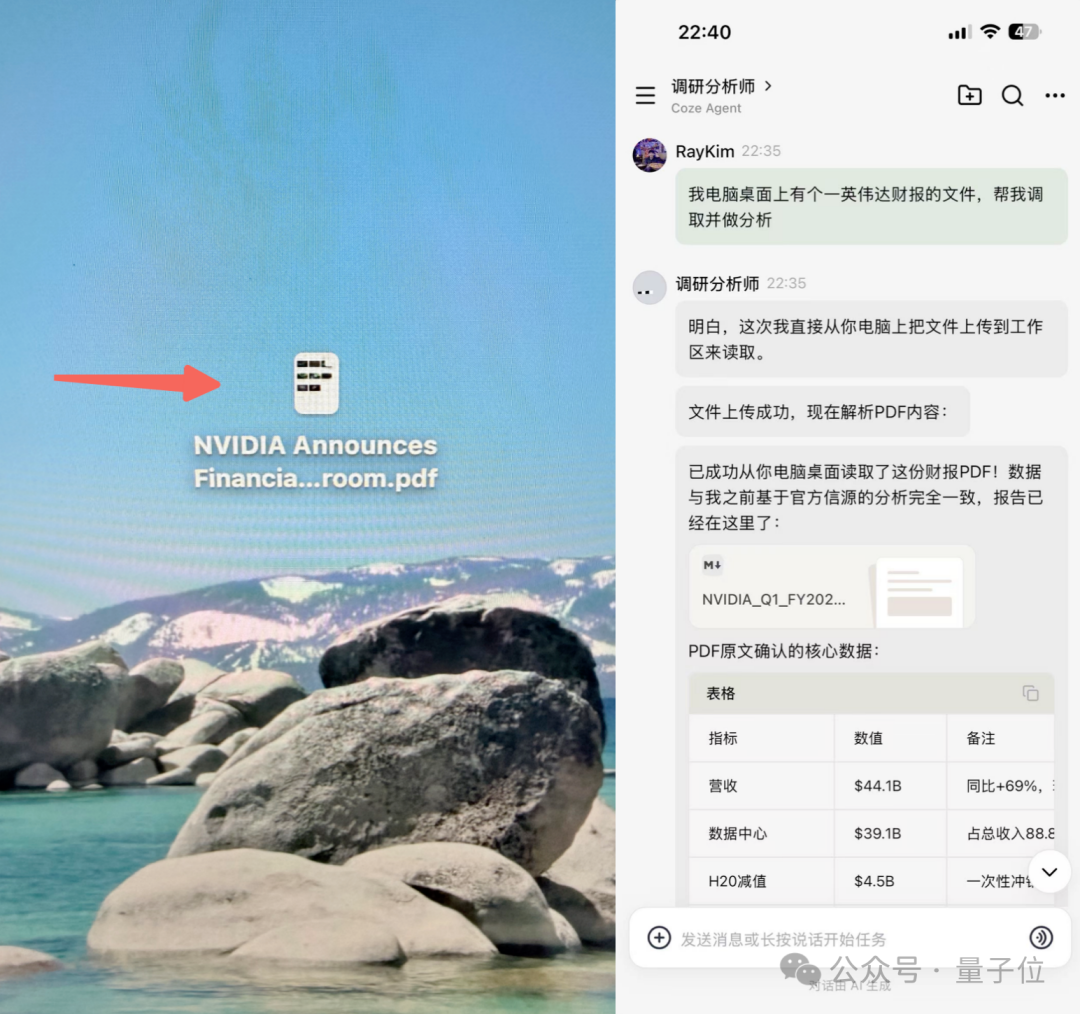
With desktop and mobile connected, you can have an agent read and analyze local files on your computer's desktop from your phone. Tasks are no longer tied to one machine — the agent handles local files with your authorization while you keep pushing the task forward from your phone.
Industry Skill Packs
Professional capabilities are bundled for vertical scenarios:
- Finance: real-time A-share and fund data engines with professional analysis
- Legal: statute and regulation lookup, contract review, litigation strategy
- Healthcare: checkup report recognition, health record organization
- Content creation: viral-post insights, headline generation
- Research: paper search, citation tracing
Hands-On Impressions
Strengths
- It genuinely runs projects: materials, roles, tasks, and deliverables all live in one project space, advancing continuously toward the same goal instead of scattering when the chat ends
- Beginner-friendly: no need to understand concepts like API or MCP — the visual interface is friendlier to non-technical users
- All endpoints connected: phone app, desktop, and web stay in sync, and cloud agents keep running after you shut your computer
Who It's For
- Creators: iterate on scripts, storyboards, video, and music inside one project
- Developers: connect local agents like Claude Code and Codex and develop in parallel on coding projects
- Business users: call industry skill packs for professional tasks without training an agent from scratch
- Team leads: @ a few AIs to collaborate, like managing a small team
How to Get It
Coze 3.0 has rolled out simultaneously on mobile (iOS / Android), desktop (macOS / Windows), and web (coze.cn), free to use.