
Gemma 4 12B: Run a Multimodal AI Model on a 16GB Laptop
Google releases a 12-billion-parameter open-source multimodal model with text, image, and audio input; it runs locally on a laptop with just 9GB of VRAM, under the Apache 2.0 license.

Gemma 4 12B: Run a Multimodal AI Model on a 16GB Laptop
Google releases a 12-billion-parameter open-source multimodal model with text, image, and audio input; it runs locally on a laptop with just 9GB of VRAM, under the Apache 2.0 license.
If your laptop has 16GB of VRAM or unified memory (say, an M1/M2/M3 Pro MacBook), you can now run an AI model on it that understands text, images, and audio all at once. Google's just-released Gemma 4 12B was built for exactly this.
What Is Gemma 4 12B
Gemma 4 12B is Google DeepMind's newest open-source multimodal model, with 12 billion parameters. It belongs to the Gemma 4 family, sitting between the edge-focused E4B and the more capable 26B mixture-of-experts (MoE) model.
A few key numbers:
- 12 billion parameters, runs on just 9GB of VRAM (the full model takes about 16GB of memory)
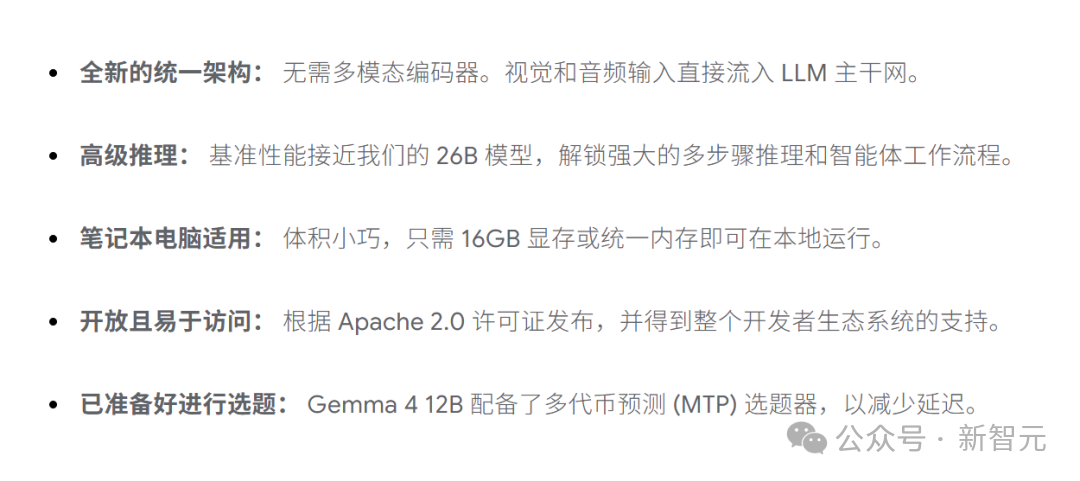
- Multimodal input: native support for text, image, and audio with no separate encoders needed
- Apache 2.0 license: commercial use allowed, no payment to Google required
- 150 million downloads: cumulative downloads across the entire Gemma 4 family
- Google AI Edge support: runs locally on the Mac desktop

Why It Can Run on a Laptop
Traditional multimodal models need a dedicated vision encoder and audio encoder to handle non-text input, and those encoders bring extra latency and memory overhead. Gemma 4 12B uses an "encoder-free" architecture:
Vision: an ultra-lightweight embedding module of just 35M parameters replaces the original 27-layer vision Transformer. Raw pixels enter the LLM backbone directly through a single matrix multiplication and coordinate lookup.
Audio: the audio encoder is removed entirely. The 16kHz raw speech signal is cut into 40-millisecond segments and mapped, via a linear projection, straight into the same dimensional space as text tokens.
That means vision, audio, and text share one set of weights. During LoRA fine-tuning, a single forward pass updates all modalities at once.
Real-World Performance
Hands-on comparison on an RTX 4090 (task: handwriting an HTML5 Canvas physics animation from scratch, with no third-party libraries):
| Metric | Gemma 4 26B-A4B | Gemma 4 12B |
|---|---|---|
| VRAM usage | 15GB | 9GB |
| Tokens generated | 6.9k | 8.9k |
| Speed | 138 tok/s | 80 tok/s |
| Task completion | All passed | All passed |
The 12B delivers nearly identical quality on less than half the VRAM. For users of 16GB-memory laptops, it's an ideal local multimodal model.
How to Run It Locally
Using Ollama
ollama run gemma4:12bUsing LM Studio
Search for "gemma-4-12b" in LM Studio to download and run it.
Using LiteRT-LM (command line)
litert-lm import --from-huggingface-repo=litert-community/gemma-4-12B-it-litert-lm gemma-4-12B-it.litertlm gemma4-12b
litert-lm serve
Using the Google AI Edge Gallery App
Google has officially ported AI Edge Gallery to macOS, with low-level optimizations for Apple Silicon GPUs. You can execute Python code and plot charts right in the chat bubble, fully offline throughout.
Who It's For
- Frontend developers: run a local AI assistant that can look at images, listen to audio, and write code
- Privacy-sensitive scenarios: healthcare, legal, and other fields where data must never leave the local machine
- Indie developers: zero-cost multimodal inference capability
- Edge device developers: build AI applications on consumer-grade hardware
Caveats
- Gemma 4 12B is a model, not an app. You need tools like Ollama or LM Studio to run it
- "Running locally" means the model runs on your computer, but the results depend on your hardware configuration
- Compared with the 26B version, the 12B trails somewhat on complex reasoning tasks, but it's enough for everyday use
Model download: https://huggingface.co/google/gemma-4-12b-it