
Google Workspace CLI: One Command Lets AI Agents Take Over Your Mail, Drive, and Calendar
An open-source CLI with nearly 30K stars wraps Gmail, Drive, Calendar, and Sheets into one unified interface, ships 100+ Agent Skills built in, and works for humans and AI alike.
Google Workspace CLI: One Command Lets AI Agents Take Over Your Mail, Drive, and Calendar
An open-source CLI with nearly 30K stars wraps Gmail, Drive, Calendar, and Sheets into one unified interface, ships 100+ Agent Skills built in, and works for humans and AI alike.
The APIs behind Google Workspace's individual services have always been fragmented: mail, Drive, Calendar, and Sheets each demand their own integration and separate authorization setup. In 2026, with AI agents running everywhere, there's still no convenient tool for letting an agent operate Gmail, Calendar, or Drive. Google Workspace CLI sets out to fix exactly that — it wraps the full product line's APIs into a single command line, outputs standard JSON for all returned data, and ships 100+ Agent Skills tailored for AI agents. The project has pulled nearly 30K stars on GitHub, yet its core developer Justin Poehnelt was fired by Google over it. This article first covers what it does and how to use it, then recaps the controversy.
What Is Google Workspace CLI
One-line definition: it turns the Google Workspace APIs into a unified interface suited to both humans and AI agents.
- For humans: no more hand-writing curl requests from REST docs. Every resource has
--help,--dry-runpreviews requests, and pagination is handled automatically. - For AI agents: every result comes back as structured JSON, and combined with the built-in Agent Skills, an LLM can manage Workspace directly without writing any extra tooling.
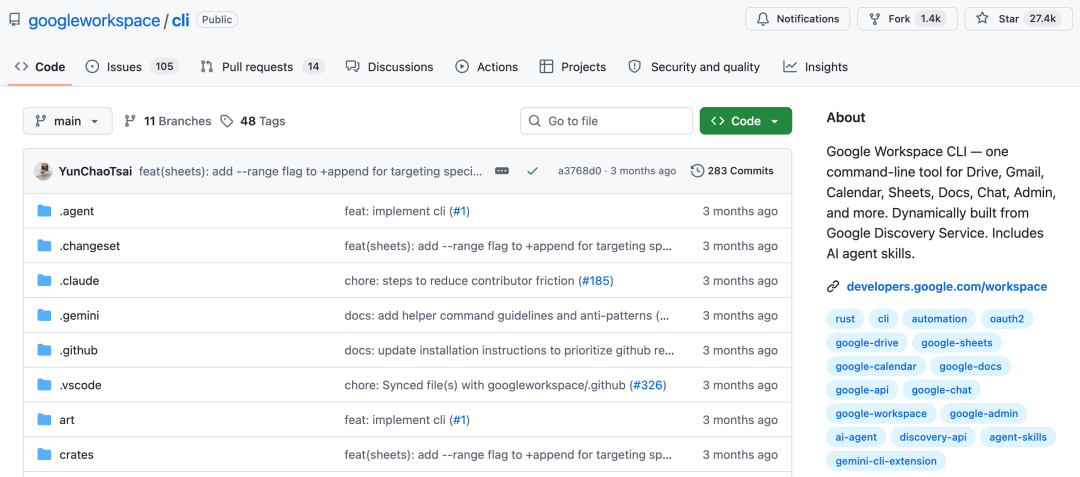
Project at github.com/googleworkspace/cli, with nearly 30K stars as of this writing.
Core Features
One Unified Wrapper for the Whole Workspace Line
Gmail, Drive, Calendar, Sheets, Chat, and Admin all get wrapped into homogeneous CLI subcommands. One command handles one class of operation, and you stop re-reading docs over and over.
A Two-Phase Parsing Architecture
The CLI uses a two-phase parsing strategy that balances performance and dynamism:
- Read
argvand identify the service to call (for example,drive) - Fetch that service's Discovery Document and cache it for 24 hours
- Dynamically build the
clap::Commandtree from the resources and methods defined in the document - Parse the remaining command-line arguments a second time
- Complete authentication, build the HTTP request, and execute
All output (success results, errors, download metadata) comes back as structured JSON, easy for programs and LLMs to parse.
100+ Built-in Agent Skills
This is the capability that matters most for AI agents:
- Every supported API maps to a Skill (provided as a
SKILL.mdfile) - Higher-level helper skills cover common workflows
- 50 curated usage examples span Gmail, Drive, Docs, Calendar, Sheets, and more
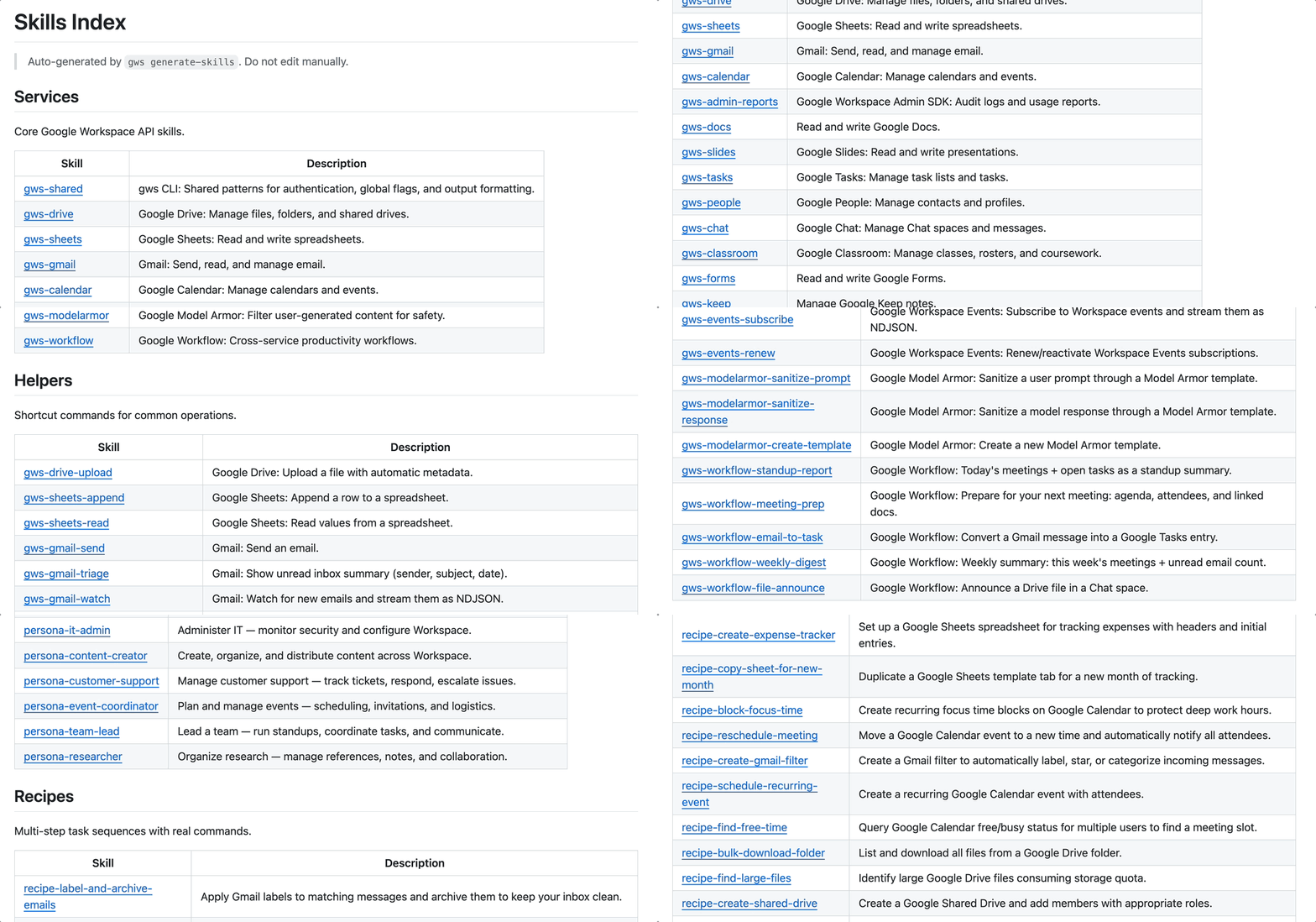
The full Agent Skills list: one SKILL.md per API, and combinations of them drive an LLM through cross-app tasks.
Human-Friendly Details
--helpcoverage for every resource--dry-runpreviews the request before it fires, great for debugging- Automatic pagination, no manual pageToken stitching
- One consistent auth flow supporting both OAuth and Service Accounts
How to Use It
Install and Authenticate
# Install via Homebrew (macOS)
brew install googleworkspace/tap/cli

# Or download a prebuilt binary from GitHub Releases
# https://github.com/googleworkspace/cli/releases

# First run walks you through OAuth authorization
gws-cli gmail messages list --query "is:unread"
Pair It with an AI Agent
Mount the SKILL.md files from the repo into your agent's tool directory and the agent can invoke the matching skills automatically. Ask Codex or Claude Code to "find all last week's unread mail with attachments and download them locally," and it will pick the command chain gmail.messages.list -> gmail.messages.get -> gmail.attachments.get on its own.
Typical Workflow Examples
| Scenario | Command combination |
|---|---|
| List unread mail | gws-cli gmail messages list --query "is:unread" |
| Upload a file to Drive | gws-cli drive files upload --path ./report.pdf |
| Check today's calendar | gws-cli calendar events list --time-min "today" |
| Read Sheet data | gws-cli sheets values get --range "A1:D100" |
The "Fired Over It" Controversy
The tool itself gets almost everything right — it shot straight to number one on Hacker News at launch, with Google directors and executives lining up to ask its author about it. But the story didn't follow the "internal innovation amplified by the company" script:
- Core contributor Justin Poehnelt (ranked number one on GitHub for the project, with 24 commits) revealed he was fired over it
- The immediate trigger was legal repeatedly pressing him on "why the project's GitHub repository contains the Google logo and brand colors"
- The timeline is even more ironic: two days before he was fired, Google Cloud Next had just announced an official Workspace CLI, with a scope and implementation approach closely overlapping his side project
- The "father of OpenClaw," speaking up for him, said publicly: "Google fired the person who built Google Workspace CLI — for the crime of building it. Thankfully, Google can't fire me." — and invited Poehnelt to join the Codex team
💡 Tip: for users, the controversy doesn't change the tool's value. But note that Google has now shipped its own official equivalent, GWS, so whether this open-source project keeps receiving internal support is uncertain. For enterprise use, evaluate the stability of both paths first.
Who It's For
- AI agent office automation: let agents like Codex or Claude Code manage your Gmail, Calendar, and Drive directly
- Bulk data migration and backup: sync mail across accounts, archive Drive files
- Ops and compliance audits: bulk-query the Admin directory, export compliance reports
- Indie developer productivity: script your scattered Workspace operations and say goodbye to hand-written curl
Project Info
- GitHub:
https://github.com/googleworkspace/cli - Stars: nearly 30K (as of June 2026)
- Language: Rust (built on
clap::Command) - License: see the LICENSE file in the repo
- Official alternative: GWS, Google Cloud's official version (high feature overlap)