
Hermes Agent: The Complete Tutorial from Installation to WeChat Integration
The open-source AI agent Hermes Agent supports 13 large models and natively connects to WeChat, Feishu, and DingTalk; get started for $3.99, with the full installation and WeChat setup process included.

Hermes Agent: The Complete Tutorial from Installation to WeChat Integration
The open-source AI agent Hermes Agent supports 13 large models and natively connects to WeChat, Feishu, and DingTalk; get started for $3.99, with the full installation and WeChat setup process included.
Hermes Agent is an open-source AI agent built over 9 months by the Nous Research team, and it has gathered 66,000 stars on GitHub. Its defining trait is "self-evolution": after completing a task, it automatically distills reusable Skills and keeps improving with subsequent use. It now natively supports WeChat — just scan a QR code to connect. This article walks you through installation and configuration from scratch.
What Is Hermes Agent
Simply put, Hermes Agent is an open-source, self-hostable AI agent. It can run long term on a local machine or in the cloud, and it connects to everyday chat tools like Telegram, Slack, Discord, WhatsApp, iMessage, Feishu, DingTalk, and WeChat. You talk to it directly in any chat window and let it complete tasks independently in the background.
Its differentiating core capability is the learning loop: after finishing a complex task, it automatically distills reusable Skills from it and saves them as standalone documents. In later use, these Skills load on demand and keep improving based on new usage feedback.
Combined with persistent cross-session memory, scheduled tasks defined in natural language, and a mechanism for running multiple sub-agents in parallel, Hermes Agent can run for the long haul and evolve continuously.
What You Need Before Starting
- OS: Linux, macOS, or Windows (Android phones via Termux also supported)
- Model API: at least one model API key with a 64K context window. GPT, Claude, GLM, MiniMax, Kimi, Qwen, DeepSeek, and others all work
- Cost: $3.99 to get started. A $5 server rental gets you 7x24 operation
- GitHub repo: https://github.com/nousresearch/hermes-agent
Step 1: Install Hermes Agent
Open a terminal and paste one command:
curl -fsSL https://raw.githubusercontent.com/NousResearch/hermes-agent/main/scripts/install.sh | bashNo need to worry about environment issues — whatever is missing, Python, Node.js, and the like, Hermes Agent installs it for you.
Tip: If you also run OpenClaw, Hermes detects it automatically and asks whether to import OpenClaw's settings, memories, skills, and API configuration.
Step 2: Configure the Model API
Once installation finishes, Hermes guides you through model configuration. Have the API key for the model you want to use ready.
Supported model providers include OpenAI, Anthropic, Groq, DeepSeek, MiniMax, GLM, Kimi, Qwen, and more — 13 in total. You can also connect a local model via the --ollama flag, no internet needed.
The model's context window must be at least 64K to maintain enough working memory.
To switch models, use:
hermes modelStep 3: Connect WeChat
This is currently the most anticipated feature. Hermes connects to WeChat through Tencent's official iLink Bot API — not a third-party reverse-engineered protocol.
Install Dependencies
Two packages are hard requirements:
pip install aiohttp cryptographyIf you want the QR code displayed right in the terminal, add one more:
pip install qrcodeLog In by Scanning the QR Code
One command launches the setup wizard:
hermes gateway setupChoose Weixin. The wizard automatically brings up a QR code; scan and confirm with WeChat on your phone. The account credentials are written to the ~/.hermes/weixin/accounts/ directory.
After successful confirmation, the terminal shows:
WeChat connected successfully, account_id=your-account-idConfigure Environment Variables
Open ~/.hermes/.env and at minimum fill in the account_id:
WEIXIN_ACCOUNT_ID=your-account-idTo restrict messaging to the bot to only yourself:
WEIXIN_DM_POLICY=allowlist
WEIXIN_ALLOWED_USERS=user_id_1,user_id_2
Group messages are off by default; enable the allowlist manually:
WEIXIN_GROUP_POLICY=allowlist
WEIXIN_GROUP_ALLOWED_USERS=group_id_1
Start the Service
hermes gatewaySend the bot any message from WeChat on your phone and you'll see a reply within seconds — even the "typing" indicator shows up in the chat.
Note: Try it with a secondary account first before hooking up your main one. A single WeChat message is capped at 4000 tokens; anything longer is split automatically, and long replies aren't a great experience right now.
Step 4: Daily Use
Start a Hermes conversation:
hermesOnce you see the welcome screen you can start chatting. When idle, Hermes rests automatically and consumes almost no tokens until you wake it again.
If you want to update to the latest version and enable the web management UI:
hermes update
hermes dashboard
Open 127.0.0.1:9119 in a browser to manage system status, browse past sessions, analyze token usage, and manage scheduled tasks and skill toggles. API key configuration finally has a visual interface too — no more hand-editing YAML files.
FAQ
- WeChat messages get split into multiple segments: A single WeChat message is capped at 4000 tokens and gets split automatically beyond that; there's no better solution yet.
- Disconnection (error code -14): The most common cause is an expired session. Just run
hermes gateway setupagain and scan a fresh code. - Error "Another local Hermes gateway is already using this Weixin token": One token can only serve one poller; stop the other one first.
- Media file send/receive failures: First confirm cryptography is installed. WeChat's CDN uses AES-128-ECB encryption — without that library you can't even pull down images.
Core Features at a Glance
| Feature | Description |
|---|---|
| Learning loop | Automatically distills Skills after completing tasks, improving continuously afterward |
| Cross-session memory | Persistent memory system; context survives shutdowns and restarts |
| Multi-platform | WeChat, Feishu, DingTalk, Telegram, Slack, Discord, WhatsApp, iMessage |
| Scheduled tasks | Define scheduled tasks in natural language, executed automatically |
| Parallel sub-agents | Multiple sub-agents can work simultaneously without interfering |
| 13 models | Supports mainstream models like OpenAI, Anthropic, DeepSeek, MiniMax |
| Local running | Connects local models via Ollama for fully offline use |
| Web management UI | Manage configuration, view usage, and control skill toggles in a browser |
Official Resources
- GitHub repo: https://github.com/nousresearch/hermes-agent
- Official docs: https://hermes-agent.nousresearch.com/docs/getting-started/quickstart
- WeChat integration docs: https://hermes-agent.nousresearch.com/docs/user-guide/messaging/weixin
Toolin Editorial Team
Categories
Related articles
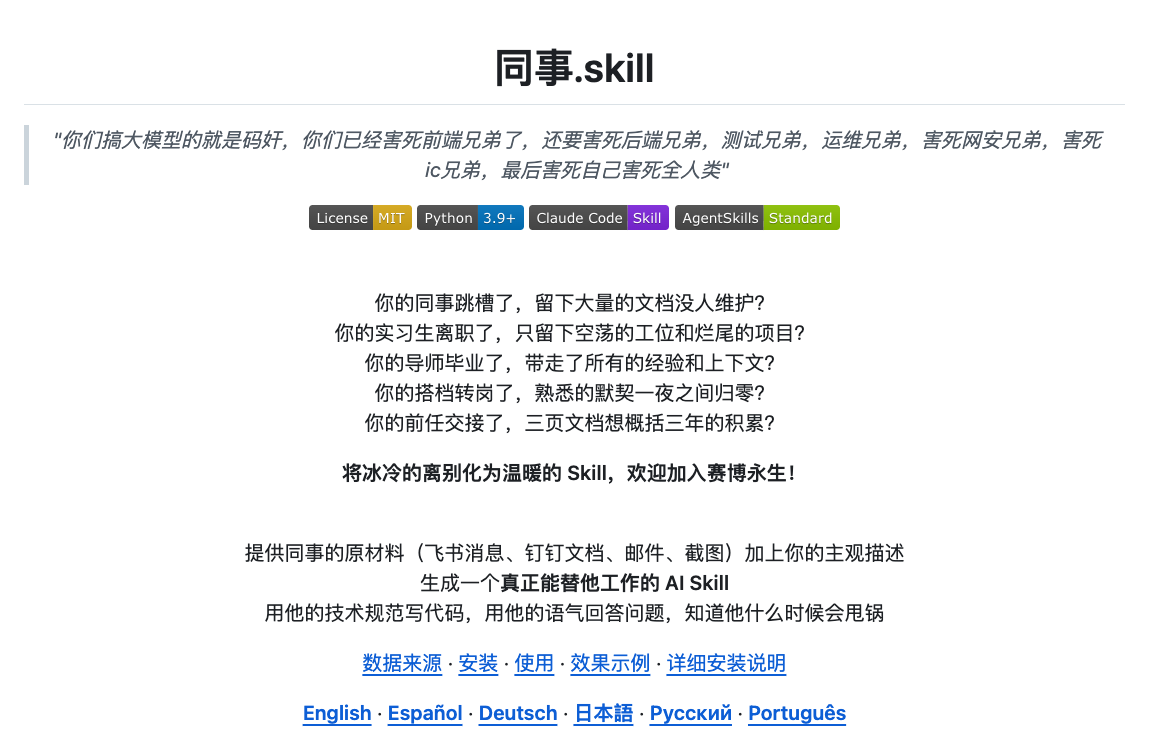
Colleague.Skill Explained: How Do You Actually Turn a Person's Capabilities into an AI?
Colleague.Skill, the project that went viral on GitHub, feeds chat logs and work documents into an AI to generate a reusable work Skill. This article breaks down its technical architecture and the core strategy of distilling yourself proactively versus being distilled by others.

Seedance 2.0 + LibTV Canvas Workflow: No Queuing, One Stop from Script to Finished Video
The LibTV platform integrates the full-power Seedance 2.0, with a canvas workflow chaining script, storyboard, generation, and editing into one pipeline — no queuing. Includes a hands-on tutorial and a pitfall guide.