
Kimi Work Beta: From an Agent That Writes Code to an Agent That Does Work
Moonshot AI launches Kimi Work Beta, a general-purpose local agent for knowledge workers supporting 300 sub-agents in parallel, 13-hour long-running tasks, browser control, and skill installation.
Kimi Work Beta: From an Agent That Writes Code to an Agent That Does Work
Moonshot AI launches Kimi Work Beta, a general-purpose local agent for knowledge workers supporting 300 sub-agents in parallel, 13-hour long-running tasks, browser control, and skill installation.
Kimi Work Beta is a desktop AI agent from Moonshot AI built on one idea: moving from "Vibe Coding" to "Vibe Working" — not just helping developers write code, but helping every knowledge worker get work done.
It is built on top of Kimi Code, which hundreds of thousands of programmers use every day, and it migrates a coding agent's capabilities into a desktop interaction that ordinary people already know. You don't need to open a terminal or write commands — describe your goal in natural language and it breaks the task down on your computer, executes in parallel, calls tools, uses the browser, organizes files, and finally delivers work products like documents, spreadsheets, and slide decks.
Core Features
300 Sub-Agents Working in Parallel
Kimi Work supports an agent-cluster mode. Depending on task complexity, it can autonomously spin up a team of up to 300 sub-agents handling multiple subtasks simultaneously. The underlying model, K2.6, supports 13 hours of continuous coding and over 4,000 autonomous tool calls.
Skill System
Like Codex and OpenClaw, Kimi Work supports installing and using skills. You can have it research a domain and summarize the patterns, then package that know-how into a skill and reuse it over and over.
Kimi WebBridge Browser Control
It ships with Kimi WebBridge, a scheme that lets the agent use a browser the way you do. The agent can log into data-dashboard sites you already subscribe to and do its research there — no more manually exporting data and re-uploading it.
Inherits the Online Kimi's Professional Capabilities
Kimi Work inherits the professional skills and professional databases of the online Kimi Agent, including:
- Financial data sources: real-time market quotes, portfolio analysis
- Research databases: paper search, data cleaning
- Legal resources: statute lookup, contract review
Real Application Scenarios
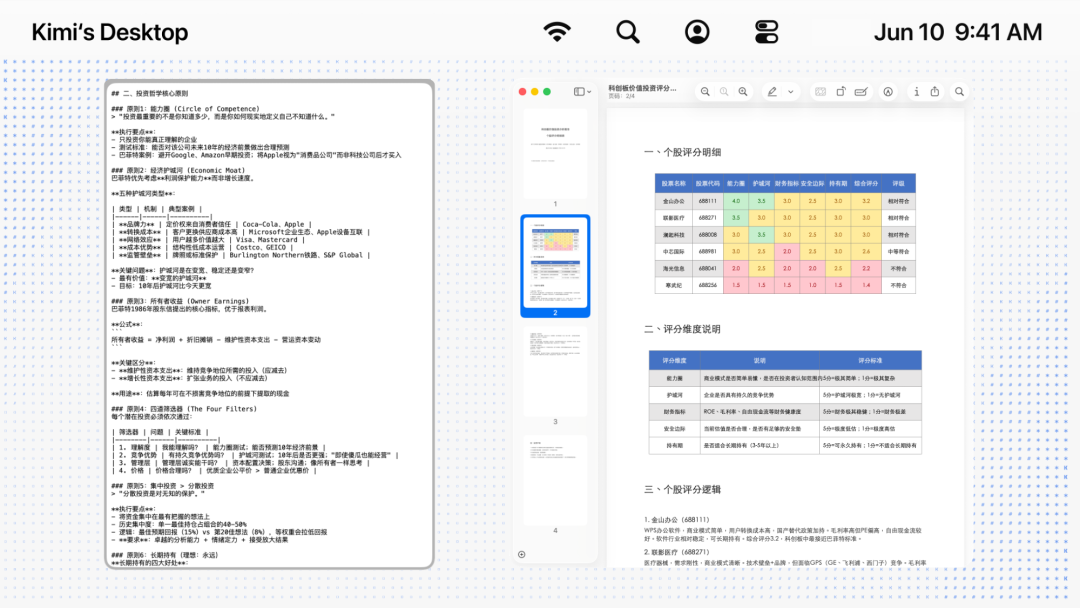
Finance: Research + Skill Generation + Automated Analysis
Have Kimi Work research Buffett's holdings over the past 10 years and summarize his investment strategy, then package that strategy into a skill. Once installed, use the skill to connect to Kimi's professional financial data sources and check whether your own portfolio fits Buffett's value-investing approach.
Workflow: research -> generate skill -> install skill -> call professional data sources for analysis
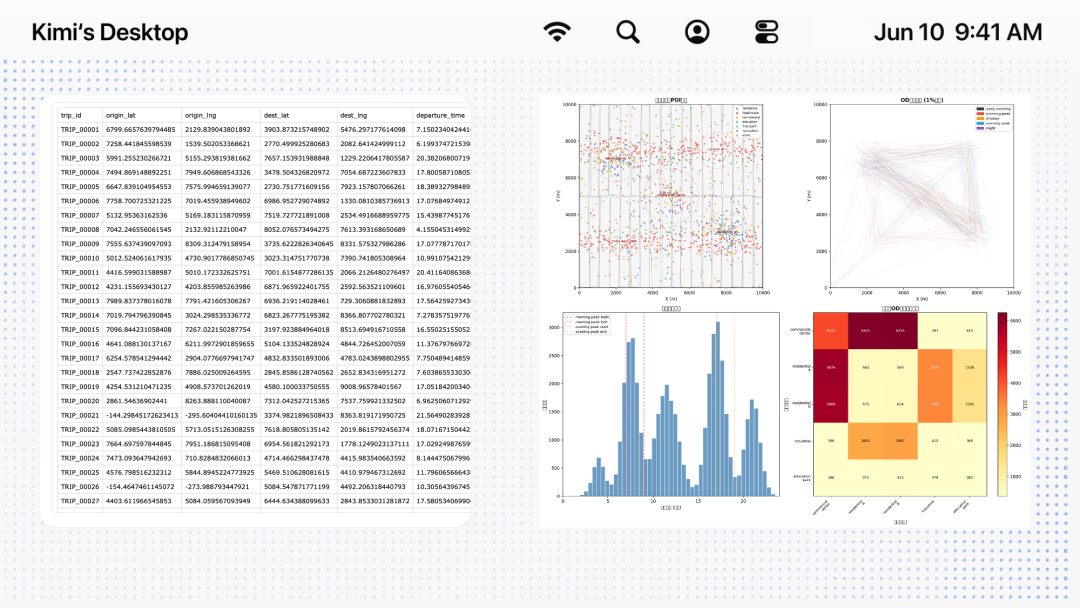
Research: Local Data Cleaning + Chart Drawing + Paper Assistance
Turn Kimi Work into an urban-computing researcher: it cleans the simulation datasets on your computer, summarizes the core patterns, draws academic charts, and then helps you finish the paper.
Workflow: local data cleaning -> chart drawing -> paper assistance
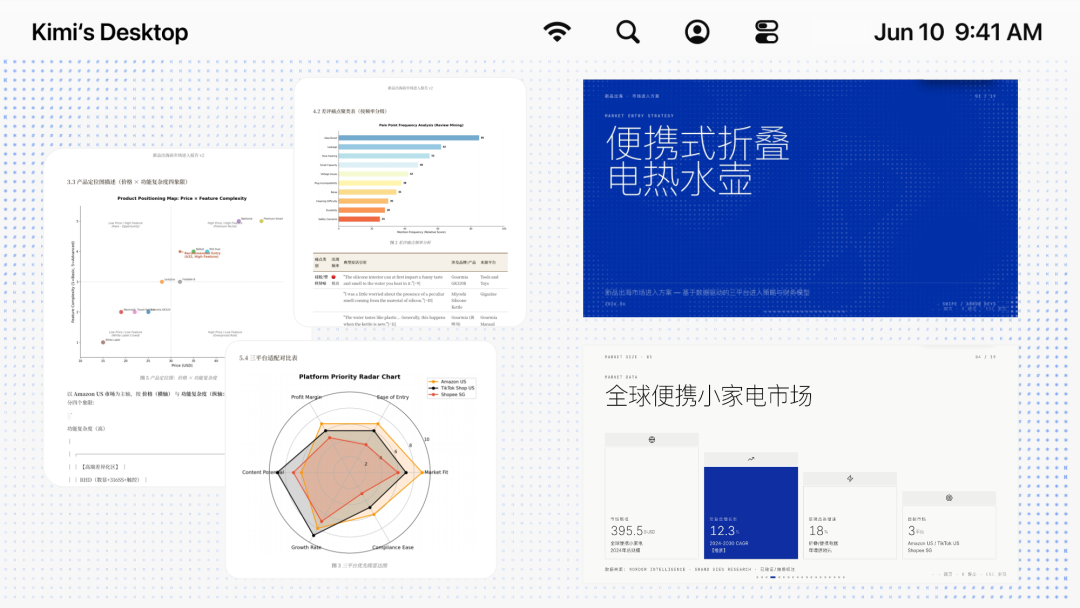
Office: File Reading + Browser Research + Report + Slides in One Pipeline
Have Kimi Work read the product plans and design prototypes in a folder on your computer, use the browser to log into data dashboards you subscribe to and research the market, combine that with analysis of 2,400+ user reviews, generate a 128-page cross-border e-commerce market analysis report, and finally convert it into a presentation deck in one click.
Workflow: local file reading -> browser research -> in-depth report generation -> invoke the PPT skill -> client deliverable output
Hands-On Impressions
Strengths
- From TUI to GUI: no command line, natural-language interaction, friendly to non-technical users
- Strong at long-horizon tasks: 13 hours of continuous execution, suited to complex multi-step work
- Professional databases built in: finance, research, legal, and other domains callable directly — no hunting for data sources yourself
- Automatic skill generation: it can distill what it learns from research into reusable skills on its own
Limitations
- Still in Beta; features iterate fast and stability remains to be proven
- Desktop only for Mac and Windows; no Linux version yet
- Requires downloading the latest Kimi beta client
How to Get It
Kimi Work Beta ships with the latest Kimi beta client for Mac and Windows. Download the latest desktop version of Kimi to try it.
A detail worth noting: Kimi Work itself was built with deep involvement from Kimi Code, which has produced over 50,000 lines of effective code, 92% of it generated autonomously by AI.