
Kimi Work: A Local AI Agent for Knowledge Workers
Moonshot AI launches a desktop general-purpose Agent with Agent clusters, browser control, and financial data sources, letting office workers handle their daily work with AI.
Kimi Work: A Local AI Agent for Knowledge Workers
Moonshot AI launches a desktop general-purpose Agent with Agent clusters, browser control, and financial data sources, letting office workers handle their daily work with AI.
If your daily work involves organizing documents, analyzing data, and searching for information, Kimi Work is worth 10 minutes of your time. It's the newest desktop general-purpose Agent from Moonshot AI, positioned as "the Chinese version of Codex" — but aimed not at programmers, rather at knowledge workers in finance, research, law, and beyond.
Currently macOS only; a Windows version is coming soon.
What Is Kimi Work
Kimi Work is a new local general-purpose Agent mode added to the Kimi desktop client. Its core comes from Kimi Code (Moonshot AI's Coding Agent), but the programmer-oriented command-line interface has been swapped for the graphical interface (GUI) knowledge workers already know.
Unlike the web-based Agent that runs in the cloud, Kimi Work moves the runtime environment (Harness) directly onto your own computer. It can operate your local files, browser, and applications — not just a chat box inside a browser.
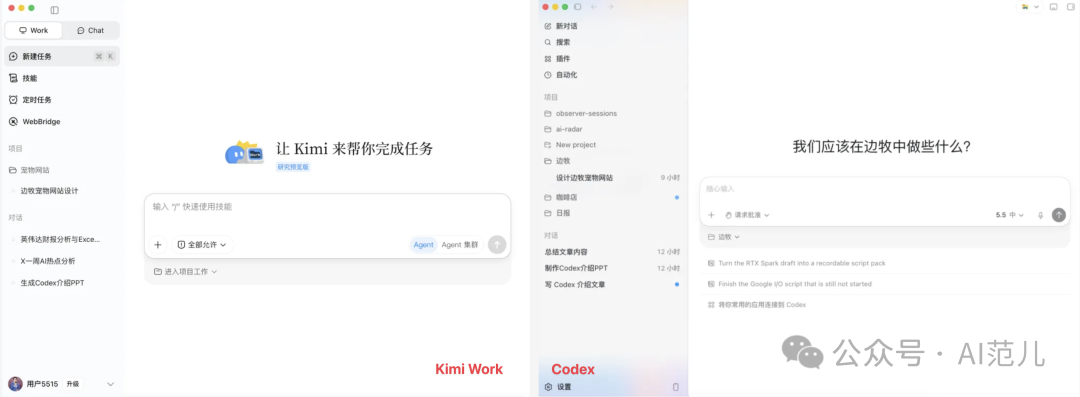
Core capabilities include:
- Local file operations: read and manage files on your computer directly, no uploading required
- Browser control (WebBridge): drives your browser carrying your logged-in sessions, instead of opening a fresh blank window
- Agent clusters: create up to 300 sub-agents processing tasks in parallel
- Skills system: built-in skills for common needs like office document processing and PPT generation
- Professional financial data sources: authoritative data from Tonghuashun, Tianyancha, the World Bank, and more built in
Hands-On Experience
Multi-Threaded Research Tasks
Give Kimi Work a research instruction — say, "compile the new energy vehicle funding events in China since 2025" — and it automatically dispatches multiple sub-agents to gather information simultaneously, then creates a dedicated agent responsible for data cleaning and building the Excel file.

The whole process requires no task breakdown or work assignment from you; it does the "project management" on its own. The final output includes a complete list of funding events and a summary view grouped by funding round.
Browser Control
WebBridge is one of Kimi Work's standout features. It can directly operate the browser you're already using, carrying your logged-in sessions to complete tasks.
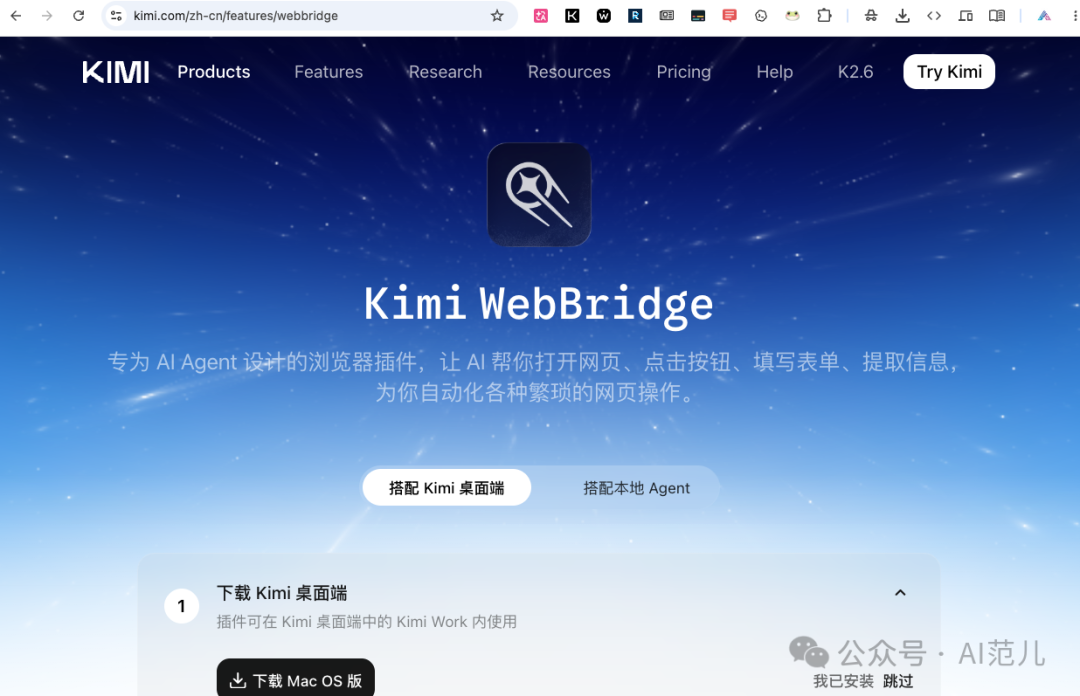
Ask it to look up the past week's AI trending topics on X, and it opens the browser, visits X, and searches and organizes the information automatically. It can even post to Weibo for you — the process invoked the browser's logged-in session to carry out the complete chain of composing the content, opening the page, filling in the text, and publishing.
Long-Task Stability
We tested a long-horizon creative task: have Kimi Work invite 30 geniuses from across history and around the world, write a 1000-3000 character speech for each one, and schedule the sessions. The whole run took more than 50 minutes, with no human intervention needed at any point.
A timeout did occur midway, but Kimi Work recovered automatically from the breakpoint and carried on to completion — no restarting from scratch, and no loss of prior progress. The final output was a 104-page Word document.
Financial Data Analysis
Kimi Work ships with professional financial data sources and can pull and analyze financial data directly. We tested "analyze NVIDIA's stock price trend since 2023": it executed 20 tool-call instructions in total, completing data retrieval, cleaning, computation, and report writing, and produced a complete 11-page analysis report.
Current Limitations
As a Beta product, Kimi Work still has some shortcomings:
- No built-in browser preview: when building web pages you can only check results in the default browser, with no way to preview and annotate inside the app like Codex
- Missing plan mode: Codex can show a plan before executing; Kimi Work currently just dives in, which can lead to deviations in results
- On the slow side: compared with Codex and Claude Code, execution speed still has ground to make up
- Mac only: a Windows version is coming soon
Who It's For
- Finance professionals: built-in financial data sources make data analysis possible right away
- Content creators: automatic research gathering, report generation, and PPT creation
- Researchers: multi-threaded research and literature organization
- Office workers: expense report organizing, data cleaning, everyday task automation
How to Get It
Download: https://appsupport.moonshot.cn/api/app/pkg/latest/macos/download
Kimi Work is currently free to use (Agent clusters and other advanced features require a membership). If you're already using the Kimi desktop app, just update to the latest version.
Related articles

OpenAI Codex Launches Savings Reset: No More Waiting When Credits Run Out, and Referrals Pay Both Sides
Codex rolls out a Savings Reset feature giving paid users one credit-reset opportunity, with a limited-time referral promo that rewards both sides once each — flexible management of your coding compute.

MaineCoon: 22B Parameters at 47.5 FPS, the Fastest Streaming Audio-Video Social Model Ever
The Catnip team unveils MaineCoon, a streaming audio-video social model hitting 47.5 FPS inference on 22B parameters, generating 30+ minutes of synchronized audio and video at 1/2000 the cost of Veo 3.
Decomposing Your Business into Skills: The Real Meta-Skill of the AI Era
It's not that you can't use AI — you can't break things down. From goals to actions to judgment, one piece on turning the experience in your head into a structured Skill that AI can execute.

Claude Code Artifacts: Turning Terminal Development into a Shareable Web Dashboard
Anthropic brings Artifacts to Claude Code, generating shareable web pages in real time as you develop — team collaboration no longer relies on retelling things by hand.
Codex Record & Replay: Do It Once, and the AI Learns to Do It for You
OpenAI launches Record & Replay for Codex — record your workflow on your Mac and it automatically becomes a reusable Skill. Time to rethink automation.

Odysseus: A Local ChatGPT Hand-Built by a Top YouTuber, 30,000 Stars in 3 Days
Former world's #1 YouTuber PewDiePie open sourced a fully self-hosted AI workspace — free, no tracking, with a built-in Agent — pulling in 30,000 stars in three days.