
OpenAI Codex OSS Mode: Connect Local Models with a Single Line of Config
Codex adds an OSS mode supporting local model services like Ollama and LM Studio, enabling offline operation and cost control
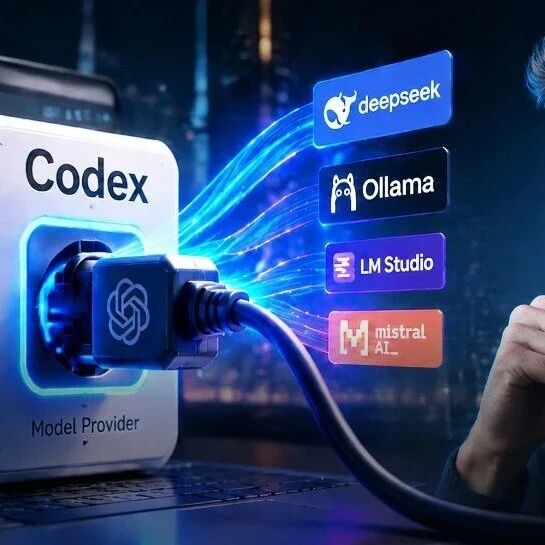
OpenAI Codex OSS Mode: Connect Local Models with a Single Line of Config
Codex adds an OSS mode supporting local model services like Ollama and LM Studio, enabling offline operation and cost control
OpenAI Codex no longer recognizes only its own GPT models. With the newly added OSS (open source) mode, you can now switch to local model services such as Ollama or LM Studio with a single line of configuration — even achieving fully offline code generation and inference. For developers who want to control API costs and keep their code private, this is genuinely good news.
The Core Change: From "Model Lock-In" to a Pluggable Interface
In the past, Codex could only call OpenAI's own GPT models. The essence of this update is that OpenAI added a pluggable model access layer to Codex — the models themselves remain closed, but the ability to "swap models" is now open.
Specifically, developers can register multiple "model providers" through the model_providers configuration option. Each provider contains four kinds of information:
- Access address (base_url): the URL of the model service
- Communication protocol (wire_api): currently mainly supports the Responses API
- Authentication method (env_key): the environment variable name for the API key
- Model mapping (model): the model name mapping
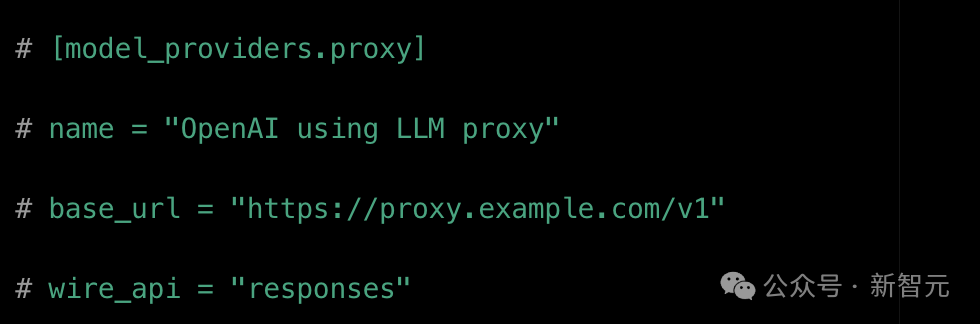
An example of Codex's model_providers configuration. base_url specifies the model address, and wire_api currently only accepts the responses protocol.
Two Ways to Connect
Option 1: The --oss Quick Switch
The most direct way is to add a --oss flag on the command line, and Codex will automatically connect to a local model service. Two mainstream tools are supported by default:
- Ollama: the most popular command-line tool for running large models locally
- LM Studio: a desktop model management tool with a graphical interface
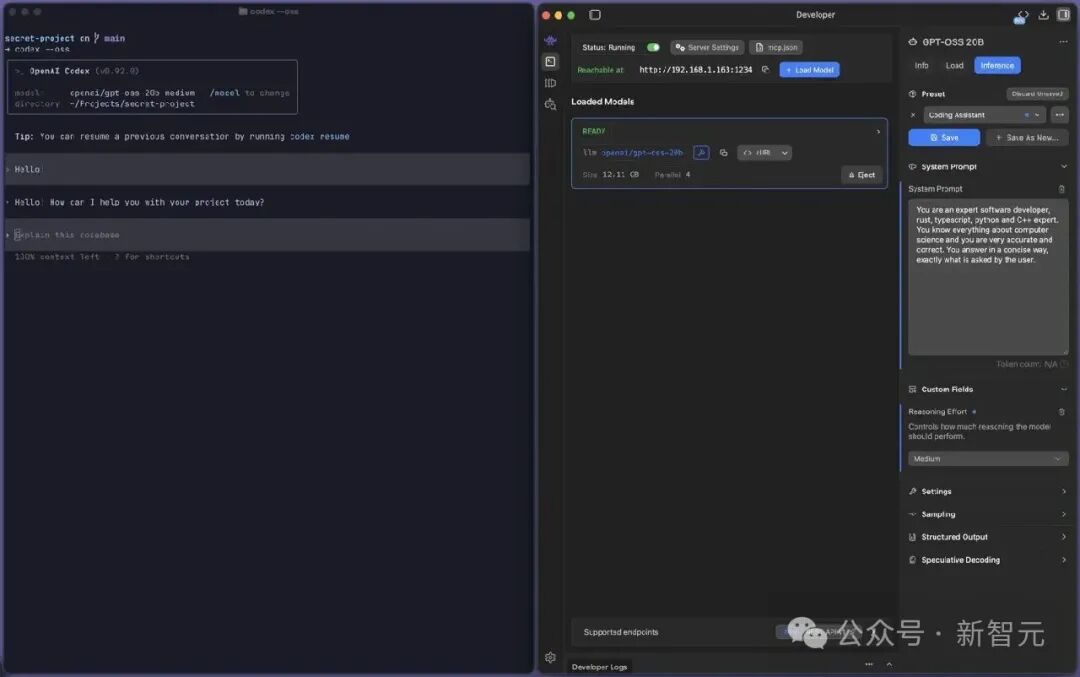
On the left, Codex CLI calls a local model with --oss; on the right, LM Studio serves a model loaded on local port 1234 — fully local and offline throughout.
Option 2: Manually Configuring model_providers
If you need to connect third-party models like DeepSeek or Mistral, you'll need to edit the configuration file manually. You can save these settings as "profiles" and switch between them quickly from the command line while debugging.
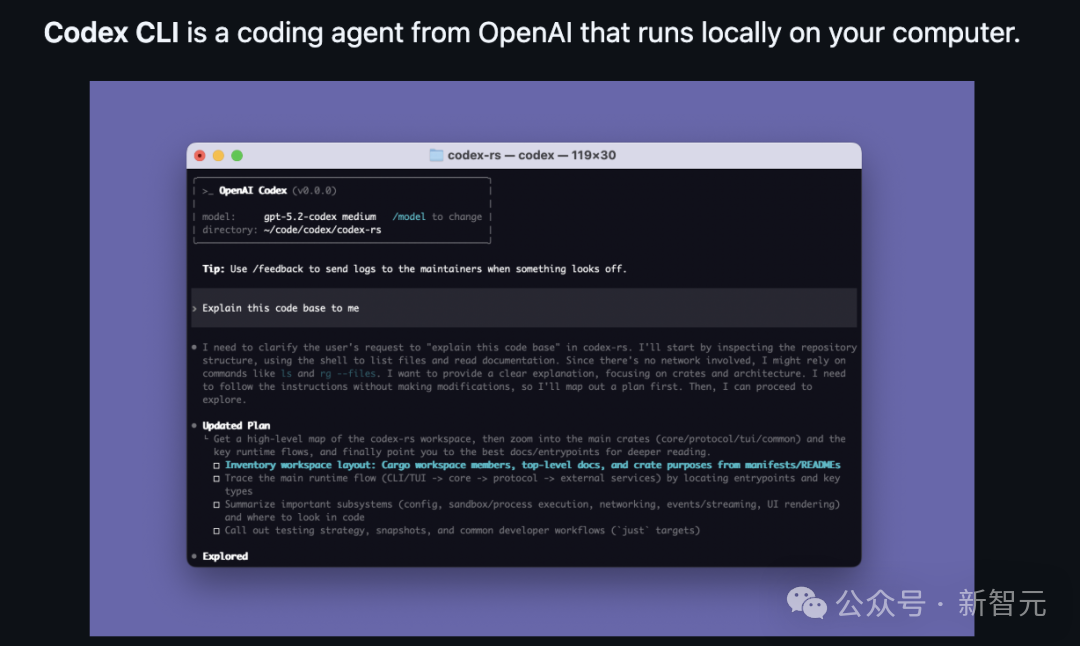
The Codex CLI startup info shows the model currently in use, and a single /model command switches it.
The Practical Limitation: The Protocols Don't Line Up
Having a socket installed doesn't mean every appliance you plug in will run. The biggest obstacle right now is protocol compatibility:
- Codex is mainly built on OpenAI's Responses API protocol
- Most open source models (such as DeepSeek) use the Chat Completions interface
- The two protocols differ in request structure, streaming output, and tool-calling mechanics
The community's workaround is to insert a "protocol converter" layer in between (such as LiteLLM or claude-code-router). The basic flow:
- Codex sends a request using the Responses API
- The routing layer converts it into Chat Completions format
- It is forwarded to open source models like DeepSeek
- The returned result is converted back into a format Codex can recognize
These protocol conversion solutions are all community-driven for now; OpenAI has not officially endorsed them, so you'll need to test stability yourself.
Hybrid Routing: The Key Money-Saving Play
An even more valuable use is hybrid routing: let GPT handle task planning (breaking down requirements, designing architecture) while open source models handle execution (writing code, batch-editing files). With this combination, the cost of the same task can drop by more than half, and the code never leaves your local machine.
Who Is It For
- Individual developers looking to cut API costs
- Enterprise teams that need code privacy and don't want to upload to the cloud
- Users who want AI coding in offline environments
- Technical explorers who want to mix and match the strengths of different models
The official documentation is now live at: https://developers.openai.com/codex/config-advanced#oss-mode-local-providers