
Seedream 5.0 Pro: ByteDance's Most Powerful Image Model, Now Live via API
ByteDance's Seedream 5.0 Pro image model is now available on Volcano Engine's API, headlining precise local editing, native text rendering in 14 languages, and layer separation.
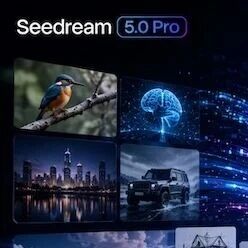
Seedream 5.0 Pro: ByteDance's Most Powerful Image Model, Now Live via API
ByteDance's Seedream 5.0 Pro image model is now available on Volcano Engine's API, headlining precise local editing, native text rendering in 14 languages, and layer separation.
ByteDance's image creation model Seedream 5.0 Pro officially opened up API access through the Volcano Engine Ark platform on July 8. It targets designers, marketing teams, and developers with professional creation needs — not another "chat box that can draw," but a tool that turns image generation, local editing, text rendering, and layer handling into something you can call in an engineering pipeline. If the 4.x generation's garbled text and broken inpainting wore you down, this version is worth re-evaluating.
Core Capabilities
Seedream 5.0 Pro's upgrades are all concentrated on "professional expressiveness" rather than piling on resolution.
1. Multimodal Input and Multi-Image Fusion
It supports three kinds of input: text, a single image, and multiple images. Subject-consistency-based multi-image fusion can merge elements from multiple reference images into one new image while keeping subjects (people, products, logos) stable. A good fit for e-commerce product shots and brand-extension assets — "same subject, new scene."
2. Pixel-Level Local Editing
This is the most practical capability of this generation. Using point selection, lasso selection, sketch rendering, and layer separation, you can make local changes without redrawing the whole image:
- Erase a passer-by in the background
- Change a poster's headline to different wording
- Circle a region with a sketch and have it re-rendered according to your description
For designers, this means AI-generated images can finally be "edited in one spot" instead of "repainted from scratch."
3. Native Text Rendering in 14 Languages
Text rendering has always been the weak spot of image models. Seedream 5.0 Pro supports native text generation in 14 languages, including Chinese, English, and Japanese — text is "painted" directly into the image rather than pasted on afterward. For posters with copy, infographics, and web UI, this saves a huge amount of time retouching type in Photoshop.
4. High-Density Information Visualization
Rendering of information-dense content — complex charts, infographics, business posters, web UI — is noticeably stronger. A single image can carry a headline, body copy, data, and charts at once without turning to mush.
5. True Photographic Texture
Photorealistic texture is clearly improved over the previous generation, suited to e-commerce hero images, portraits, and studio product shots — the scenarios that need to look "real."
How to Use It
Try it online: the Volcano Engine AI experience center (exp.volcengine.com) has opened an online trial of the Seedream 5.0 vision model, and new users can claim free Token credits.
API access: call it through the Volcano Engine Ark large-model platform. The official documentation provides a complete API reference (input/output parameters, value ranges) and example tutorials, and you can debug parameters directly in the Ark platform's API Explorer, including watermark settings and output image size control.
💡 Tip: On the documentation side, the public API reference currently focuses on the Seedream 5.0 lite version; the Pro version's parameter structure is basically identical, so confirm the Pro model name in the Ark model list before calling.
Who It's For
- E-commerce / brand marketing: batch-generate product hero images and scene extensions, with text rendered straight into the image
- Designers: use it for first drafts and local edits to cut out repetitive work
- Content teams: generate infographics and data-visualization cover images
- Developers: embed image generation into your own product via the API
The One-Line Takeaway
Seedream 5.0 Pro's differentiation isn't "prettier pictures" — it's bringing local editing, text rendering, and layer handling, the things designers actually do every day, up to a genuinely usable level. If you're looking for an image model you can call in an engineering pipeline rather than only chat with, it's currently the most worthwhile one to try in the Chinese lineup.
Related articles
Meshy: Turning Text and Images into Usable 3D Models in 20 Seconds
AI text/image-to-3D tool with a two-step workflow and FBX/OBJ/GLB/STL export, plus an official API and platform plugins.
Qwen-Image-3.0: Alibaba Qwen's Third-Generation Image Generation Model
Up to 4.5k tokens of input, crisp rendering of 10px-scale small text, and 12 languages — renders complex layouts like posters, exam papers, and storyboard comics in a single pass.
Build an Automated Reddit Overseas Customer Acquisition Workflow with Qwen 3.8
An eight-step fully automated pipeline: Apify scraping plus Qwen 3.8 scoring/drafting/self-review/retrospective — 260 posts filtered down to 22 opportunities, at a tenth of the cost.
Qwen-Audio-3.0-TTS: The Speech Synthesis Model That Can Express Emotion
Alibaba's new-generation TTS model controls laughter, gasps, and anger with tags, delivers 48kHz film-grade audio, and tops the global Speech Arena.
Qwen3.8-Max Preview: A Hands-On Early Access Guide
Qwen's 2.4T-parameter flagship preview is live on Token Plan, Qoder, and the Qwen website; officially rated second only to Fable 5 overall.

Making a Full-Scene Infographic with SenseNova U1 Pro
A hands-on tutorial for SenseTime's flagship multimodal model U1 Pro: turn raw data into a deliverable 8K infographic and full-match panoramic visual, automatically.