
Xingliu Image-2: An AI Design Whiteboard You Can Use Directly in China
Xingliu's Smart Image V2 supports batch asset generation, Edit Elements decomposition, text editing, HD upscaling, and more — think of it as a Chinese version of Lovart, usable directly in China.
Xingliu Image-2: An AI Design Whiteboard You Can Use Directly in China
Xingliu's Smart Image V2 supports batch asset generation, Edit Elements decomposition, text editing, HD upscaling, and more — think of it as a Chinese version of Lovart, usable directly in China.
Xingliu's (xingliu.art) newly launched "Smart Image V2" (Image 2) can be thought of as a Chinese version of Lovart. It's more than AI image generation — batch assets, Edit Elements decomposition, text editing, HD upscaling: all of these design workflows get done inside one tool. Users in mainland China can simply open it and start, with no network configuration needed.
Core Features
- Batch asset generation: One sentence gets you a 16-cell grid of assets, 50 company logos, or cards in 9 styles
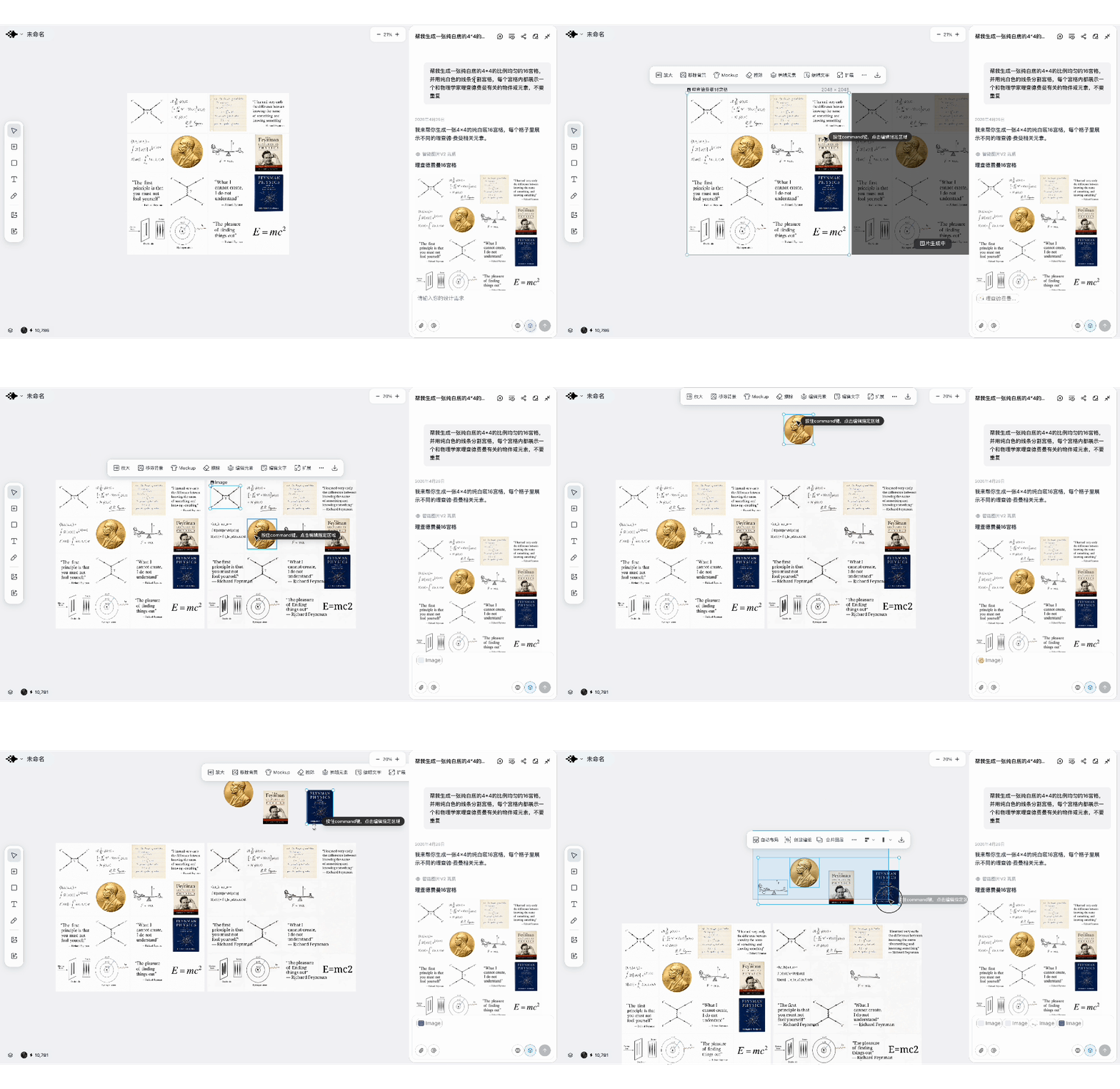
- Edit Elements: Automatically splits an image into standalone transparent PNG element layers
- Crop: Precisely cuts a single cell out of a nine-cell grid
- Edit Text: Precisely selects text in an image and replaces it, keeping visual consistency
- HD Upscale: Supports upscaling to 2K/4K/8K, retaining every detail
Before You Start
- Open https://www.xingliu.art/
- Register an account (a mainland Chinese phone number works)
- Members get a limited-time 15-day Image 2 trial with no credits required
Hands-On Walkthrough: Five Typical Scenarios
Scenario 1: A 16-cell asset library
Great for: People who make PPT animations, video assets, or infographic illustrations
Enter a prompt in Xingliu:
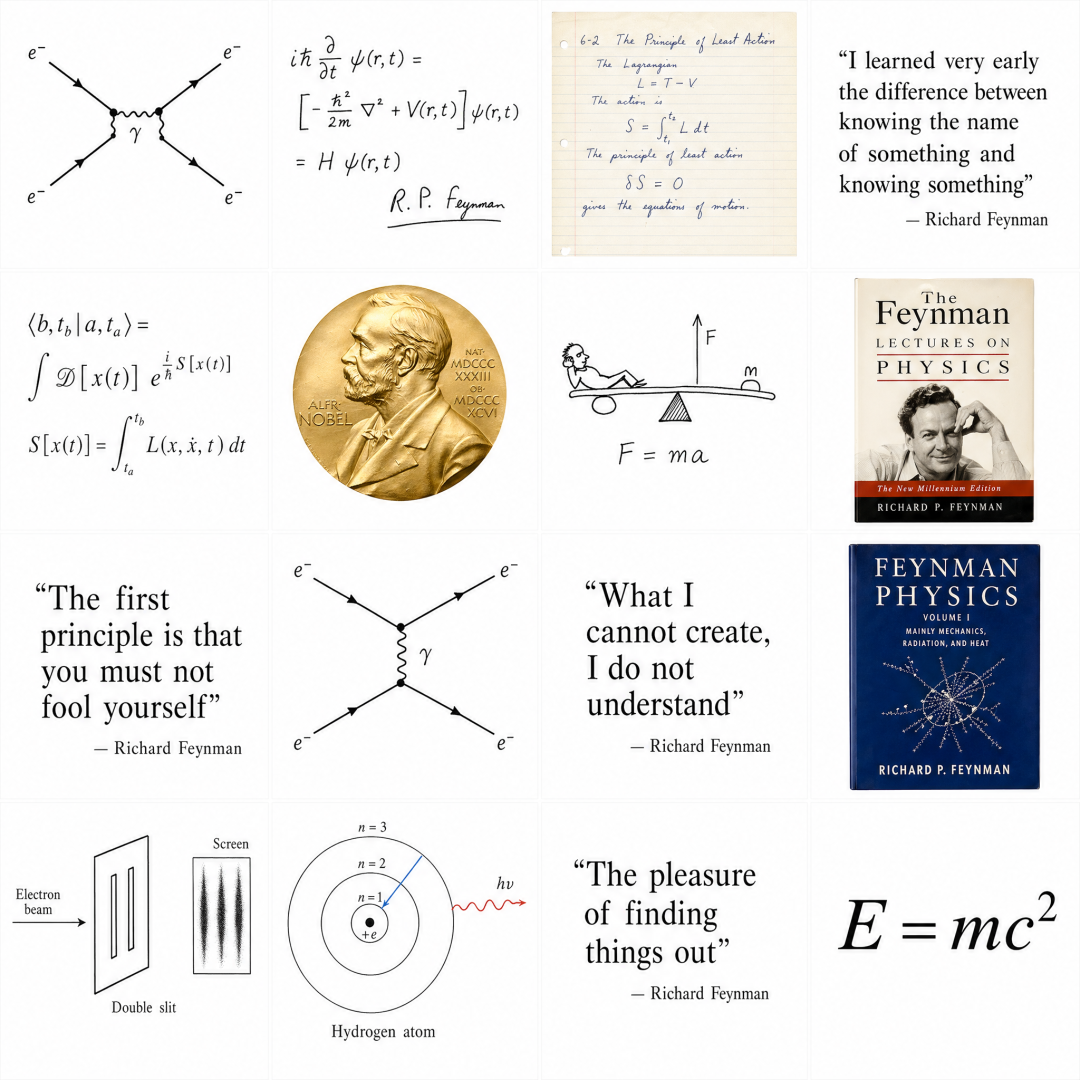
Help me generate a 16-cell grid, evenly proportioned at 4x4 on a pure white background, with the cells divided by pure white lines, and each cell showing an object or element related to the physicist Richard Feynman.
The image comes out in 30 seconds, each of the 16 elements with its own texture.
Then click "Edit Elements" and it automatically splits into 16 standalone transparent PNGs, ready to download and use.
Scenario 2: Batch-generating company logos
Great for: People making video title cards or infographics
Help me generate an image of the logos of the top 50 US companies by market cap, evenly distributed 10x5 on a white background.
The image appears in 40 seconds, and the top 30 logos are basically accurate.
Scenario 3: Drawing from a 3x3 grid to find your style
Great for: People who need to settle on a visual style but aren't sure what they like yet
Referencing my photo, generate 9 cartoon characters in different design styles for me, arranged in a 3x3 layout on a pure white canvas.
9 versions in 3 minutes, laid out in front of you to choose from.
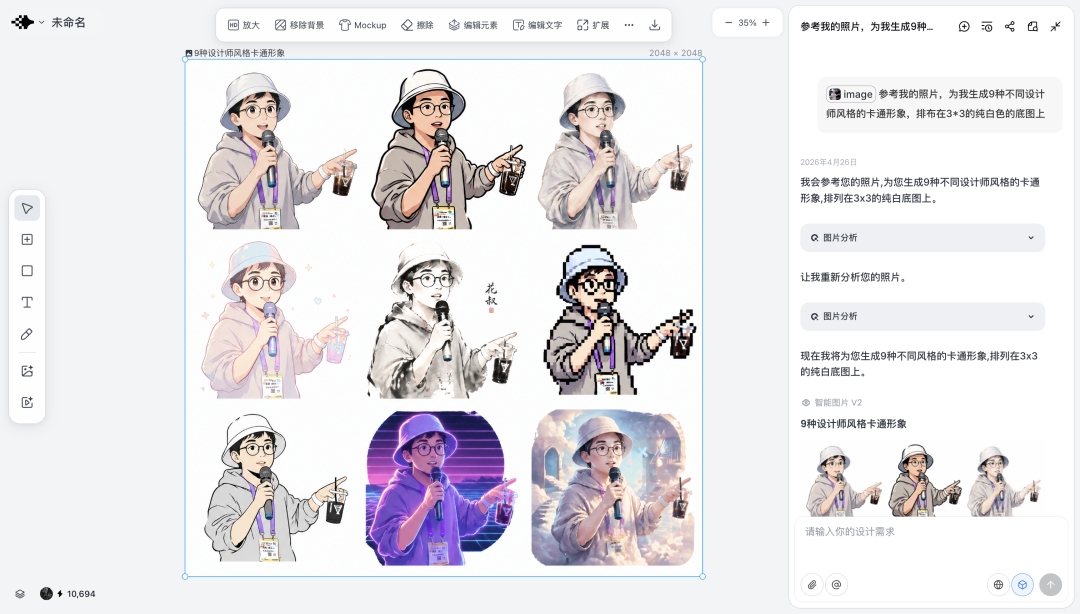
Once you've chosen, use the "Crop" tool to cut that cell out on its own.
Scenario 4: From a character mascot to a sticker pack
After locking in the cartoon character, keep going and generate a full sticker set:
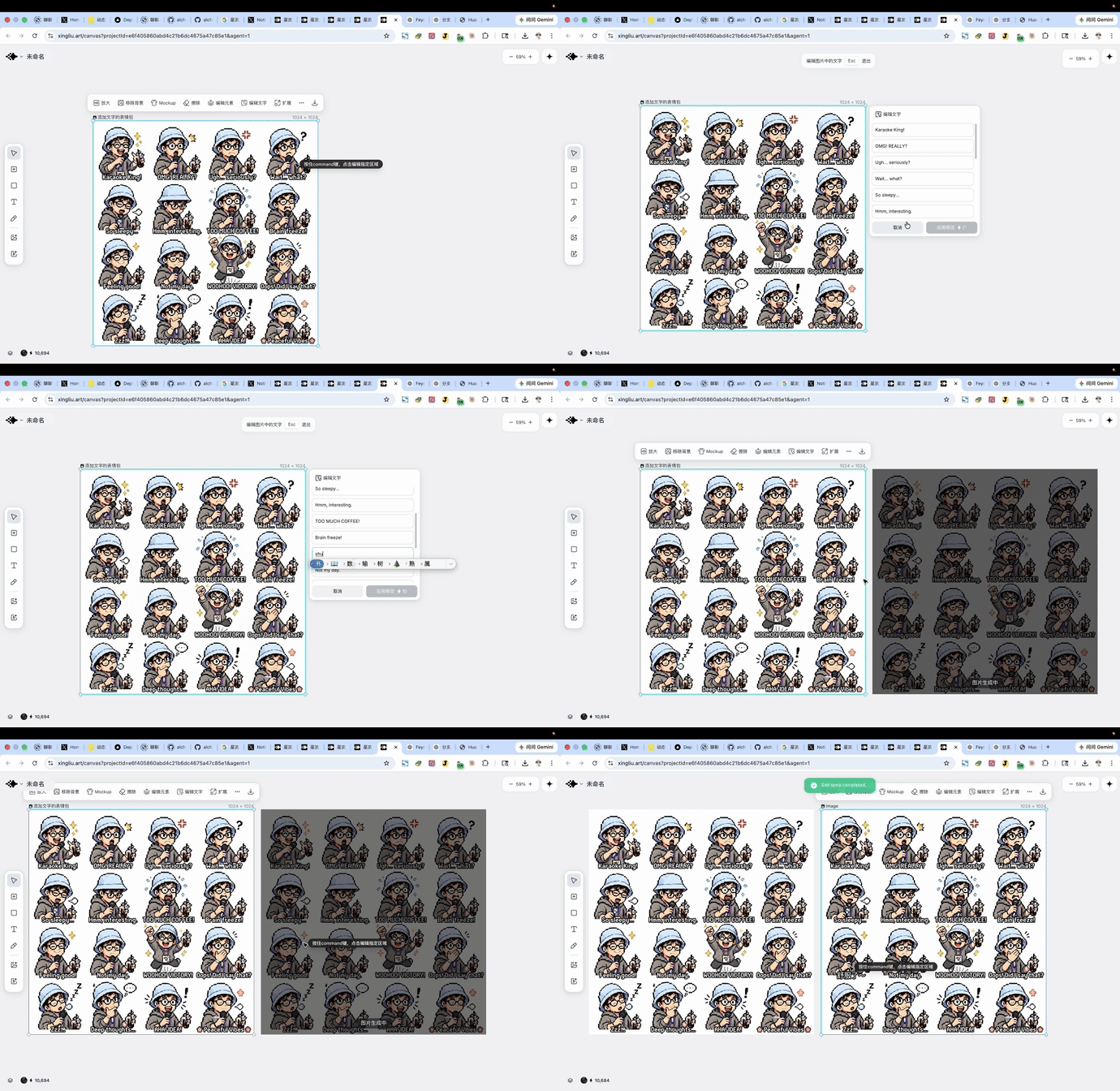
Based on this cartoon character, generate 16 different stickers for me, arranged in a 4x4 layout on a pure white canvas.
16 stickers, unified in style with features preserved. Then use the "Edit Text" feature to change the English labels to Chinese — precisely select the text and replace it directly, with the visuals staying completely consistent.
Scenario 5: A complete brand visual system
Upload your character mascot as a reference image, and in 3 minutes you get a complete brand system including logo, color palette, typography, business cards, T-shirts, mugs, and stickers.
Resolution not enough? Click "HD Upscale" to go straight up to 8K, with pixel-level detail fully preserved.
The Core Technique
The essence of Image 2 isn't "drawing one picture" — it's giving you the maximum in a single shot:
- First explore options with batch generation (16-cell or 9-cell grids)
- Lock in your target with Crop
- Extract assets with Edit Elements
- Make localization tweaks with Edit Text
- Meet print requirements with HD Upscale
The whole thing takes under 30 minutes, going from one photo to a complete brand visual system.
Real-World Experience
Strengths:
- Extremely high character consistency
- Stable text rendering for Chinese (including Traditional)
- The "Edit Elements" auto-decomposition feature is hugely valuable for PPT/video creators
- Almost no loss of visual consistency after text editing
Limitations:
- Some generated content needs manual verification (e.g., company logo accuracy)
- The model "thinks" about the content before generating, and its reasoning occasionally goes off
How to Get It
- Official site: https://www.xingliu.art/
- Accessible directly from mainland China, no special network configuration needed
- Members get a limited-time 15-day Image 2 trial with no credits required
Toolin Editorial Team
Categories
Related articles

CapCut AI Assistant Hands-On: Editing Video with Natural Language
CapCut has launched an AI Assistant feature. Batch editing, BGM addition, watermark removal, copywriting, and more can all be done through natural language, dramatically lowering the barrier to video creation.
329 GPT-Image-2 Prompt Templates: An Industrial-Grade Image Generation Engine
The open-source project awesome-gpt-image-2 reverse-engineered 329 GPT-Image-2 prompts into JSON/YAML structured templates, letting agents batch-generate images with zero hallucination.
Building a Cost-Effective AI Coding Environment with Claude Code + MiMo-V2.5-Pro
Pair Xiaomi's MiMo-V2.5-Pro open-source model with Claude Code: API pricing at just 40% of Opus, support for 1M-token context, plus a detailed setup tutorial