FloorDrafter
An AI floor plan tool that redraws sketches and old drawings
Tool details
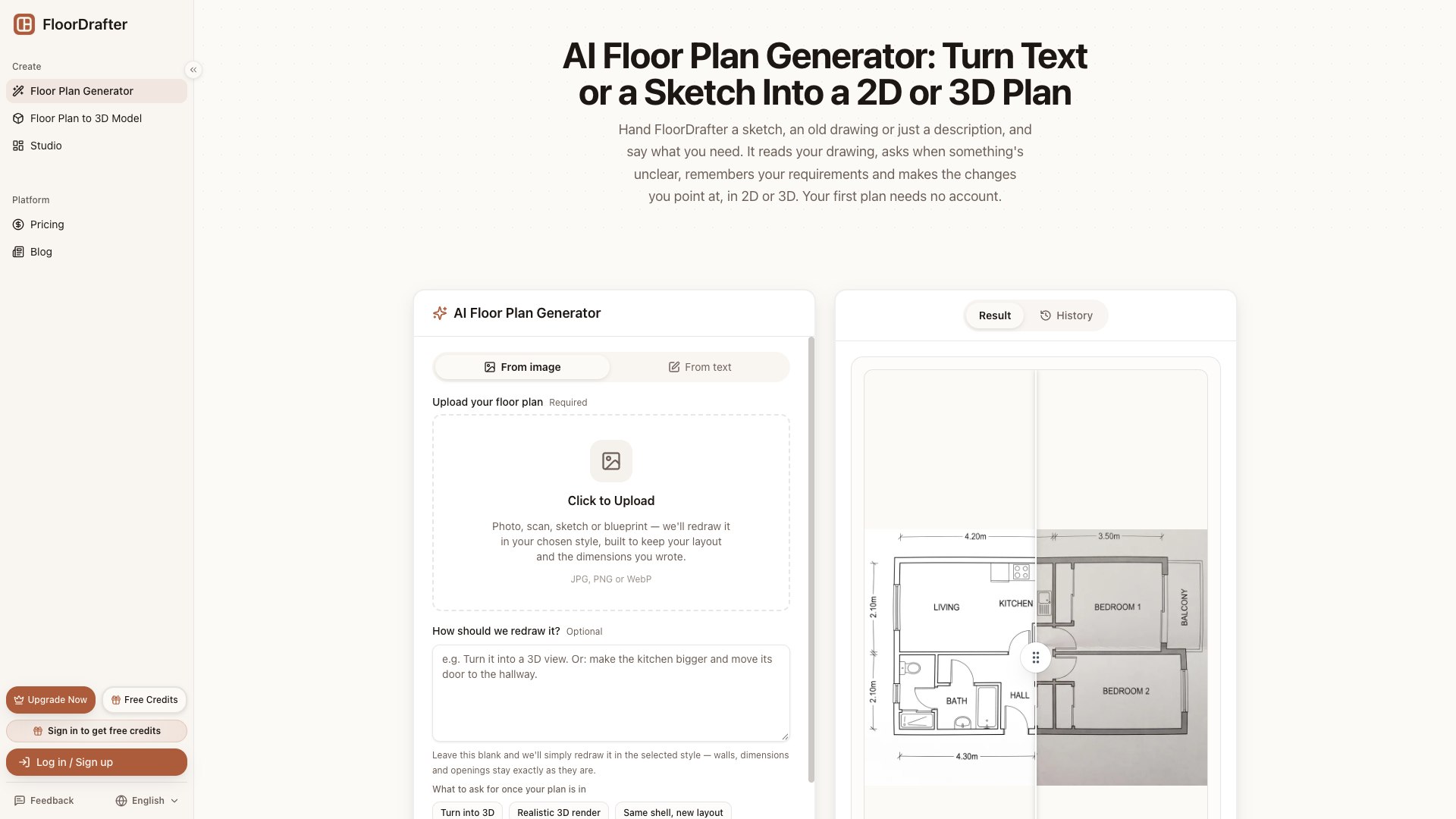
FloorDrafter is an AI tool that redraws an existing sketch or old floor plan into a finished 2D/3D drawing, and its official subheadline says it plainly: "Redraw, not redesign." It does not design the space for you, it only makes the drawing in your hand presentable enough to show someone.
Core capabilities
- Image redrawing: Text, or a JPG/PNG/WebP/PDF sketch, goes in, and the server returns a 2048² continuous-tone bitmap (not vector) through a third-party aggregation gateway, in five styles: photorealistic, CAD linework, color plan, 2.5D, and 3D.
- Conversational planning: A real LLM first asks dynamic follow-up questions about purpose, area, and rooms, then rewrites the prompt and produces a structured brief; the requirement card can be read and edited.
- Region redrawing: Circle, outline, or brush an area on the image and add one note, and the model reads the marks and makes a local change; a boxed element can also be dragged to a new position.
- Free text edits: Room names on the linework can be clicked and replaced, or deleted in bulk by matching name; this is really client-side regex matching plus sprite compositing, so it costs no credits.
- Version tree: Version branches can be rolled back at any time, checked against the original side by side or overlaid, and a candidate version is produced as well so you can pick the closer one.
- Export: PNG supports 2K/4K, Pro and above can export DXF linework of walls, doors, and windows, and removing the watermark requires payment.
Where it fits Homeowners doing a DIY renovation, real estate agents and short-term rental hosts making listing diagrams, small design studios and contractors discussing a proposal, architecture students producing a concept layout — anyone who has an old drawing in hand and just needs one presentable image.
Distinctive strengths magicplan measures real space, and RoomSketcher and Floorplanner give you vector objects with draggable walls; FloorDrafter only does "image to image." The difference is the compensation machinery: a check sheet against the original, dual candidates, free text edits, and a version tree, all prepared for the fact that a redraw inevitably drifts.
Editorial take As an image-making tool it is worth a short trial: the image generation and LLM planning pipeline is real and verifiable, and the free allowance is enough to judge whether it fits your hands. But the official FAQ itself says it is not a CAD editor — you cannot drag walls or enter precise dimensions, the DXF has no room names or dimension annotations and there is no DWG, and it admits the geometry is painted on. The upgrade path is to verify the feel first and then go Pro for 4K and no watermark; for a long-term subscription, weigh that it cannot replace professional drafting.
Pricing
Freemium$0 (daily check-ins plus signup credits; the first drawing is possible without an account)No account and no credit card are needed to generate and download the first image (subject to device-fingerprint quota and regional limits); signup additionally grants 3 credits, valid for 30 days.Signup grants 3 credits (30 days) + daily check-in top-ups; 2K output, PNG with watermark
150 credits/mo (about 50 2K images); unlocks 4K, no watermark, DXF export, and a commercial license
400 credits/mo (about 133 2K images); everything in Pro + highest priority + 24h email support
Equivalent to $12/mo, which is an annualized equivalent, not the monthly price; the real monthly price is $19/mo
Equivalent to $24/mo, likewise an annualized equivalent; the real monthly price is $39/mo
Valid for 365 days, purchasable at any tier and unlocks watermark-free output; unit price $0.29/credit, clearly more expensive than a subscription
Valid for 365 days, available even on the free tier; unit price $0.1475/credit, still above the roughly $0.08/credit equivalent of Pro annual
Additional notes
The pricing page shows annual billing by default on the first screen; the $12 / $24 on the cards is the annualized monthly equivalent, not the real monthly price — the real monthly prices are Pro $19/mo and Studio $39/mo. Credit packs are for temporary top-ups, and the 400-credit pack at $0.1475/credit is above the roughly $0.08/credit equivalent of Pro annual. The free allowance comes from daily check-ins + 3 signup credits, has a daily cap, and the agent produces at most 3 images per round; the free trial is also limited by region and by device-fingerprint quota. Refund terms: annual plans are fully refundable within 14 days with usage of 20% or less, monthly plans are not refunded pro rata, and credit packs are non-refundable once used.
FAQ
User reviews
User Reviews
No reviews yet
No one has reviewed this tool yet