
Replacing CleanMyMac with an Open-Source Skill
An open-source computer-cleanup skill has an agent run a read-only analysis of your Mac/Windows machine, produce a visual HTML report, and clean in tiers — it freed 120G of space in real testing.
Replacing CleanMyMac with an Open-Source Skill
An open-source computer-cleanup skill has an agent run a read-only analysis of your Mac/Windows machine, produce a visual HTML report, and clean in tiers — it freed 120G of space in real testing.
An AI agent skill that scans your Mac or Windows machine in a few minutes and generates a visual HTML cleanup report. A three-color grading tells you what's safe to delete, what deserves a look before deciding, and what you must never touch. In real testing it freed up 120G of space — better results than the paid CleanMyMac.
What This Skill Is
This is an open-source agent skill that lets AI coding tools like Codex and Claude Code clean up your computer's storage for you.
Its core advantages:
- Fully transparent: every item comes with the exact path, size, and an explanation of what it is and what happens if you delete it
- Three-color grading: green means delete freely, yellow means look first then delete, red means don't touch
- Interactive operation: click buttons right on the web page to clean, with double confirmation supported
- Works on both Mac and Windows
GitHub address: github.com/KKKKhazix/khazix-skills
How to Use It
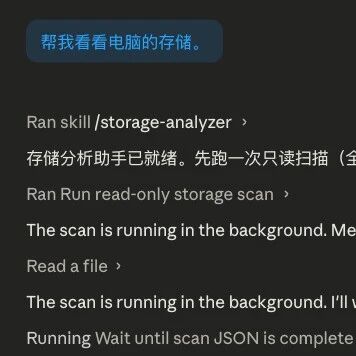
Send the following to your agent (Codex / Claude Code / OpenClaw all work):
Take a look at my storage for meIf your agent already has this skill installed, it triggers automatically. If not, have the agent install it first:
Please install the junk-cleanup skill from https://github.com/KKKKhazix/khazix-skillsWhat the Scan Results Look Like
When the scan finishes, the agent opens an interactive HTML report in your browser.
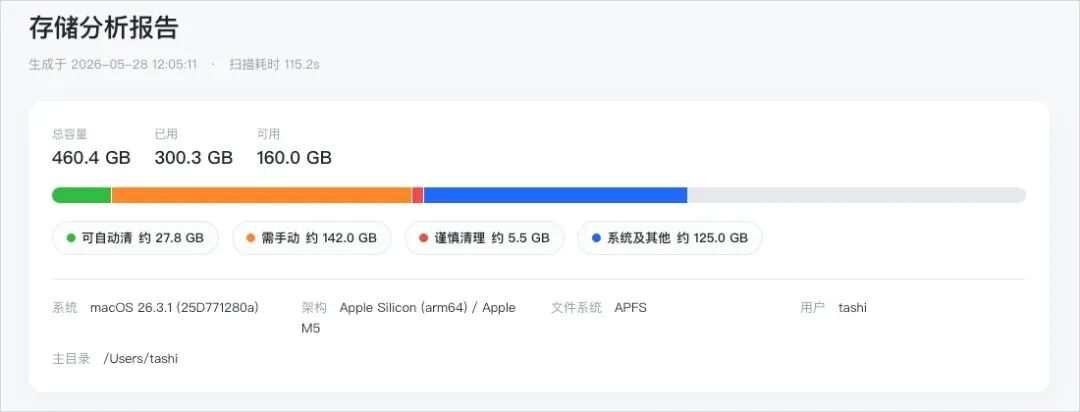
Disk Overview
Total capacity, used, and remaining space at a glance, shown with intuitive colored progress bars.
Top 5 Space Hogs
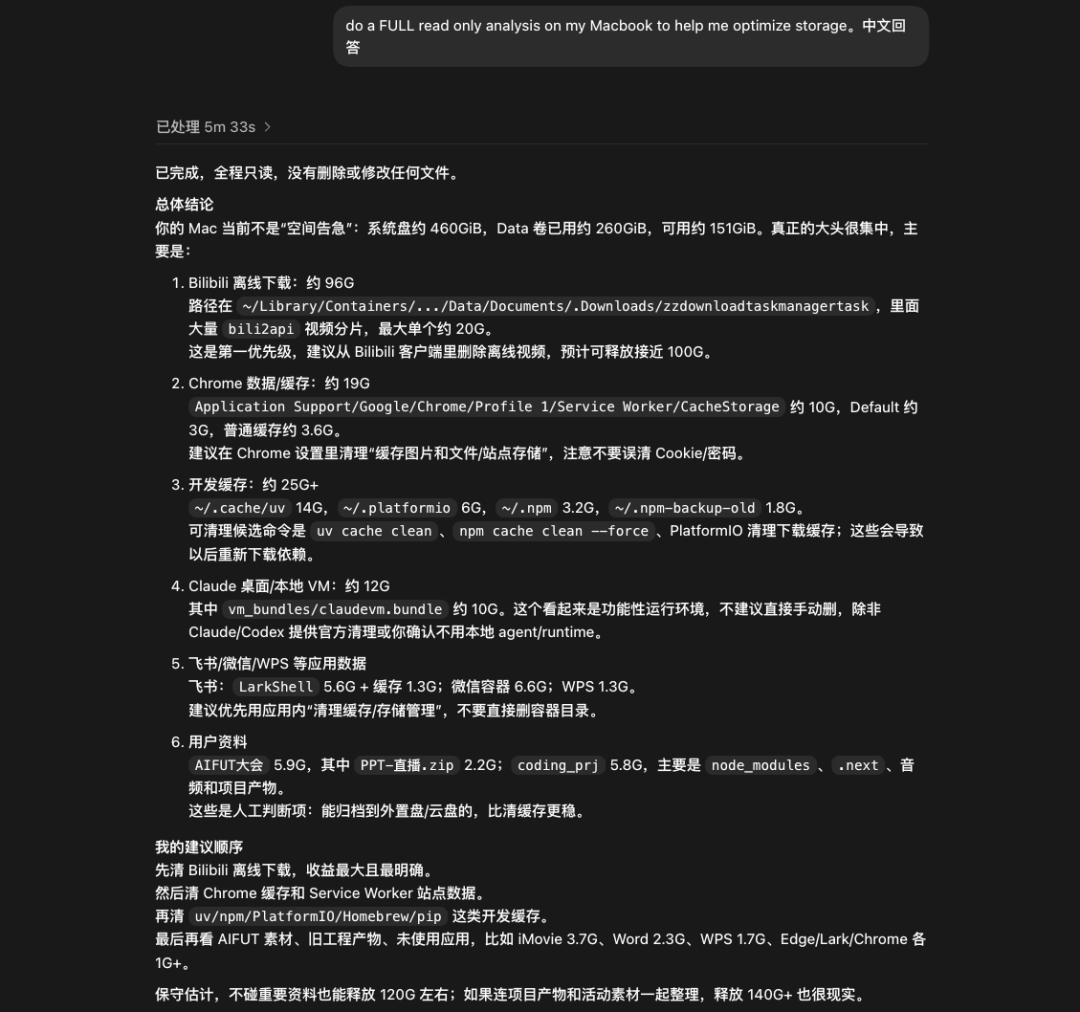
Every item has a color tag, a type, the full path, and a one-line explanation. In the author's own test, the Bilibili offline download cache ranked first at 96.7G — anime videos downloaded for a flight, never watched once.

Three-Color Grading Details
This is the core of the whole thing.
Green (delete freely): pure caches, temporary files, leftover installers. Each item expands to show the path and the cleanup command. Both "move to Trash" (recoverable) and "delete permanently" (unrecoverable) are supported, each with a double-confirmation dialog.
Yellow (look before deciding): content that needs a human gatekeeper, like Bilibili cached videos or installers sitting in the Downloads folder. Yellow items offer no direct delete button — only "reveal in Finder" so you can judge for yourself.
Red (don't touch): system files, core data of running apps, and the like. The agent explains why each one can't be moved.
One-Click Cleanup
If you don't want to handle items one by one, the top-right corner has "move all to Trash" and "delete all" buttons.
Compared with CleanMyMac
| Dimension | Agent Skill | CleanMyMac |
|---|---|---|
| Cost | Free | $40/year or $120 for a lifetime license |
| Transparency | Every item has a path, an explanation, and its impact | Just tells you "user cache files" |
| Personalization | Understands "clean out the Bilibili videos I've already watched" | Fixed rules; can't see user behavior |
| Scan speed | A few minutes | About half an hour |
| Space found | 120G+ | 15.8G |
| Platforms | Mac + Windows | Mac only |
The key difference: CleanMyMac can only scan junk files in the traditional sense — it can't see the videos you casually downloaded. An agent can read the content and context of every file and knows that the 96.7G of videos under the Bilibili directory is yours to clean.
Safety Design
The scan is read-only throughout; no write operations are allowed during the scanning phase. Cleanup only executes after you actively click the delete button on the report page, the browser pops a confirmation dialog, and you confirm a second time.
Practical Advice
Run a scan first before using it, and see what's hiding on your computer. Be careful with deletions — for yellow and red items, look before you decide. This skill's most valuable feature isn't "deleting for you" but "letting you see" — knowing exactly what your storage is actually filled with.