
A CLAUDE.md Rules System for Effective Agent Collaboration
Build a constraint system with global and project-level CLAUDE.md files so agent tools like Claude Code maintain consistent behavior and code quality across your development projects.

A CLAUDE.md Rules System for Effective Agent Collaboration
Build a constraint system with global and project-level CLAUDE.md files so agent tools like Claude Code maintain consistent behavior and code quality across your development projects.
Many people use agent tools (like Claude Code) this way: open a conversation, describe what you need, get a result. But on real projects, you'll notice the agent keeps "losing its memory" — files end up in random places, naming is arbitrary, and you have to re-explain your preferences every time.
This tutorial helps you build a top-down rules system so the agent knows what to do every time it wakes up.
What Is CLAUDE.md
CLAUDE.md is the first file Claude Code reads and follows after entering a working directory. Think of it as the agent's code of conduct. It has two layers:
- Global CLAUDE.md: lives in your home directory and applies to all projects
- Project-level CLAUDE.md: lives in the project root and applies only to that project
Rules cascade from the top down: global constraints form the baseline, project constraints refine them.
What You Need Before Starting
- Claude Code (or a similar agent tool) installed
- A project directory you'll maintain long term
- Estimated time: 30-60 minutes
Step-by-Step
Step 1: Create the Global CLAUDE.md
Create ~/.claude/CLAUDE.md in your home directory and write in your general working principles. Here's a battle-tested template you can adapt to your own situation:
## About Me
[Your identity and role, e.g.: full-stack developer / product manager / indie developer]

## First Principles
Make every decision from the essence of the problem, never copying an approach just because "that's how it's always done."
No flattery. Don't praise my ideas. Give me your honest judgment — if a plan has problems, point them out directly.

## Constraints First
Whether it's a development project or a knowledge management project, the first step is always setting up rules:
- New project: write the CLAUDE.md first
- New directory: define structure conventions first (what goes where, how to name things, when to clean up)
- Never touch an unregulated workspace
- When conventions need adjusting, change the documentation first, then the practice — never the reverse

## Working Style
- Default to Chinese, code in English
- Conclusion first, then the reasoning
- For vague requirements, propose the most reasonable plan first, then ask if it needs adjusting

## Development Habits
- Run verification proactively after changes (test / lint / build) — never change without verifying
- Never comment out errors just to make code run; find the root cause
- Keys, tokens, and passwords never go into code

## Git and Deployment
- Write commit messages in English, concisely describing the intent of the change
- Only run git push when I say soTip: Don't put too many project-specific rules in the global CLAUDE.md — keep only "who you are" and "how you work." Project details go in the next layer down.
Step 2: Create the Project-Level CLAUDE.md
Create a CLAUDE.md in each project's root directory defining that project's specific rules:
# Project Name

## Overview
[One sentence on what this project does]

## Directory Structure
src/ components/ # UI components hooks/ # Custom hooks utils/ # Utility functions pages/ # Page components tests/ docs/ _sandbox/ # Experimental content, auto-cleaned after 30 days
## Naming Conventions
- Component files: PascalCase (e.g., UserProfile.tsx)
- Utility functions: camelCase (e.g., formatDate.ts)
- Constants: UPPER_SNAKE_CASE
- Test files: [source-file-name].test.ts

## Tech Stack
- Framework: Next.js 14
- State management: Zustand
- Styling: Tailwind CSS
- Package management: pnpm

## Development Rules
- Every new component must come with tests
- API routes go under src/app/api/
- Environment variables are managed in .env.local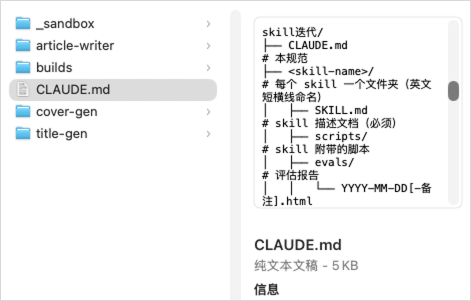
Step 3: Verify the Rules Take Effect
After saving CLAUDE.md, start Claude Code in the project directory, give it a simple task, and watch whether it:
- Read the conventions in CLAUDE.md
- Placed files according to the directory structure you defined
- Followed the naming conventions
You can ask it directly: "Read this project's CLAUDE.md and tell me which conventions you picked up."

Why "Constraints First" Beats Prompt Tricks
An agent's short-term memory is lost when the conversation closes. The next time you open it, the only things it can see are the documents and memory files you left behind. What's written in your documents directly determines whether the agent wakes up clear-headed or groggy.
Key principles:
- Write rules into documents, don't just keep them in your head. Whatever you know but haven't written down simply doesn't exist for the agent
- Rules cascade from the top down. Global conventions are the city's main roads; project conventions are the local side streets
- Change the documentation first, then the practice. Rules aren't set in stone, but changing them must itself follow the process
FAQ
- How long should CLAUDE.md be?: Keep the global one within 30-50 lines; adjust the project-level one based on complexity. Too long and the agent ignores it; too short and it doesn't constrain enough
- What if the rules and the agent's actual behavior diverge?: Update the document first, then have the agent run the task again. Don't just correct it verbally in conversation and leave it at that
- How do you reuse rules across projects?: Put the common parts in the global CLAUDE.md and project-specific ones at the project level. The two layers apply together
Related articles
Baidu DuMate, A Practical Guide: From Installation to Office Automation
A full walkthrough of DuMate, the general-purpose office agent from Baidu, covering installation, skills, app connections, and automation — get up and running in 3 minutes and hand your daily office chores to AI.
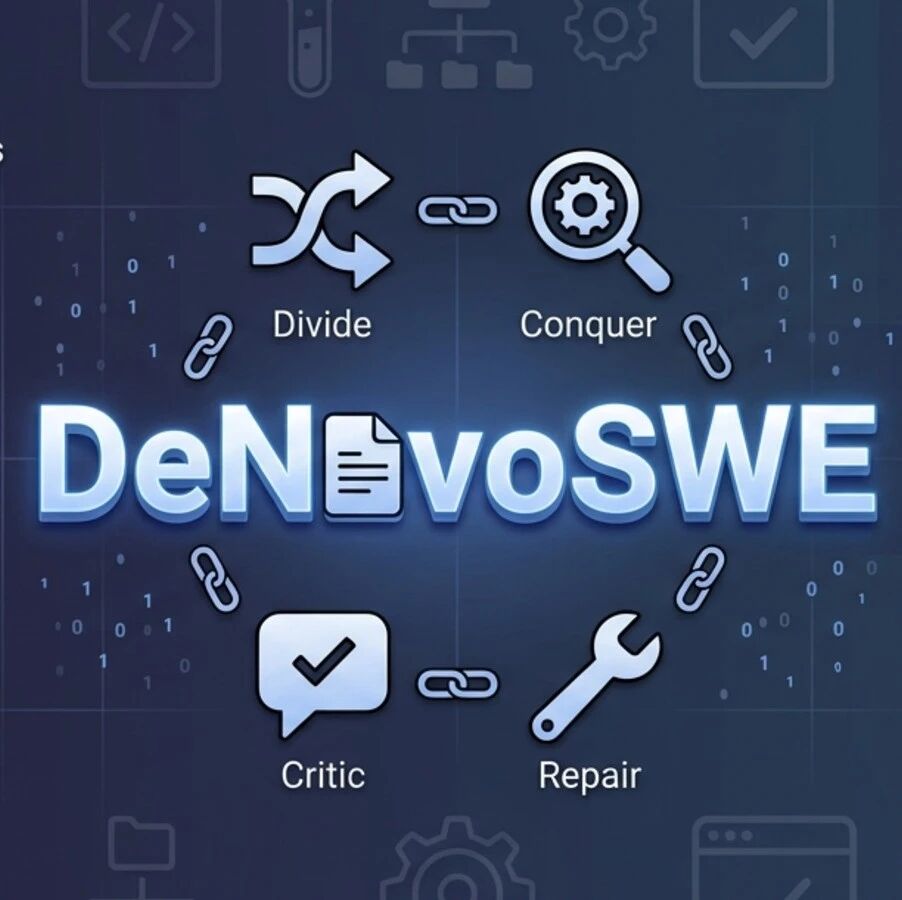
DeNovoSWE: The First Long-Horizon Doc2Repo Training Set, Teaching Code Agents to Build Repositories
Renmin University's Gaoling School has released the DeNovoSWE dataset — 4818 real task instances that train Code Agents to generate complete repositories from documentation, lifting Qwen3-30B from 5.8% to 47.2% on BeyondSWE-Doc2Repo.
Doubao Seed 2.1 Pro, Hands-On: Coding Enters the Top Tier, with Multimodal Surprises
A hands-on review of ByteDance's Doubao Seed 2.1 Pro: agent coding and multimodal capability have crossed the production-ready line, including rebuilding front-end interactions from screenshots, at a price nearly 80% lower than Claude Opus 4.6.
Hyper3D Rodin Gen-2.5: A Million Polygons in 4 Seconds as Thinking Comes to 3D Generation
Deemos has released Hyper3D Rodin Gen-2.5, the first to bring an LLM-like Thinking mechanism to 3D generation — million-polygon models in 4 seconds, 10-million-polygon precision, and native 12K texturing.

Hands-On with WeChat's "Xiaowei" AI Assistant: 12 Entry Points Covering Chat, Content, and Documents
WeChat's native AI assistant Xiaowei is in gray testing. Its main model is the in-house WeLM; it can search chat history, summarize official-account articles, and invoke local-life services, with a second confirmation required for sensitive operations.
DeNovoSWE: The First Long-Horizon Doc2Repo Training Set, Teaching Code Agents to Build Repositories
The Gaoling School of AI at Renmin University of China has released DeNovoSWE, the first long-horizon training set for generating complete repositories from documents, with 4818 real task instances; Qwen3-30B improved from 5.8% to 47.2% on BeyondSWE-Doc2Repo.