
Claude Design Hands-On: Professional-Grade Design from a Single Prompt
Claude Design can build web pages, PPTs, prototypes, and even animated videos. This article collects the full set of use cases plus official practical tips, with the access URL and example prompts.
Claude Design Hands-On: Professional-Grade Design from a Single Prompt
Claude Design can build web pages, PPTs, prototypes, and even animated videos. This article collects the full set of use cases plus official practical tips, with the access URL and example prompts.
Claude Design is an AI design tool from Anthropic, integrated into the Claude web app. One sentence gets you a complete web page, PPT, app prototype, or even an animated video, with design taste and interaction quality far beyond similar tools. This article rounds up its core use cases and a getting-started guide.
What Is Claude Design
Put simply, Claude Design = AI designer + front-end engineer + product manager. You give it a natural-language description and it directly produces deliverable design output: interactive prototypes, slide decks, web pages, and animations. The results hand off seamlessly to Claude Code for further iteration.
Where to try it: https://claude.ai/design
Currently open only to Pro, Max, Team, and Enterprise subscribers, with weekly usage limits.
Core Capabilities at a Glance
Use Case 1: One-Shot High-Quality Web Pages
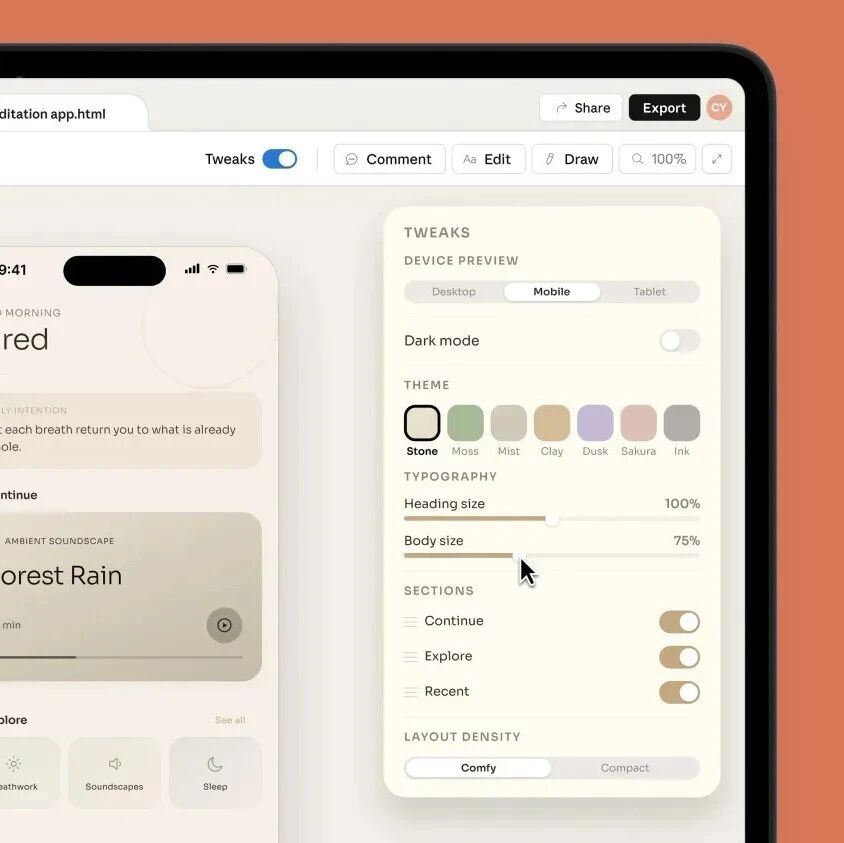
Type one sentence and Claude Design generates a complete web page with UI, color scheme, and motion — quality far beyond the "gradient purple" look of other AI web page tools.

Example prompt: Imagine you are designing wallpapers for a futuristic operating system. Create five different interactive shader wallpapers that react to the mouse position and even to clicks.
The generated page can be imported straight into Claude Code for further development and iteration.
Use Case 2: Text Particle Effects and Animation
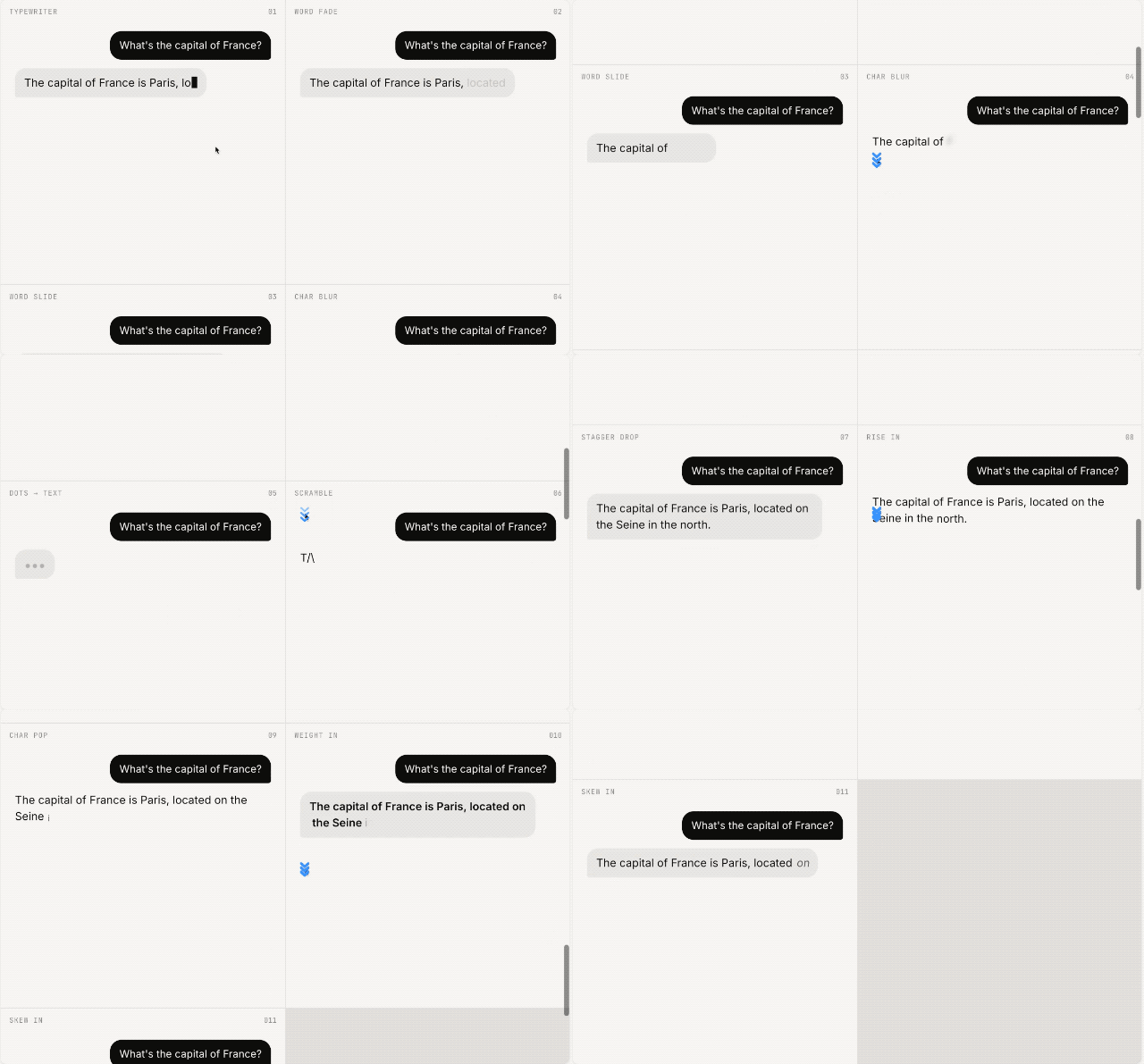
Claude Design can add fire, smoke, metal, wind, snow, and other particle effects to text, and can generate 11 text animations in one go (typewriter, fade, slide-in, blur, pop, and more).
Use Case 3: PPT and Slides
The built-in slide generator first learns what you need through a short questionnaire (language, page count, audience background, etc.), then produces a complete PPT with speaker notes.
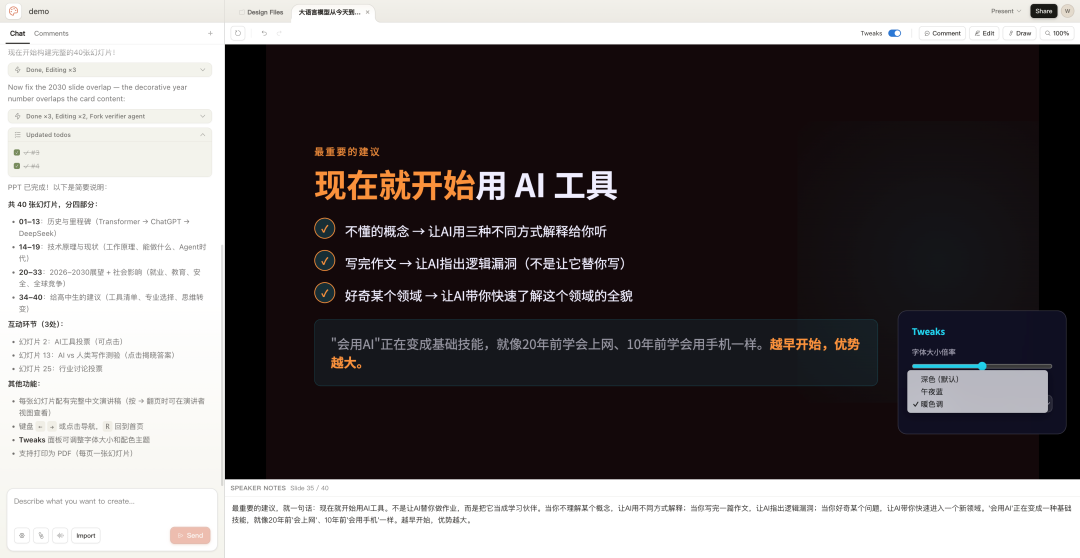
Example prompt: I'm giving a talk to high school students on the development of large language models -- from 2026 to 2030, one hour long. Design a PPT for me.
Use Case 4: App Prototyping
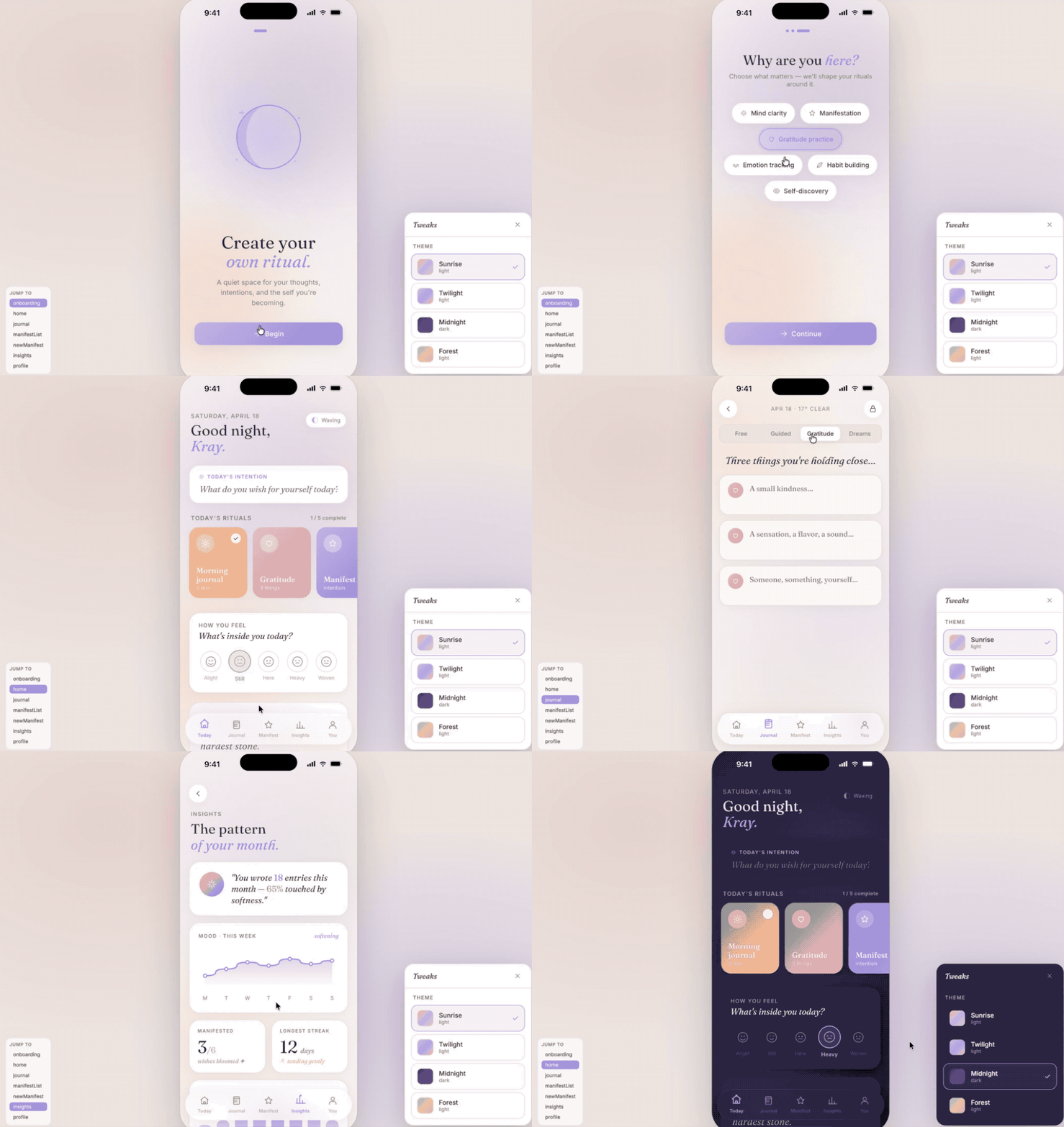
It supports high-fidelity app prototypes with complete interaction flows, component libraries, and design system documentation.
Use Case 5: Animation and Video
It uses sprite sheet (Sprite) techniques to generate animations, including creative pieces like a universe simulation, brand stories, and Nintendo history.

Hands-On Walkthrough
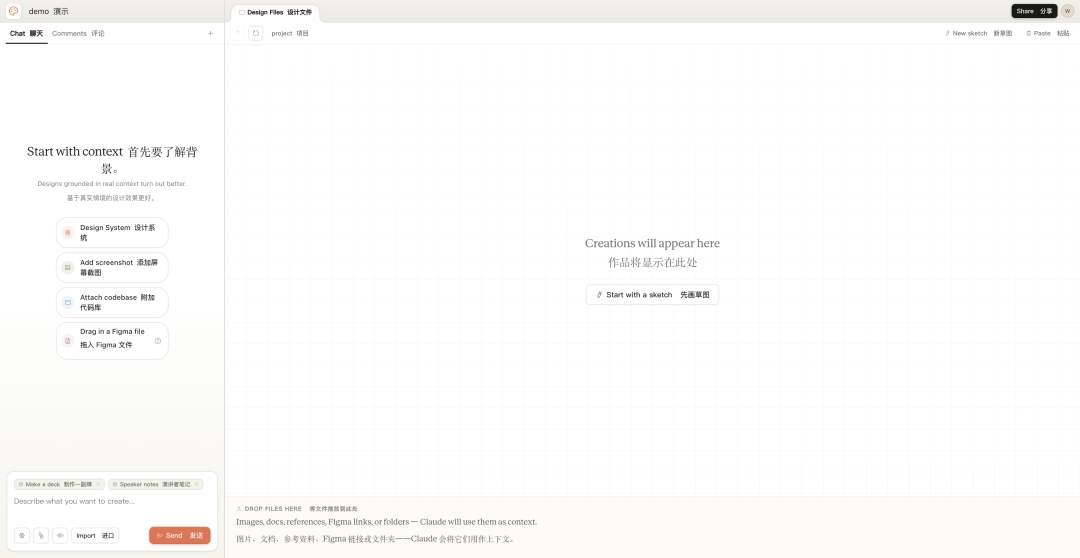
Visit https://claude.ai/design to open Claude Design. The left side is a chat window; on the right you can sketch first and let Claude complete the design from your sketch.
The interface supports creating different project types: prototyping (wireframes / high-fidelity), slides, starting from a template, and more.
7 Practical Tips from the Official Team
Best practices shared by Claude Design designer Ryan Mather:
- Set up a design system first: Spend an hour setting up your design system and core screens, and every later project can reuse them
- Iterate with engineers in real time: Claude prototypes fast, so you can discuss while the design takes shape
- Use the comment tool for precise edits: Once a rough draft is out, mark up edits directly with the comment tool — more efficient than describing them in words
- Have Claude make video demos: It is more like Claude Code than a traditional canvas design tool
- Make the most of connectors: Once docs / slack and other data sources are connected, you can just say "create a deck from the meeting notes"
- Have Claude build custom tools: Don't use it as a canvas tool — try getting it to do things you'd never have thought of
- Know when to slow down: Hand-craft details like icons and naming; don't get swept along by the fast pace
Who It's For
- Product managers: Turn out prototypes and interaction designs quickly to validate product ideas
- Designers: Let AI produce the first draft, then focus on detail polishing and brand tone
- Marketers: One-click marketing emails, brand decks, and social media assets
- Teachers/speakers: Quickly build PPTs and teaching animations
- Indie developers: Design to code, all in one place
Toolin Editorial Team
Categories
Related articles
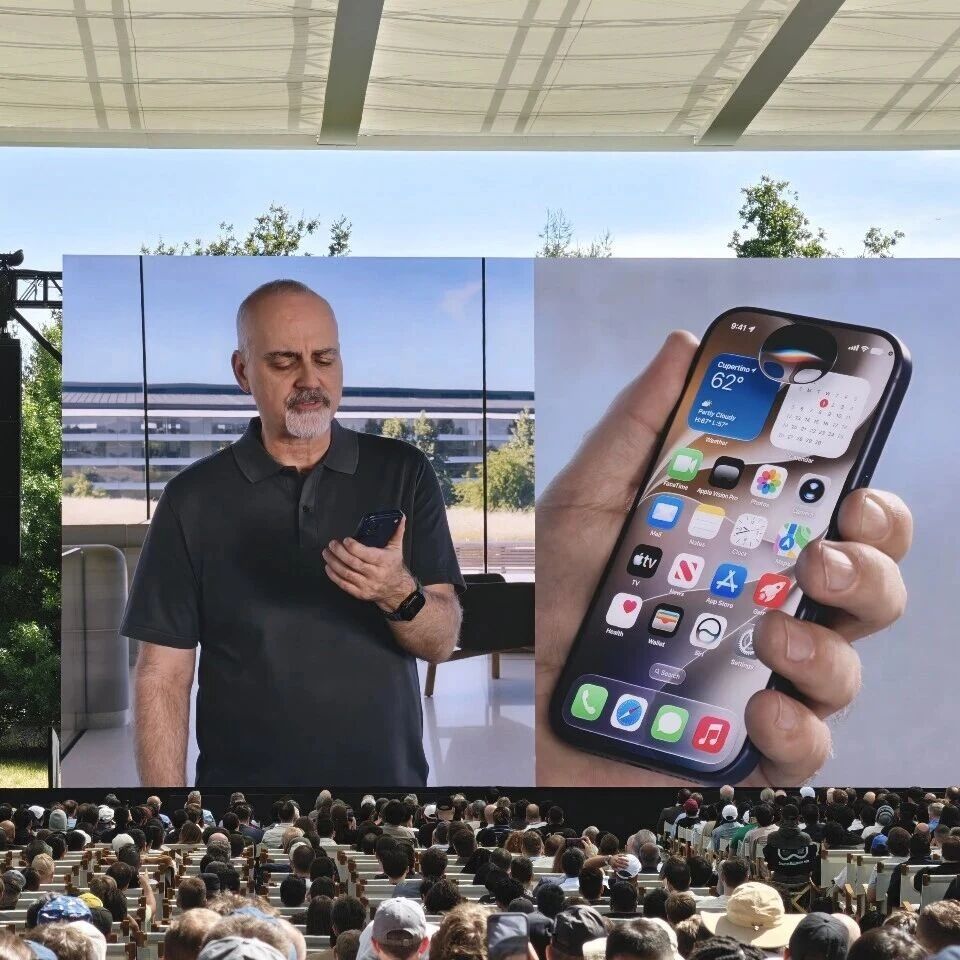
iOS 27's Siri Overhaul: Standalone App, Multi-Turn Chat, Deep Dynamic Island Integration
In iOS 27, Siri becomes a standalone app with multi-turn conversation and screen awareness, and Apple Intelligence integrates deeply with the Dynamic Island — but mainland China users will have to wait

WeChat AI Developer Beta: One Line of Code Turns Mini Programs into AI Skills
WeChat AI has opened developer access with an auto mode and a developer mode, converting mini programs into Agent skills the AI can call — with zero code required

Hermes Agent: The AI Agent Framework That Grows Its Own Skills
Hermes Agent is an open-source AI Agent framework from Nous Research with over 180,000 GitHub stars, whose defining trait is self-evolution without manual coaching — now with a desktop app and support for 23 messaging platforms.
ByteDance's Lance: One 3B Model That Sees, Draws, and Edits Images and Videos End to End
ByteDance has open-sourced Lance, a natively unified multimodal model with only 3B activated parameters that covers image and video understanding, generation, and editing all at once — hitting #1 on Hugging Face Trending the moment it shipped.

Xiaomi MiMo UltraSpeed: A Trillion-Parameter Model Running at 1000 tokens/s
Xiaomi's MiMo-V2.5-Pro UltraSpeed delivers 1000 tokens/s on a trillion-parameter model running on generic 8-GPU hardware — and it's the full-strength Pro version, not a dumbed-down Flash variant. The API is live and taking applications.
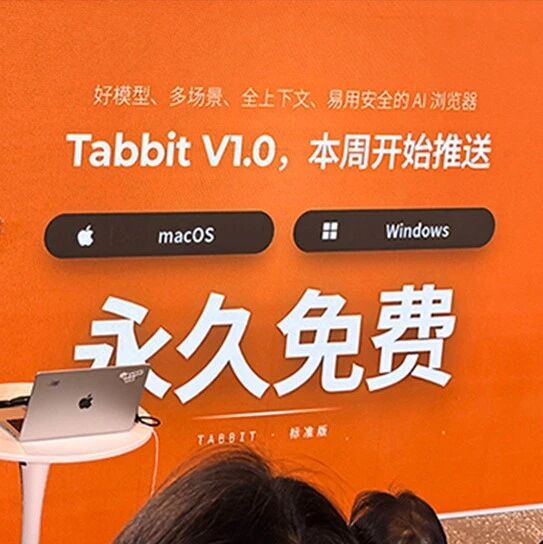
Tabbit: A Permanently Free AI Browser with 10+ Top Models at Your Fingertips
Meituan launches AI browser Tabbit V1.0 with core features permanently free, 10+ top domestic large models and agent capabilities built in, plus one-click access to 300+ ready-made trick skills.