
Build a One-Person Company Brand System with Lovart
A hands-on guide to managing brand assets with Lovart's Brand Kit and unifying your visual style across platforms, from $19/month.
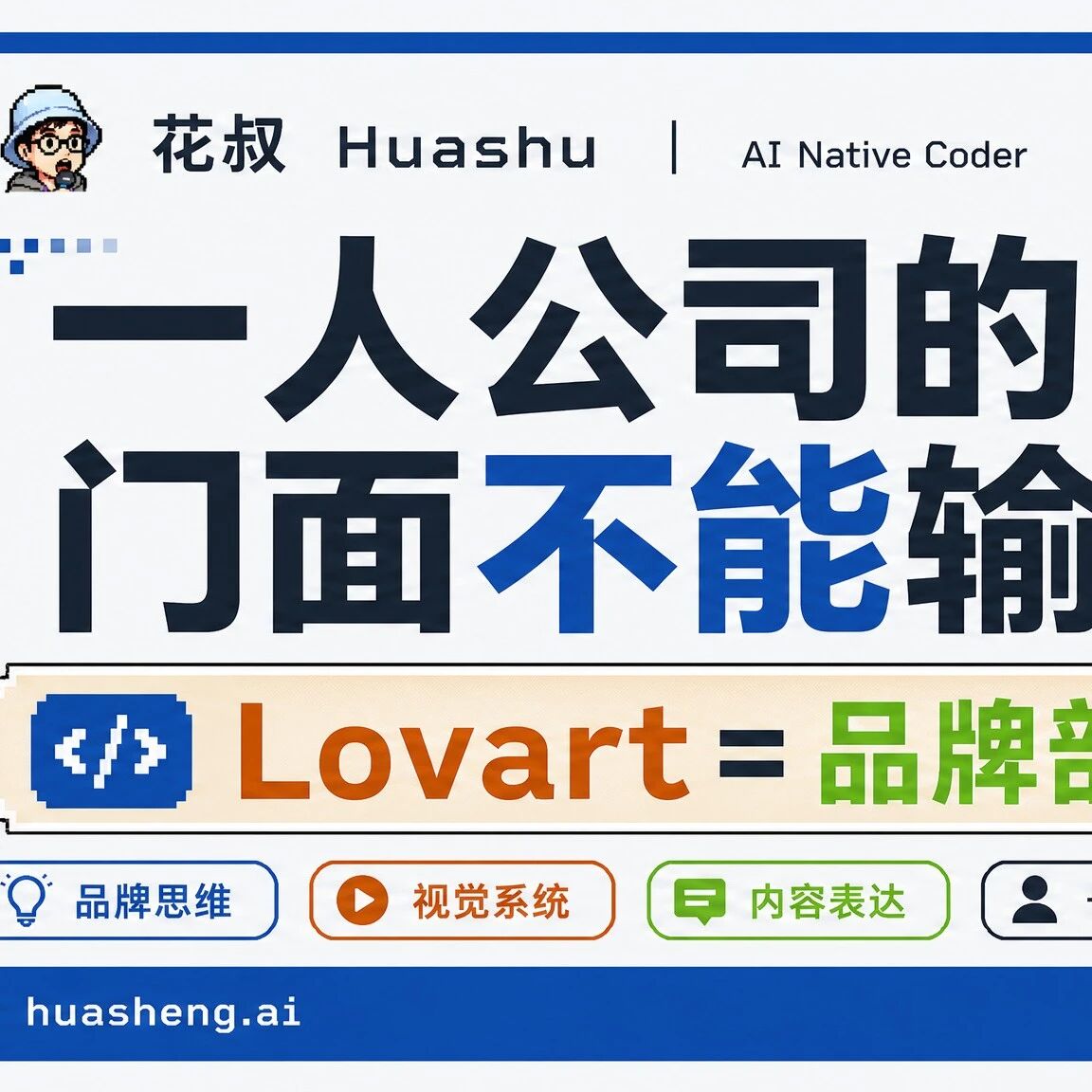
Build a One-Person Company Brand System with Lovart
A hands-on guide to managing brand assets with Lovart's Brand Kit and unifying your visual style across platforms, from $19/month.
If you're an indie developer, a freelancer, or running a one-person company, you've definitely hit this problem: five platforms, three visual styles, none of which recognize each other. Followers who subscribed to you in one place can't pick you out at all on another platform.
This article teaches you to use Lovart's Brand Kit feature to build a complete brand visual system from scratch — uploading brand guidelines, unifying colors and fonts, batch-generating stylistically consistent cover images and collateral, and exporting everything as editable PSD files.
Who it's for: indie developers, freelancers, personal-brand operators. Estimated time: 30 minutes. Cost: a Lovart membership from $19/month.
Before You Start
- Register a Lovart account (the free tier works; memberships from $19/month)
- Prepare a set of brand guidelines (logo, colors, fonts). If you don't have any, that's fine — generate one with Lovart first
- Get the content materials you'll turn into collateral ready (titles, copy, reference images, and so on)
Step 1: Feed Your Brand Assets to Lovart
After logging in to Lovart, go to the Brand Kit feature. Drag your brand guideline images straight into the upload area.
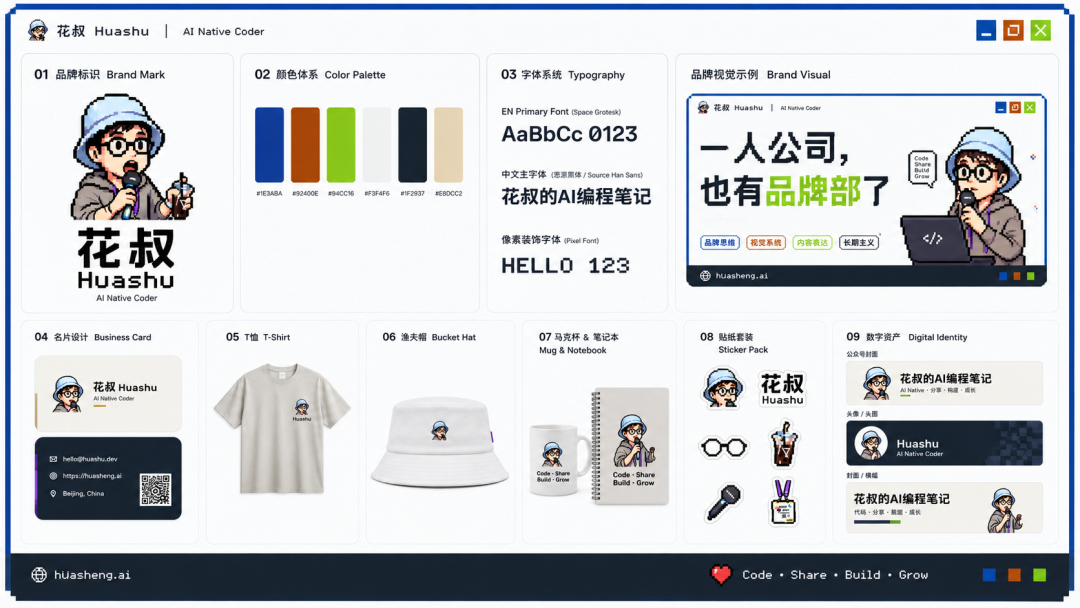
Lovart automatically parses the elements in your brand guidelines:
- Logo extraction: automatically detects and isolates the logo
- Color identification: recognizes brand colors as a named palette (like Brand Primary Blue, Secondary Orange, and so on)
- Design philosophy: even the design-philosophy text gets pulled out
Tip: if you don't have brand guidelines, have Lovart generate a set first. Tell it your brand name, style preferences, and industry, and it can produce a basic version for you.
Step 2: Generate Cover Images in a Unified Style
Once you have a Brand Kit, you never need to re-describe the style when generating covers. Just let Lovart produce images that follow your brand colors and visual rules.
Steps:
- Create a new design task in Lovart
- Enter your request (like "generate a WeChat Official Account cover with the title xxx")
- The Brand Kit applies automatically, and the output images conform to the brand's visual spec
The key point: every image keeps the same pixel style, color scheme, and fonts — no re-describing each time.
Step 3: Create a Brand Font
If your brand needs an exclusive typeface, Lovart can handle that too. In the font generation feature:
- Pick a base style (pixel, handwritten, serif, and so on)
- Set brand keywords (like "Code - Share - Build - Grow")
- Lovart generates a usable brand typeface
Step 4: Batch-Generate Extended Collateral
Once the unified look is established, you can quickly produce all kinds of extended collateral:
- Sticker packs: batch-generated from your brand cartoon character
- Social media covers: auto-fitted to each platform's dimensions
- Article illustrations: unified visual templates
- Event posters: keeping brand consistency
All generated images can be exported as PSD files, making secondary editing in Photoshop easy.
Cost Comparison
| Option | Monthly cost | Best for |
|---|---|---|
| Brand designer | $5000-15000 | Large companies with ongoing design needs |
| Lovart membership | from $19 | One-person companies, personal brands |
| Free AI image generation | 0 | Not caring about brand consistency |
At $19/month, you get a "brand department" with solid taste, available on call, and able to guarantee brand consistency — excellent value for a one-person company.
FAQ
- What if I don't have brand guidelines?: Have Lovart generate a set first. Enter your brand name and style preferences, and it can produce a basic version for you.
- What if the generated images aren't stylistically consistent?: Check whether the brand guidelines were correctly uploaded to the Brand Kit, and explicitly reference the Brand Kit every time you generate.
- Can it replace a professional designer?: For everyday collateral (covers, illustrations, sticker packs) it's enough. For major brand overhauls, hiring a professional designer is still the recommendation.
Related articles
Qwen-Audio-3.0-TTS: The Speech Synthesis Model That Can Express Emotion
Alibaba's new-generation TTS model controls laughter, gasps, and anger with tags, delivers 48kHz film-grade audio, and tops the global Speech Arena.

Qwen3.8-Max Preview: A Hands-On Early Access Guide
Qwen's 2.4T-parameter flagship preview is live on Token Plan, Qoder, and the Qwen website; officially rated second only to Fable 5 overall.
Making a Full-Scene Infographic with SenseNova U1 Pro
A hands-on tutorial for SenseTime's flagship multimodal model U1 Pro: turn raw data into a deliverable 8K infographic and full-match panoramic visual, automatically.

Claude for Teachers: A Free AI Teaching Assistant for Every K-12 Teacher in the US
Anthropic launches a free AI teaching assistant for certified US K-12 teachers, wired into 50 states' standards, with lesson-plan alignment, differentiated tiering, and student data analysis.
A Step-by-Step Codex Desktop Pet Tutorial: Build an Animated Desk Companion with Hatch Pet
Build a custom desktop pet for Codex with Hatch Pet from the OpenAI Skills repo — 5 steps from reference image to install and wake-up, roughly 1 hour and 60% of weekly usage in our test.
Turning an n8n Workflow into a Codex Skill: A Meta-Skill's Five-Step Pipeline
With the n8n-to-codex-skill meta-skill, convert any of n8n's 10,000+ public templates into a native Codex Skill — includes two real case studies: an SEO audit skill and a GEO content skill.