PixText
Rewrite the text inside an image, with no source file and no Photoshop
Tool details
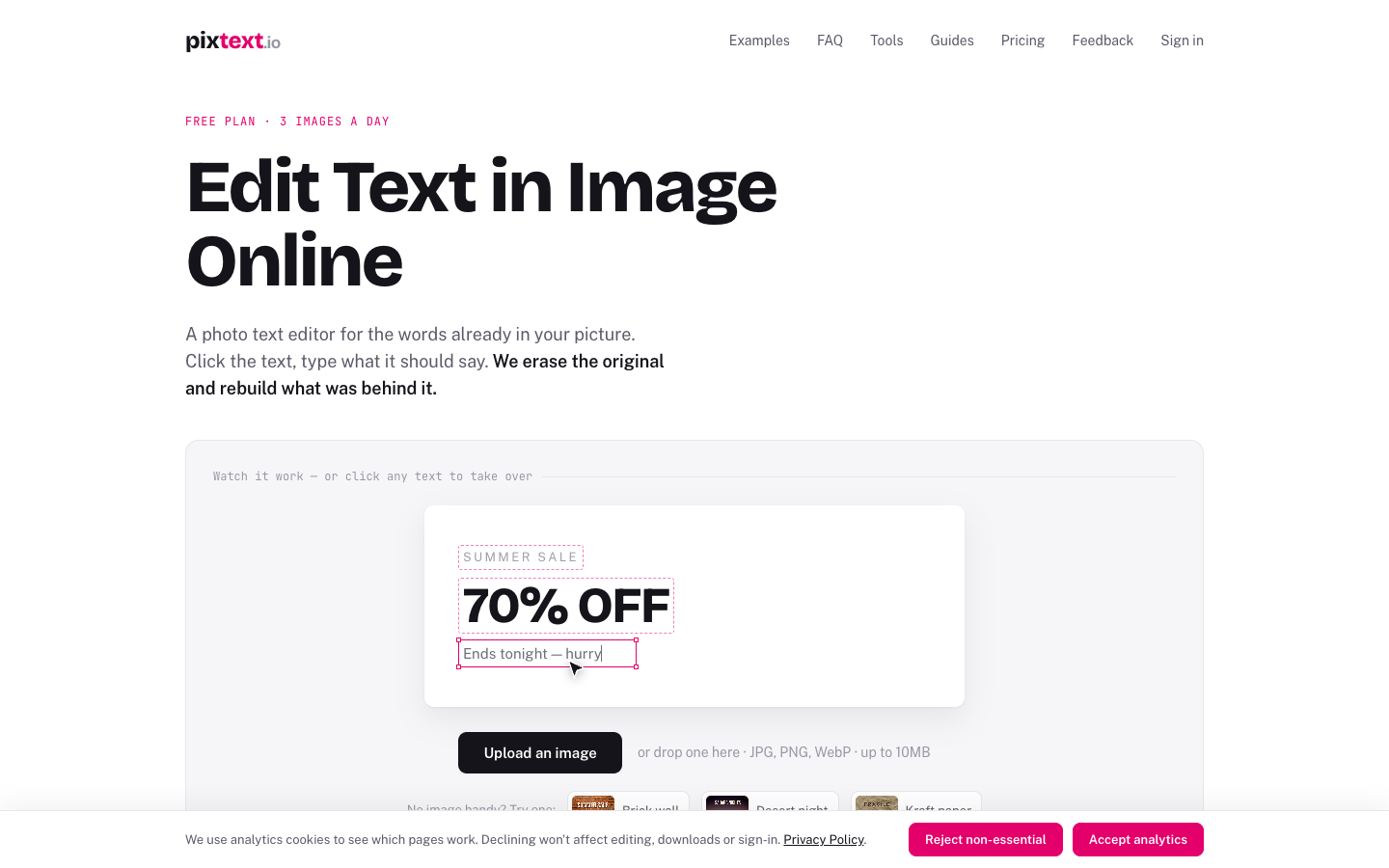
PixText is an online tool for editing the text inside an image: when the image is finished but the source file is nowhere to be found, it erases the old text, reconstructs the background, and lets you retype in the same spot. It is aimed at marketers, e-commerce sellers, product managers and people writing tutorials, who need to change a few words in one image without opening Photoshop.
Core capabilities
- Automatic OCR text detection: drop an image in and it detects and cuts out every text block, so one click selects it and no manual marquee is needed.
- Text erasure with background reconstruction: LaMa rebuilds the erased region instead of covering it with a colour block, so flat and gradient backgrounds show almost no trace.
- Retyping in place: once you enter new copy, position, font size and colour snap to the original text, and one click refits the new text to the original ink size.
- Complete styling: 47 built-in open-source fonts, with stroke, shadow, rotation, letter spacing and line height all adjustable, and newly added text stays an editable layer.
- Brush fallback: when a textured background cannot be cleaned, top it up by hand with an adjustable brush; erasing supports undo and redo, and Ctrl/Cmd+V pastes a screenshot directly.
- Local export: rendering and download happen in the browser as PNG, and no finished file is kept on the server.
Where it fits Changing the date or the promo price on a poster, swapping the button labels and version numbers in a screenshot for your own product's, redacting screenshots before sharing, removing your own watermark or subtitles. A good fit for marketers, e-commerce sellers, product managers and tutorial writers who lack design source files; not suitable for teams that need batching or an automated workflow integration.
Unique advantages Canva and Photoroom do not detect and rewrite text that is already inside an image, while Cleanup.pictures and SnapEdit only erase and never write; PixText chains detection, erasing, background reconstruction and retyping into a single click. The free tier gives 3 images a day, every tier is watermark-free, the editor is not crippled, and the pricing sits in the lowest band of the category.
Editorial verdict Getting the feature right, and honest documentation (it states outright that textured backgrounds will fail and that fonts can only be approximated), is where it earns the most trust. But make no mistake: it does not translate, rewrite or generate copy with AI, so a multilingual version means translating the text yourself and pasting it in; detection is reliable only for Latin-script languages and Chinese, and Japanese and Korean are missed. Beyond that there is no batching, no API, PNG-only export, login required to download, editing sessions cleared after 24 hours, and as an early independent project its capacity and reputation are still thin.
Pricing
Freemium$0 (Free, 3 images/day)3 images per day, resets at UTC 0, full editor, no watermark, not a trial
One-time purchase, never expires, usable without a subscription
200 images per billing month, email support included
Page states 31% savings; the allowance is still 200 images per month
No fixed image cap, subject to fair use; scripted bulk use is rate-limited or banned
Page states 31% savings, includes every Pro capability
Additional notes
No free trial; the first subscription can be refunded in full without giving a reason within 7 days (once per customer, and renewals only if no images have been downloaded), and an Image Pack can be refunded within 7 days of the first purchase if no image has been used. Free and Pro allowances do not roll over; only Image Packs never expire. Prices are in US dollars, excluding tax, collected via Stripe Link.
FAQ
User reviews
User Reviews
No reviews yet
No one has reviewed this tool yet