SpriteGen
AI sprite sheet generator for 2D indie developers
Tool details
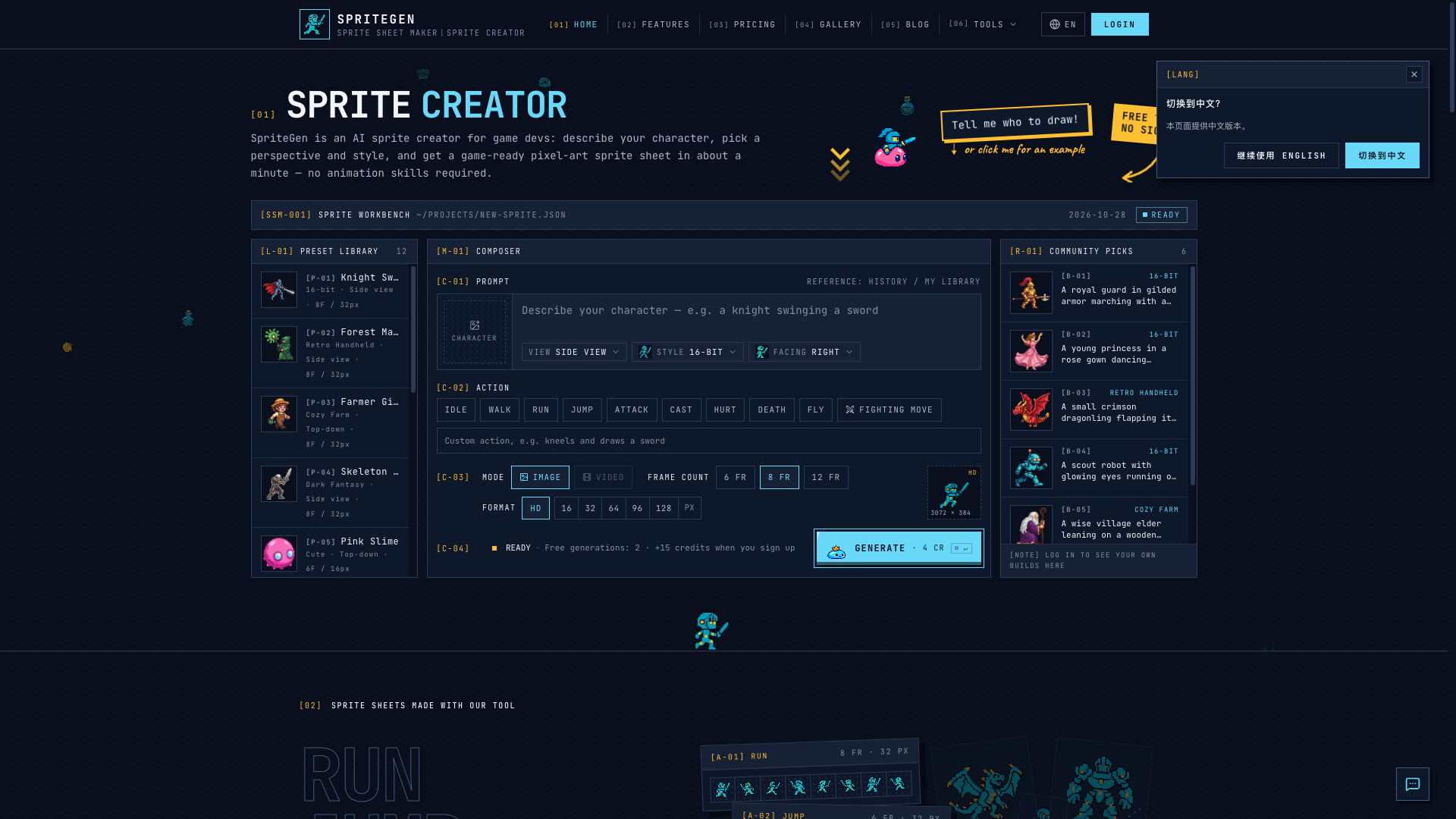
SpriteGen is an AI sprite sheet generator for 2D indie developers: describe your character, pick a view and a style, and in about a minute you get a transparent sprite sheet you can slice straight into your engine. It does not require you to draw pixel art, only to explain clearly how the hero should walk and how the enemies should attack.
Core capabilities
- Whole-sheet output: one run produces a transparent atlas with 6/8/12 frames on an even grid, and a looping preview plays as soon as it renders
- 12 styles, 4 views: 5 pixel styles plus 7 illustration styles, switching at any time between side view, top-down, isometric and front
- 9 ready-made actions: Idle, Walk, Run, Jump, Attack, Cast, Hurt, Death and Fly, plus custom fighting moves
- Multi-direction splitting: top-down and isometric output up to 8 directions, one independent sheet per direction with matching frame counts
- 6 export options: full-sheet PNG, single row, 4 columns, GIF, per-frame ZIP, plus TexturePacker JSON Hash and Aseprite JSON atlases
- Free local tools: GIF-to-atlas conversion, frame packing and a pixel art editor all run in the browser, with no login and no credits consumed
Where it fits Indie developers, small teams and Game Jams get the most out of it: during prototyping you first want a moving enemy or NPC placeholder, and only then decide whether to hire an artist. Programmers who cannot draw pixel art will also find it handy for filling in Phaser and RPG Maker assets; do not expect a shipping-grade art pipeline from it.
What sets it apart General text-to-image tools return a single image and leave you to stitch the frames together yourself; SpriteGen hands over the whole sheet plus a looping preview, and delivers the Aseprite and TexturePacker atlas JSON along with it — rare among lightweight tools of this kind, and it removes exactly the frame-stitching step.
Editorial take Worth a try, but place it correctly: what it produces are prototype and placeholder assets. The cap is 12 frames, there is no skeletal animation and no engine plugin (file-level output only), images and animation are called through a third-party model aggregation layer, and frame consistency is not guaranteed. Every plan includes commercial licensing, so start with the 2 generations that need no account to get a feel for it, then talk about a subscription.
Pricing
Freemium$0 (2 free generations without an account, plus 15 signup credits and a daily check-in bonus)2 generations without an account, 15 credits on signup and a daily check-in bonus
300 credits, about 75 sprite sheets
800 credits, about 200 sprite sheets
one-off credit pack, about 75 sprite sheets
Additional notes
Credits are consumed per generated sprite sheet. The one-off 300-credit pack costs about 25% more per sheet than the Starter subscription. Subscription checkout is announced on the site but is not confirmed to be live.
FAQ
User reviews
User Reviews
No reviews yet
No one has reviewed this tool yet