
Textomap
A geographic visualization AI tool that turns text into interactive maps in seconds
Tool details
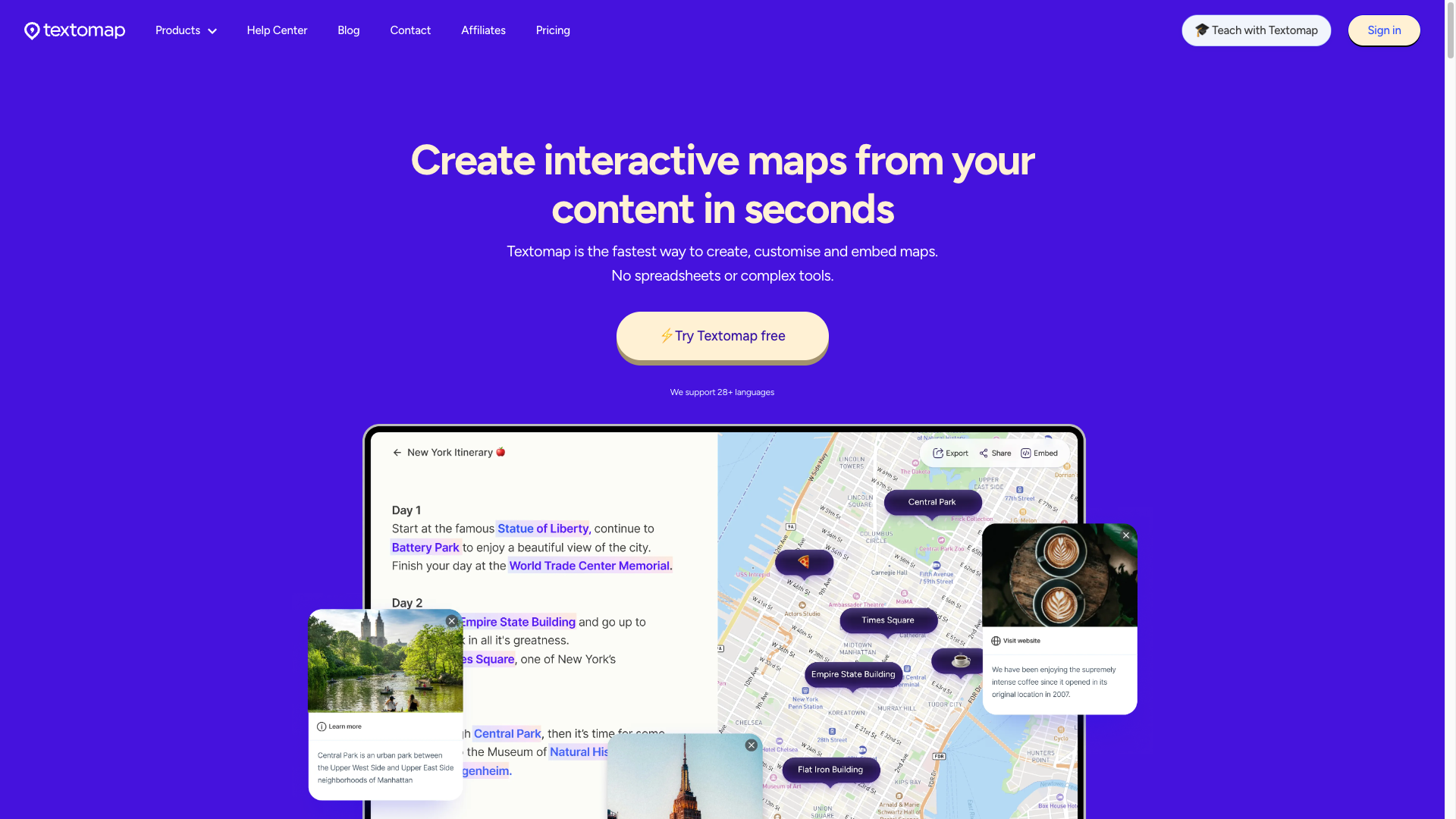
Textomap is a 'text to interactive geographic map' AI conversion tool from Textomap UG in Berlin, Germany: paste any location-bearing text and a shareable, embeddable interactive map is auto-generated within seconds, no spreadsheets needed. It took the global championship in HackerNoon's 2024 annual E-Learning category and is a practical tool for teachers, travel bloggers, and editors turning text into maps fast.
Core Capabilities
- Text to map: Paste an article, itinerary, or teaching material; places are auto-detected and geocoded, with maps generated in seconds
- Multi-source inputs: Five entry points — text, images, web links, CSV, and AI prompts — automatically extract locations
- Two-way hover linking: Hovering a place name in text highlights it on the map; clicking the map locates the original text
- Embed auto-sync: Copy an iframe to embed in any website; editing the source map updates all embeds automatically
- Multilingual and knowledge links: Auto-detects 28+ languages and links Wikipedia entries and images
- AI assistant mapping: Ask the AI a question and the answer is visualized on a map, capped at 10 locations
Use Cases Geography, history, and science teachers are the main audience ($99 education plan with 50 individual student accounts and controlled ChatGPT); travel bloggers can turn written itineraries into embedded route maps, and news editors can quickly add geographic context to stories. Teams needing APIs/automation or enterprise GIS do not fit, and mind-map seekers should pass — Textomap makes geographic maps.
Unique Advantages It occupies the blank band between consumer maps and developer GIS: Google My Maps needs manual plotting, Mapify and peers are only mind mappers, while Textomap is the low-friction way to turn text directly into geographic maps. The fullest input sources, two-way linking, and embed auto-sync are hard differentiators; the $8 entry price undercuts peers like PamPam ($29).
Editorial Review The core promise of 'paste long text, get a map in seconds' checks out in hands-on tests by ilovefreesoftware, 345tool, and others, and the free tier delivers the full value experience without a credit card. Deductions are sustainability: a 2-person self-funded team, Chrome extension and WP plugin untouched for over 2 years, no public API, and a tiny reputation sample. Good to recommend as a small efficiency tool for a specific pain point; not suited as long-term enterprise-grade infrastructure.
Pricing
FreemiumFreeThe Free plan needs no credit cardUnlimited maps, 10 locations/3,000 characters/10 shared views per map, 1 embed, ads in some regions
500 views, 20,000 characters, unlimited saves and embeds, ad-free
3,000 views, 30,000 characters, unlimited everything
Educator + 50 independent student accounts, 100 maps per student per month
Additional notes
All plans include unlimited map creation, AI assistant maps, link sharing and social publishing, Google Maps export, CSV import/export; cancel anytime without deleting maps (embeds become invisible, public maps drop to 10 views/mo)
FAQ
User reviews
User Reviews
No reviews yet
No one has reviewed this tool yet