
How to Run Claude Code Inside Codex at the Same Time
One setup to run Codex and Claude Code side by side: GPT plans on the left, Claude works on the right, each serving as the other's fallback — their refusal boundaries don't get in each other's way.

How to Run Claude Code Inside Codex at the Same Time
One setup to run Codex and Claude Code side by side: GPT plans on the left, Claude works on the right, each serving as the other's fallback — their refusal boundaries don't get in each other's way.
Claude Code and Codex each have domains they excel at, and each has its own refusal boundaries. Put both in the same window: Codex handles the planning, Claude Code handles the work, and whenever one refuses, the other catches it seamlessly — this is currently the most efficient dual-wield setup for AI coding.
The setup is extremely simple — 3 minutes and you're done.
Why Dual-Wield
Start with some data. Token-consumption share across Claude, OpenAI, and xAI from June 3 to June 9:
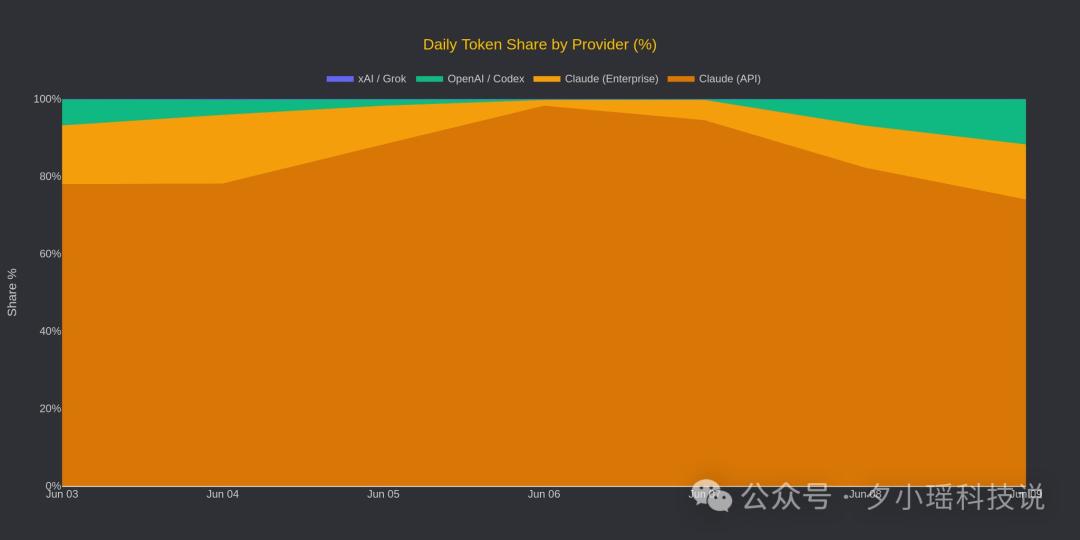
Claude's orange fills nearly the whole screen, above 85%. But note that this is measured by token consumption — Claude likes to think hard and loves spinning up subagents; a single research task opened 103 subagents. GPT 5.5, meanwhile, is built around saving tokens; the same job can differ several-fold in consumption between the two.
Counted per person, the two are neck and neck: Codex has surpassed 5 million weekly active users, while Claude Code's npm downloads run about 46.3 million per month, more than 3x the Codex CLI.
So the optimal answer is: use both together, and let them compete face to face.
Setup Steps
Step 1: Install Both Tools
Make sure you have installed:
- Codex desktop (download from the OpenAI website)
- Claude Code (install via npm:
npm install -g @anthropic-ai/claude-code)
Step 2: Open Claude Code Inside Codex
In the Codex desktop app, pull out the sidebar, click the + button, choose Terminal, then type:
claudeThat little patch of territory on the right now belongs to Claude Code. The tab renames itself to "Claude Code" automatically, and you can click back to it anytime to keep working.
Step 3: Adjust the Theme (Optional)
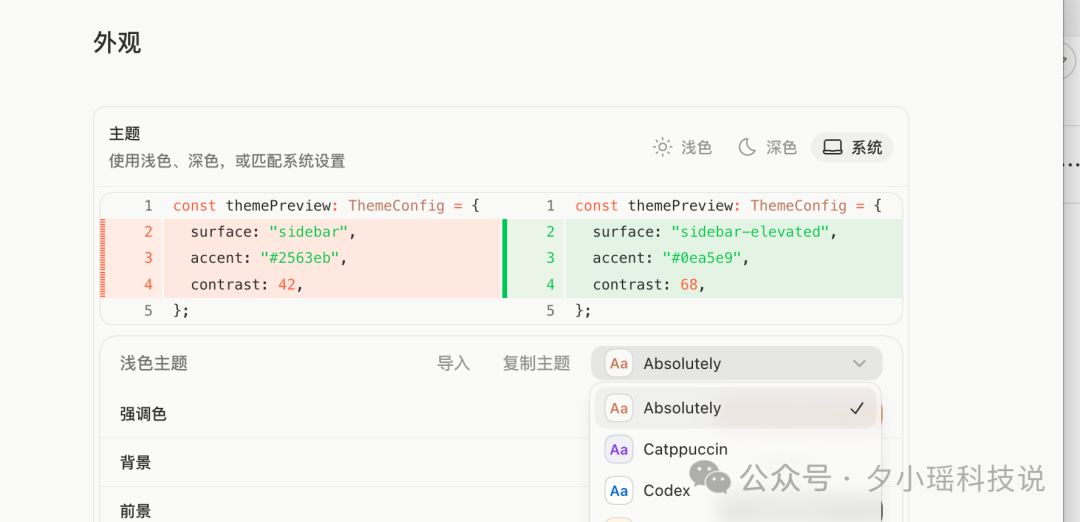
If mismatched colors bother you, go to Settings -> Appearance and pick a theme — programmer favorites like Catppuccin are all there — and set both sides to the same color family so they stop clashing on screen.
Usage Tips
Division of labor: Codex owns planning and progress tracking; Claude Code owns doing the work.
Fallback mechanism: when Claude Fable refuses to answer (safety review triggered), copy the context straight over to the GPT panel on the left and let it catch the task — a seamless handoff. It works in reverse too: the two companies' refusal boundaries were never the same to begin with, so mutual fallback sharply cuts interruptions.
Copy-paste: a few hundred lines of context can be pasted across in one go and caught cleanly.

The Codex Credit-Reset Trick
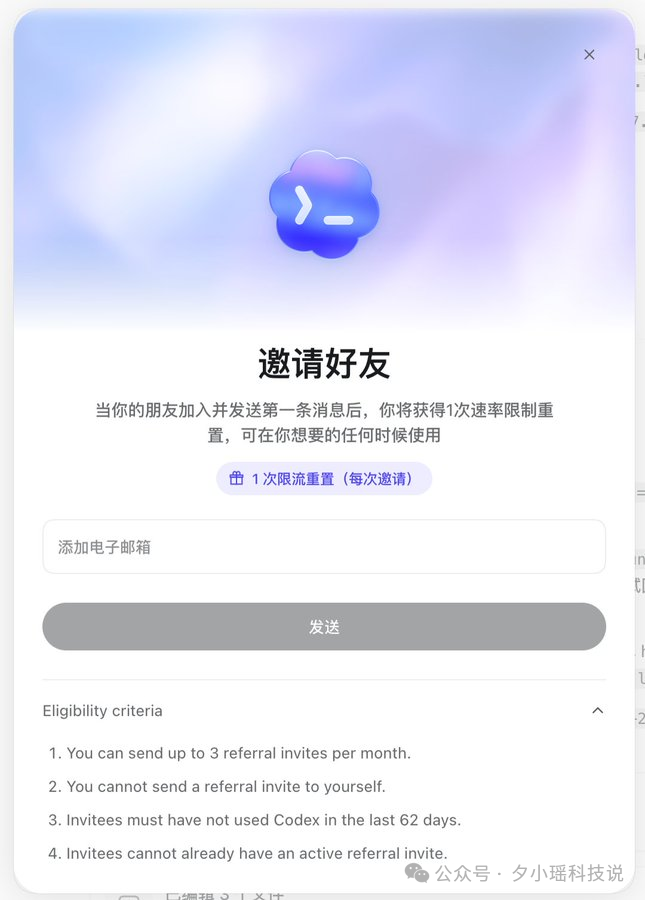
OpenAI recently rolled out a referral-rebate mechanism: invite someone who hasn't used Codex in 62 days and you get a credit reset. And it can be reused — whenever you need a reset, just invite more friends.
FAQ
- Q: Will the two tools conflict? No. They run in separate terminal panels and don't interfere with each other.
- Q: Which one makes the better daily driver? It depends on your work. Claude Code has the stronger reputation on the pure-developer side, with npm downloads at 3x Codex CLI's. But Codex's non-developer users are also growing fast.
- Q: How do the costs work? Claude Code is currently billed through the Max subscription; Codex is billed by token consumption. Dual-wielding, you can route lightweight tasks to Codex to save tokens and hand the heavy lifting to Claude Code.
Related articles

Qwen3.8-Max Preview: A Hands-On Early Access Guide
Qwen's 2.4T-parameter flagship preview is live on Token Plan, Qoder, and the Qwen website; officially rated second only to Fable 5 overall.

Making a Full-Scene Infographic with SenseNova U1 Pro
A hands-on tutorial for SenseTime's flagship multimodal model U1 Pro: turn raw data into a deliverable 8K infographic and full-match panoramic visual, automatically.

Claude for Teachers: A Free AI Teaching Assistant for Every K-12 Teacher in the US
Anthropic launches a free AI teaching assistant for certified US K-12 teachers, wired into 50 states' standards, with lesson-plan alignment, differentiated tiering, and student data analysis.

A Step-by-Step Codex Desktop Pet Tutorial: Build an Animated Desk Companion with Hatch Pet
Build a custom desktop pet for Codex with Hatch Pet from the OpenAI Skills repo — 5 steps from reference image to install and wake-up, roughly 1 hour and 60% of weekly usage in our test.
Turning an n8n Workflow into a Codex Skill: A Meta-Skill's Five-Step Pipeline
With the n8n-to-codex-skill meta-skill, convert any of n8n's 10,000+ public templates into a native Codex Skill — includes two real case studies: an SEO audit skill and a GEO content skill.

Navos 2.0: Tec-Do Upgrades Marketing from a Chatbox to a Loop Agent
Navos 2.0, launched at WAIC, upgrades the chatbox into an Agentic Workflow, powered by the Tec-Chi 300B model ranked No. 1 on SuperCLUE-Mkt — with 5 core agents and a macOS client.