
Claude Tag, Hands-On: @ It Once and an AI Teammate Moves into Your Slack
Anthropic has launched Claude Tag, turning Claude into an on-demand "AI teammate" in Slack group chats that breaks down tasks, calls tools, and opens PRs — it now accounts for 65% of Anthropic's internal code.
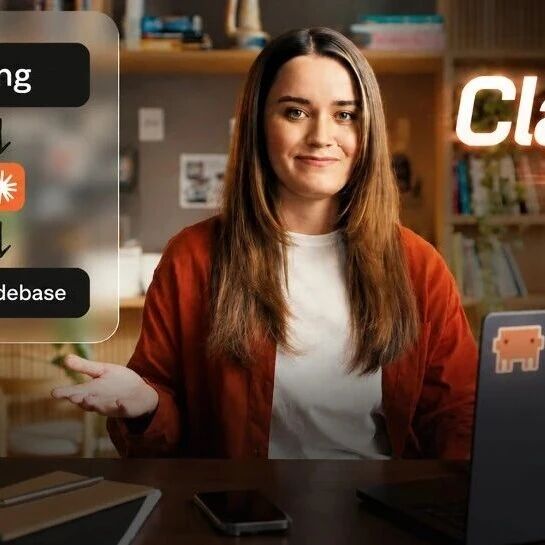
Claude Tag, Hands-On: @ It Once and an AI Teammate Moves into Your Slack
Anthropic has launched Claude Tag, turning Claude into an on-demand "AI teammate" in Slack group chats that breaks down tasks, calls tools, and opens PRs — it now accounts for 65% of Anthropic's internal code.
Anthropic has upgraded Claude Code into "Claude Tag" — a new kind of Claude built for team collaboration. No terminal to switch to, no new window to open: in the Slack channels your team lives in all day, type @Claude and it appears as a resident "AI teammate" that reads code, runs tests, and opens PRs with your organization's context in hand. Anthropic's own engineering team already ships 65% of its code through an internal version of Claude Tag.
This piece covers Claude Tag's core mechanics, how to use it, how it differs from the first and second generations of AI, and how its playbook diverges from OpenAI's and Google's enterprise agents.
What Claude Tag is
Put simply, Claude Tag is a "shared identity" AI teammate that lives resident in a Slack channel.
- You assign work with
@Claudein the channel, and it delivers finished results in the thread instead of tossing back a wall of text - It recognizes your colleagues in the channel, knows which project you are pushing forward, and can pull in documents, databases, code repositories, and third-party services
- The same Claude Tag persists coherently across channels and tools, with memory intact — @ it today and @ it tomorrow, and it knows it is the same thread of work
Under the hood runs Claude Opus 4.8, Anthropic's flagship model released in late May 2026.
Karpathy was quick to endorse the feature, calling it "the third reinvention of the LLM user interface" — the first two being the chat box (ChatGPT) and the command-line agent (Claude Code). Claude Tag is the first time an AI has been seated at that virtual desk between people.
How to get started
Claude Tag is currently available in Beta for Claude Team and Enterprise workspaces, built into Claude Cowork at no extra charge. The old Claude in Slack app has been replaced by it.
Step 1: Enable it in your workspace
An admin turns on the Claude Tag integration for the Slack workspace from the Claude Cowork admin console. Once enabled, channel members can trigger it with @Claude in any channel.
Step 2: @ it with outcomes, not steps
Type @Claude plus a goal, right in the channel. For example:
@Claudefix yesterday's login bug, open the PR, and make sure the tests run.
It will read the code, locate the problem, fix it, run tests, and open a merge request on its own, with no babysitting required. For complex tasks it proactively breaks the work into stages and posts progress updates in the thread.
Step 3: Coding tasks route automatically to Claude Code
For work that involves writing code, Claude Tag routes the task into a Claude Code environment, where changes are completed, tests run, and PRs submitted inside a sandbox. In Anthropic's own words: "@Claude is now one of the primary ways we get things done."
💡 Tip: Claude Tag leans on a security narrative — it runs with permission boundaries by default and requests confirmation in the channel before sensitive operations rather than executing silently. Keeping permissions scoped to the minimum usable set is the precondition for letting it work safely.
Core capabilities
- Shared identity and persistent memory: context is retained across channels and tools — what you hand it today and what you hand it tomorrow are understood as the same project.
- Proactive engagement (Ambient mode): it does not just wait passively for @s; it can follow up on work progressing in threads and fill in steps that were missed.
- Asynchronous execution: long tasks can run in the background and report back to the channel when finished, no need to watch the chat box.
- Tool calling: documents, databases, code repositories, CI, and third-party APIs are all in its toolset — after changing code it knows which repo to PR into and who should review.
How it differs from the other two players
In 2026's enterprise agent battle, OpenAI, Google, and Anthropic are betting on three different futures.
| Vendor | Product | Playbook | Best for |
|---|---|---|---|
| OpenAI | Workspace Agents (launched in April) | No-code drag and drop, connects Slack / Salesforce / HubSpot | Business users who can assemble agents with a few clicks |
| Gemini in Workspace | Grown into the Gmail / Calendar / Drive / Docs suite | Teams already living in the Google ecosystem | |
| Anthropic | Claude Tag | An embedded teammate that moves across all your tools and stitches the work together | Teams that value code and engineering collaboration, with security front of mind |
All three point to the same conclusion: AI is no longer a tool you "use for a bit" — it is a colleague meant to hold a lasting position in your work.
Who it is for
- Engineering teams: hand repetitive code changes, testing, and PR workflows to Claude Tag, and let people focus on review and decisions.
- Product / operations teams: have Claude Tag pull data, organize documents, and follow up on tasks directly in Slack, skipping the cost of tool-switching.
- Security- and audit-conscious enterprises: Claude Tag's permission boundaries plus Slack's thread trail are more controllable than running a bare agent.
References
- Official docs: https://code.claude.com/docs/en/slack
- Anthropic launch announcement: https://x.com/claudeai/status/2069468693017268244